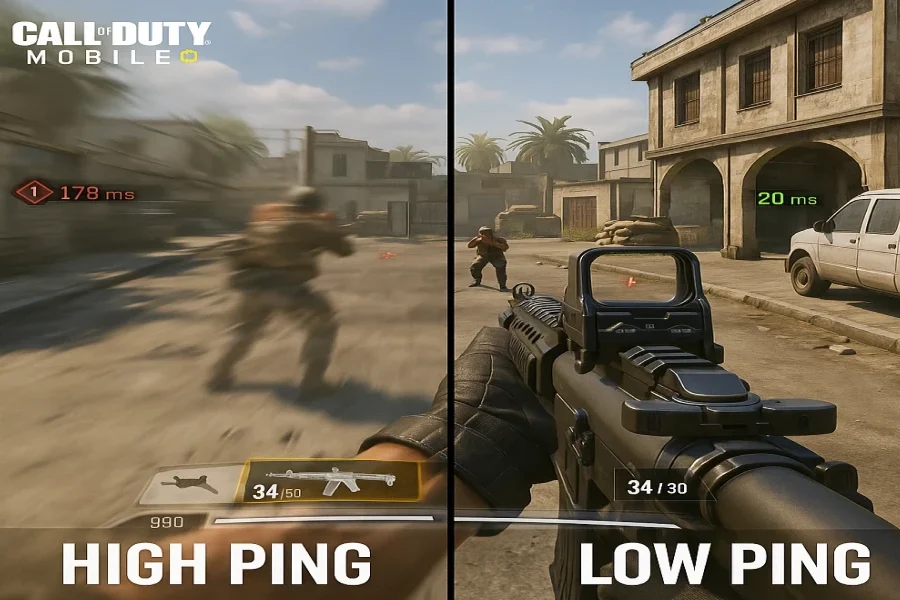
In fast-paced and highly competitive games like Call of Duty: Mobile, just a few milliseconds of higher ping can decide whether you win or lose.
Ping measures the round-trip time for data between your device and the game server — the lower it is, the smoother and more responsive your gameplay will feel.

Table of contents
Optimize Your In‑Game Settings
Start by reducing your graphic load and maximizing frame rate. High settings may look great, but they also stress your CPU and GPU — causing micro‑lags and stutters.
Recommended Settings:
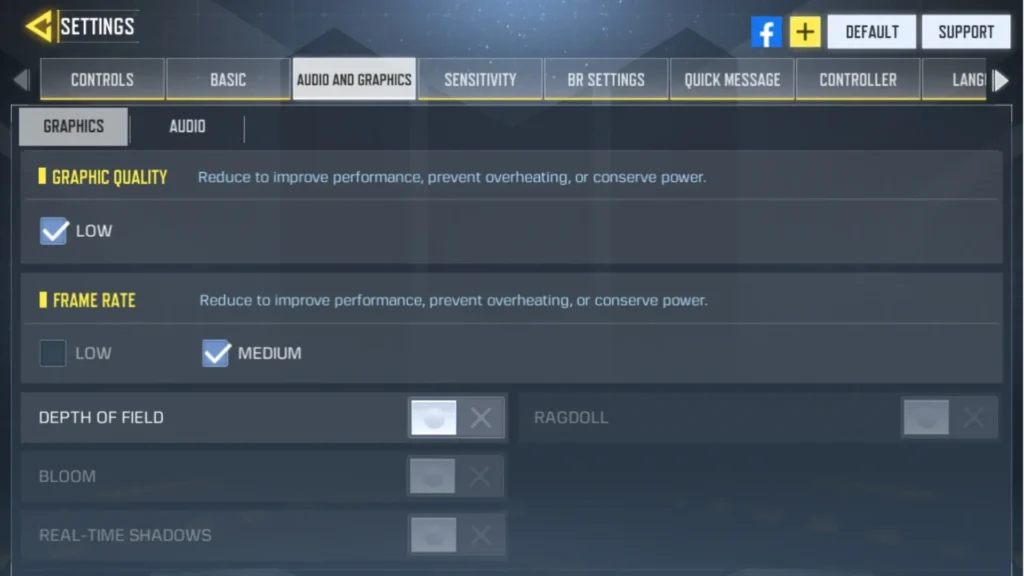
- Graphics Quality: Medium or Low
- Frame Rate: High or Very High
- Motion Blur / Real‑Time Bloom: Off
- FOV: Default
- Preload Shaders: On
- Low Data Mode: Off
This setup minimizes delays during map loads and keeps your device running cooler and faster.
Close Background Apps
Messaging and social apps (WhatsApp, Telegram, Instagram, etc.) constantly use network bandwidth — increasing your ping.
Before launching CODM:
- Close all unnecessary apps.
- Enable Do Not Disturb mode.
- If available, activate Game Mode or Performance Mode on your phone.
- Disable automatic cloud uploads (like Google Photos or OneDrive).
Improve Network Connectivity
Your network has the biggest impact on ping — but you don’t need new internet. With a few simple tweaks, you can achieve a stable, low‑latency connection:
- Stay close to your router.
- Pause video streaming on other devices.
- Switch to mobile data if your Wi‑Fi becomes crowded.
- Prefer 5GHz Wi‑Fi over 2.4GHz for faster performance.
- Restart your router once a day.
- Toggle Airplane Mode on and off before gaming to reset your connection.
- Choose the nearest server in your CODM settings.

Call Of Duty Mobile CP via Login
Get your Call of Duty: Mobile CP with trusted, verified, and legal service.
Enjoy instant delivery, secure payments, and peace of mind — all backed by Item4Gamer’s reliability.
⚡ Fast • Secure • Officially Verified
Play smart, buy safe — Item4Gamer.—
Keep Your Device in Top Shape
Even with perfect internet, a sluggish phone can be the main reason behind high ping.
Once a week, make sure to:
- Free up 5–10GB of storage space.
- Clear app caches.
- Restart your phone before launching CODM.
- Uninstall unused apps.
- Keep your CODM game updated.
A clean, optimized phone ensures smoother reactions and better frame pacing.
Stay one step ahead of the competition with Call of Duty: Mobile CP from Item4Gamer!
Instant top‑up, secure and risk‑free payment mean you’ll never get interrupted mid‑battle — and you’ll always have access to the latest Battle Pass and skins.
Stability During Ranked Matches
In ranked mode, every millisecond counts — high ping can delay your shots or cause sudden desyncs.
Tips to stay stable:
- Make sure no other device is using Wi‑Fi.
- Play during off‑peak hours when internet traffic is low.
- Enable QoS (Quality of Service) on your router to prioritize your device’s traffic.
Use Ping Reduction Tools
If you’ve optimized everything but still suffer from lag, it’s time for specialized software.
Apps like ExitLag or GearUP Booster reroute your connection through faster and more stable nodes — reducing packet loss and avoiding unstable ISP paths.
Most offer free trials, and pro players often rely on them for smoother gameplay during ranked or tournament matches.
Final Thoughts
To truly minimize ping in Call of Duty: Mobile, focus on these three pillars:
- Lightweight in‑game graphics settings
- Stable, optimized network connection
- Regular device maintenance
Combine all that with trusted tools like ExitLag or GearUP Booster, and you’ll enjoy the smoothest, most responsive CODM experience ever.