Looking for the CODM Season 7 Sensitivity settings that will give you a competitive edge in multiplayer? Whether you’re grinding ranked or just want smoother control, finding the most balanced and optimized sensitivity setup is key for dominance in Call of Duty Mobile’s latest season. In this guide, we’ll walk you through the newest pro-recommended basic settings, graphics options, and exact sensitivity values—so you can maximize your accuracy, mobility, and overall gameplay. Dive in and level up your game with the best CODM Season 7 Sensitivity!

Table of contents
Best Basic Settings for Multiplayer
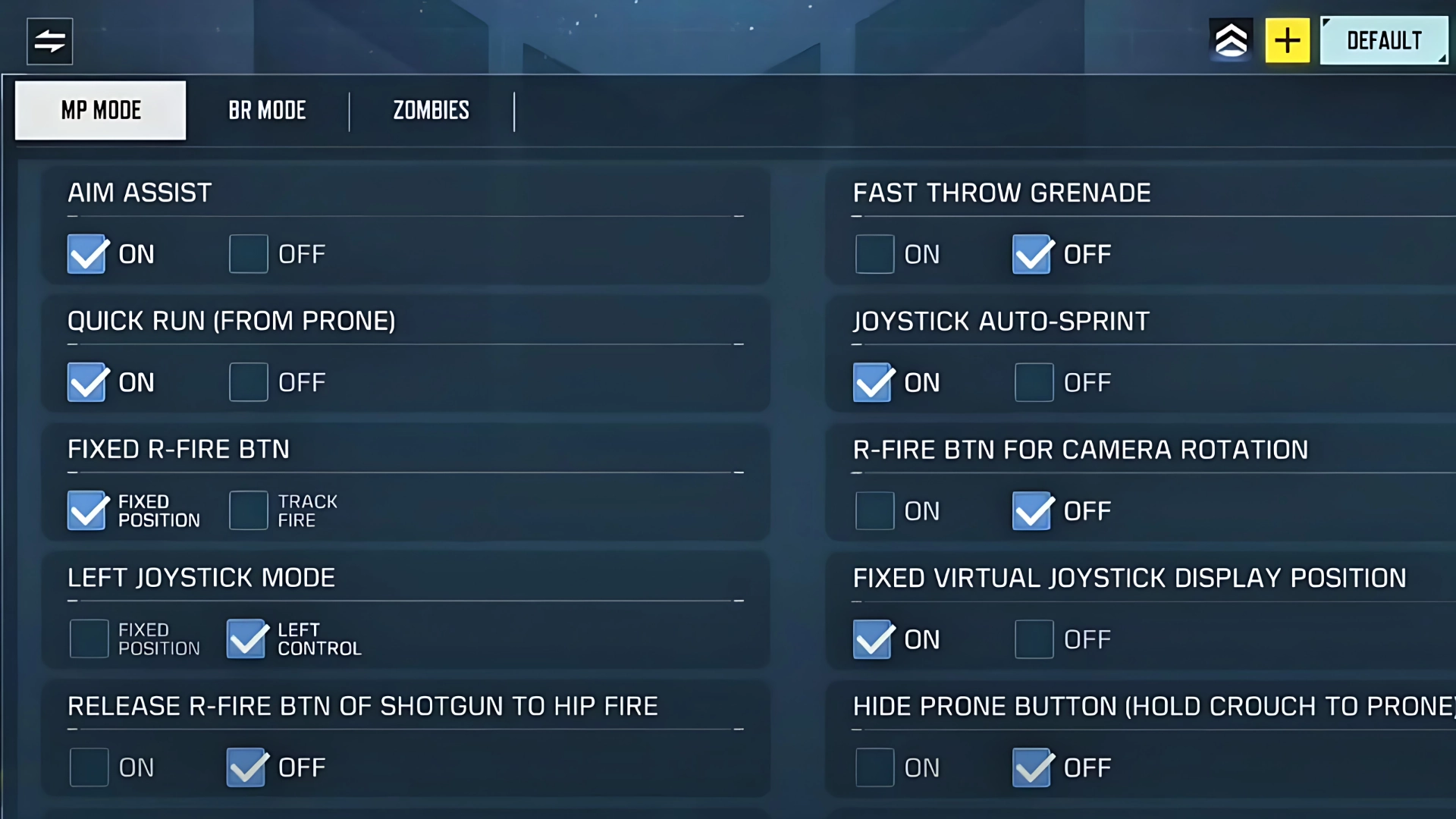
- Aim Assist: Always ON for better accuracy.
- Quick Run from Prone & Joystick Auto-Sprint: Enable both for smoother, faster movement.
- Weapon Rotation Buttons: Keep these disabled for easier thumb aiming on the right side.
- Slide Hint: Optional—shows a slide button instead of crouch when sprinting.
- ADS (Aim Down Sight): Use Tap & Hold for greater flexibility in dynamic fights.


- One Tap Slide: Activate for quick slides during intense gunfights.
- Always Sprint: ON for flawless movement and sliding without crouching by mistake.
- Field of View: Set to MAX. This works perfectly with our recommended CODM Season 7 Sensitivity settings for optimal vision and aiming.
Optimal Graphics and Audio Settings
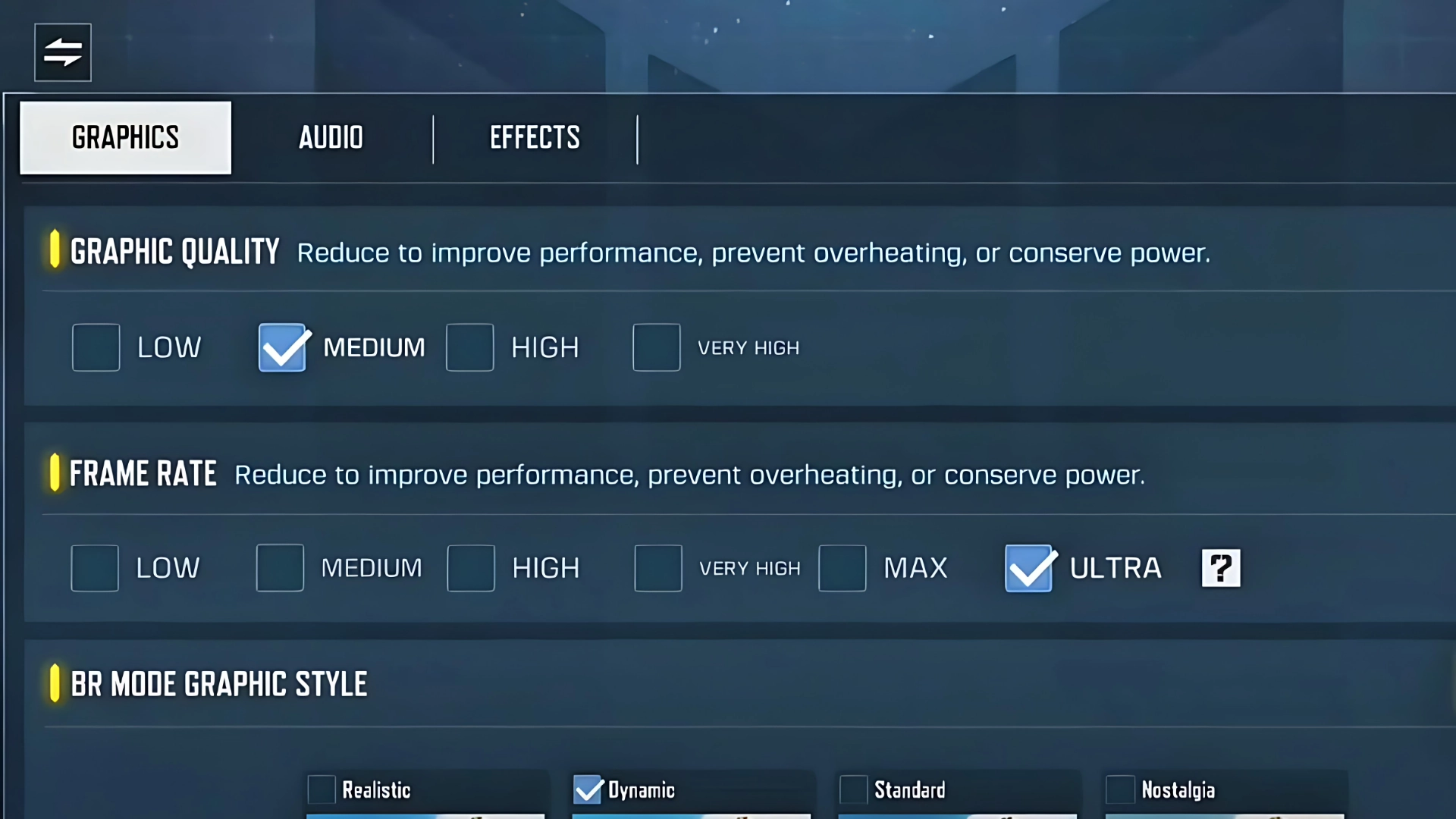
- Graphics Quality: Set to Medium if your phone heats up or lags. Prioritize smooth performance over high visuals.
- Frame Rate: Always MAX. High FPS means snappier response and faster reactions.
- Audio: Set UI Volume to 50% to reduce button/tap noise while in-game.
- Hit Effects & Get Hit Hint: Choose Pink or Red for maximum visibility, so you instantly notice when you’re getting hit.
Best CODM Season 7 Sensitivity Settings
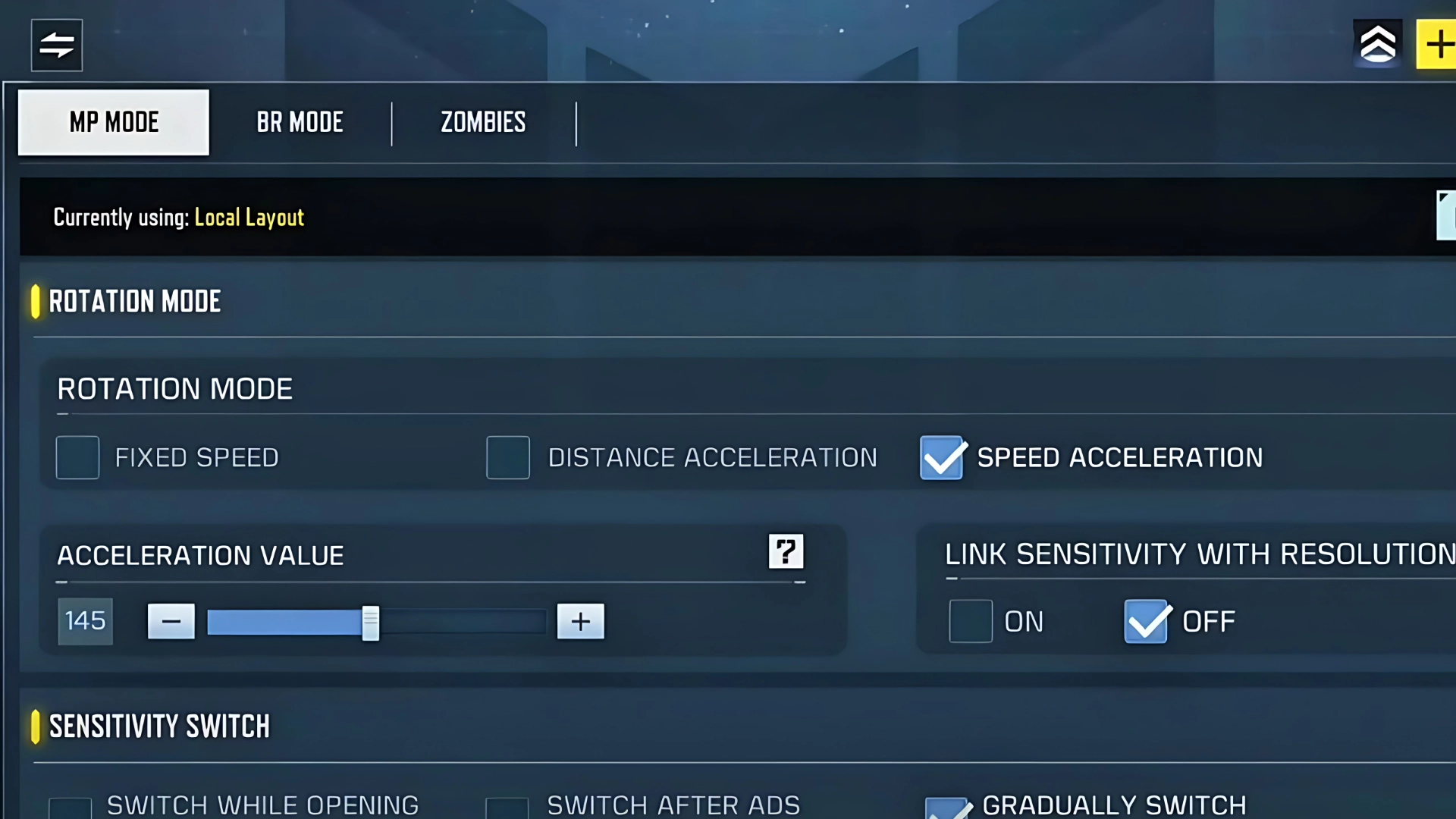
- Rotation Mode: Speed Acceleration at 145 (130–150 is a user-friendly range).
- FOV: Set to 130 for wide vision and matching sensitivity.
- Sensitivity Switch: Use the “Gradually Switching While ADS” option.
- Gyroscope: Don’t change the values if you want best accuracy—especially for vertical recoil and fast tracking.
- HUD Layout: Simple three or four-finger claw setup. Use ADS (scope) with your right index finger if possible.
- Device Example: Tested on a Poco F5 (6.5-inch display)—adjust minor values if your phone size differs.
With these recommendations, you’ll enjoy laser-accurate aiming, pro-level recoil control, and fast response in all engagement ranges.
Conclusion
By implementing these professional CODM Season 7 Sensitivity settings, you’ll see a noticeable improvement in your movement, aiming, and overall multiplayer performance. Test these settings, tweak them if needed for your device, and see your ranked gameplay transform! Have questions or experiences to share? Drop them in the comments—and feel free to share this blog with fellow CODM players to help everyone level up their skills.
Set your CODM Season 7 Sensitivity now and experience top-tier mobile gaming!
Also read: Unveiling CODM Season 7: Must-Know Updates
Frequently Asked Questions (FAQ)
A mix of Speed Acceleration 130–150, active Gyroscope, and FOV 130 provides ideal balance between speed and accuracy.
Only if your device stays cool and smooth. Always prioritize max frame rate over high graphics quality.
Three or four-finger claw layouts are best for control, especially with tap & hold ADS.
It prevents accidental crouching during slides and keeps your movement fast and fluid throughout matches.