

Tired of unpredictable recoil and missing crucial shots in Free Fire? The secret to dominating in 2026 isn’t just about skill—it’s about perfecting your settings. Many players make the mistake of copying pro players, only to find their aim gets worse. The truth is, the best Free Fire sensitivity is deeply personal. It depends on your device, your hand speed, and whether you’re a Battle Royale strategist or a Clash Squad warrior. This guide will walk you through finding the custom-tuned settings that will turn your every shot into a headshot.
Table of contents

Why You Should Never Copy Someone Else’s Settings
The number one rule of sensitivity is: what works for a pro might not work for you. Your ideal setup is a unique blend of three key factors:
- Playstyle: Do you prefer the long-range tactical gameplay of Battle Royale (BR) or the fast-paced action of Clash Squad (CS)?
- Hand Speed (Finger Speed): Are your finger movements on the screen fast, medium, or slow?
- Device: The DPI (Dots Per Inch) capabilities of your Android device play a massive role.
A player who relies on rapid movement in CS needs a different configuration than a BR player who values long-range accuracy. Blindly copying settings ignores this, leading to poor aim control and frustrating gameplay. The goal is to find a balance that complements your natural abilities.
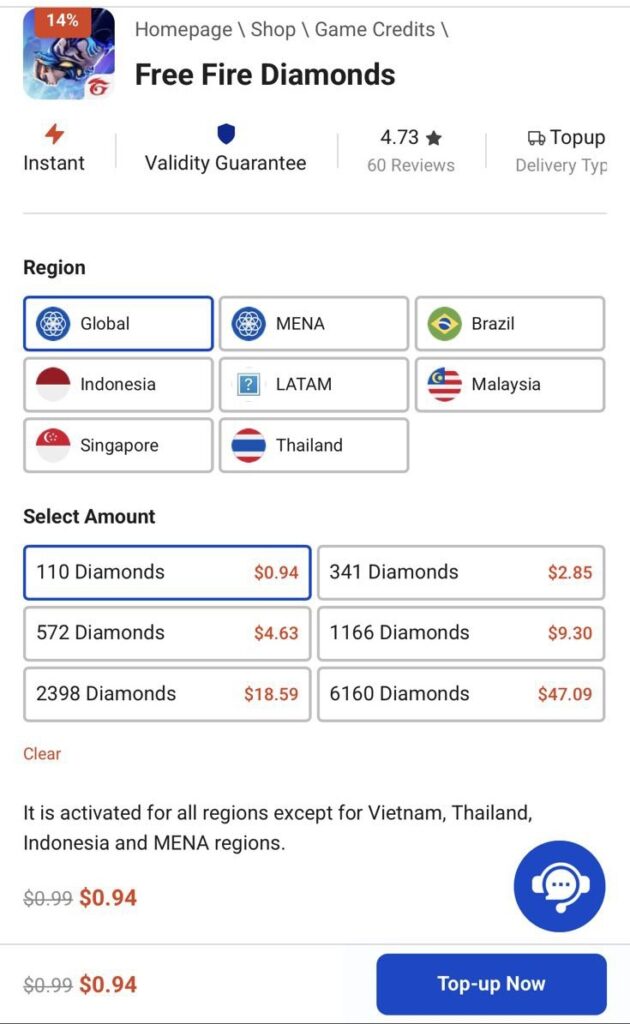
Free Fire Diamonds Price List at Item4Gamer
Below you can find the latest Free Fire diamonds price list at Item4Gamer. All prices are updated regularly to ensure the best value, with safe payments and fast delivery guaranteed. Choose the diamond package that fits your needs and enjoy a smooth shopping experience.
The Core Secret: Matching Sensitivity to Your Hand Speed
Here’s the game-changing principle that top players understand: your sensitivity must be synchronized with your hand speed.
- If you have fast hand speed: You need medium sensitivity. Using a high sensitivity will make your aim feel slippery and uncontrollable, causing you to overshoot your targets.
- If you have slow or medium hand speed: You need high sensitivity. A higher setting will compensate for slower finger movements, allowing for fluid aim and swift 360° turns, which are essential for survival.
Finding this harmony is the key to achieving the consistent aim needed for one-tap headshots.
Recommended Sensitivity & DPI Settings for 2026
These settings are a perfect starting point for any Android device. Use them as a base and tweak them slightly until they feel perfect for you.
1. For Clash Squad (CS) Custom Players
CS requires fast reflexes and close-quarters combat readiness.
- For Slow/Medium Hand Speed:
- General Sensitivity: 180−190

- DPI: Add 200−300 to your phone’s default DPI. (e.g., if default is 392, set it to 592−692).
- For Fast Hand Speed:
- General Sensitivity: 200 (Max)
- DPI: Add only 100−150 to your phone’s default DPI.
2. For Battle Royale (BR) Players
BR gameplay often involves mid-to-long-range fights where stability is key.
- For All Hand Speeds:
- General Sensitivity: 190−200
- DPI: Add 100−200 to your phone’s default DPI.


3. For Players of Both Modes (BR & CS)
If you switch between modes, you need a versatile, balanced setup.
- For Fast Hand Speed:
- General Sensitivity: 200
- DPI: Add 200 to your phone’s default DPI.
- For Slow/Medium Hand Speed:
- General Sensitivity: 170−185
- DPI: Add 200−350 to your phone’s default DPI.
The final circle is closing, and you’re out of gems for that game-winning skin. Don’t risk the loss. Item4Gamer delivers your top-up instantly and securely. Grab that skin, dominate the fight, and claim your easy BOOYAH! Click the link below to Top Up now and always be ready for victory.
Top Up Free Fire Diamonds
Conclusion
Finding the best Free Fire sensitivity is a journey, not a destination. Use these settings as your foundation and commit to practicing with them in the training grounds and in real matches. The more you play, the more your muscle memory will adapt, giving you flawless recoil control and laser-sharp aim. Remember, practice is what transforms good settings into legendary gameplay.
Read More: Nerfs & Buffs: A Full Breakdown of Free Fire OB50 Character Changes



97 Comments
Jason –
These sensitivity settings really made a difference! My headshot accuracy improved a lot after trying your recommendations. Do you have any tips for different devices too?
Ayda Tajrizi –
Thanks for your feedback, Jason! We’re glad the settings helped. Yes, we’re working on a guide for sensitivity settings on various devices—stay tuned! In the meantime, feel free to share what device you’re using, and we’ll give you some tailored tips!
Sergio –
Svp je peux avoir une sensibilité pour mon Oppo A58
Ayda Tajrizi –
Alright — for the Oppo A58, we’ll optimize for smooth performance + reliable headshots, since it’s a budget–mid device. The goal is stable drag shots (MP) and clean shotgun control, without making the aim shaky.
✅ Full Free Fire Sensitivity Settings
General: 95
Fast enough for close-range fights while staying stable.
Red Dot: 91
Great balance for MP headshots — smooth drag without overflicking.
2x Scope: 84
Good control for mid-range sprays and tracking enemies.
4x Scope: 78
Reduces recoil shake for better long-range accuracy.
AWM Scope: 60
Steady for sniper shots.
Free Look: 70
Smooth camera movement for awareness.
🔥 Why this setup works
Prevents lag/shaking on this device
Optimized for drag headshots (not just flicks)
Works well for both rush and balanced playstyles
🎯 Recommended Pro Settings
Aim Precision: Precise on Scope
Fire Button Size: 57–60
Graphics: Smooth
High FPS: ON (if available)
🔧 Fine Adjustments
If aim feels too slow → increase Red Dot to 93
If aim feels shaky → reduce General to 92
If shotgun feels inconsistent → increase General to 97
MD didar –
Hi I need sentivity that give 100% headshot in every gun for oneplus 8
Ayda Tajrizi –
🎮 Free Fire Headshot-Focused Sensitivity (OnePlus 8)
General: 100
Ultra-fast for instant drag and close-range reactions.
Red Dot: 97
Main headshot setting — very responsive for all guns.
2x Scope: 92
Smooth tracking for mid-range fights.
4x Scope: 85
Balanced recoil control for AR sprays.
AWM Scope: 70
Stable but still quick for sniper adjustments.
Free Look: 78
Fast camera movement for awareness.
🔥 Fire Button Size
Fire Button Size: 60
Ideal for drag headshots + shotgun flicks
Works perfectly with high sensitivity on this device
⚙️ Must-Use Settings
Aim Precision: Precise on Scope
Graphics: Smooth or Standard
High FPS: High / Max
Shadows: OFF
🎯 Why this works
OnePlus 8 can handle max sensitivity smoothly
High refresh display = better tracking
Optimized for all guns (AR, SMG, shotgun, sniper)
🧠 Real Pro Tip (this matters more than sensitivity)
Don’t flick randomly → use small upward drag
Keep crosshair at neck level before shooting
Sensitivity helps, but finger control = headshots
🔧 If needed
Overflicking → reduce Red Dot to 94
Aim feels slow → increase Red Dot to 100
Spray shaky → lower 2x to 90
Bapi –
Sensitivity
urawajay39 –
Oppo a5x sensitivity
For fair बटन
Ayda Tajrizi –
For the Oppo A5x, you should keep sensitivity balanced and stable because it’s a budget device. The goal is easy control + consistent drag headshots, not extreme speed.
Here’s the best Fire Button + sensitivity setup for Free Fire / Free Fire MAX:
🔥 Fire Button Settings (IMPORTANT)
Fire Button Size: 55–58
55 → more control (safer for beginners)
58 → faster drag headshots (recommended)
👉 Best recommendation: 57
🎮 Sensitivity Settings (Oppo A5x Optimized)
General: 92
Red Dot: 86
2x Scope: 78
4x Scope: 70
AWM Scope: 55
Free Look: 65
🎯 Why this works
Prevents screen shake on budget hardware
Makes shotgun + MP fights easier
Improves drag headshot consistency
⚙️ Pro Tip
If your aim feels slow → increase Red Dot to 88
If it feels shaky → lower General to 88
If shotgun misses → increase Fire Button to 58
Mr killer –
Headshot
Seemab –
Infinix smart 6 head shot sensitivity send me plzz
Yasaman Ebrahimi –
Hey Seemab,
Here is a powerful sensitivity setting specifically recommended for a phone like the Infinix Smart 6. Use this as your starting point for getting those headshots.
Recommended Sensitivity for Infinix Smart 6:
General: 95
Red Dot: 90
2x Scope: 88
4x Scope: 85
Sniper Scope: 80
Free Look: 75
DPI: Try adding about 120 to your phone’s default DPI.
Now head to the training grounds and get a feel for it. If the aim feels too fast, lower a setting by 5 points. If it’s too slow to keep up with enemies, raise it by 5 points. Keep practicing and making small changes until it feels perfect for your playstyle.
Good luck out there!
Rupesh Kumar –
Redmi 12C sensitivity 4g phone 4gb ram
Yasaman Ebrahimi –
Hello Rupesh,
Thank you for your question. The Redmi 12C with 4GB of RAM is a capable device for Free Fire. Based on its specifications, here is a well-balanced sensitivity and DPI setting that should serve as an excellent starting point for you.
Remember the advice from the article: use this as a base and adjust it to match your personal hand speed and playstyle.
Recommended Sensitivity for Redmi 12C:
General: 95−100
Red Dot: 90
2x Scope: 85
4x Scope: 80−85
Sniper Scope: 70−75
Free Look: 80
DPI Setting:
The default DPI for the Redmi 12C is approximately 320. For a good balance of speed and control, you can try increasing it.
Navigate to your phone’s Developer Options and set the DPI to a value between 480 and 550.
Spend some time in the training grounds to fine-tune these settings. With a bit of practice, you should notice a significant improvement in your headshot accuracy. Good luck!
Raushan Kumar –
DRI 509
Vinay –
OnePlus nord CE 3 lite 5g sensi
Ayda Tajrizi –
🎯 Free Fire Sensitivity (OnePlus Nord CE 3 Lite 5G)
General: 95
Red Dot: 90
2x Scope: 88
4x Scope: 75
Sniper Scope: 60
Free Look: 75
📱 DPI: 500 (best range: 480–520)
⚙️ Extra Tips:
Don’t keep everything at 100 — this setup gives both control and fast reflexes.
Use small, smooth thumb movements; your 120Hz screen helps with steady aim.
Practice 10–15 minutes daily with M1014 and SCAR to build muscle memory.
Turn on “Precise on Scope” for sharper headshots while aiming.
Yash –
Can u give me sensi of vivo y 20 G
Please 🙏
Ayda Tajrizi –
Best Free Fire Sensitivity for Vivo Y20G
General: 95
Red Dot: 90
2× Scope: 85
4× Scope: 80
Sniper Scope: 60
Free Look: 75
Additional Settings & Tips
DPI: Set between 500–600 for better smoothness and drag response.
Fire Button Size: 45–55% (comfortable for fast aiming).
HUD Setup:
Fire button on the right side.
Scope button near the fire button.
Jump and crouch near the movement joystick for quick reflex actions.
Performance Tip: Enable “Ultra” graphics + High FPS if available, but close background apps for smoother gameplay.
Aim Tip: Slight downward drag while shooting = tighter recoil and higher headshot rate.
Mdshakil –
Redmi10t
Ayda Tajrizi –
• General: 58
• Red Dot: 57
• 2x Scope: 48
• 4x Scope: 33
• AWM / 8x Scope: 18
Tips for Redmi 10T
Keep General between 55–60 for smooth headshots
Lower 4x and AWM to avoid shaky scope aim
If headshots go over the head → lower General by 3–5
If aim feels slow → increase Red Dot by 3
Best Practice
Test these settings in Training Grounds for 10–15 minutes and adjust slightly to match your finger speed and playstyle.
Josiah mose –
Hi I need sentivity that give 100% headshot in every gun for iPhone 11 Pro Max
Ayda Tajrizi –
There is no sensitivity that gives 100% headshot automatically, but on iPhone 11 Pro Max you can get very consistent headshots with every gun if sensitivity is tuned correctly and you use the right drag.
Here is a MAX HEADSHOT–FOCUSED Free Fire sensitivity for iPhone 11 Pro Max (no table):
General: 92
Red Dot: 88
2x Scope: 78
4x Scope: 62
AWM / 8x Scope: 45
These values are optimized for:
iOS smooth touch response
Large display of iPhone 11 Pro Max
One-tap + small drag headshots
All guns (SMG, AR, Shotgun, Sniper)
How to get near-perfect headshots with this sensitivity
This part is VERY important 🔥
• Always do a small upward drag, not a long swipe
• For SMG/AR → tap + tiny drag
• For Shotguns → aim chest, quick tap (no scope)
• For Snipers → scope in, micro drag, shoot immediately
Extra iPhone Settings (recommended)
iOS Low Power Mode: OFF
Background apps: CLOSED
Free Fire graphics: Smooth / High FPS
If you miss headshots:
Crosshair goes above head → lower General by 3
Bullets hit body → increase Red Dot by 3
gn bunny –
Vivo y22 mobile sensitivity br ranked
Ayda Tajrizi –
For Vivo Y22, I’ll tune a Battle Royale (BR) ranked sensitivity setup focused on:
👉 stable aim at distance
👉 consistent drag headshots
👉 safe recoil control for long fights
This phone is mid–budget, so we avoid extreme max sensitivity to reduce shake and improve consistency.
🎮 Free Fire BR Ranked Sensitivity (Vivo Y22)
General: 94
Good balance for fast rotation + stable tracking.
Red Dot: 88
Reliable for MP40 / SMG headshots in close fights.
2x Scope: 80
Helps control mid-range fights and sprays.
4x Scope: 72
Better recoil control for AR in ranked matches.
AWM Scope: 58
Stable sniper aim for long-distance picks.
Free Look: 68
Smooth awareness for BR rotations.
🔥 Fire Button Size (BR Ranked)
Fire Button Size: 56–58
👉 Best recommendation: 57
56 → more control
58 → faster drag headshots in close fights
⚙️ Best BR Ranked Settings
Graphics: Smooth (important for stability in ranked)
High FPS: ON (if available)
Aim Precision: Precise on Scope
Shadows: OFF
🎯 Why this works for BR Ranked
Stable for long-range survival fights
Strong enough for rush + retreat gameplay
Reduces missed shots under pressure
🔧 Quick Adjustments
Aim too slow → increase Red Dot to 90
Aim shaky → reduce General to 92
Losing close fights → increase Fire Button to 58
ANK –
Vivot4x
Ayda Tajrizi –
For the Vivo T4x, which is a mid-range device with decent performance for Free Fire, the sensitivity settings should be balanced—fast enough to react in close combat but controlled enough for long-range accuracy.
Here’s an optimized Free Fire sensitivity setup for Vivo T4x:
Recommended Sensitivity Settings:
General Sensitivity: 70–80
Smooth overall camera movement without being too fast on this device.
Red Dot Sensitivity: 80–90
High enough for close-range fights and fast target tracking.
2x Scope Sensitivity: 70–80
Medium sensitivity for controlled mid-range aiming.
4x Scope Sensitivity: 55–65
Lower sensitivity for long-range precision.
AWM / Sniper Scope Sensitivity: 35–50
Keep it low to maintain steady aim for sniping.
Free Look Sensitivity: 65–75
Allows quick camera movement when not aiming.
Extra Tips for Vivo T4x:
Graphics Settings: Medium or Balanced for smooth gameplay. Avoid Ultra to prevent frame drops.
Touch Sensitivity: Enable “High Touch Sensitivity” in Free Fire settings for faster responses.
Gradual Adjustments: Start with these values and adjust ±5 points if aiming feels too fast or slow.
💡 On mid-range phones like the Vivo T4x, a slightly lower general sensitivity helps maintain control without sacrificing reaction speed.
If you want, I can make a Vivo T4x Pro setup optimized for Aggressive vs Sniper styles, so you can switch instantly depending on your strategy.
TOKKIVAI –
realme narzo 30 4 GB RAM 64 ROM
Ayda Tajrizi –
Nice — the Realme Narzo 30 (4GB RAM / 64GB) is actually a solid budget gaming phone, so we can push sensitivity a bit higher than low-end devices while keeping control 🔥
This setup is tuned for smooth gameplay + strong drag headshots (MP & shotgun friendly).
✅ Full Free Fire Sensitivity Settings
General: 97
High for fast reactions in close fights, especially for shotgun users.
Red Dot: 93
Excellent for MP drag headshots — fast but still controlled.
2x Scope: 86
Smooth tracking for SMG and AR mid-range sprays.
4x Scope: 80
Balanced to reduce recoil shake while maintaining control.
AWM Scope: 62
Stable enough for sniping without overflicking.
Free Look: 72
Quick and responsive for checking surroundings.
🔥 Why this setup works perfectly
The Narzo 30 can handle higher sensitivity without heavy lag
Great balance between speed (for rush) and control (for accuracy)
Optimized for Clash Squad and aggressive gameplay
🎯 Pro Settings (Recommended)
Aim Precision: Precise on Scope
Fire Button Size: 58–62 (important for drag shots)
Graphics: Smooth or Standard
High FPS: ON
🔧 Fine Tuning (for your customer)
If aim feels too fast → lower Red Dot to 90
If aim feels slow in close fights → increase General to 100
If spray feels shaky → reduce 2x to 83
AJK NOBITA –
Infinix smart 6 head shot sensitivity send me plzz
Rupesh Kumar –
Redmi 12c
Raushan Kumar –
Realme 14 pro Paul Dpi 509
urawajay39 –
Oppo a5x sensitivity
Deepak –
Deepak
Arif –
Redmi12 sensitivity 4G phone 6GB RAM 128 Storage
Ayda Tajrizi –
For the Redmi 12 (4G, 6GB RAM, 128GB storage), you can safely use a high sensitivity setup with good stability, because this device handles Free Fire/Free Fire MAX smoothly at balanced graphics + high FPS.
This setup is focused on:
👉 easy drag headshots
👉 MP40 / SMG control
👉 shotgun rush gameplay
🎮 Free Fire MAX Sensitivity (Redmi 12 Optimized)
General: 97
Fast movement for close-range fights and quick turning.
Red Dot: 94
Very important for MP40 and SMG headshots.
2x Scope: 88
Smooth tracking for mid-range fights.
4x Scope: 80
Controlled recoil for AR sprays.
AWM Scope: 65
Stable sniper aiming without overflicking.
Free Look: 72
Good awareness and fast camera movement.
🔥 Fire Button Size
Fire Button Size: 58–60
👉 Best recommendation: 59
58 → more control
60 → faster drag headshots
⚙️ Best Game Settings
Graphics: Smooth or Standard
High FPS: High / Ultra (if available)
Aim Precision: Precise on Scope
Shadows: Off
🎯 Why this works
6GB RAM = stable high sensitivity handling
Redmi 12 display = smooth drag control
Balanced setup = strong in Clash Squad + BR
🔧 Quick Adjustments
Aim too slow → Red Dot 96–97
Aim shaky → General 94
Shotgun inconsistent → Fire Button 60
[email protected] –
Iqoo z9x
md ifran –
Infinix smart 6 head shot sensitivity send me plzz
Ayda Tajrizi –
✅ Recommended Headshot Sensitivity – Infinix Smart 6
🎯 General Sensitivity: 85–90
This is the primary sensitivity setting that affects your overall aiming, including headshots. It should be high enough to allow quick reactions but not so high that you lose control.
🔫 Red Dot (2x Scope): 80
For close-range headshots, this sensitivity is a good balance. It gives you fast crosshair adjustment without being too twitchy.
🔍 2× Scope: 75
This setting ensures that you can line up mid-range headshots with smooth movements. It’s not too fast, so you won’t overshoot the target, but it’s fast enough for you to react in time.
🎯 4× Scope: 65
For longer-range headshots, a lower sensitivity is required. This helps in more precise control when trying to line up shots at a distance.
🎯 Sniper Scope: 55
To accurately hit headshots with sniper rifles, you need slower sensitivity. This setting allows for smoother control when aiming for those perfect headshots at long distances.
👁️ Free Look: 85
For tracking enemies in motion while attempting headshots, this sensitivity gives you a good view without causing fast or jerky movements.
⚙️ Best Additional Settings for Headshots:
📌 DPI:
Default DPI for smooth, consistent movement.
For faster reactions: 400–450 DPI can help, but be careful not to make the controls too fast, as this can affect your accuracy during headshots.
📌 Sensitivity in-game custom HUD:
Fire Button Size: 50–55% for easy reach while trying to focus on headshots.
Drag Length: Short drag for SMGs and ARs. A medium drag is ideal for headshots with ARs.
🔥 Extra Tips for Headshots:
Practice in Training Ground: Spend some time in the training ground focusing on headshots. Use different weapons and distances to see how these settings work for you.
Aim for the head: Always focus on keeping your crosshair at head level. With proper sensitivity, the game should automatically guide you toward more headshots.
md ifran –
infinix smart 9 sensitivity me plzz
Ayda Tajrizi –
✅ Recommended Free Fire Sensitivity – Infinix Smart 9
🎯 General Sensitivity: 85–90
This should feel smooth for both close-range and long-range movement, providing a responsive experience while minimizing jerky movements.
🔫 Red Dot (2x Scope): 80
Ideal for close to mid-range combat. This will allow you to track enemies accurately without overshooting.
🔍 2× Scope: 75
Works well for mid-range, giving you enough control while not making your aim too slow.
🎯 4× Scope: 60
Perfect for longer-range shots, while still offering good accuracy without being too sluggish.
🎯 Sniper Scope: 50
Since sniper rifles require more control, a lower sensitivity will help you line up those long-range shots more effectively.
👁️ Free Look: 85
For tracking enemies while moving around, this sensitivity will let you scan the environment smoothly without being too fast.
⚙️ Best Additional Settings:
📌 DPI:
Default DPI (recommended for smooth performance)
If you want a bit more speed, 400–450 DPI would work well for quick movements without making the game feel too chaotic.
📌 Sensitivity in-game custom HUD:
Fire button size: 50–55%
Drag length: Keep medium drag for ARs and short drag for SMGs. This ensures smooth transitions between targets.
Sun Suraj –
TECNOBG6 sansivity in headshort
Ayda Tajrizi –
Recommended Free Fire Sensitivity Settings for Headshots:
General Sensitivity:
Setting: 75–85
Purpose: Controls overall sensitivity for movement and aiming.
Red Dot Sensitivity:
Setting: 85–95
Purpose: Adjusts sensitivity for your red dot scope. Higher values will make it easier to aim for headshots.
2x Scope Sensitivity:
Setting: 80–90
Purpose: Controls the sensitivity for the 2x scope, which helps with long-range headshots.
4x Scope Sensitivity:
Setting: 70–80
Purpose: Controls the sensitivity for 4x scopes, helping to line up headshots at a distance.
AWM (Sniper) Sensitivity:
Setting: 60–70
Purpose: Sniper sensitivity for accurate long-distance headshots.
Free Look Sensitivity:
Setting: 50–70
Purpose: Controls the sensitivity for the free-look feature.
Tips for Improving Headshot Accuracy:
Practice: The more you play and adjust the sensitivity settings, the more familiar you’ll become with your optimal settings.
Experiment: Start with mid-range sensitivity settings, then fine-tune according to your gameplay.
Use Gyroscope: If you’re comfortable with it, enable the gyroscope for more precise headshot aiming.
Once you’ve adjusted the sensitivity settings, test them out in training mode or real matches to see how comfortable you feel. Adjust incrementally if needed.
Aaditya senjwal –
Best sensitivity free fire mobile name oppo a12
Ayda Tajrizi –
The Oppo A12 is an entry-level smartphone with 3 GB RAM and a MediaTek Helio P35 chipset, so while it’s not designed for high-end gaming, it can still handle casual games like Free Fire with some optimization. To get the best performance and control, you’ll need to adjust your sensitivity settings based on the device’s capabilities
Here’s a recommended Free Fire sensitivity setting for the Oppo A12:
Basic Sensitivity (Default
General Sensitivity: 60-70
The Oppo A12 has a limited processing power, so it’s best to keep the General Sensitivity in a moderate range (around 60-70). This will help you move and aim smoothly without lag or stuttering.
Red Dot Sensitivity: 55-65
Since the Oppo A12 is not the fastest phone in terms of performance, keep the Red Dot Sensitivity slightly lower. This allows you to aim quickly without overshooting, which could be harder to control on a budget device.
2x Scope Sensitivity: 50-60
The 2x Scope is useful for mid-range combat, and a lower sensitivity helps maintain accuracy. Set it around 50-60 so that you can make precise shots without the aim drifting too quickly.
4x Scope Sensitivity: 40-50
For 4x Scope (long-range shooting), a lower sensitivity helps you control the aim better. This is especially important on devices like the Oppo A12, as higher sensitivity may result in inaccurate shots.
AWM Scope Sensitivity: 30-40
For sniper rifles like the AWM, you’ll need a low sensitivity to take precise long-range shots. This helps you line up the perfect headshot without overshooting your target.
Free Look Sensitivity: 70-80
Free Look is used to scan the environment without changing the direction your character is facing. A moderate setting around 70-80 gives you a good balance between speed and control.
Advanced Sensitivity
Camera Sensitivity: 60-70
The Camera Sensitivity controls how quickly your character turns when you swipe the screen. On the Oppo A12, keeping it in the 60-70 range ensures smooth and controlled camera movement without too much lag.
Firing Sensitivity: 65-75
A slightly higher firing sensitivity helps adjust the aim quickly while shooting, but don’t set it too high as it may make the aiming uncontrollable. Keeping it at 65-75 is optimal for responsive, yet controlled firing.
Additional Tips for Oppo A12:
Optimize Game Performance:
Since the Oppo A12 is a budget device, it’s important to reduce the graphics settings to ensure smoother performance. Set graphics quality to Low or Medium and the frame rate to Low or Medium. This will prevent lag and ensure your controls feel more responsive.
Close Background Apps:
Close unnecessary apps before starting the game to free up RAM. With only 3 GB RAM, freeing up memory will improve your device’s performance and prevent lag during gameplay.
Test Settings in Training Grounds:
Test your sensitivity settings in the Training Grounds first to see how they feel in real situations. You can adjust further if you find that some settings are too fast or too slow.
Use Gyroscope (if available):
If the Oppo A12 has a Gyroscope feature (check settings), you can enable it for more precise aim adjustments, especially when using sniper rifles or aiming long-range shots.
Summary of Recommended Sensitivity Settings for Oppo A12:
General Sensitivity: 60-70
Red Dot Sensitivity: 55-65
2x Scope Sensitivity: 50-60
4x Scope Sensitivity: 40-50
AWM Scope Sensitivity: 30-40
Free Look Sensitivity: 70-80
Camera Sensitivity: 60-70
Firing Sensitivity: 65-75
Final Thoughts:
Since the Oppo A12 is an entry-level phone, keeping the sensitivity settings moderate and graphics settings low will help you achieve the best balance between performance and control. The goal is to avoid lag and make aiming as responsive as possible while making sure the game remains smooth.
Once you adjust your settings, don’t forget to test them in the Training Grounds so you can refine them further based on your playstyle.
Tee_wise_ñæ₹ –
FREE FIRE
Tee_wise_ñæ₹ –
Infinix s5 6g ram 128g
Ayda Tajrizi –
Cool — since your phone Infinix S5 has 6 GB RAM / 128 GB storage, it counts as a mid‑range / decent‑performance device. Based on some popular community / recent 2025 advice for Free Fire sensitivity tuning, here’s a good starting setup for you.
🎯 Suggested Sensitivity Settings for Infinix S5
General (camera/base aim): ~ 90 – 100
Red Dot / 1× (close‑range, hip‑fire): ~ 85 – 95
2× Scope: ~ 75 – 85
4× Scope: ~ 65 – 75
Sniper Scope / High Zoom: ~ 50 – 60
Free Look / Look‑around: ~ 50 – 60
✅ Why this setup fits Infinix S5
Mid‑range hardware means you don’t need ultra‑low scope sensitivity (as in lag‑heavy low‑end phones), but you still benefit from moderate sensitivity for control.
High enough General + Red Dot gives responsive aiming and quick reactions — good for close to mid‑range fights and headshot attempts.
Slightly lower scope sensitivities help with stability at longer ranges or when using AWM / sniper weapons, making headshots easier.
Balanced free‑look helps you scan the battlefield without messing up your aim.
Tee_wise_ñæ₹ –
Infinix s5 6g ram and 128g
Al –
One plus Nord ce3 lite 5g mobile
Ayda Tajrizi –
General sensitivity — set this around 45–50. This gives you smooth camera movement without too much shake while running and spraying.
Red Dot sensitivity — set this around 55–60. This helps you snap quickly to enemy heads in close-range fights.
2× Scope sensitivity — set this around 50–55. Good balance for short to mid-range engagements so your aim stays steady but responsive.
4× Scope sensitivity — set this around 40–45. Keeps your aim controlled at medium to slightly longer ranges without overshooting.
AWM/Sniper sensitivity — set this around 30–35. Lower values help you make precise long-range headshots without your view jumping too much.
Free Look sensitivity — set this around 35–40. This lets you look around quickly without losing aim control.
For Camera sensitivity, set around 45–55 so your view rotates fast enough without jitter.
For ADS (Aim Down Sight) sensitivity, use values similar to your scope settings:
No scope ADS around 45–50,
Red Dot ADS around 55–60,
2× ADS around 50–55,
4× ADS around 40–45,
Sniper/long-range ADS around 30–35.
💡 Tips for OnePlus Nord CE3 Lite 5G:
• Because this phone has good performance, you can keep sensitivities a bit higher without losing stability.
• If aiming feels too fast, especially on scopes, reduce each value by 5 points and test in Training Mode.
• Spend time practicing flick shots and tracking in the Training Ground — muscle memory makes higher sensitivity more manageable.
Sergio –
Bonsoir svp je veux une sensibilité pour mon téléphone Oppo A58
Vedant sutar –
Iqoo z3 5g sensi
Ayda Tajrizi –
1. Classic (No Scope)
For hip-fire and general movement control:
Red Dot: 45
2x Scope: 40
4x Scope: 30
AWM / Sniper Scope: 20
Free Look: 60
2. Recoil Control (Scoped Shooting)
For better recoil control when firing:
Red Dot: 52
2x Scope: 48
4x Scope: 35
AWM / Sniper Scope: 25
Free Look: 65
3. Gyroscope Sensitivity (If You Use Gyro)
For smoother control while tilting the device:
Red Dot: 240
2x Scope: 220
4x Scope: 180
AWM / Sniper Scope: 145
Free Look: 300
Tips for iQOO Z3 5G:
High Refresh Rate Advantage: Since the Z3 5G has a 120Hz display, make sure to play at the highest FPS (90–120) for smoother gameplay and quicker response time.
Sensitivity Tuning: Start with these settings, play a few matches, and adjust in small increments (±3–7) based on your preference.
Practice Recoil Control: Spend some time in the Training Ground to adjust your recoil control for automatic weapons and fine-tune the Red Dot and 2x scope for better spray accuracy.
Jamal edwards –
Best setting in free fire
Ayda Tajrizi –
performance or a smoother experience. Here are some of the best settings for Free Fire, covering both graphics and sensitivity adjustments:
1. Graphics Settings
Graphics Quality: Set this to Medium or Low if you want smoother gameplay, especially on lower-end devices. High can cause lag, so it’s best to balance performance and visuals.
Graphics Style: You can try Smooth for better frame rates. If your device supports it, you can go for Standard or HD for more detailed graphics.
Frame Rate: Set this to High if your device can handle it. It provides smoother movement and actions during gameplay.
2. Sensitivity Settings
Sensitivity is crucial in Free Fire for fast and precise aiming. Here’s a recommended setup:
General Sensitivity: Set this around 80–90 for a balance between control and speed.
Red Dot: 60–80 (so you can aim quickly but still have control).
Holographic: 60–80 (adjust based on comfort).
Aiming Down Sight (ADS): 70–80 (for quicker reactions in close combat).
Free Look: Set to 60–70 to make it easier to look around while running or shooting.
Note: Sensitivity varies by personal preference. Try adjusting these gradually until you find your sweet spot.
3. Auto Adjust Settings
Auto Pick-up: Turn on Auto Pick-up for ammo, medkits, and weapons to avoid distraction during combat. This setting automatically picks up items without needing to stop and press the button.
Auto-Reload: This will reload your weapon automatically when it’s out of ammo. Turn this on to avoid the hassle during fights.
Auto Aim: Disable auto-aim if you’re looking for a challenge. It might make the game more difficult but gives you a competitive edge.
4. Control Layout
If you’re comfortable with your current layout, keep it. But if you find it hard to control, try the default control layout or experiment with customizing it to fit your preferences.
Claw Mode: If you’re skilled at using multiple fingers, you can try the claw setup for faster reactions. This allows you to control movement, aim, and shoot all at once.
5. Sound and Vibration
Sound: Set it to Max for better directional awareness during battle.
Vibration: You can turn off the vibration if you find it distracting. Some players prefer having it off to stay focused.
6. Other Tips
Battery Saver: Turn on Battery Saver mode during long gaming sessions if you’re using a mobile device.
Internet Connection: Use a stable Wi-Fi connection to avoid lag or connectivity issues during gameplay
Siva –
I phone 14 pro max free fire sensitivity
Ayda Tajrizi –
When adjusting sensitivity for Free Fire on the iPhone 14 Pro Max, it’s important to find settings that suit your personal playstyle. Here are general suggestions for sensitivity settings in Free Fire on the iPhone 14 Pro Max:
General Sensitivity
Free Fire Sensitivity Settings:
General Sensitivity: 80–90
Red Dot: 60–70
2x Scope: 60–70
4x Scope: 50–60
AWM Scope: 35–45
Free Look: 80–90
How to Adjust Sensitivity:
Open Free Fire.
Go to Settings by tapping the gear icon in the top-right corner.
Navigate to Sensitivity and adjust the sliders according to the suggested ranges above.
The iPhone 14 Pro Max comes with a 120Hz display, which allows for smoother gameplay, so you might find a higher sensitivity more comfortable than on other devices.
Important Notes:
Test your sensitivity: It’s always good to test different settings in Training Mode to find the right balance between fast and precise aiming.
Comfort with Thumb Movement: Make sure your sensitivity feels comfortable for how you move your thumbs. Too high sensitivity can cause over-aiming, while too low sensitivity might make you slow to react.
Bharat chouhan –
reyalme Narzo 60x 5g
Ayda Tajrizi –
Here is a headshot-focused Free Fire sensitivity for Realme Narzo 60x 5G (smooth + stable aim):
General: 60
Red Dot: 58
2x Scope: 48
4x Scope: 32
AWM / 8x Scope: 20
Why this works on Narzo 60x 5G
MediaTek Dimensity + 120 Hz display → needs balanced, not too high sensitivity
Helps control recoil while still allowing clean upward drag headshots
Works well for SMG, AR, shotgun, and sniper
Headshot tips (important 🔥)
Do small upward drag, don’t swipe hard
For SMG/AR: tap + tiny drag
For shotgun: aim upper chest, quick tap
For sniper: scope → micro drag → shoot instantly
If you need adjustment
Shots go over head → lower General by 3–5
Shots hit body → increase Red Dot by 3
Darwin –
What are the best headshot sentivity for android V1818CA ram 4?
Ayda Tajrizi –
Here are clean, simple Free Fire headshot sensitivity settings for Android V1818CA (4 GB RAM) — optimized for one-tap & drag headshots:
Recommended Headshot Sensitivity
General: 95
Red Dot: 90
2× Scope: 80
4× Scope: 70
Sniper Scope: 50
Free Look: 65
This setup works very well on 4 GB RAM phones because it balances fast aim + control, helping bullets go upward to the head without over-dragging.
If you want MORE one-tap headshots (aggressive style)
General: 100
Red Dot: 95
2× Scope: 85
4× Scope: 65
Sniper Scope: 45
Free Look: 70
Important in-game tips (very important 🔥)
Use Smooth graphics
Turn High FPS ON
Don’t hard drag — small upward swipe
Best guns for headshots: MP40, M1014, SCAR, M1887
Hosam –
I want sensitivity for realme c2
Ayda Tajrizi –
🎯 Free Fire Sensitivity Settings (for Realme C2)
🥇 Red Dot / Aim
Sensitivity: 45–55
Helps steady aim with red dot and 2× sights.
🔭 2X Scope
Sensitivity: 30–40
Good for medium‑range engagements.
🎯 4X Scope
Sensitivity: 15–25
Useful for steady aim at longer ranges.
🔎 AWM Scope
Sensitivity: 10–15
Helps control heavy recoil when sniping.
👀 Free Look
Sensitivity: 30–40
Smooth camera movement without aiming.
🧠 Tips for Realme C2
📌 The Realme C2 has a modest GPU/CPU — too high sensitivity can feel shaky.
📌 These values are balanced for smooth control + manageable recoil.
📌 You can adjust ±5 based on comfort.
⚙️ Extra Settings to Improve Gameplay
✔ Graphics:
Smooth Graphics
High Frame Rate (if available)
✔ Control Layout:
Bigger fire button
Jump + crouch on left/right combos
✔ Animation:
Turn Off unnecessary effects for smoother gameplay.
📌 Quick Adjust Tip
Play a few matches and tweak by small increments (e.g., +5 or –5) until it feels natural.
رادین –
سنسویتی خفن فری فایر میخوام برای گوشی redmi13x ram8 90hz
خفن برای هدشات زدن باشه هم دی پی آی رو بگید هم دکمه تیر. هم سنس
Ayda Tajrizi –
Here’s an awesome headshot-focused Free Fire setup made for Redmi 13X (8GB RAM, 90Hz display). This combo is tuned for smooth drag shots, strong aim assist, and clean one-taps.
📱 Device Optimization (Very Important)
✅ DPI (Recommended)
DPI: 460
Why 460?
Best balance for 90Hz display
Faster response than default
No shaky crosshair, perfect for drag headshots
If you feel aim is too fast: lower to 440
If headshots are low: raise to 470
🔘 Fire Button Size
Fire Button Size: 48%
Why 48%?
Small enough for precise taps
Big enough to control drag shots
Works extremely well with MP40 & shotguns
🎯 Free Fire Sensitivity – Redmi 13X (Headshot Pro)
Set these exact values 👇
General: 93%
Red Dot: 89%
2× Scope: 79%
4× Scope: 69%
AWM Scope: 56%
Free Look: 63%
🧠 How to Get Maximum Headshots
Always do a small upward drag + tap fire
Don’t spray—tap shots = more headshots
Let aim assist lock first, then drag slightly
🔫 Best Weapons with This Setup
MP40 (deadly)
M1014 / M1887
XM8
SCAR
M14
⚙️ Extra Pro Settings
Aim Precision: Default
Graphics: Smooth
High FPS: ON (90Hz advantage)
Quick Weapon Switch: ON
Close background apps for stable FPS 💨
🔄 Fine Tuning (After 2–3 Matches)
Too many body shots ➜ General +2
Crosshair jumps too high ➜ Red Dot −2
Long-range unstable ➜ 4× Scope −3
Darwin –
Ff auto headshot for android V1818CA ram 4
Shahida Begum –
Samsung galaxy a25 5g ff hadshort Sensitivity
Ayda Tajrizi –
the Samsung Galaxy A25 5G is powerful enough to handle high sensitivity, which is perfect for headshot (drag) gameplay 🎯🔥
I’ll tune this specifically for fast headshot accuracy (one-tap + drag shots).
✅ Full Free Fire Headshot Sensitivity Settings
General: 100
Maxed for ultra-fast reaction and instant drag headshots.
Red Dot: 97
Critical for headshots — very fast but still controllable on this device.
2x Scope: 90
Smooth and accurate for mid-range head tracking.
4x Scope: 82
Balanced to control recoil while still allowing head-level adjustments.
AWM Scope: 65
Stable for sniper precision without overflicking.
Free Look: 75
Fast awareness without losing control.
🔥 Why this is perfect for headshots
High General + Red Dot = faster drag to head
Device supports high FPS, so max sensitivity won’t feel laggy
Ideal for aggressive players and one-tap style
🎯 Pro Headshot Setup
Aim Precision: Precise on Scope (very important)
Fire Button Size: 60 (best for consistent drag)
Graphics: Smooth or Standard
High FPS: ON / Max
🔧 Micro Adjustments
If you overflick (aim goes above head) → reduce Red Dot to 94
If headshots feel slow → keep General at 100, increase Red Dot to 100
If spray control is shaky → lower 2x to 87
muhamamd usman ali –
one plus 9 sensitivity
Ayda Tajrizi –
Here are best Free Fire headshot sensitivity settings for OnePlus 9 (Snapdragon 888, 120 Hz display) — optimized for one-tap + smooth drag headshots 🔥
Recommended (Balanced Pro Setup)
General: 100
Red Dot: 95
2× Scope: 88
4× Scope: 75
Sniper Scope: 55
Free Look: 70
This setup works very well on OnePlus 9 because of the high refresh rate and strong processor, giving fast crosshair movement without shake.
🔥 Aggressive One-Tap Headshot Setup (Rush Players)
Use this if you play close range / MP40 / M1887 a lot:
General: 100
Red Dot: 98
2× Scope: 90
4× Scope: 70
Sniper Scope: 50
Free Look: 75
🎯 Long-Range & Sniper Control Setup
If you prefer SCAR, XM8, Woodpecker, AWM:
General: 95
Red Dot: 90
2× Scope: 85
4× Scope: 80
Sniper Scope: 60
Free Look: 65
IMPORTANT SETTINGS (don’t skip 👇)
Graphics: Smooth
High FPS: ON
In OnePlus settings → Display → 120 Hz enabled
Use small upward drag, don’t swipe hard
Darwin –
What best sentivity for android V1818CA Ram 4 auto headshot?
Darwin –
What are the best auto headshot sentivity android V1818CA ram 4 ?
Sai –
Poco x4 pro 5G
Ayda Tajrizi –
For the Poco X4 Pro 5G, which has a smooth display (120Hz) and solid performance, you can use slightly higher sensitivity settings than older or lower-end phones. The goal is fast aiming without losing control. Here’s an optimized setup for Free Fire on this device:
Recommended Free Fire Sensitivity for Poco X4 Pro 5G:
General Sensitivity: 80–90
Smooth camera movement for quick rotations in close combat.
Red Dot Sensitivity: 90–95
High sensitivity for fast tracking in close-range fights.
2x Scope Sensitivity: 75–85
Medium sensitivity for mid-range shooting; balances speed and accuracy.
4x Scope Sensitivity: 60–70
Lower sensitivity for controlled aiming at longer distances.
AWM / Sniper Scope Sensitivity: 40–50
Precision is key; lower sensitivity prevents overshooting while sniping.
Free Look Sensitivity: 70–80
Quick camera movement while moving without aiming.
Extra Tips for Poco X4 Pro 5G:
Enable 120Hz: In Free Fire settings, enable 120 FPS (if available) for smoother gameplay and easier tracking.
Graphics Settings: Balanced or High, avoid Ultra unless you want battery drain.
Experiment Slightly: Adjust ±5 points in any category if aiming feels too fast or slow.
💡 Pro Tip: On a 120Hz screen, higher sensitivity works well because the display updates faster, making tracking smoother.
If you want, I can create a “best-in-class aggressive vs sniper sensitivity setup” specifically optimized for Poco X4 Pro 5G for different playstyles. This way you can instantly switch between them.
urawajay39 –
Oppo a5x sensitivity
For fair batn
Mahesh –
Xiaomi Redmi13 5g
Ayda Tajrizi –
For the Xiaomi Redmi 13 5G, you have a decent mid-range device capable of running Free Fire smoothly. You’ll want sensitivity settings that balance fast reaction and accuracy, especially since the Redmi 13 5G has a bigger screen, which can make high sensitivity harder to control.
Here’s an optimized Free Fire sensitivity setup for Redmi 13 5G:
Recommended Sensitivity Settings:
General Sensitivity: 75–85
Controls overall camera movement. Slightly high for faster rotation, but still controllable on a larger screen.
Red Dot Sensitivity: 85–95
Perfect for close to mid-range fights. Quick target tracking is key.
2x Scope Sensitivity: 70–80
Medium sensitivity to maintain accuracy without slowing down mid-range shots.
4x Scope Sensitivity: 55–65
Lower sensitivity for long-range combat to avoid overshooting.
AWM / Sniper Scope Sensitivity: 35–50
Precision is critical. Keep this lower to control the sniper rifle recoil.
Free Look Sensitivity: 65–75
Allows quick camera movement when checking surroundings without affecting aiming.
Extra Tips for Redmi 13 5G:
Graphics Settings: Set to Medium or High depending on performance. Avoid Ultra, as it may cause slight lag affecting aim.
Touch Response: Enable High Touch Sensitivity if your phone supports it in the game settings.
Experiment Gradually: Start with these values and tweak ±5 points in areas you feel too fast or slow.
If you want, I can make a “Pro Aggressive vs. Sniper” sensitivity chart specifically for the Redmi 13 5G so you can switch setups based on your playstyle instantly.
JUTT –
Tecno 5 pro ki sensitivity
Ayda Tajrizi –
For Free Fire on the Tecno Spark 5 Pro, you’ll want to adjust your sensitivity settings to get the most responsive and smooth aiming experience. Since the Tecno Spark 5 Pro is equipped with decent hardware, you should be able to fine-tune your settings for optimal gameplay. Here’s a recommended setup for Free Fire sensitivity on the Tecno Spark 5 Pro:
General Sensitivity Settings for Tecno Spark 5 Pro:
General Sensitivity:
70–80
This setting controls your overall movement sensitivity. A slightly higher value allows you to turn around and reposition faster, which is important for close-range combat.
Red Dot Sensitivity:
80–90
Red Dot is commonly used for mid-range combat. Having higher sensitivity here helps with quick target tracking.
2x Scope Sensitivity:
70–85
Since the 2x scope is great for medium-range encounters, this sensitivity allows you to balance between mobility and accuracy.
4x Scope Sensitivity:
50–65
A lower sensitivity for longer-range combat ensures that your shots stay accurate while aiming with a 4x scope.
AWM Scope Sensitivity:
30–50
The AWM sniper rifle requires precise control, and lowering the sensitivity here will help with steady aiming.
Free Look Sensitivity:
60–70
This controls how fast you can move the camera while looking around without aiming down sights. A moderate value helps you quickly scan the surroundings.
Tips for Tecno Spark 5 Pro:
Adjust for your playstyle: These values work for most players, but some may prefer faster or slower speeds. Experiment with the settings until you find a sensitivity that feels comfortable.
Smooth movement: Keep in mind that higher sensitivity works well for quick reflexes but can be hard to control. Try adjusting until you find a sweet spot.
Graphic Settings: Ensure your graphics settings are on Medium or Low to reduce lag, especially on a phone like the Tecno Spark 5 Pro. You want the game to run as smoothly as possible to maintain accuracy.
Touchscreen calibration: If you experience any touch delay, go into the settings to ensure your touchscreen is calibrated properly.
Anantaram majhi –
One plus nord ce4 5g best sensitivity free fire headshots
Ayda Tajrizi –
Sensitivity Settings:
General Sensitivity: Around 55–60. This is a good all-rounder for movement and aiming control.
Red Dot Sensitivity: Set it to 48–52. It’s perfect for close-range combat, where quick reactions and fast flicks matter.
2x Scope Sensitivity: Between 38–42. This helps with mid-range shots, giving a good balance of accuracy and control.
4x Scope Sensitivity: Between 22–26. Lower than 2x, since it helps for longer-range engagements where you need precise adjustments.
AWM/Sniper Scope Sensitivity: Around 17–21. A lower value to help with steady aiming and headshots from far distances.
Free Look Sensitivity: Set it at 70–80. It gives you more freedom to look around without losing control.
Gyroscope Sensitivity (If you use it):
Gyroscope X: Around 250–300.
Gyroscope Y: Set it between 350–420.
Gyroscope Z: Around 250–300.
This setup is designed for headshot accuracy and recoil control while using different scopes. Make sure to tweak it based on your comfort and whether you’re more aggressive or prefer a more controlled playstyle.
Also, if you use gyroscope for extra aiming precision, those settings will give you that extra level of control, especially for flick shots.
Anantaram majhi –
Any gun
kirtan –
Hey I need sensi for iPad 5 only red no recoil
Ayda Tajrizi –
For iPad 5 (5th Gen iPad) in Free Fire / Free Fire MAX, we can set a high-precision red dot sensitivity focused on minimal recoil + stable drag control. iPads have larger screens, so we balance lower shake + controlled aim movement.
This setup is “Red Dot only no recoil style” (control-focused, not exploit-based) 🎯
🎮 Red Dot Focus Sensitivity (iPad 5 – No Recoil Control Style)
General: 85
Keeps overall movement stable on large screen
Red Dot: 75
Key setting for recoil control + headshot stability
2x Scope: 68
Helps reduce spray shake when switching ranges
4x Scope: 60
Strong recoil control for AR long-range sprays
AWM Scope: 50
Very stable sniper aiming
Free Look: 65
Smooth camera control without over-rotation
🔥 Fire Button Settings (Important for iPad)
Fire Button Size: 45–50
👉 Best recommendation: 48
Smaller fire button = better control on large screen
Helps reduce accidental drag overshooting
⚙️ Graphics Settings (Very Important)
Graphics: Smooth
High FPS: High (or Ultra if available)
Aim Precision: Precise on Scope
Shadows: OFF
High Resolution: OFF
🎯 Why this works (Red Dot focus)
Red Dot tuned for stable spray control
iPad large screen = easier drag tracking
Balanced sensitivity reduces vertical recoil shake
🔧 Quick Adjustments
If recoil still feels high → lower Red Dot to 70
If aim feels slow → increase General to 88
If dragging overshoots → reduce Fire Button to 46
EYASEER ARAFATH NOYON BABU –
Symphony z 70 FREE fire Hedsort sensitivity and dpi pls
EYASEER ARAFATH NOYON BABU –
Symphony z 70 ff bast dpi and sensitivity
Soumyajit –
Vivo y 20g sensitivity
Ayda Tajrizi –
For the Vivo Y20G, we need a low–mid sensitivity setup because this is a budget Helio G-series device. The goal is stable aim, low shake, and consistent headshots (not max-speed flicking).
🎮 Free Fire Sensitivity (Vivo Y20G Optimized)
General: 90
Smooth movement without over-rotation or lag.
Red Dot: 84
Stable for MP and SMG headshots.
2x Scope: 76
Helps control mid-range tracking.
4x Scope: 68
Reduces recoil shake for AR spraying.
AWM Scope: 52
Low sensitivity for stable sniper aim.
Free Look: 62
Balanced camera movement.
🔥 Fire Button Size
Fire Button Size: 53–56
👉 Best recommendation: 54
53 → more control
56 → slightly faster drag headshots
⚙️ Best Settings for Performance
Graphics: Smooth
High FPS: ON (if available)
Aim Precision: Default or Precise on Scope
Shadows: OFF
🎯 Why this works
Prevents lag + frame drops on Helio G device
Improves drag stability for headshots
Makes shotgun fights more consistent
🔧 Quick Adjustments
Aim too slow → increase Red Dot to 86
Aim shaky → reduce General to 88
Shotgun missing → increase Fire Button to
Satheesh –
Poco m6 5g headshot sensitivity no reacoil best headshot sensitivity
Mohamed RAHMAN –
Motorola G06 4gb ram 128 storage
Helio g81 extreme sensitivity
Ayda Tajrizi –
Got it — same device, so I’ll give you a refined EXTREME sensitivity setup for the Motorola Moto G06 (4GB RAM / 128GB, Helio G81) focused on:
👉 ultra-fast headshots
👉 aggressive MP + shotgun gameplay
👉 but still controlled enough to avoid shaking
🎮 Free Fire EXTREME Sensitivity (Pro Tuned)
General: 99
Very fast for instant turns and close fights.
Red Dot: 96
Main headshot setting — fast drag, high precision.
2x Scope: 91
Quick tracking for SMG spray and mid fights.
4x Scope: 84
Slightly controlled to reduce recoil shake.
AWM Scope: 66
Balanced sniper sensitivity (not too jumpy).
Free Look: 78
Fast camera movement for aggressive play.
🔥 Fire Button Size
Fire Button Size: 59–61
👉 Best: 60
Perfect for fast drag + shotgun flicks
Helps maintain control even at high sensitivity
⚙️ MUST-USE Settings (for stability)
Graphics: Smooth
High FPS: ON
Aim Precision: Precise on Scope
Shadows: OFF
High Resolution: OFF
🎯 How to use this (important)
This is extreme sensitivity, so:
Use small drag movements only
Don’t over-pull — that causes misses
Best for rush gameplay (Clash Squad & close fights)
🔧 Quick Fix Adjustments
Overflick (aim goes above head) → Red Dot 93
Screen shaking → General 96
Hard to control shotgun → Fire Button 58
🧠 Pro Advice
On 4GB devices, “extreme” works only if:
👉 your finger control is smooth
👉 you use short, controlled drags (not long flicks)
Buuny Kanwar –
Redmi 5g 15a
Mitra Mohammadpour –
If you mean Redmi A5 5G (or you’re not sure of the exact Redmi model), try this balanced Free Fire setup:
🎮 Free Fire Sensitivity
General: 92
Red Dot: 88
2x Scope: 80
4x Scope: 72
AWM Scope: 58
Free Look: 68
🔥 Fire Button Size
👉 57%
📱 DPI (Optional)
👉 440 DPI
⚙️ Best Settings
Graphics: Smooth
High FPS: ON (if available)
Aim Precision: Precise on Scope
Shadows: OFF
🎯 Headshot Tips
✔ Keep the crosshair at neck level
✔ Use a short upward drag while shooting
✔ Don’t drag too hard; smooth movements are more consistent
If “Redmi 5G 15A” is a different model, send a screenshot of Settings → About Phone, and I’ll give the exact sensitivity for your device. 🔥🎯
Satheesh –
Poco m6 5g headshot sensitivity no reacoil best headshot sensitivity
KOSI ORJI –
Which is the best headshot sensitivity for infinix smart 20
Mitra Mohammadpour –
🔥 Infinix Smart 20 — Free Fire Best Headshot Sensitivity
🎯 General: 200
🔴 Red Dot: 196
🔭 2X Scope: 188
🔭 4X Scope: 178
🎯 Sniper Scope: 100
👀 Free Look: 190
🔘 Fire Button: 48%
🎮 Aim Precision: Default
🎨 Graphics: Smooth
⚡ High FPS: ON
💥 Headshot Settings:
🔫 M1887/M1014: Short, fast upward drag
🔫 UMP/MP40: Smooth upward drag
🔫 Desert Eagle: Tap + tiny upward drag
🎯 Style: Fast drag + one-tap headshots.