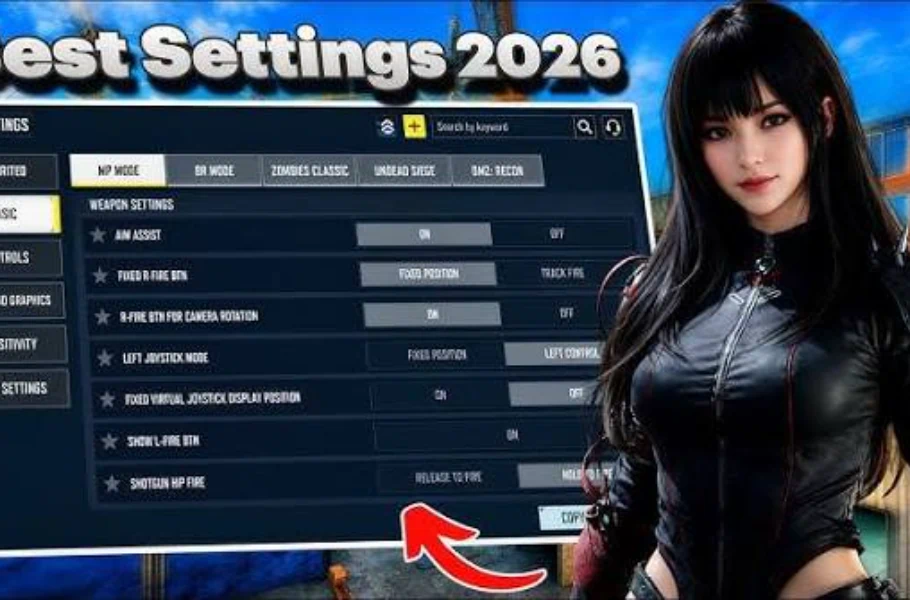
Finding the right and best codm br sensitivity season 11 can instantly improve your aim, recoil control, and movement. CODM Season 11 comes with new balance changes and shifts in gun meta, so players need updated sensitivity settings that work smoothly across devices. In this guide, you’ll get the best scientifically‑adjusted sensitivity ranges, plus a method to customize them for your phone’s screen, FPS stability, and playstyle.

Table of contents
Many players look for a single “perfect sensitivity,” but the truth is that sensitivity depends on finger speed, screen size, and device refresh rate. That’s why best codm br sensitivity season 11 should be treated as a flexible system, not a fixed set of numbers.
Here’s an optimized and balanced setup used by pro players and adapted for Season 11’s recoil patterns:

Recommended Sensitivity Ranges (Season 11)
- Third‑Person BR: 95–110
- First‑Person BR: 75–90
- Red Dot: 60–70
- 2x Scope: 65–75
- 3x Scope: 75–85
- 4x Scope: 85–95
- Sniper Scope: 40–55
- Firing Sensitivity (ADS): 100–120
- Gyroscope Sensitivity (optional users): 180–210
Why these numbers work
- BR guns in Season 11 have increased horizontal recoil, so ADS sensitivity is set high enough to counter‑correct.
- Sniper scope sensitivity is lower to support micro‑adjustments.
- Third‑person camera sensitivity is tuned for faster rotations during close‑range fights.
Related article: Call of Duty Mobile Sniper Training: Master Every Shot Like a Pro
For cheap COD Mobile CP purchases with secure payment options, head over to Item4Gamer — you’ll get real discounts, faster spins, and collect your favorite items even quicker!
⚡ Secure payment · Instant delivery · Real discount

Scientific Personalization Method
Use this simple method to find your perfect CODM BR sensitivity based on real hand movement and screen response:
Step 1: The 180‑Degree Test
Swipe your screen once. If you rotate more than 180 degrees, sensitivity is too high. Less than 180 means it’s too low.
Step 2: Micro Adjustment Test
Aim at a stationary object. If you struggle to fine‑tune, reduce sensitivity by 5–7 points.
Step 3: Tracking Test
Track a bot running sideways. If your crosshair overshoots, lower ADS sensitivity slightly.
Step 4: Recoil Control Test
Use a weapon like M4 or AK117. If it climbs too fast, lower firing sensitivity by 10 points.
Device‑Based Sensitivity Tips
- 60Hz devices: use slightly higher sensitivity for faster motion recognition.
- 90Hz/120Hz flagships: reduce sensitivity by 5–10 because the screen reads smaller movements more precisely.
- Low‑end phones: use medium camera sensitivity and high ADS sensitivity for stability.
Conclusion
Season 11 sensitivity in COD Mobile BR isn’t about copying settings — it’s about tuning them to your device and playstyle. The ranges above give you a perfect starting point, backed by in‑game physics, recoil behavior, and aim‑tracking logic. Test them for 10 minutes, adjust by small intervals, and you’ll quickly find your ideal control setup.

Call Of Duty Mobile CP via Login
Get your Call of Duty: Mobile CP with trusted, verified, and legal service.
Enjoy instant delivery, secure payments, and peace of mind — all backed by Item4Gamer’s reliability.
⚡ Fast • Secure • Officially Verified
Play smart, buy safe — Item4Gamer.—
FAQ
A: No. Sensitivity must match your device, screen size, and finger speed. The settings above are optimized but should be fine‑tuned.
A: Most pros use medium‑high ADS sensitivity and medium camera sensitivity for consistency.
A: Only if you are comfortable with motion controls. Gyro helps with recoil but requires practice.
A: Yes. Updates to guns, recoil, and movement can require small sensitivity adjustments.
A: Usually no. Larger displays allow more finger motion, so medium sensitivity works best.