

Are you tired of losing gunfights against players of CODM who move insanely fast?
Do you struggle to pull off pro-level plays because your HUD limits your movement?
In this guide, we’ll break down the Best 4 Finger HUD CODM 2026, a setup used and refined over several years by competitive and high-rank players. This HUD focuses on speed, efficiency, movement control, and visibility—everything you need to dominate Ranked, Scrims, and Respawn modes.

Table of contents
- Step 1: Essential Basic Settings (Must-Do)
- Step 2: Switch to Simplified HUD
- HUD Design Philosophy (Why This Works)
- COD Mobile CP Prices on Item4Gamer
- Full HUD Layout Breakdown
- Tap to ADS vs Hold to ADS (Important Decision)
- Center Screen Elements (Do Not Ignore)
- Adapting to a 4 Finger HUD
- Conclusion
- Frequently Asked Questions (FAQ)
Step 1: Essential Basic Settings (Must-Do)
Before editing your HUD, you need to optimize a few Basic Settings.
✅ Hide Prone Button → OFF
This adds a dedicated Prone button instead of holding Crouch.
Why it matters: Faster reactions and smoother movement.
✅ Quick Weapon Switch → ON
Adds a separate weapon switch button.
Benefit: Instant weapon swaps without losing aim control.
✅ Split Throw Button → ON
Separates Grenades and Tacticals into two buttons.
Result: Faster utility usage and better efficiency.
✅ Enable Left-Handed Tactical → ON (Optional)
Highly recommended for Respawn modes like Hardpoint and Domination.
⚠️ Not ideal for SND due to reduced precision.
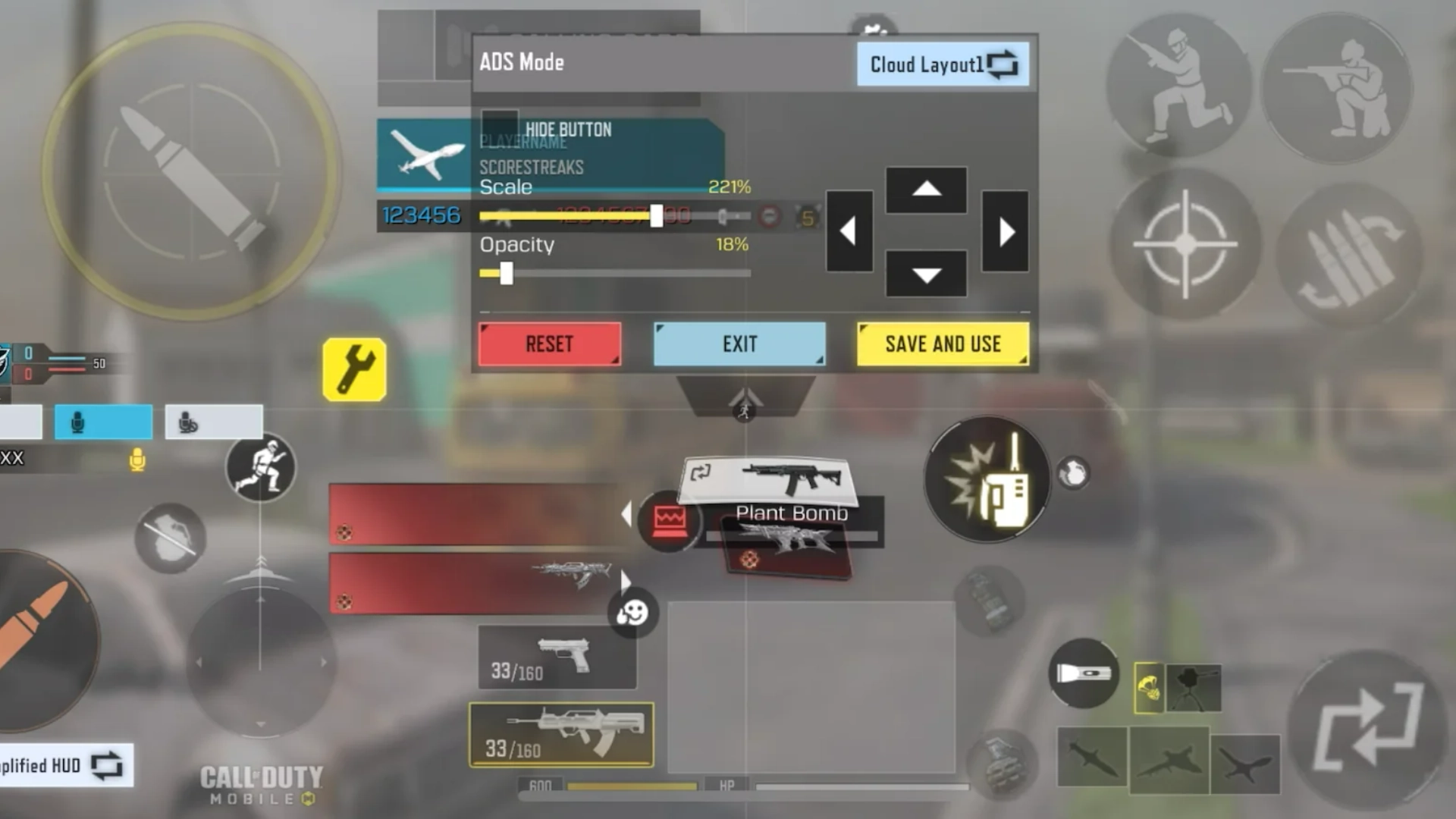
Step 2: Switch to Simplified HUD
The default CODM HUD is cluttered and inefficient.
Path:
HUD Layout → Default HUD → Simplified HUD
- Cleaner layout
- Better visibility
- Easier customization
HUD Design Philosophy (Why This Works)
This 4 Finger HUD CODM setup was built around four core principles:
- Speed – Fast movement and quick reactions
- Efficiency – Buttons placed close to fingers
- Control – No need to lift your aim finger
- Visibility – Clear view of enemies and minimap
This combination is rare—but achievable. The creator of this HUD has reached Legendary over 30 times using this layout.
COD Mobile CP Prices on Item4Gamer
Find the latest COD Mobile CP price table from Item4Gamer below.

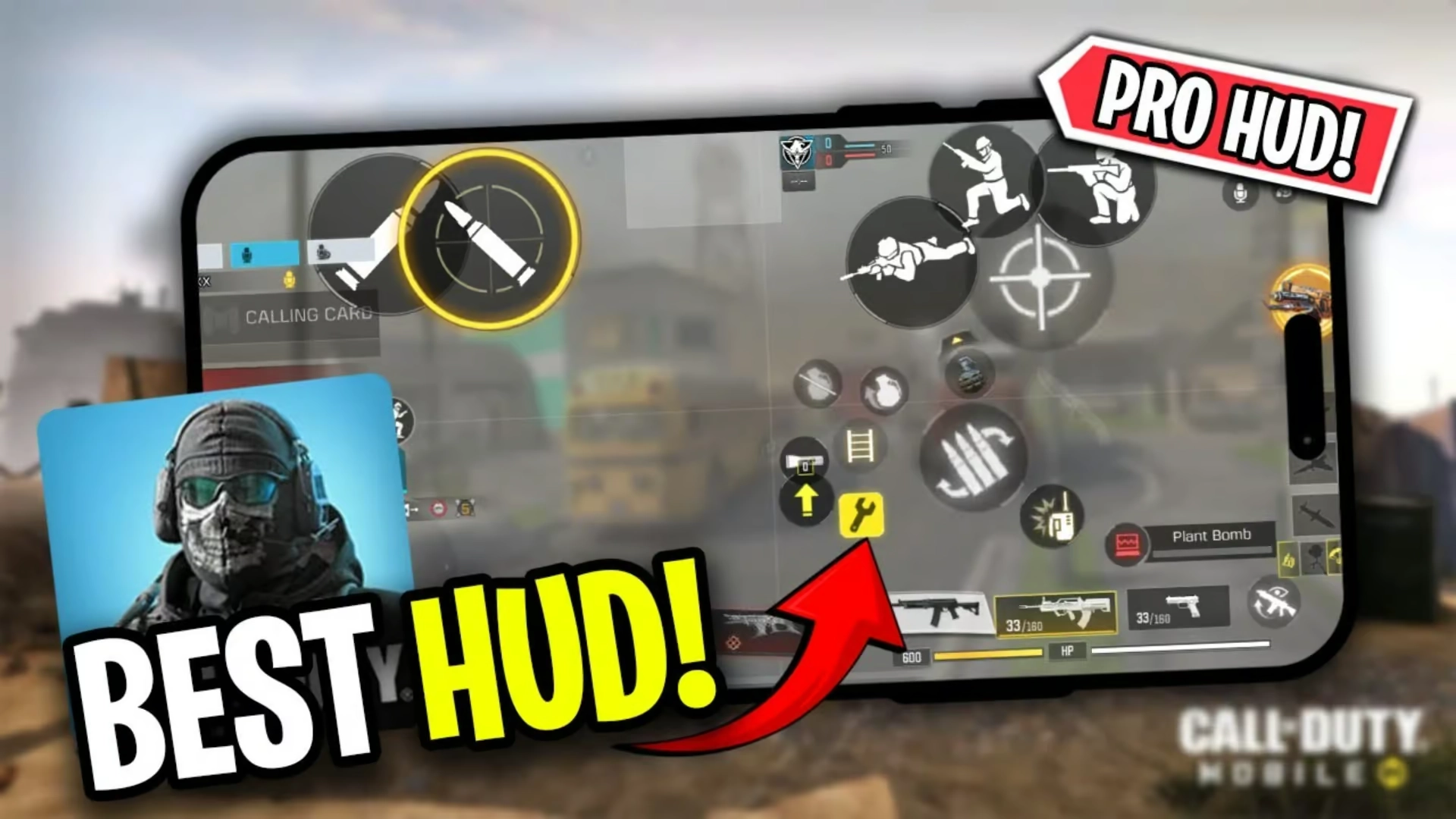
Full HUD Layout Breakdown
🔹 Bottom Left – Movement Control
- Joystick only
✅ Left thumb does nothing else but move.
🔹 Bottom Right – Utility & One-Tap Buttons
- Plant Bomb
- Weapon Pickup
- Reload
- Grenade
- Scorestreaks
📌 These buttons are rarely spammed, so placing them here doesn’t affect aiming.
🔹 Top Right – Combat Speed Zone
- Hip Fire (Primary Fire)
- Quick Knife / Execution
- Weapon Switch (Critical)
- Tactical (Instant Throw)
Why Weapon Switch Here Is OP
- Sniper → Pistol kill confirms
- Ammo empty in Respawn fights
- No loss of movement or aim
Switching weapons from the bottom buttons forces you to lift your right thumb—this layout avoids that completely.

🔹 Tactical Instant Throw
Best used in:
- Hardpoint
- Domination
- Control
✅ Instant throw (no animation delay)
❌ Not recommended for SND
🔹 Top Left – Movement Buttons
- ADS
- Jump
- Crouch
- Prone
This is where all advanced movement happens.
For cheap COD Mobile CP purchases with secure payment options, head over to Item4Gamer — you’ll get real discounts, faster spins, and collect your favorite items even quicker!
⚡ Secure payment · Instant delivery · Real discount
Tap to ADS vs Hold to ADS (Important Decision)
🔸 Tap to ADS
- Jump shots
- Crouch spam
- Prone shots
🔸 Hold to ADS
- More consistent
- Easier control
- Meta-friendly in 2026
📌 Reality check:
Most advanced movements are heavily nerfed in the 2026 meta. Even pro and World Champs players rarely use them. Hold to ADS is completely viable.
Related article: How to Get FREE Mythic Weapons in COD Mobile (2026 Guide)
Center Screen Elements (Do Not Ignore)
- Mini Map
- Kill Feed
- Scoreboard
These provide:
- Faster information than callouts
- UAV awareness
- Match control and decision-making
Adapting to a 4 Finger HUD
First Week:
- Hand pain
- Miss-clicks
- Confusion
After 1–2 Weeks:
- Faster gameplay
- Better control
- Higher performance in Ranked & Scrims
This HUD has helped many players reach Leaderboards, Tournaments, and Scrims.
Conclusion
If you want to move from an average player to a competitive one, mastering the Best 4 Finger HUD CODM 2026 is a game-changing step.
It requires patience, practice, and consistency—but the payoff is absolutely worth it.
- Stick with it
- Practice daily
- Results will follow
Follow Item4Gamer on social media and stay one step ahead of the game! 🚀






Frequently Asked Questions (FAQ)
Yes. It significantly improves movement and reaction speed once mastered.
Yes, but disable Left-Handed Tactical for better precision.
Completely normal. It fades after a week or two.
Yes, Android and iOS codes are usually shared by the creator in comments.





3 댓글
x –
Best
Swewe –
Please can we get the HUD code?
Fateme HosseinZade –
7311-5364-7935-7722-132
Codes in CODM expire very quickly. If this one doesn’t work, it means it’s already expired. In that case, please follow the manual layout guide and screenshots in the blog post to set it up perfectly