Pilih bahasa dan mata uang pilihan Anda untuk pengalaman terbaik.
Bahasa
No results found.
Mata Uang
No results found.
Free Fire Auto Headshot 2026 DPI Trick (100% Working)
Ditulis oleh Shiva Dastjerdi
0
4
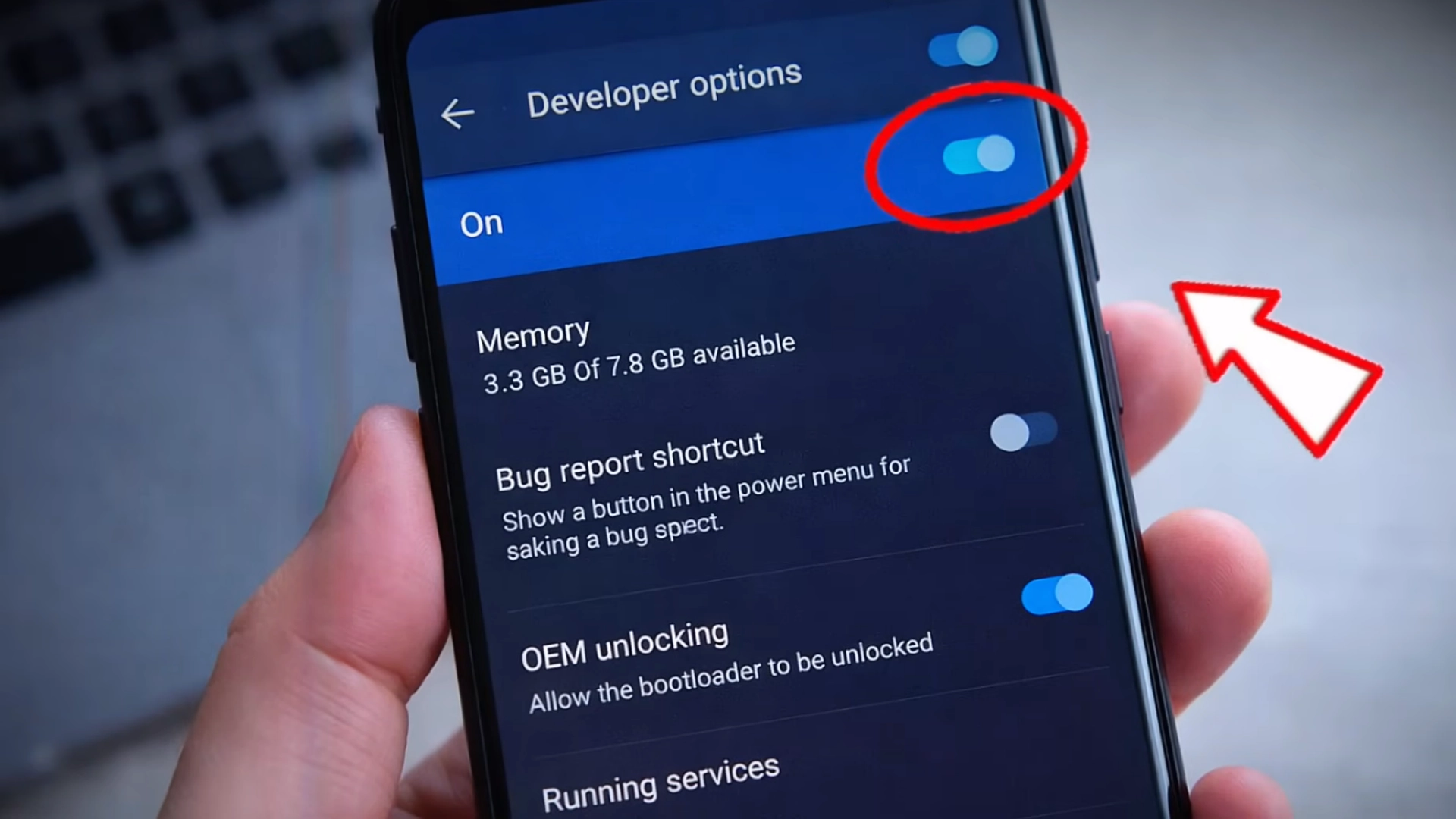
If you want more consistent Headshots in Free Fire Max, understanding DPI is essential. In this guide, you’ll learn the exact Free Fire Auto Headshot 2026 DPI trick that works on low‑end and high‑end Android phones.
This method focuses on adjusting DPI (Dots Per Inch) to improve Sensitivity, faster crosshair movement, and better aim control.
✅ Best DPI Settings for Free Fire Auto Headshot 2026
📱 2GB / 3GB RAM (Low‑End Devices)
Default DPI: 360
Increase: +50
Final DPI: 410
Smooth gameplay
Less lag
Better close‑range Headshots
📱 4GB / 6GB RAM (Mid‑Range Devices)
Default DPI: 360
Increase: +80
Final DPI: 440
Balanced Sensitivity
Stable performance
More consistent Headshots
💎 Want faster progress with weapon skins and OB51 items? Get Cheap Free Fire Diamonds from Item4Gamer, now offering: ⚡️Instant delivery 💸Secure and Diverse Payment Methods ✔️Reliable and Legitimate
📱 8GB+ RAM (High‑End Devices)
Default DPI: 360
Increase: +120
Final DPI: 480
Maximum crosshair speed
Best for aggressive gameplay
Ideal for Auto Headshot
🎥 Live Proof (DPI Test Result)
During testing:
DPI 360 → character rotated 8 times
DPI 480 → character rotated 13–14 times
✅ This proves DPI directly affects screen movement speed and aim control.
If you want consistent Headshots without cheats, mastering DPI is the smartest method. By using the correct DPI based on your device RAM, you can unlock the true potential of Free Fire Auto Headshot 2026.
Test gradually, find your sweet spot, and dominate every match 🎯🔥
Follow us on social media 🚀
❓ FAQ – Free Fire Auto Headshot 2026
Does DPI increase Headshot damage?
No. DPI only improves aim movement, not damage.
Is this trick safe?
Yes, DPI is an Android system setting, not a hack.
Should I change in‑game Sensitivity?
No. Keep Sensitivity default for best results.
Can low‑end phones use this trick?
Yes, but only with small DPI increases.
Beri nilai postingan ini
Seberapa jauh Anda menikmati postingan ini? Klik emoji untuk memberikan penilaian!