Free Fire Headshot Sensitivity 2026: Hidden Fix (Any Phone)
작성자 Shiva Dastjerdi
6
2
If you keep changing sensitivity in Free Fire, hit headshots for a couple days, then your gameplay feels off again—this is exactly for you. Many players even buy “paid sensi,” but the real issue is usually inconsistent settings and not knowing what each sensitivity slider actually does.
In this post, you’ll set Free Fire headshot sensitivity the right way for 2026—based on your phone’s RAM—plus the correct Fire Button size.
Because one device setting can inflate sensitivity, and most players don’t understand which slider controls what (scope movement vs. no-scope drag/one tap)
So we fix the base first—then we set the numbers.
Step 1) Before sensitivity: turn this OFF (important)
Go to your phone settings:
Display → Experimental Frame Rate Boost → OFF
Why OFF?
The values in this guide assume it’s OFF
If you turn it ON, your sensitivity increases compared to these numbers
It can also create recoil/control problems, making aim less stable
Step 2) Properly reset sensitivity in-game
Inside Free Fire:
Go to In Match
Open Sensitivity
At the top, you’ll see Default and HighSet it to: Default
Tap Reset → Confirm
After reset, set all sensitivity values to 0 first
This wipes your old mixed setup and gives you a clean baseline.
Step 3) Understand what each sensitivity does (before numbers)
A big reason players don’t get headshots even after “perfect sensi” is simple: they don’t know which slider affects what.
Free Camera
This sensitivity doesn’t directly help with headshots. It only affects movement when you use Free Camera.
For all devices:
Free Camera: 140
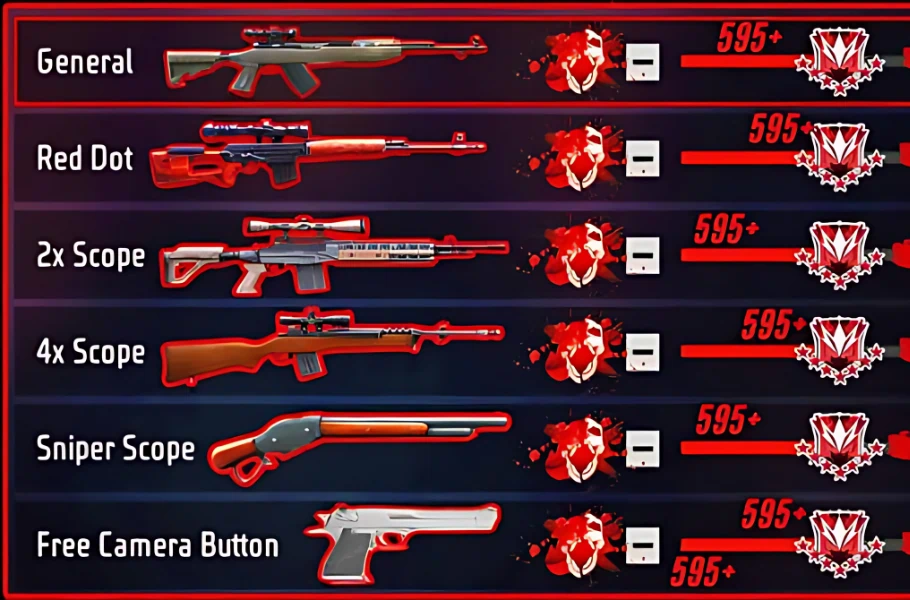
Best Sensitivity for Headshots (By RAM) — 2026
Below are the exact values to set Free Fire headshot sensitivity based on your phone tier, so your aim feels controllable and consistent.
Sniper Scope Sensitivity
This is what many fast snipers rely on for smoother sniping and better control.
1GB–4GB RAM: 90
6GB–16GB RAM: 50
4X Scope Sensitivity
When you use 4X on a long-range gun and open the scope, this controls your movement inside the scope. It’s key for scoped headshots.
1GB–4GB RAM: 165
6GB–16GB RAM: 130
2X Scope Sensitivity
Works when you use 2X and fire while scoped.
1GB–4GB RAM: 172
6GB–16GB RAM: 145
Red Dot (1X) Sensitivity
If you’re not using 2X or 4X, you’re basically on the default 1X (Red Dot). This matters a lot for everyday fights.
1GB–4GB RAM: 180
6GB–16GB RAM: 160
General Sensitivity (Coefficient / General)
This is the most important one for no-scope one tap and drag headshot attempts. If you want consistent improvement, focus here.
1GB–4GB RAM: 190
6GB–16GB RAM: 162
This is where Free Fire headshot sensitivity makes the biggest difference for most players.
Best Fire Button Size (By RAM)
Fire Button size can make or break your gameplay:
Too big → harder control
Too small → missed taps and inconsistency
Recommended:
1GB–4GB RAM: Fire Button Size = 48
6GB–16GB RAM: Fire Button Size = 52
Now your sensitivity + Fire Button combo will match your phone better.
What to do after applying these settings
Apply everything exactly as listed, then do a bit of practice. Your gameplay should improve noticeably. If something still feels off, the first thing to re-check is whether Experimental Frame Rate Boost is truly OFF—because it can change how these values feel.
Conclusion
If you want consistent headshots, don’t just copy random numbers. First disable the hidden display boost, reset to Default, then set your scopes + General by RAM and lock in the right Fire Button size. This method makes Free Fire headshot sensitivity feel more stable across different phones—and helps you improve without buying “paid sensi.”
Follow us on social media 🚀
FAQ
1) Why must Experimental Frame Rate Boost be OFF?
Because when it’s ON, it boosts your sensitivity compared to these values and may cause recoil/control issues. This guide is calibrated for OFF.
2) Do I really need to Reset sensitivity?
Yes. Reset removes old mixed settings so your Free Fire headshot sensitivity becomes stable and predictable.
3) Does Free Camera sensitivity help with headshots?
Not directly. It only affects Free Camera movement, but 140 keeps it smooth on most phones.
4) My phone is 4GB RAM—what should I use?
Use the 1GB–4GB values.
5) Will this work without practice?
It will help a lot, but you still need practice for timing and consistent one tap/drag headshots.
👉 Keep your crosshair at neck level before shooting.
👉 Use a short upward drag, not a long swipe.
👉 Red Dot sensitivity is the most important setting for consistent headshots.
🔥 Recommended combo: General 98, Red Dot 95, Fire Button 60%, DPI 480.












6 댓글
Tg Tanuj –
Free fire bast salcivite
Fateme HosseinZade –
🎮 Best Universal Free Fire Sensitivity 🔥 (All Phones)
This is a balanced pro setup for headshots, MP40, shotgun, and long-range control on most devices.
🎯 Sensitivity Settings
General: 97
Red Dot: 94
2x Scope: 88
4x Scope: 80
AWM Scope: 66
Free Look: 75
🔥 Fire Button Size
👉 58% – 60% (Best: 59%)
📱 DPI (Optional)
👉 450 – 480 DPI (Best: 460 DPI)
⚙️ Best Settings
Graphics: Smooth / Standard
High FPS: High / Ultra (if available)
Aim Precision: Precise on Scope
Shadows: OFF
🎯 Pro Tips
👉 Keep crosshair at neck level
👉 Use short upward drag for headshots
👉 Red Dot sensitivity is the most important
🧠 Result
✔ Easy headshots
✔ Stable recoil
✔ Works on most Android phones
Bhuneshwar Vishwakarma –
Mujhe acchi Si sensitivity chahie bhai
Mitra Mohammadpour –
🎮 Free Fire Sensitivity for Motorola Moto G54 5G (8GB RAM) 🔥
The Moto G54 5G has good performance and a smooth display, so you can use a high headshot-focused sensitivity.
🎯 Sensitivity Settings
General: 98
Red Dot: 95
2x Scope: 89
4x Scope: 82
AWM Scope: 66
Free Look: 75
🔥 Fire Button Size
👉 Best Fire Button Size: 60%
Fast drag headshots
Better shotgun flicks
Smooth MP40 control
📱 DPI (Optional)
👉 470–500 DPI
✅ Best: 480 DPI
⚙️ Best Settings
Graphics: Smooth / Standard
High FPS: Ultra / High
Aim Precision: Precise on Scope
Shadows: OFF
🎯 Best For
✔ One-tap headshots
✔ MP40 drag shots
✔ M1887 shotgun flicks
✔ BR Ranked & Clash Squad
🧠 Pro Tip
👉 Keep your crosshair at neck level before shooting.
👉 Use a short upward drag, not a long swipe.
👉 Red Dot sensitivity is the most important setting for consistent headshots.
🔥 Recommended combo: General 98, Red Dot 95, Fire Button 60%, DPI 480.
Krishna Chamar –
best
Fateme HosseinZade –
Thanks 😍