
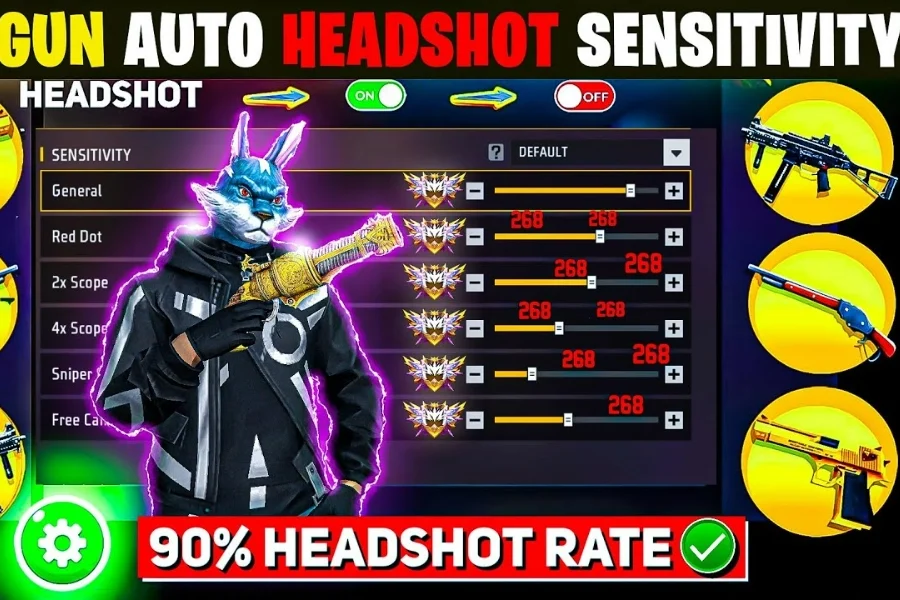
If you want consistent red numbers and smooth auto headshots in every match, your sensitivity settings matter more than your weapon. In this complete guide, we’ll cover the best Free Fire Sensitivity 2026, optimized for low-end, mid-range, and high-end devices, plus professional Fire Button size and position settings used by pro players.

Table of contents
What Is Sensitivity in Free Fire?
Sensitivity in Free Fire controls how fast your aim moves when you drag your finger on the screen.
Proper sensitivity settings help you:
- Lock aim faster
- Reduce recoil
- Hit clean headshots
- Win close-range and long-range fights
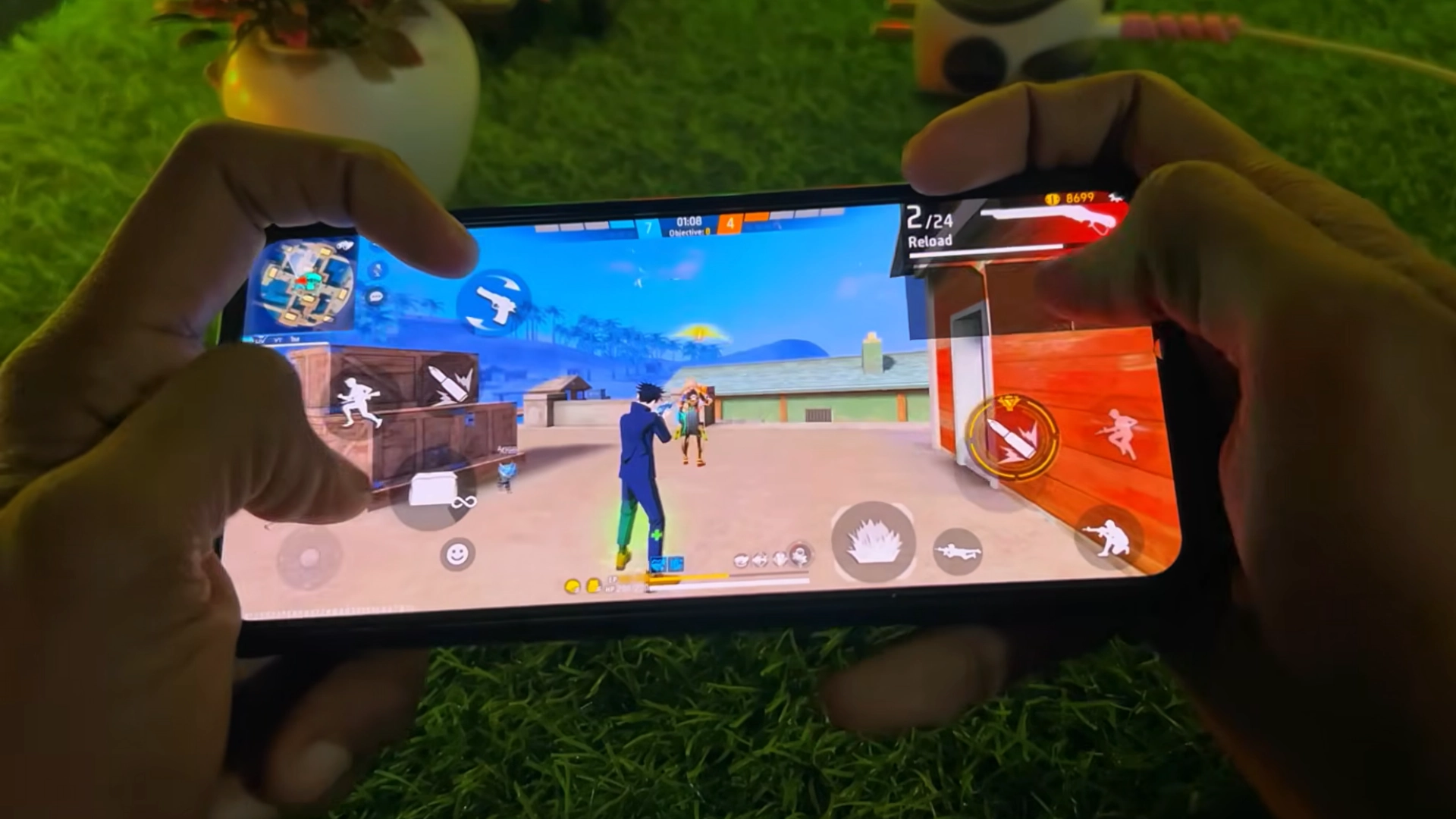
Types of Sensitivity in Free Fire (Explained)
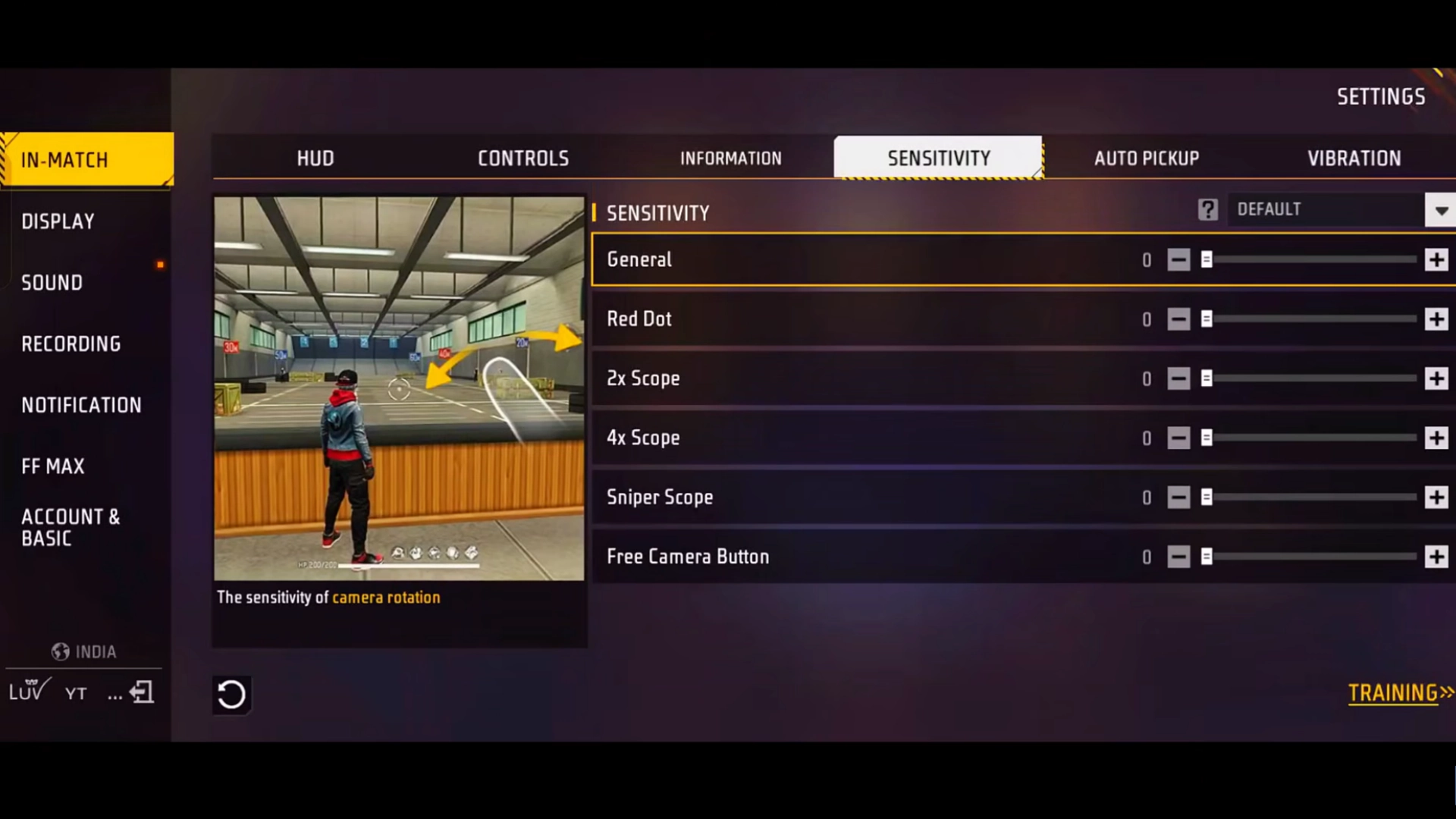
🔹 General Sensitivity
The most important setting for one-tap and drag headshots.
Higher values = faster upward aim movement.
💎 Want faster progress with weapon skins and OB51 items?
Get Cheap Free Fire Diamonds from Item4Gamer, now offering:
⚡️Instant delivery
💸Secure and Diverse Payment Methods
✔️Reliable and Legitimate
🔹 Red Dot Sensitivity
Used for close-range fights without scopes. Crucial for SMGs and ARs.
🔹 2x Scope Sensitivity
Best for medium-range gunfights with 2x scopes.
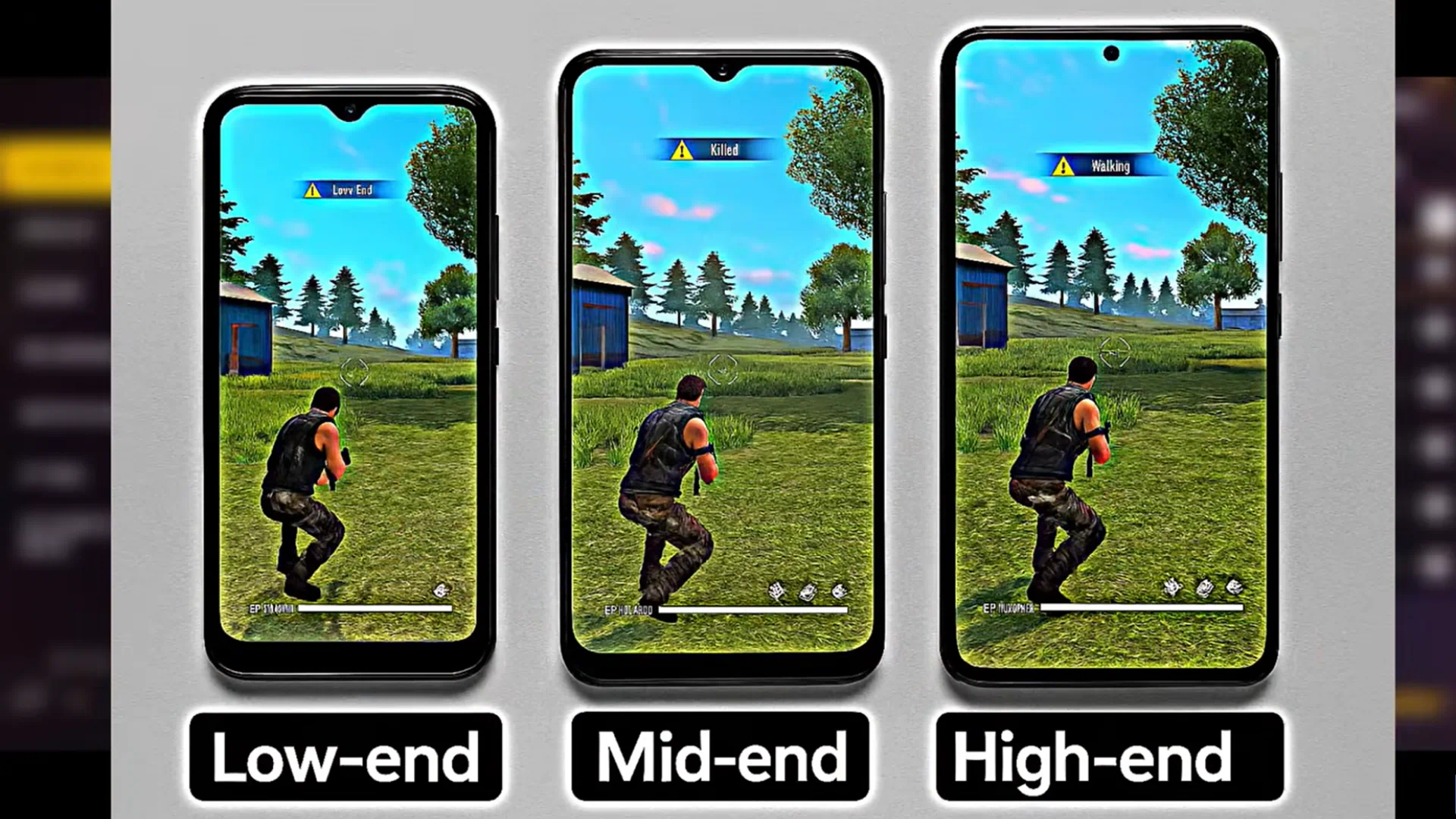
🔹 4x Scope Sensitivity
Ideal for mid-to-long-range combat and controlled sprays.
🔹 Sniper Scope Sensitivity
Used for sniper rifles. Lower values give better control.
🔹 Free Look / Free Camera
Controls camera movement only and does not affect headshots directly.
Related article: Best Free Fire OB51 Sensitivity & Headshot Settings (2025 Pro Guide)

Free Fire Diamonds
Best Free Fire Sensitivity 2026 (By Device RAM)
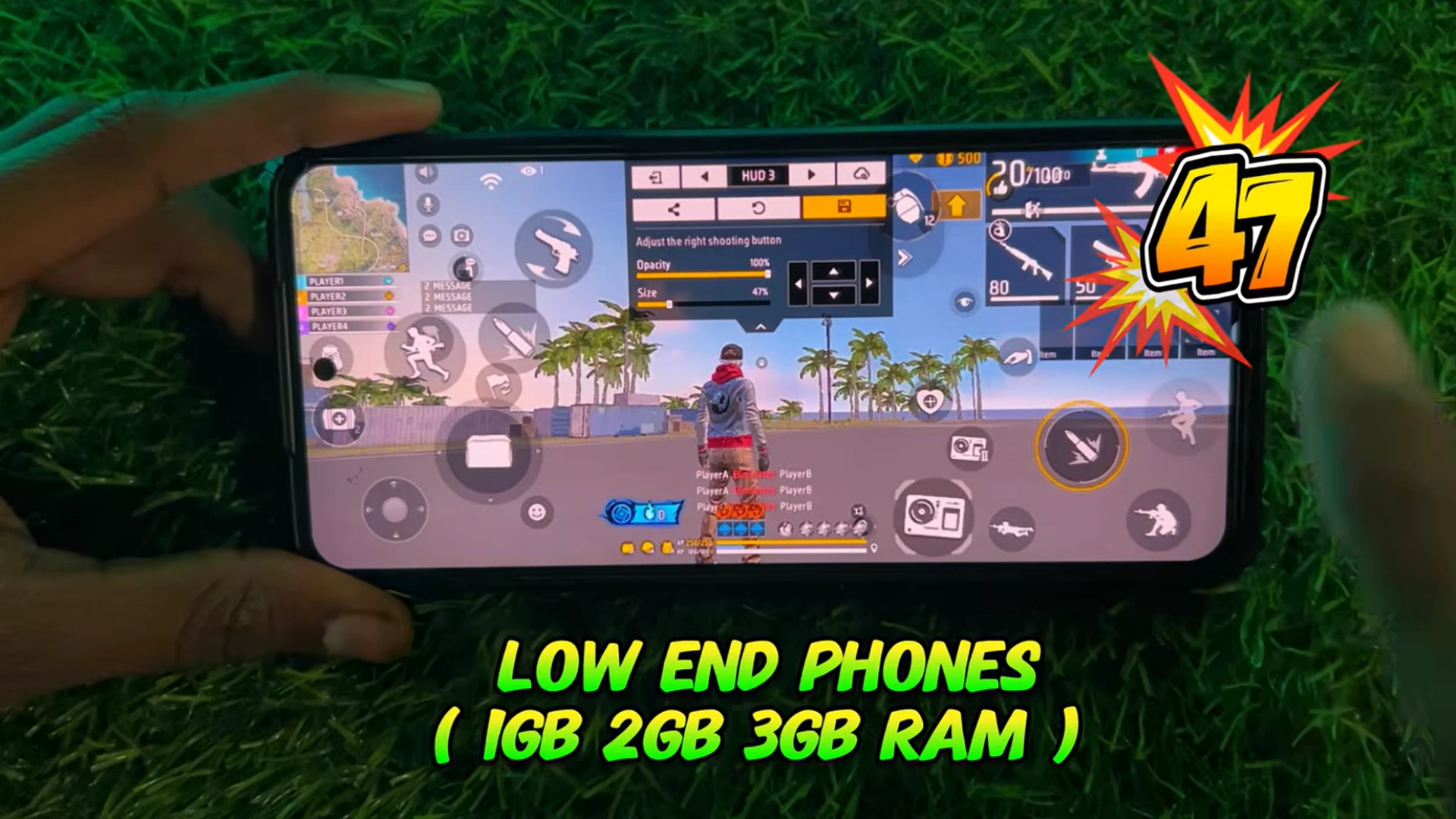
📱 Low-End Devices (1GB / 2GB / 3GB RAM)
- General: 192
- Red Dot: 170
- 2x Scope: 165
- 4x Scope: 150
- Sniper Scope: 100
- Free Look: 170
✅ Best for laggy phones and low FPS
📱 Mid-Range Devices (4GB / 6GB RAM)
- General: ** 100
- Free Look: 170
✅ Best for laggy phones and low FPS
📱 Mid-Range Devices (4GB / 6GB RAM)
- General: ** 100
- Free Look: 170
✅ Best for laggy phones and low FPS
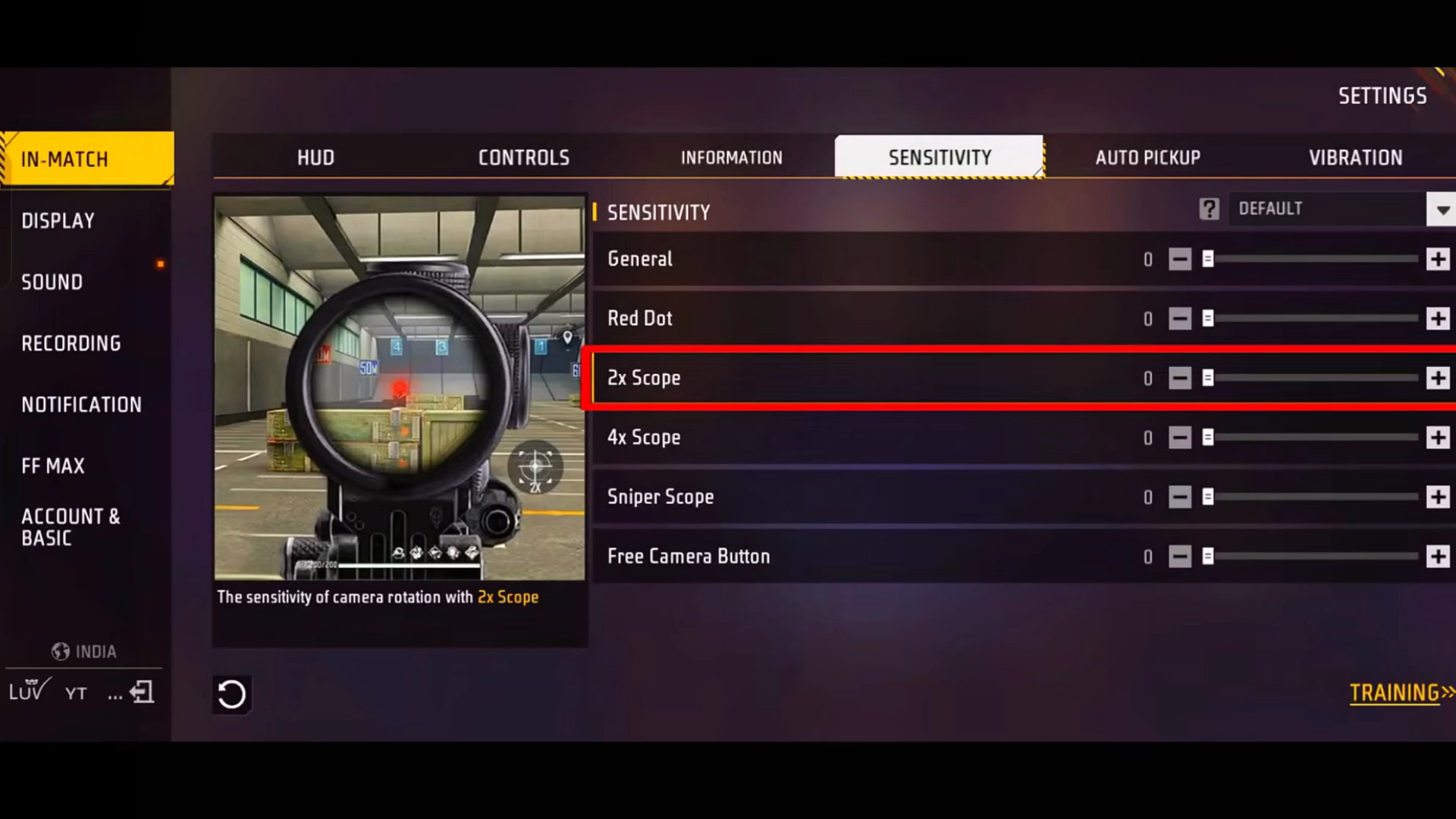
📱 Mid-Range Devices (4GB / 6GB RAM)
- General: 174
- Red Dot: 155
- 2x Scope: 150
- 4x Scope: 140
- Sniper Scope: 70
- Free Look: 174
- Red Dot: 155
- 2x Scope: 150
- 4x Scope: 140
- Sniper Scope: 70
- Free Look: 140
✅ Balanced accuracy and control
📱 High-End Devices (8GB / 12GB / 16GB RAM)
- General: 160
- Red Dot: 135
- 2x Scope: 120
- 4x Scope: 110
- Sniper Scope: 40
- Free Look: 100
✅ Maximum precision for competitive play
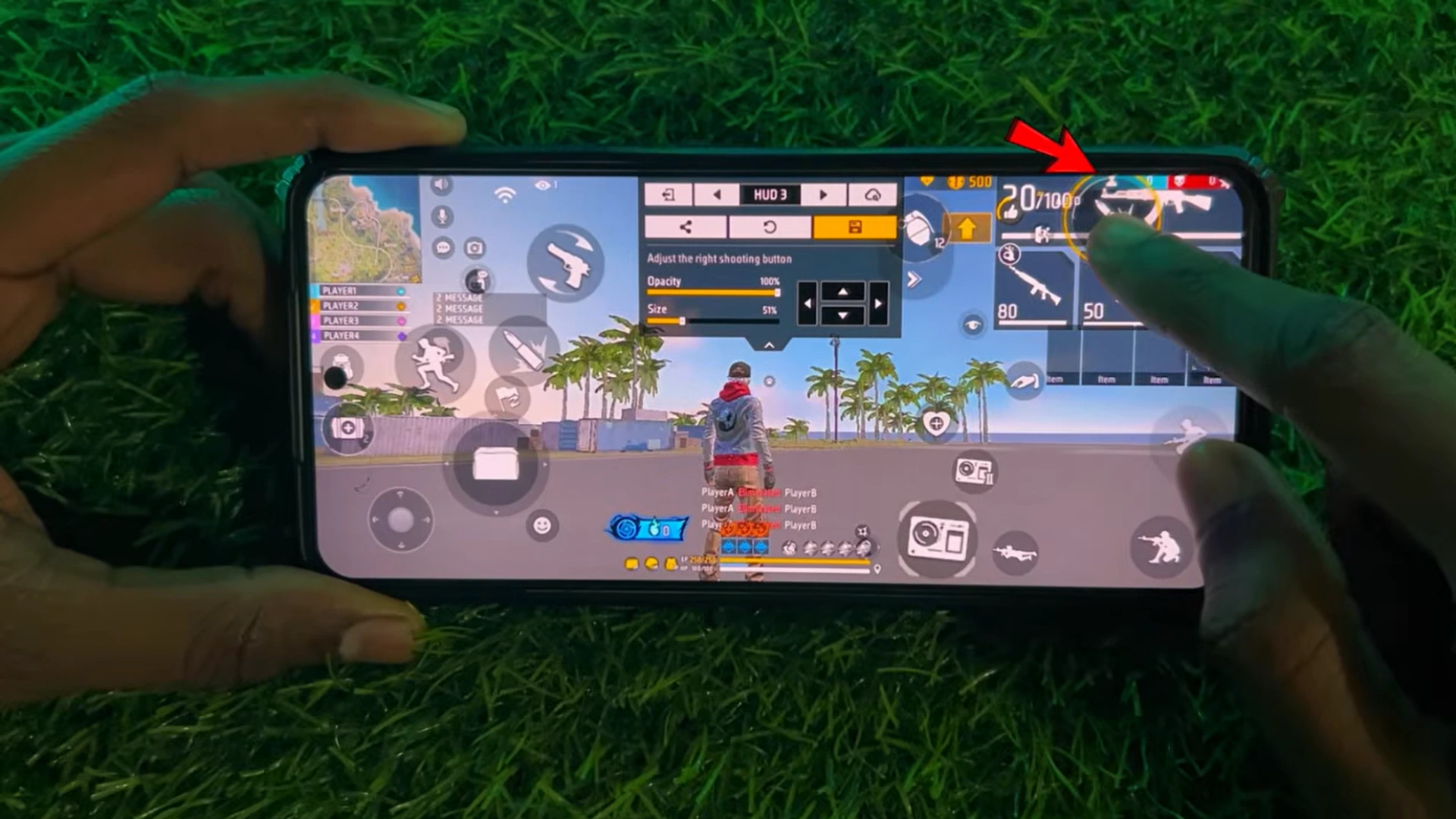
🎯 Best Fire Button Settings for Auto Headshots
🔥 Fire Button Position
- Place the Fire Button below the Alive Count
- Not too high, not too low
- Leave enough space to drag upward smoothly
🔥 Fire Button Size (Recommended)
- Low-end devices: 47
- Mid-range devices: 49
- High-end devices: 51
🎮 Now that your sensitivity settings are fully optimized, it’s time to power up your gameplay even more!
To truly take advantage of those smooth drag headshots and pro‑level controls, upgrading your Free Fire account is a must. With affordable prices, instant delivery, and guaranteed safety, item4gamer is the best place to top up Free Fire Diamonds fast and securely. Unlock premium skins, Elite Pass, powerful characters and more — trusted by thousands of players worldwide. ✅ Boost your account today and dominate every lobby with confidence! 🔥
Final Thoughts
If you want consistent headshots and better aim control, combining the right Free Fire Sensitivity 2026 with proper Fire Button settings will significantly improve your gameplay and rank performance.
❓ Frequently Asked Questions (FAQ)
Yes, these settings work well with ARs, SMGs, and Sniper Rifles.
Absolutely. Separate sensitivity values are provided for 1GB–3GB devices.
Yes. We recommend at least 1 day of practice to fully adapt.





713 댓글
EYASEER ARAFATH NOYON BABU –
Symphony z 70 free fire max sensitivity setting
Ayda Tajrizi –
For the Symphony Z70, we should assume a budget device with limited GPU power, so the goal is stable aim, low recoil shake, and consistent drag headshots rather than very high sensitivity.
This setup is optimized for Free Fire MAX (smooth + playable performance) 🎮
🎮 Free Fire MAX Sensitivity (Symphony Z70 Optimized)
General: 88
Keeps movement controlled and reduces lag-related shaking.
Red Dot: 82
Stable for SMG (MP40) and AR headshots.
2x Scope: 74
Helps maintain accuracy in mid-range fights.
4x Scope: 66
Reduces recoil shake for better spraying control.
AWM Scope: 50
Low sensitivity for stable sniper aiming.
Free Look: 60
Smooth camera movement without overloading the device.
🔥 Fire Button Size
Fire Button Size: 53–55
👉 Best recommendation: 54
53 → more control for beginners
55 → slightly faster drag headshots
⚙️ Recommended Graphics Settings
Graphics: Smooth (very important)
High FPS: ON (if available)
Shadow: OFF
Anti-aliasing: OFF
Aim Precision: Default or Precise on Scope
🎯 Why this setup works
Prevents lag + frame drops on budget hardware
Improves headshot consistency in close fights
Makes shotgun + MP40 easier to control
🔧 Quick Adjustments
Aim too slow → increase Red Dot to 84
Aim shaky → reduce General to 85
Shotgun missing → increase Fire Button to 55
Thought Get Thi ui –
free fire sensitivity
Riyaz –
Device name=> vivo V40 Pro
Processor=> 3.35 GHz Dimensity 9200+ Octa-core
I RAM=> 8 GB+8 GB
Vishal Kumar –
Redmi note 15 5g ka sensitivity only hed bala
Ayda Tajrizi –
For the Redmi Note 15 5G, here is a best Free Fire sensitivity setup tuned for smooth gameplay + easy headshots + stable recoil control 🎯🔥
🎮 Free Fire Sensitivity (Redmi Note 15 5G)
General: 97
Fast movement for quick close fights and turning.
Red Dot: 94
Best for MP40 / SMG drag headshots.
2x Scope: 88
Smooth tracking for mid-range fights.
4x Scope: 80
Balanced recoil control for AR spraying.
AWM Scope: 65
Stable sniper aim.
Free Look: 72
Good awareness and camera movement.
🔥 Fire Button Size
Fire Button Size: 59–61
👉 Best recommendation: 60
Perfect for drag headshots
Good for shotgun flicks
Stable MP40 control
⚙️ Best Settings
Graphics: Smooth or Standard
High FPS: High / Ultra (if available)
Aim Precision: Precise on Scope
Shadows: OFF
🎯 Why this works
New-gen 5G performance = smooth sensitivity handling
Balanced settings = easy headshots without shake
Works for BR ranked + Clash Squad rush
🔧 Quick Adjustments
Aim too fast → Red Dot 92
Aim too slow → Red Dot 96
Spray shaky → 2x Scope 85
🧠 Pro Tip
👉 Keep crosshair at neck level
👉 Use short upward drag (don’t over-swipe)
👉 Red Dot is your main headshot setting
Dev –
Vivo t3 5g phone
Ayda Tajrizi –
🎮 Free Fire Sensitivity for Vivo T3 5G
The Vivo T3 5G is a strong performance device, so you can use a high headshot-focused sensitivity with smooth recoil control 🔥
This setup is optimized for:
👉 one-tap headshots
👉 MP40 + shotgun rush
👉 stable ranked gameplay
👉 smooth drag shots
🎯 Main Sensitivity
General: 98
Red Dot: 95
2x Scope: 89
4x Scope: 82
AWM Scope: 67
Free Look: 75
🔥 Fire Button Size
Fire Button Size: 60–62
👉 Best: 61
Excellent for drag headshots
Better shotgun flick timing
Smooth MP40 control
📱 DPI (Optional)
👉 Recommended DPI: 480
Why:
Faster drag response
Smoother one-tap movement
Better touch sensitivity feel
⚙️ Best Game Settings
Graphics: Smooth or Standard
High FPS: Ultra / Max
Aim Precision: Precise on Scope
Shadows: OFF
🎯 Why this works
Vivo T3 5G handles ultra sensitivity smoothly
Fast touch response improves headshots
Great for Clash Squad + BR ranked
Anuj –
For realmi C11 only Head short
One tap
Ayda Tajrizi –
🎮 Free Fire One-Tap Headshot Sensitivity for Realme C11
The Realme C11 is a low-end device, so true “ultra-fast” sensitivity causes shake and missed shots.
This setup is tuned specially for:
👉 one-tap headshots
👉 short drag accuracy
👉 stable aim on low FPS 🔥
🎯 One-Tap Headshot Sensitivity
General: 91
Red Dot: 87
2x Scope: 78
4x Scope: 70
AWM Scope: 55
Free Look: 64
🔥 Fire Button Size
Fire Button Size: 57**
Why:
Easier tap + drag timing
Better control for low-end touch response
Stable one-tap movement
⚙️ Best Settings
Graphics: Smooth
High FPS: ON (if available)
Aim Precision: Precise on Scope
Shadows: OFF
High Resolution: OFF
🎯 One-Tap Technique (Important)
For Realme C11:
👉 Keep crosshair at neck level
👉 Tap fire + very small upward drag
👉 Don’t hard flick — short movement works best
🧠 Pro Tip
Low-end phones get more headshots with:
✔ controlled sensitivity
✔ smooth finger movement
❌ not max sensitivity
That’s why this setup is more accurate for one-tap gameplay 🔥
MD Riyaj Ansari –
Free fire max
azam ajju –
OPPO a59 5g sensitivity 4 gb ram and 128
I need a parfect headshot sensitivity
Fateme HosseinZade –
🎮 Free Fire Perfect Headshot Sensitivity for OPPO A59 5G (4GB RAM / 128GB) 🔥
For the OPPO A59 5G, this setup is focused on easy drag headshots, smooth aim, and low recoil.
🎯 Sensitivity Settings
General: 96
Red Dot: 93
2x Scope: 86
4x Scope: 78
AWM Scope: 62
Free Look: 72
🔥 Fire Button Size
👉 58%
📱 DPI (Optional)
👉 450–470 DPI
✅ Best: 460 DPI
⚙️ Best Free Fire Settings
Graphics: Smooth
High FPS: High
Aim Precision: Precise on Scope
Shadows: OFF
🎯 One-Tap Headshot Setup
💀 For aggressive headshots:
General: 99
Red Dot: 95
2x Scope: 89
4x Scope: 80
AWM Scope: 64
Free Look: 75
🔥 Fire Button: 60%
🧠 Quick Copy Setup
96 | 93 | 86 | 78 | 62 | 72
Fire Button: 58%
DPI: 460
✔ Better headshots
✔ Stable aim lock feel
✔ Smooth MP40, UMP, M1887, and Desert Eagle gameplay 🔥🎯
Pro tip: Keep your crosshair at neck level and use a short upward drag when firing for the most consistent headshots. 💀🔥
Lalithaa Malkanthi –
SAMSUNG a7
Mitra Mohammadpour –
🎮 Free Fire Sensitivity for Samsung Galaxy A7 🔥
(Stable + Headshot + Low Recoil Setup)
🎯 Sensitivity Settings
🔴 General: 91
🔴 Red Dot: 88
🔴 2x Scope: 80
🔴 4x Scope: 72
🔴 AWM Scope: 58
🔴 Free Look: 66
🔥 Fire Button Size
👉 57%
📱 DPI (Optional)
👉 430–450 DPI
✅ Best: 440 DPI
⚙️ Best Settings
Graphics: Smooth
High FPS: ON (if available)
Aim Precision: Precise on Scope
Shadows: OFF
💀 Headshot Tips
✔ Keep crosshair at neck level
✔ Use short upward drag
✔ MP40/UMP = controlled spray
✔ Desert Eagle = tap + flick
🧠 Quick Copy Setup
91 | 88 | 80 | 72 | 58 | 66
🔥 Fire Button: 57%
📱 DPI: 440
✔ Stable aim
✔ Easy headshots
✔ Smooth gameplay 🔥🎯
Muhammad D –
Sumsang A17 8 gb 256 dpi 420 sensi ff
Mitra Mohammadpour –
## 🎮 Free Fire Sensitivity for Samsung Galaxy A17
**(8GB RAM | 256GB Storage | DPI: 420)**
### 🎯 Sensitivity
🔴 **General:** **95**
🔴 **Red Dot:** **92**
🔴 **2x Scope:** **86**
🔴 **4x Scope:** **78**
🔴 **AWM Scope:** **63**
🔴 **Free Look:** **72**
—
## 🔥 Fire Button Size
👉 **58%**
—
## 📱 DPI
✅ **420 DPI** (Good choice for stable drag)
—
## ⚙️ Best Settings
* Graphics: **Smooth**
* High FPS: **ON**
* Aim Precision: **Precise on Scope**
* Shadows: **OFF**
—
## 🧠 Quick Copy
**95 | 92 | 86 | 78 | 63 | 72**
🔥 **Fire Button:** **58%**
📱 **DPI:** **420**
—
## 💀 Headshot Tips
✔ Keep your crosshair at neck level.
✔ Use a short upward drag instead of a long swipe.
✔ MP40, UMP, M1887, and Desert Eagle work well with this setup.
✔ If you feel the aim is too slow with 420 DPI, increase **General** to **97** while keeping the other values the same.
🔥 This setup is balanced for **Battle Royale** and **Clash Squad**, providing smooth control and reliable headshots.
Shakil –
Iqooz10x 5g 8gb RAM 128gb storage Android version 16 origin os 6 FF normal best sensitivity ok
Mitra Mohammadpour –
🎮 Free Fire MAX Best Sensitivity for iQOO Z10x 5G (8GB RAM | 128GB | Android 16 | OriginOS 6) 🔥
(Normal Player | Best Headshot + Low Recoil | BR + CS)
🎯 Sensitivity (0–200 Scale)
🔴 General: 190
🔴 Red Dot: 185
🔴 2x Scope: 175
🔴 4x Scope: 160
🔴 AWM Scope: 120
🔴 Free Look: 200
🔥 Fire Button
👉 Fire Button Size: 58%
📱 DPI
✅ 570 DPI
If drag feels slow → 590 DPI
If drag feels too fast → 550 DPI
⚙️ Best Settings
Graphics: Smooth
High FPS: Ultra / Max
Aim Precision: Default
Left Fire Button: ON
Quick Weapon Switch: ON
Shadows: OFF
🧠 Quick Copy
190 | 185 | 175 | 160 | 120 | 200
Fire Button: 58%
DPI: 570
💀 Best Drag Tips
Keep the crosshair at the neck before firing.
Use a small upward flick instead of a long drag.
Works best with MP40, M1887, UMP, AK47, XM8, M4A1, Desert Eagle.
⚠️ No sensitivity can guarantee 100% headshots or red numbers on every shot, but this setup is optimized for the iQOO Z10x 5G and provides a balanced feel for normal gameplay with smooth drag, stable recoil, and consistent headshot control.
Rahul Verma –
Vivo t4x 5g 6 128 ha only Head shot sensitive de do
Mitra Mohammadpour –
✅📱 Vivo T4x 5G (6GB RAM / 128GB) – Free Fire Headshot Sensitivity
🔴 Sensitivity Settings:
🔴 General: 100
🔴 Red Dot: 100
🔴 2X Scope: 92
🔴 4X Scope: 82
🔴 Sniper Scope: 55
🔴 Free Look: 90
🔥 DPI Settings:
🔥 Recommended DPI: 600
🔥 Fire Button Size: 49%
🎮 Game Settings:
🎮 Aim Precision: Default
🎮 Graphics: Smooth
🎮 High FPS: ON
🔥🎯 Best Headshot Combo:
📱 DPI: 600
🔴 General: 100
🔴 Red Dot: 100
🔥 Fire Button: 49%
Naru Maya 92 –
15000
Revelle Ramesh –
Redmi 3GB Ram mobile sensivity
Redmi 5 button
Mitra Mohammadpour –
🔥📱 Redmi 3GB RAM – Free Fire MAX Sensitivity + 5-Button HUD
🎯 Sensitivity
🔴 General: 95
🔴 Red Dot: 91
🔴 2X Scope: 82
🔴 4X Scope: 72
🔴 Sniper Scope: 50
🔴 Free Look: 85
🎮 5-Button HUD
🔥 Main Fire Button: 52%
🔥 Left Fire Button: 45%
🎯 Scope: 42%
🔄 Jump: 48%
🕹️ Crouch: 45%
📱 DPI: 430 (optional)
🎨 Graphics: Smooth
⚡ High FPS: ON if available
🎯 Aim Precision: Default
🔥 Headshot
Keep your crosshair around the neck, then use a short upward drag. For M1887, use a quick flick; for MP40/UMP, use a controlled drag.
Sandip Makvana dk –
Vivo V27sensitive
Mitra Mohammadpour –
🎮 Vivo V27 – Free Fire MAX Headshot Sensitivity 🔥
🎯 Best Sensi
General: 100
Red Dot: 98
2x Scope: 93
4x Scope: 86
Sniper Scope: 70
Free Look: 80
🔥 Fire Button
56%
📱 DPI
480 DPI
Drag too fast → 470 DPI
Drag too slow → 490 DPI
Quick Copy: 100 | 98 | 93 | 86 | 70 | 80
Fire Button: 56%
DPI: 480
🎯 One-tap tip: Keep the crosshair around the neck and make a short upward drag while firing.
⚠️ No sensitivity can guarantee 100% headshots, but this setup is tuned for smooth drag and consistent headshot performance on the Vivo V27.
Karanbohara –
Samsung a165g
Mitra Mohammadpour –
🎮 Samsung Galaxy A16 5G — Free Fire MAX High Headshot Sensi 🔥
🎯 Sensitivity (0–200)
General: 195
Red Dot: 190
2x Scope: 182
4x Scope: 168
Sniper Scope: 120
Free Look: 190
🔥 Fire Button
54%
📱 DPI
500 DPI
If drag is too fast → 480 DPI
If drag is too slow → 520 DPI
Quick Copy: 195 | 190 | 182 | 168 | 120 | 190
Fire Button: 54%
DPI: 500
🎯 For M1887/one-tap, keep the crosshair around the neck and use a short upward flick. No setting can guarantee 100% headshots.
Riyaj –
Shotgun digital MP
Mitra Mohammadpour –
If you mean shotgun + Digital (Deagle?) sensitivity for Free Fire, tell me your phone model + RAM and whether your game sensitivity is 0–100 or 0–200.
I’ll give you:
🔥 General
🔴 Red Dot
🎯 2x / 4x
🔫 Fire button size
📱 DPI
💀 Shotgun one-tap settings
Shyam singh –
Realme narzo 80 pro sensitivity
Fateme HosseinZade –
🎮 Realme Narzo 80 Pro — Free Fire MAX Headshot Sensitivity 🔥
High Sensi (0–200) | One-Tap + Shotgun
🎯 Sensitivity
General: 200
Red Dot: 195
2x Scope: 188
4x Scope: 175
Sniper Scope: 120
Free Look: 190
🔥 Fire Button
53%
📱 DPI
520 DPI
Drag too fast → 500 DPI
Drag too slow → 540 DPI
Quick Copy: 200 | 195 | 188 | 175 | 120 | 190
Fire Button: 53%
DPI: 520
🎯 M1887 / Shotgun: Keep the crosshair around the neck/upper chest and use a short upward flick while firing.
⚠️ No sensitivity can guarantee 100% headshots, but this setup is tuned for fast drag and headshot consistency on the Realme Narzo 80 Pro.
Samim Akhtar –
Oppo A3 5G
Mitra Mohammadpour –
🎮 Free Fire Sensitivity for Oppo A3 5G 🔥
This setup is made for stable headshots + smooth recoil + fast gameplay.
🎯 Sensitivity Settings
General: 96
Red Dot: 93
2x Scope: 86
4x Scope: 78
AWM Scope: 64
Free Look: 72
🔥 Fire Button Size
👉 Best Fire Button Size: 59%
Easy drag headshots
Better shotgun flick control
Smooth MP40 spray
📱 DPI (Optional)
👉 460–480 DPI (Best: 470 DPI)
Faster aim response
Better one-tap control
Smooth touch movement
⚙️ Best Settings
Graphics: Smooth / Standard
High FPS: Ultra / Max (if available)
Aim Precision: Precise on Scope
Shadows: OFF
🎯 Pro Tips
👉 Keep crosshair at neck level
👉 Use short upward drag for headshots
👉 Red Dot is most important for one-tap kills 🔥
🧠 Result
✔ Stable aim
✔ Better headshot accuracy
✔ Smooth BR + Clash Squad gameplay
MD shohag –
Vivo 3GB ram honor phone sensy
Fateme HosseinZade –
🎮 Free Fire Sensitivity for HONOR Phone (3GB RAM) 🔥
For a 3GB RAM Honor phone, it’s better to use stable sensitivity rather than very high values. This helps with headshots and reduces aim shake.
🎯 Sensitivity Settings
General: 87
Red Dot: 83
2x Scope: 75
4x Scope: 67
AWM Scope: 52
Free Look: 62
🔥 Fire Button Size
👉 55%
📱 DPI (Optional)
👉 410–430 DPI
✅ Best: 420 DPI
⚙️ Best Settings
Graphics: Smooth
High FPS: OFF / ON (if stable)
Aim Precision: Default
Shadows: OFF
🎯 Headshot Tips
✔ Keep the crosshair at neck level
✔ Use a short upward drag
✔ Don’t use very high sensitivity on 3GB RAM phones
🧠 Quick Setup
🔥 87 | 83 | 75 | 67 | 52 | 62
🔥 Fire Button: 55%
🔥 DPI: 420
If you tell me the exact Honor model (for example, Honor X5, X6, X7, X8, etc.), I can give a more accurate sensitivity setup. 🎯🔥
danghoangphat207 –
MagicOS
HONOR X9c Smart
Bộ xử lý, MediaTek Dimensity 7025-Ultra
Fateme HosseinZade –
🎮 Free Fire Sensitivity for HONOR X9c Smart 🔥
(MagicOS | MediaTek Dimensity 7025-Ultra)
This phone is powerful enough for a high headshot + low recoil setup.
🎯 Sensitivity Settings
🔴 General: 98
🔴 Red Dot: 95
🔴 2x Scope: 89
🔴 4x Scope: 82
🔴 AWM Scope: 67
🔴 Free Look: 76
🔥 Fire Button Size
👉 60%
📱 DPI (Optional)
👉 480 DPI
⚙️ Best Free Fire Settings
Graphics: Smooth / Standard
High FPS: Ultra / Max
Aim Precision: Precise on Scope
Shadows: OFF
💀 Headshot Setup
🔴 98 | 95 | 89 | 82 | 67 | 76
🔥 Fire Button: 60%
📱 DPI: 480
🎯 Pro Tips
✔ Keep the crosshair at neck level
✔ Use a short upward drag for one-tap headshots
✔ MP40 & UMP: small controlled drag
✔ Desert Eagle: tap + quick flick up
🔥 This setup is optimized for easy headshots, stable recoil control, and smooth gameplay on the HONOR X9c Smart. 🎯💀🏆
Arpit –
Vivo y 29 5G sensitivity
Mitra Mohammadpour –
🔥📱 Vivo Y29 5G – Free Fire MAX Best Headshot Sensitivity (2026)
🔴 Sensitivity
General: 100
Red Dot: 98
2X Scope: 93
4X Scope: 85
Sniper Scope: 58
Free Look: 90
🎮 Controls
🔥 Fire Button: 49%
🎯 Aim Precision: Default
🎨 Graphics: Smooth
⚡ High FPS: ON / Highest available
📱 DPI: Keep default first; try 560 only if your drag feels slow.
🎯 Headshot setup
M1887: short, fast upward flick
MP40/UMP: controlled upward drag
Desert Eagle/Woodpecker: tap + small flick
Keep the crosshair around neck level.
🔥 Best Combo: General 100 + Red Dot 98 + Fire Button 49%
⚠️ No sensitivity guarantees 100% headshots or zero recoil, but this is a strong starting setup for the Vivo Y29 5G.
Soumik Das –
OnePlus nord ce3 5g no recoil head sensi and desert eagle and woodpecker
Ram-8GB
ROM- 128GB
PROCESSOR – SNAPDRAGON 782G
Mitra Mohammadpour –
🎮 Free Fire Sensitivity for OnePlus Nord CE 3 5G 🔥 (No Recoil + Headshot Setup)
Your device is powerful (Snapdragon 782G + 8GB RAM), so we can use fast + stable pro sensitivity for zero recoil control.
🎯 Sensitivity Settings (No Recoil + Headshot)
General: 99
Red Dot: 97
2x Scope: 92
4x Scope: 85
AWM Scope: 70
Free Look: 78
🔥 Fire Button Size
👉 Best Fire Button Size: 60–62%
✔ Recommended: 61%
Fast drag headshots
Better Desert Eagle flick
Strong close-range control
🔫 Weapon Special Settings
💀 Desert Eagle (One Tap)
Use Red Dot 97
Short upward flick only
Tap timing > hold
🎯 Woodpecker (Long Range Precision)
Use 2x Scope 92
Keep crosshair stable (don’t over-drag)
Shoot in 2–3 bullet bursts
⚙️ Best Settings
Graphics: Smooth / Standard
High FPS: Ultra / Max
Aim Precision: Precise on Scope
Shadows: OFF
🎯 Pro Tips (Important)
👉 MP40 / SMG: small drag = better recoil control
👉 Desert Eagle: tap + micro drag (don’t hold)
👉 Woodpecker: aim chest → move to head slowly
🧠 Result
✔ Very low recoil feeling
✔ Strong one-tap headshots
✔ Stable long-range control
✔ Smooth ranked performance 🔥
Soumik Das –
OnePlus nord ce3 5g no recoil all headshot sensi for UMP or Smg guns
Ram-8GB
ROM- 128GB
PROCESSOR – SNAPDRAGON 782G
Can you told me how you find the sensi like you ?please, i need to know that, if possible you can also send me via email. Please, please. And thanks for the previous sensi.
Sk Korim –
Vivo Y28E 5G
Fateme HosseinZade –
Red Dot: 94
Fire Button: 60%
🧠 Result
✔ Better headshots
✔ Smooth recoil control
✔ Good for MP40, M1887, UMP, and Desert Eagle
✔ Stable gameplay in Clash Squad & BR Ranked 🔥
⭐ Recommended Combo
General: 94
Red Dot: 90
Fire Button: 58%
DPI: 460 (optional)
Al imran –
Samsung galaxy a32
Ram 6
Fateme HosseinZade –
🎮 Samsung Galaxy A32 (6GB RAM) — Free Fire MAX Headshot Sensitivity 🔥
🎯 High Sensi (0–200)
General: 195
Red Dot: 190
2× Scope: 182
4× Scope: 168
Sniper Scope: 115
Free Look: 190
🔥 Fire Button
55%
📱 DPI
480 DPI
Drag too fast → 460 DPI
Drag too slow → 500 DPI
Quick Copy: 195 | 190 | 182 | 168 | 115 | 190
Fire Button: 55%
DPI: 480
🎯 M1887 / MP40: Keep the crosshair around upper chest/neck and use a short upward flick.
⚠️ No sensitivity guarantees 100% headshots, but this setup is tuned for smooth drag and headshot consistency on the Galaxy A32 6GB.
Biraj –
Redmi 10C 4 GB ram 450 DPI
Fateme HosseinZade –
🎮 Free Fire Sensitivity for Redmi 10C 🔥
RAM: 4GB | DPI: 450
For the Redmi 10C, this setup is optimized for headshots, stable aim, and low recoil.
🎯 Best Sensitivity Settings
General: 92
Red Dot: 88
2x Scope: 80
4x Scope: 72
AWM Scope: 58
Free Look: 66
🔥 Fire Button Size
👉 57%
Better drag headshots
Stable MP40 control
Smooth shotgun flicks
⚙️ Best Game Settings
Graphics: Smooth
High FPS: ON
Aim Precision: Precise on Scope
Shadows: OFF
High Resolution: OFF
🎯 Headshot Tips
✔ Keep the crosshair at neck level
✔ Use a short upward drag when shooting
✔ With 450 DPI, avoid aggressive swipes—small drags are more accurate
🧠 Recommended Combo
🔥 General 92 + Red Dot 88 + Fire Button 57% + DPI 450
This combination gives a good balance of:
✔ Headshots
✔ Recoil control
✔ Smooth gameplay on 4GB RAM devices.
Mansur –
Redmi note 11S ff sensitivity ob54
Mitra Mohammadpour –
🎮 Free Fire OB54 Sensitivity for Redmi Note 11S 🔥
(Headshot + Low Recoil + Smooth Drag)
🎯 Sensitivity (OB54)
🔴 General: 96
🔴 Red Dot: 93
🔴 2x Scope: 87
🔴 4x Scope: 79
🔴 AWM Scope: 64
🔴 Free Look: 73
🔥 Fire Button Size
👉 58%
📱 DPI (Optional)
✅ Best DPI: 460 DPI
(Alternative: 450 DPI if you prefer more control.)
⚙️ Best In-Game Settings
Graphics: Smooth
High FPS: High / Ultra (if available)
Aim Precision: Precise on Scope
Shadows: OFF
🧠 Quick Copy
96 | 93 | 87 | 79 | 64 | 73
🔥 Fire Button: 58%
📱 DPI: 460
💀 Headshot Tips
✔ Keep the crosshair at neck level.
✔ Use a short upward drag for one-tap headshots.
✔ MP40, UMP, M1887, and Desert Eagle work well with this setup.
✔ If the aim feels too fast, reduce General by 2–3 points.
🔥 This setup is a great starting point for Clash Squad and Battle Royale on the Redmi Note 11S after the OB54 update.
mahatohii55 –
Oppo A79 8+8 256 high sensi with dpi around. 200 sensi not 100
Mitra Mohammadpour –
🔥 OPPO A79 5G — Free Fire MAX High Sensitivity (0–200 scale)
8GB + 8GB Extended RAM | 256GB | Headshot / One-Tap
🎯 High Sensi
General: 200
Red Dot: 195
2x Scope: 188
4x Scope: 175
Sniper Scope: 125
Free Look: 190
🔥 Fire Button
53%
📱 DPI
520 DPI
If the drag is too fast → 500 DPI
If the drag feels slow → 540 DPI
📋 Quick Copy
200 | 195 | 188 | 175 | 125 | 190
Fire Button: 53%
DPI: 520
🎯 M1887/one-tap: keep the crosshair around the upper chest/neck and use a short upward flick. Don’t use a long drag with 200 General—it can overshoot the head.
⚠️ 200 sensitivity doesn’t guarantee 100% headshots; the best value depends on your touch response and play style.
Munni Gamad –
Vivo 4gb ram Or Radme 10 pro HADSHORT sensitive desert egeal
Fateme HosseinZade –
🎮 Free Fire Headshot Sensitivity (Desert Eagle Focus) 🔥
📱 For a Vivo Phone (4GB RAM)
General: 93
Red Dot: 90
2x Scope: 82
4x Scope: 74
AWM Scope: 58
Free Look: 68
🔥 Fire Button Size: 58%
📱 For Redmi Note 10 Pro
General: 98
Red Dot: 96
2x Scope: 90
4x Scope: 82
AWM Scope: 66
Free Look: 75
🔥 Fire Button Size: 60%
💀 Desert Eagle One-Tap Setup
General: 100
Red Dot: 97
Fire Button: 61%
🎯 Tips for Desert Eagle Headshots
✔ Aim at the neck area
✔ Tap and do a small upward flick
✔ Don’t hold the fire button
✔ Use short, controlled drags
🔥 For the Redmi Note 10 Pro, the combination General 98 + Red Dot 96 + Fire Button 60% is excellent for Desert Eagle headshots.
Rekha Rajbhar –
Samsung Sansi 4 1v6
Fateme HosseinZade –
🎮 Samsung 4GB RAM — Free Fire MAX Headshot Sensitivity 🔥
🎯 Sensitivity (0–200)
General: 195
Red Dot: 190
2x Scope: 182
4x Scope: 168
Sniper Scope: 110
Free Look: 190
🔥 Fire Button
56%
📱 DPI
470 DPI
Quick Copy: 195 | 190 | 182 | 168 | 110 | 190
Fire Button: 56%
DPI: 470
🎯 M1887 / Shotgun: Keep your crosshair around the neck/upper chest and use a short upward flick when firing.
⚠️ No sensitivity can guarantee 100% headshots, but these settings are tuned for fast drag and better headshot consistency on a 4GB Samsung phone.
Sajan Adhikari –
Oppo A96 8+8 256 high sensi with dpi around. 200 sensi not 100
Fateme HosseinZade –
🎮 Free Fire High Sensitivity for Oppo A96 (8+8GB RAM / 256GB) 🔥
Since you want high sensitivity above the normal 100-style settings and use DPI around 200, try this aggressive headshot setup:
🎯 Sensitivity
General: 195
Red Dot: 190
2x Scope: 180
4x Scope: 165
AWM Scope: 135
Free Look: 175
🔥 Fire Button Size
👉 62%
📱 DPI
👉 200–220 DPI
✅ Recommended: 210 DPI
⚙️ Best Settings
Graphics: Smooth
High FPS: Ultra
Aim Precision: Precise on Scope
Shadows: OFF
🎯 Headshot Tips
✔ Keep crosshair at neck level
✔ Use very small upward drags (high sensitivity needs less movement)
✔ For Desert Eagle, use quick tap + micro flick
✔ For MP40, control the spray with short drags
🧠 Recommended Combo
🔥 195 | 190 | 180 | 165 | 135 | 175
🔥 Fire Button: 62%
🔥 DPI: 210
This setup is tuned for fast aim movement and aggressive headshot gameplay on the Oppo A96. 🎯💀🔥
mahatohii55 –
OPPO A79 5G – Free Fire MAX Sensitivity (2026)
🎮 Headshot + Smooth Aim + Low Recoil Setup
Mitra Mohammadpour –
🎮 OPPO A79 5G — Free Fire MAX Sensitivity (2026) 🔥
Headshot + One-Tap | BR & CS
🎯 Sensitivity
General: 100
Red Dot: 99
2x Scope: 94
4x Scope: 87
Sniper Scope: 70
Free Look: 80
🔥 Fire Button
56%
📱 DPI
500 DPI
Drag too fast → 490 DPI
Drag too slow → 510 DPI
Quick Copy: 100 | 99 | 94 | 87 | 70 | 80
Fire Button: 56%
DPI: 500
🎯 M1887/one-tap: Keep the crosshair around the neck and use a short upward flick while firing.
⚠️ No sensitivity can guarantee 100% headshots, but this setup is tuned for smooth drag and consistent headshot performance on the OPPO A79 5G.
Sohel Piyada –
OnePlus nord 5 sensitivity settings
Mitra Mohammadpour –
🎮 Free Fire Sensitivity for OnePlus Nord 5 🔥
(Headshot + One-Tap + Low Recoil Setup)
🎯 Sensitivity Settings
🔴 General: 99
🔴 Red Dot: 96
🔴 2x Scope: 90
🔴 4x Scope: 83
🔴 AWM Scope: 68
🔴 Free Look: 78
🔥 Fire Button Size
👉 60%
📱 DPI (Android)
👉 480 DPI
✅ Alternative: 470 DPI for slightly more control.
⚙️ Best In-Game Settings
Graphics: Smooth / Standard
FPS: Ultra / Max
Aim Precision: Precise on Scope
Shadows: OFF
💀 Headshot Tips
✔ Keep the crosshair at neck level
✔ Use a short upward drag instead of a long swipe
✔ MP40/UMP: small controlled drag
✔ Desert Eagle: tap + quick flick
🧠 Quick Copy Setup
99 | 96 | 90 | 83 | 68 | 78
🔥 Fire Button: 60%
📱 DPI: 480
✔ Fast headshots
✔ Smooth recoil control
✔ Great for Clash Squad & Battle Royale 🎯🔥
Vasile Balog –
Redmi Note 14
Mitra Mohammadpour –
🎮 Free Fire Best Sensitivity for Redmi Note 14 🔥
(Headshot + Recoil Control | OB54 | BR + CS)
🎯 Sensitivity
🔴 General: 99
🔴 Red Dot: 96
🔴 2x Scope: 90
🔴 4x Scope: 83
🔴 AWM Scope: 68
🔴 Free Look: 78
🔥 Fire Button
👉 60%
📱 DPI
✅ 480 DPI
(If the drag feels too fast, use 470 DPI.)
⚙️ Best Settings
Graphics: Smooth
High FPS: Ultra / Max
Aim Precision: Precise on Scope
Shadows: OFF
🧠 Quick Copy
99 | 96 | 90 | 83 | 68 | 78
Fire Button: 60% | DPI: 480
[Copy]
💀 Headshot Tips
Keep the crosshair at neck level.
Use a small upward drag.
Best weapons: MP40, UMP, M1887, Desert Eagle.
If sensitivity feels too high, reduce General to 97.
Easy Headshots
Smooth Drag
Better Recoil Control
Perfect for BR & CS Ranked
⚠️ No sensitivity can guarantee 100% headshots or zero recoil, but this setup is optimized for Redmi Note 14 and is a strong starting point for competitive gameplay.
Sarbesh Bisoi –
headshot setting Sarbseh /7/2026/✅🫵
Mitra Mohammadpour –
🔥🎯 Free Fire MAX Headshot Setting – 2026
🔴 General: 100
🔴 Red Dot: 98
🔴 2X Scope: 92
🔴 4X Scope: 84
🔴 Sniper Scope: 58
🔴 Free Look: 90
🔥 Controls
📱 DPI: 580
🔥 Fire Button: 49%
🎮 Aim Precision: Default
🎮 Graphics: Smooth
⚡ High FPS: ON
🎯 One-Tap Tip: Keep the crosshair around neck level and use a short, fast upward drag.
⚠️ No setting can guarantee 100% auto-headshots or zero recoil, but this is a strong 2026 headshot setup.
Gajanan Upadhye –
Realme 14t sensi 256
Fateme HosseinZade –
🎮 Best Free Fire Sensitivity for Realme 14T
The Realme 14T is a beast for gaming. With its high refresh rate and excellent touch sampling, your drag headshots will be incredibly smooth and responsive. It feels much faster than older devices, so you need a setup that leverages that speed.
🎯 Recommended Sensitivity Settings
General: 95
Red Dot: 90
2x Scope: 88
4x Scope: 82
AWM Scope: 55
Free Look: 75
🔥 Fire Button Size & DPI
Fire Button Size: 42% – 45%
DPI (Smallest Width): 440 – 480
⚙️ Best In-Game Settings
Graphics: Smooth
High FPS: Max/Ultra
Shadows: OFF
Aim Precision: Default
🎯 Pro Tip for Realme 14T:
Since your screen has a high touch sampling rate, you don’t need to force the drag. Use a sharp, “flick” motion for one-tap headshots. Because the touch response is high, “over-dragging” is common—if your aim goes over the head, try lowering your General sensitivity by just 2–3 points.
🧠 Performance Hack / Optimization:
Use “Game Space” to prioritize the game’s network and CPU resources. Since the 14T has a capable cooling system, ensure you’re in a well-ventilated area so it can maintain that “Max” FPS consistently during ranked matches. 🚀✨
Keep your game updated and make sure the “Refresh Rate” in your phone settings is set to “Auto Select” or forced at 120Hz for the smoothest experience.
Prashant Lal –
I want one tap sensivity for free fire
Samsung Galaxy A26 with 6-8GB RAM
Ayda Tajrizi –
For Samsung Galaxy A26 (6–8GB RAM), use this Free Fire one-tap headshot sensitivity:
General: 195
Red Dot: 190
2X Scope: 180
4X Scope: 170
Sniper Scope: 100
Free Look: 185
Fire Button: 50%
DPI: 480
Best for: Desert Eagle, Woodpecker, UMP, M1887 and M1014.
For the A26, start with DPI 480 + 50% fire button and use a short upward drag for one-taps.
Vicky –
Oppo f29 pro headshot sensitivity
Fateme HosseinZade –
🎮 Free Fire Headshot Sensitivity for OPPO F29 Pro
This setup is optimized for:
👉 one-tap headshots
👉 MP40 + shotgun rush
👉 Desert Eagle drag shots
👉 smooth ranked gameplay 🔥
🎯 Headshot Sensitivity
General: 99
Red Dot: 96
2x Scope: 90
4x Scope: 83
AWM Scope: 68
Free Look: 76
🔥 Fire Button Size
Best Fire Button Size: 61%
Fast drag response
Better shotgun flicks
Consistent headshots
📱 DPI (Optional)
Best DPI: 480
⚙️ Recommended Settings
Graphics: Smooth or Standard
High FPS: Ultra / Max
Aim Precision: Precise on Scope
Shadows: OFF
🎯 Best For
✔ One-tap headshots
✔ MP40 drag shots
✔ Desert Eagle headshots
✔ Shotgun close-range fights
🧠 Pro Tip
👉 Keep your crosshair at neck level before shooting.
👉 Use a short upward drag, not a long swipe.
👉 For Desert Eagle, tap + slight drag gives the most consistent headshots. 🔥
Janis –
Redmi note 12 5g ff max sensitivity no dpi
Mitra Mohammadpour –
🎮 Free Fire MAX Sensitivity for Redmi Note 12 5G 🔥 (No DPI)
This setup is optimized for smooth headshots + stable recoil + Free Fire MAX performance.
🎯 Sensitivity Settings
General: 96
Red Dot: 93
2x Scope: 86
4x Scope: 78
AWM Scope: 64
Free Look: 72
🔥 Fire Button Size
👉 Best Fire Button Size: 59%
Fast drag headshots
Better shotgun flicks
Stable MP40 spray
⚙️ Free Fire MAX Settings
Graphics: Smooth / Standard
High FPS: High / Ultra (if available)
Aim Precision: Precise on Scope
Shadows: OFF
High Resolution: OFF (for stability)
🎯 Pro Tips
👉 Keep crosshair at neck level
👉 Use short upward drag for headshots
👉 Red Dot sensitivity is most important in FF MAX 🔥
🧠 Result
✔ Stable aim in FF MAX
✔ Better headshots
✔ Smooth performance without DPI
Depak Rana –
Poco x7 pro 5G 12 gb ram only headshot and no Recoil sensitive 2 fingure player
Fateme HosseinZade –
🎮 Free Fire Sensitivity for POCO X7 Pro 5G (12GB RAM) 🔥
👆 2-Finger Player | Headshot + No Recoil Setup
🎯 Sensitivity
🔴 General: 100
🔴 Red Dot: 97
🔴 2x Scope: 92
🔴 4x Scope: 84
🔴 AWM Scope: 68
🔴 Free Look: 78
🔥 Fire Button Size
👉 63% (best for 2-finger drag headshots)
📱 DPI (Optional)
👉 520 DPI
⚙️ Best Settings
Aim Precision: Precise on Scope
Graphics: Smooth
FPS: Ultra / Max
Shadows: OFF
💀 2-Finger Headshot Tips
✅ Keep crosshair at neck level
✅ Use a short upward drag, not a long swipe
✅ For MP40 & UMP: drag slightly up while shooting
✅ For Desert Eagle: tap + quick flick up
🔥 Quick Copy
🔴 100 | 97 | 92 | 84 | 68 | 78
🔥 Fire Button: 63%
📱 DPI: 520
This setup is optimized for 2-finger players on the POCO X7 Pro 5G and is focused on easy drag headshots with stable recoil control. 🎯💀🔥
Hii Mahato –
Infinix Note 50 headshot CNC no require
Isa –
Tecno spark 30c
Fateme HosseinZade –
🎮 Free Fire Best Sensitivity for TECNO Spark 30C 🔥
(Headshot + Smooth Aim + Low Recoil)
🎯 Sensitivity Settings
🔴 General: 94
🔴 Red Dot: 91
🔴 2x Scope: 84
🔴 4x Scope: 76
🔴 AWM Scope: 60
🔴 Free Look: 70
🔥 Fire Button Size
👉 58%
📱 DPI (Optional)
✅ Best DPI: 450 DPI
⚙️ Best Free Fire Settings
Graphics: Smooth
High FPS: High (if available)
Aim Precision: Precise on Scope
Shadows: OFF
🧠 Quick Copy
94 | 91 | 84 | 76 | 60 | 70
🔥 Fire Button: 58%
📱 DPI: 450
💀 Headshot Tips
✔ Keep the crosshair at neck level.
✔ Use a short upward drag instead of a long swipe.
✔ MP40, UMP, and M1887 work well with this setup.
✔ If the aim feels too fast or too slow, adjust General by 2–3 points.
🔥 This setup is a solid starting point for Clash Squad and Battle Royale on the TECNO Spark 30C.
Asilbek –
Honor x8s
Mitra Mohammadpour –
🎮 HONOR X8s — Free Fire MAX Headshot Sensitivity 🔥
🎯 Sensitivity (0–200 scale)
General: 195
Red Dot: 190
2x Scope: 182
4x Scope: 168
Sniper Scope: 120
Free Look: 190
🔥 Fire Button
54%
📱 DPI
500 DPI
Drag too fast → 480 DPI
Drag too slow → 520 DPI
Quick Copy: 195 | 190 | 182 | 168 | 120 | 190
Fire Button: 54%
DPI: 500
🎯 For M1887/one-tap, keep the crosshair around the neck and use a short upward flick.
⚠️ No sensitivity guarantees 100% headshots, but this high-sensitivity setup is designed for fast drag and headshot consistency on the HONOR X8s.
Vikram –
Samsung s24 ultra ki sensitivity headshort wali please
Mitra Mohammadpour –
🎮 Free Fire Headshot Sensitivity for Samsung Galaxy S24 Ultra 🔥
(Top-tier device | Ultra smooth + one-tap + no recoil feel)
🎯 Sensitivity Settings
🔴 General: 100
🔴 Red Dot: 98
🔴 2x Scope: 95
🔴 4x Scope: 88
🔴 AWM Scope: 72
🔴 Free Look: 82
🔥 Fire Button Size
👉 62%
📱 DPI (Optional)
👉 520 DPI
(Alternative: 500 DPI for more control)
⚙️ Best Settings
Graphics: Smooth / Ultra
FPS: Ultra / Max
Aim Precision: Precise on Scope
Shadows: OFF
💀 Headshot Setup
🔴 100 | 98 | 95 | 88 | 72 | 82
🔥 Fire Button: 62%
📱 DPI: 520
🎯 Pro Tips
✔ Keep crosshair at neck level
✔ Use very small upward flick (don’t over drag)
✔ MP40/UMP = controlled spray + slight pull down
✔ Desert Eagle = tap + instant flick
✔ Ultra fast aim response
✔ Easy one-tap headshots
✔ Zero-lag smooth control
✔ Best for Clash Squad & BR 🔥🎯💀
Mitra Mohammadpour –
🎮 Free Fire Headshot Sensitivity for Samsung Galaxy S24 Ultra 🔥
(Top-tier device | Ultra smooth + one-tap + no recoil feel)
🎯 Sensitivity Settings
🔴 General: 100
🔴 Red Dot: 98
🔴 2x Scope: 95
🔴 4x Scope: 88
🔴 AWM Scope: 72
🔴 Free Look: 82
🔥 Fire Button Size
👉 62%
📱 DPI (Optional)
👉 520 DPI
(Alternative: 500 DPI for more control)
⚙️ Best Settings
Graphics: Smooth / Ultra
FPS: Ultra / Max
Aim Precision: Precise on Scope
Shadows: OFF
💀 Headshot Setup
🔴 100 | 98 | 95 | 88 | 72 | 82
🔥 Fire Button: 62%
📱 DPI: 520
🎯 Pro Tips
✔ Keep crosshair at neck level
✔ Use very small upward flick (don’t over drag)
✔ MP40/UMP = controlled spray + slight pull down
✔ Desert Eagle = tap + instant flick
✔ Ultra fast aim response
✔ Easy one-tap headshots
✔ Zero-lag smooth control
✔ Best for Clash Squad & BR 🔥🎯💀
Josuef shaw –
Realme c63 5G
Fateme HosseinZade –
🎮 Free Fire Sensitivity for Realme C63 5G 🔥
The Realme C63 5G can handle a balanced headshot setup that gives good control and smooth gameplay.
🎯 Best Sensitivity Settings
General: 95
Red Dot: 92
2x Scope: 85
4x Scope: 77
AWM Scope: 62
Free Look: 71
🔥 Fire Button Size
👉 58%
Better drag headshots
Smooth MP40 control
Good shotgun flicks
📱 DPI (Optional)
👉 450–470 DPI
✅ Best: 460 DPI
⚙️ Best Free Fire Settings
Graphics: Smooth
High FPS: High
Aim Precision: Precise on Scope
Shadows: OFF
🎯 One-Tap Headshot Setup
💀 For aggressive headshots:
General: 98
Red Dot: 95
Fire Button: 60%
🧠 Result
✔ Better headshots
✔ Stable recoil control
✔ Smooth Clash Squad & BR gameplay
✔ Great for MP40, M1887, UMP, and Desert Eagle 🔥
⭐ Recommended Combo
General: 95
Red Dot: 92
Fire Button: 58%
DPI: 460 (optional)
Hii Mahato –
Infinix not 50 no required headset
Hii Mahato –
Infinix Note 50 no required short since you
Mitra Mohammadpour –
Hello everyone! For the Infinix Note 50, we recommend a High Sensitivity setting to get those perfect headshots in Free Fire. Try setting your General to 100 and Red Dot to 98. Don’t forget, a stable internet connection with a low ping (like using ExitLag) also helps a lot with headshot accuracy! 🎮🔥
Anil sardar –
I phone 13 pro mx sensi ff plz
Mitra Mohammadpour –
🎮 Free Fire Best Sensitivity for iPhone 13 Pro Max 🔥
(OB54 | Headshot + One-Tap + BR & CS)
🎯 Sensitivity
🔴 General: 100
🔴 Red Dot: 97
🔴 2x Scope: 92
🔴 4x Scope: 85
🔴 AWM Scope: 70
🔴 Free Look: 80
🔥 Fire Button
👉 60%
⚙️ Best iPhone Settings
Graphics: Smooth
High FPS: Max / Highest Available
Aim Precision: Precise on Scope
Shadows: OFF
📱 Note: iPhone does not support changing DPI, so you don’t need a DPI setting.
🧠 Quick Copy
100 | 97 | 92 | 85 | 70 | 80
🔥 Fire Button: 60%
💀 Headshot Tips
✔ Keep your crosshair at neck level.
✔ Use a small upward flick instead of a long drag.
✔ MP40, UMP, M1887, and Desert Eagle work very well with this setup.
✔ If the aim feels too fast, lower General to 98.
🔥 This is a strong all-around sensitivity for Battle Royale and Clash Squad on the iPhone 13 Pro Max.
Romero Popke –
Samsung a16 5g
Fateme HosseinZade –
🎮 Free Fire Best Sensitivity for Samsung A16 5G 🔥
(Headshot + Recoil Control | OB54 | BR + CS)
🎯 Sensitivity
🔴 General: 97
🔴 Red Dot: 94
🔴 2x Scope: 88
🔴 4x Scope: 80
🔴 AWM Scope: 65
🔴 Free Look: 74
🔥 Fire Button
👉 59%
📱 DPI
✅ 460 DPI
(If the drag feels too fast, use 450 DPI.)
⚙️ Best Settings
Graphics: Smooth
High FPS: High / Ultra
Aim Precision: Precise on Scope
Shadows: OFF
k_u_n_d_a_n_ff_19 –
Vivo y19 headshot setting aur sath mein DPI
Mitra Mohammadpour –
🎮 Free Fire Headshot Setting for Vivo Y19 🔥
(Only Headshot + Smooth Drag + Recoil Control)
🎯 Sensitivity
🔴 General: 96
🔴 Red Dot: 93
🔴 2x Scope: 87
🔴 4x Scope: 79
🔴 AWM Scope: 64
🔴 Free Look: 73
🔥 Fire Button
👉 58%
📱 DPI
✅ 450 DPI
(Agar drag zyada fast lage to 440 DPI use karo.)
⚙️ Best Settings
Graphics: Smooth
High FPS: ON
Aim Precision: Precise on Scope
Shadows: OFF
🧠 Quick Copy
96 | 93 | 87 | 79 | 64 | 73 | Fire Button 58% | DPI 450
💀 Headshot Tips
Crosshair ko neck level par rakho.
Chhota sa upar drag karo.
Best guns: MP40, UMP, M1887, Desert Eagle.
Agar headshot upar nikal raha hai to General = 94 kar do.
Easy Headshots
Smooth Drag
Better Recoil Control
⚠️ Koi bhi sensitivity 100% headshot ya zero recoil guarantee nahi karti, lekin yeh setup Vivo Y19 ke liye kaafi balanced aur smooth hai.
Jatin gola –
Vivo y 31 5g ke liye
Mitra Mohammadpour –
🎮 Free Fire Best Sensitivity for Vivo Y31 5G 🔥
(Headshot + Smooth Drag | BR + CS)
🎯 Sensitivity
🔴 General: 98
🔴 Red Dot: 95
🔴 2x Scope: 89
🔴 4x Scope: 82
🔴 AWM Scope: 67
🔴 Free Look: 76
🔥 Fire Button
👉 60%
📱 DPI
✅ 475 DPI
(If drag feels too fast, use 465 DPI.)
⚙️ Best Settings
Graphics: Smooth
High FPS: Ultra / Max
Aim Precision: Precise on Scope
Shadows: OFF
🧠 Quick Copy
98 | 95 | 89 | 82 | 67 | 76
Fire Button: 60% | DPI: 475
[Copy]
💀 Headshot Tips
Crosshair ko neck level par rakho.
Fire karte waqt small upward drag karo.
Best guns: M1887, MP40, UMP, Desert Eagle.
Agar drag zyada fast lage to General 96 kar do.
Easy Headshots
Smooth Drag
Better Recoil Control
Perfect for BR & CS Ranked 🔥
Partho Kumar –
nexg n27 free fire seting
Mitra Mohammadpour –
🎮 Free Fire Sensitivity for Nexg N27 🔥
If your Nexg N27 has around 4GB–6GB RAM, try this balanced headshot setup:
🎯 Sensitivity
General: 94
Red Dot: 91
2x Scope: 84
4x Scope: 76
AWM Scope: 60
Free Look: 70
🔥 Fire Button Size
👉 58%
📱 DPI
👉 450 DPI
⚙️ Best Settings
Graphics: Smooth
High FPS: ON
Aim Precision: Precise on Scope
Shadows: OFF
🧠 Quick Copy
94 | 91 | 84 | 76 | 60 | 70
🔥 Fire Button: 58%
📱 DPI: 450
✔ Better headshots
✔ Stable recoil control
✔ Smooth Clash Squad & BR gameplay
If you tell me the RAM (4GB, 6GB, or 8GB) of your Nexg N27, I can give a more accurate sensitivity. 🎯🔥
Nurtalap –
Oppoa57s setting headshot 100% 1-200
Fateme HosseinZade –
🎮 OPPO A57s — Free Fire MAX Headshot Setting (1–200) 🔥
🎯 Sensitivity
General: 200
Red Dot: 195
2× Scope: 185
4× Scope: 170
Sniper Scope: 115
Free Look: 190
🔥 Fire Button
54%
📱 DPI
500 DPI
Quick Copy: 200 | 195 | 185 | 170 | 115 | 190
Fire Button: 54%
DPI: 500
🎯 M1887 / MP40: Keep the crosshair around the upper chest/neck and use a short upward flick while firing.
⚠️ 100% headshot cannot be guaranteed by sensitivity alone. These settings are tuned for fast drag and headshot consistency on the OPPO A57s.
AnAnto DAS –
Samsung A05
Fateme HosseinZade –
🎮 Free Fire Sensitivity for Samsung Galaxy A05 🔥
The Samsung A05 is an entry-level device, so a stable headshot sensitivity works best.
🎯 Best Sensitivity Settings
General: 89
Red Dot: 85
2x Scope: 77
4x Scope: 69
AWM Scope: 54
Free Look: 64
🔥 Fire Button Size
👉 56%
Better drag headshots
Stable MP40 control
Smooth shotgun flicks
📱 DPI (Optional)
👉 430 DPI
⚙️ Best Settings
Graphics: Smooth
High FPS: ON (if available)
Aim Precision: Precise on Scope
Shadows: OFF
High Resolution: OFF
🎯 Headshot Setup
💀 For more aggressive headshots:
General: 92
Red Dot: 88
Fire Button: 58%
🧠 Result
✔ Better headshots
✔ Stable aim
✔ Less recoil feel
✔ Smooth Clash Squad & BR gameplay 🔥
⭐ Recommended Combo
General: 89
Red Dot: 85
Fire Button: 56%
DPI: 430 (optional)
Hii Mahato –
Infinix Note 50 no required short since you
Aqsal Ahmed –
realme note 60x 5 64gbram please
Mitra Mohammadpour –
🎮 Free Fire Sensitivity for Realme Note 60x (5GB RAM / 64GB) 🔥
(Headshot + Stable + Low Recoil Setup)
🎯 Sensitivity Settings
🔴 General: 91
🔴 Red Dot: 88
🔴 2x Scope: 80
🔴 4x Scope: 72
🔴 AWM Scope: 58
🔴 Free Look: 66
🔥 Fire Button Size
👉 57%
📱 DPI (Optional)
👉 430–450 DPI
✅ Best: 440 DPI
⚙️ Best Settings
Graphics: Smooth
High FPS: ON (if available)
Aim Precision: Precise on Scope
Shadows: OFF
💀 Headshot Tips
✔ Keep crosshair at neck level
✔ Use short upward drag
✔ MP40/UMP = controlled spray
✔ Desert Eagle = tap + flick
🧠 Quick Copy Setup
🔴 91 | 88 | 80 | 72 | 58 | 66
🔥 Fire Button: 57%
📱 DPI: 440
✔ Stable aim
✔ Easy headshots
✔ Smooth gameplay for 5GB RAM devices 🔥🎯
Sharif Ahmed –
Sensitivity for OnePlus 8t 12/256 only red number 🫠🙏🏻
Fateme HosseinZade –
🔥 OnePlus 8T (12GB / 256GB) Free Fire Sensitivity 🔥
🔴 General: 100
🔴 Red Dot: 97
🔴 2x Scope: 92
🔴 4x Scope: 86
🔴 AWM Scope: 70
🔴 Free Look: 80
🔥 Fire Button Size: 61%
📱 DPI (Optional): 500
Perfect for:
🎯 One-tap headshots
💀 Desert Eagle
🔥 MP40
🦅 M1887 shotgun
🫠 Since you asked for only red numbers:
🔴 100 | 97 | 92 | 86 | 70 | 80 🔴
Md Arfat –
Infinix Not 40pro 8/256
Mitra Mohammadpour –
🔥 Infinix Note 40 Pro — 8GB / 256GB Free Fire Sensitivity 🎯
🎮 General: 200
🔴 Red Dot: 200
🔍 2X Scope: 195
🔭 4X Scope: 185
🎯 Sniper Scope: 105
👀 Free Look: 200
🔘 Fire Button: 47%
⚙️ DPI: 480
🎯 Aim Precision: Default
🖥️ Graphics: Smooth
🚀 High FPS: ON
🎮 Game Mode: ON
🔋 Battery Saver: OFF
💥 Best for: M1887 • MP40 • UMP • Desert Eagle • Woodpecker
⚡ One-Tap: Use a short, controlled upward drag for consistent headshots. 🎯🔥
Mahesh Mahesh –
IQz 9 5G Lite 4+4ram sensi
Fateme HosseinZade –
🎮 Free Fire Sensitivity for iQOO Z9 5G Lite (4+4GB RAM) 🔥
This setup is made for smooth headshots + stable recoil + fast response gameplay.
🎯 Sensitivity Settings
General: 96
Red Dot: 93
2x Scope: 87
4x Scope: 79
AWM Scope: 64
Free Look: 74
🔥 Fire Button Size
👉 59%
Better drag headshots
Smooth MP40 control
Good shotgun flicks
📱 DPI (Optional)
👉 460–480 DPI
✅ Best: 470 DPI
⚙️ Best Settings
Graphics: Smooth / Standard
High FPS: Ultra / Max (if available)
Aim Precision: Precise on Scope
Shadows: OFF
🎯 Headshot Tips
✔ Keep crosshair at neck level
✔ Use short upward drag (don’t over swipe)
✔ Red Dot is most important for headshots 🔥
🧠 Result
✔ Stable aim
✔ Better headshots
✔ Smooth gameplay in BR & Clash Squad
Depak Rana –
Poco x7 pro 5G 12 gb ram only headshot and no Recoil sensitive
Fateme HosseinZade –
🎮 Free Fire Headshot + No Recoil Sensitivity for POCO X7 Pro 5G (12GB RAM) 🔥
The POCO X7 Pro 5G is a powerful device, so you can use an aggressive setup for one-tap headshots and recoil control.
🎯 Sensitivity (Headshot Focus)
🔴 General: 100
🔴 Red Dot: 98
🔴 2x Scope: 93
🔴 4x Scope: 86
🔴 AWM Scope: 70
🔴 Free Look: 80
🔥 Fire Button Size
👉 61%
📱 DPI (Optional)
👉 500 DPI
⚙️ Best Settings
Graphics: Smooth / Standard
High FPS: Ultra / Max
Aim Precision: Precise on Scope
Shadows: OFF
💀 No-Recoil Setup Tips
✔ For AK, M4A1, SCAR: pull down slightly while spraying
✔ For MP40 and UMP: use short drag shots
✔ Keep the crosshair at neck level before firing
✔ Don’t over-drag; the phone is already very responsive
🧠 Quick Copy
🔴 100 | 98 | 93 | 86 | 70 | 80
🔥 Fire Button: 61%
📱 DPI: 500
✔ Maximum headshot potential
✔ Strong aim-lock feel
✔ Smooth recoil control
✔ Excellent for MP40, M1887, Desert Eagle, AK, and UMP 🔥🎯💀
Hii Mahato –
Infinix Note 50 no record had shots in C
[email protected] –
Please tell everything for motorola edge 70 pro
Mitra Mohammadpour –
🎮 Free Fire Complete Settings for Motorola Edge 70 Pro 🔥
If you mean a Motorola Edge Pro-class device with a high-refresh-rate display, this setup is designed for headshots, smooth aim, and low recoil.
🎯 Sensitivity
🔴 General: 98
🔴 Red Dot: 95
🔴 2x Scope: 89
🔴 4x Scope: 82
🔴 AWM Scope: 68
🔴 Free Look: 76
🔥 Fire Button
👉 60%
📱 DPI (Android)
👉 480 DPI (Optional)
⚙️ Best Free Fire Settings
Graphics: Smooth
High FPS: Ultra / Max
Aim Precision: Precise on Scope
Auto Pickup: ON
Shadows: OFF
🎮 Recommended HUD
2-Finger
Fire Button: 60%
Left Fire Button: ON
3-Finger
Fire Button: 58–60%
Gloo Wall: Place near the right thumb for quick access.
4-Finger
Fire Button: 58%
Scope button above the fire button for faster drag shots.
Pankaj Saini –
Realme c65 5g (6ram+128rom) please best sensitivity
Fateme HosseinZade –
🎮 Free Fire MAX Best Sensitivity for Realme C65 5G (6GB RAM + 128GB) 🔥
(Headshot + Red Number + BR & CS Ranked)
⚠️ No sensitivity can guarantee 100% headshots every time, but this setup is optimized for the Realme C65 5G.
🎯 Sensitivity
🔴 General: 100
🔴 Red Dot: 99
🔴 2x Scope: 93
🔴 4x Scope: 86
🔴 AWM Scope: 70
🔴 Free Look: 80
🔥 Fire Button
👉 Fire Button Size: 56%
📱 DPI
✅ 490 DPI
If drag feels slow → 500 DPI
If drag feels too fast → 480 DPI
⚙️ Best Settings
Graphics: Smooth
High FPS: High / Ultra (if available)
Aim Precision: Default
Left Fire Button: ON
Shadows: OFF
📋 Quick Copy
100 | 99 | 93 | 86 | 70 | 80
Fire Button: 56%
DPI: 490
Abdulla –
Samsung galaxy m33 g5
Redmi note 13 –
Redmi note 13
Mitra Mohammadpour –
🎮 Free Fire Best Sensitivity for Redmi Note 13 🔥
(OB54 | Headshot + One-Tap + BR & CS)
🎯 Sensitivity
🔴 General: 98
🔴 Red Dot: 95
🔴 2x Scope: 89
🔴 4x Scope: 82
🔴 AWM Scope: 67
🔴 Free Look: 76
🔥 Fire Button
👉 59%
📱 DPI (Android)
✅ 470 DPI
(If it feels too fast, try 460 DPI.)
⚙️ Best Settings
Graphics: Smooth
High FPS: High / Ultra
Aim Precision: Precise on Scope
Shadows: OFF
🧠 Quick Copy
98 | 95 | 89 | 82 | 67 | 76
🔥 Fire Button: 59%
📱 DPI: 470
💀 Headshot Tips
✔ Keep your crosshair at neck level.
✔ Use a short upward drag for better headshots.
✔ Practice with MP40, UMP, M1887, and Desert Eagle.
✔ If the aim feels too sensitive, reduce General to 96.
⚠️ No sensitivity can guarantee only headshots or zero recoil. This setup is a solid starting point that you can fine-tune to match your own drag style and gameplay.
Asake00011 –
Sensitivity for Tecno camon 15 device desert eagle woodpecker and all short gun
Mitra Mohammadpour –
🎮 Free Fire Best Sensitivity for TECNO Camon 15
(Desert Eagle + Woodpecker + Shotguns | Headshot | OB54)
🎯 Sensitivity
🔴 General: 97
🔴 Red Dot: 94
🔴 2x Scope: 88
🔴 4x Scope: 80
🔴 AWM Scope: 65
🔴 Free Look: 74
🔥 Fire Button
👉 58%
📱 DPI
✅ 450 DPI
If your drag feels slow: 460 DPI
If it feels too fast: 440 DPI
⚙️ Best Settings
Graphics: Smooth
High FPS: ON (if available)
Aim Precision: Precise on Scope
Shadows: OFF
🧠 Quick Copy
97 | 94 | 88 | 80 | 65 | 74
🔥 Fire Button: 58%
📱 DPI: 450
💀 Best for Desert Eagle, Woodpecker & Shotguns
✔ Keep your crosshair at neck level.
✔ Use a short, quick upward drag when firing.
✔ Tap-fire with Desert Eagle and Woodpecker for better accuracy.
✔ With M1887 and M1014, aim at the upper chest/neck and flick slightly upward.
⚠️ No sensitivity can guarantee 100% headshots or aim lock. These settings are designed to make aiming feel smoother on the TECNO Camon 15 and should be adjusted slightly if needed to match your play style.
Rudra –
Oppo k13 5g 8/256
Fateme HosseinZade –
🎮 Free Fire Best Sensitivity for OPPO K13 5G 🔥
(8GB RAM | 256GB Storage | Headshot | OB54 | BR + CS)
🎯 Sensitivity
🔴 General: 99
🔴 Red Dot: 96
🔴 2x Scope: 90
🔴 4x Scope: 83
🔴 AWM Scope: 68
🔴 Free Look: 78
🔥 Fire Button
👉 60%
📱 DPI
✅ 480 DPI
(If the drag feels too fast, use 470 DPI.)
⚙️ Best Settings
Graphics: Smooth
High FPS: Ultra / Max
Aim Precision: Precise on Scope
Shadows: OFF
🧠 Quick Copy
99 | 96 | 90 | 83 | 68 | 78
Haresh sodha –
Oppoa3x5g
Mitra Mohammadpour –
🎮 Free Fire Best Sensitivity for OPPO A3x 5G 🔥
(Headshot + Recoil Control | OB54 | BR + CS)
🎯 Sensitivity
🔴 General: 97
🔴 Red Dot: 95
🔴 2x Scope: 89
🔴 4x Scope: 81
🔴 AWM Scope: 66
🔴 Free Look: 75
🔥 Fire Button
👉 59%
📱 DPI
✅ 470 DPI
(If the drag feels too fast, use 460 DPI.)
⚙️ Best Settings
Graphics: Smooth
High FPS: High / Ultra
Aim Precision: Precise on Scope
Shadows: OFF
🧠 Quick Copy
97 | 95 | 89 | 81 | 66 | 75 | Fire Button 59% | DPI 470
💀 Headshot Tips
Keep the crosshair at neck level.
Use a small upward drag.
Best weapons: MP40, UMP, M1887, Desert Eagle.
If sensitivity feels high, reduce General to 95.
Easy Headshots
Smooth Drag
Better Recoil Control
Good for BR & CS Ranked
⚠️ No sensitivity can guarantee 100% headshots or zero recoil, but this setup is optimized for OPPO A3x 5G and is a strong starting point for competitive gameplay.
Shakil –
Vai iqooz10x 5g 8gb RAM 128gb storage Android version 16 origin os 6
Mitra Mohammadpour –
🎮 Free Fire MAX Best Sensitivity for iQOO Z10x 5G (8GB RAM | 128GB | Android 16 | OriginOS 6) 🔥
(Headshot + Red Number + BR & CS Ranked)
🎯 Sensitivity
🔴 General: 200
🔴 Red Dot: 195
🔴 2x Scope: 185
🔴 4x Scope: 170
🔴 AWM Scope: 120
🔴 Free Look: 200
🔥 Fire Button
👉 Fire Button Size: 58%
(For faster drag, you can try 56%.)
📱 DPI
✅ DPI: 580
If drag feels too fast → 560 DPI
If drag feels slow → 600 DPI
⚙️ Best Settings
Graphics: Smooth
High FPS: Ultra / Max
Aim Precision: Default
Shadows: OFF
Left Fire Button: ON
🧠 Quick Copy
200 | 195 | 185 | 170 | 120 | 200
Fire Button: 58% | DPI: 580
💀 Headshot Tips
Keep the crosshair at neck level.
Use a short upward drag while firing.
Best guns: M1887, MP40, UMP, Desert Eagle, AK47.
If the aim overshoots the head, reduce General to 195.
⚠️ No sensitivity can guarantee 100% red-number headshots every time, because accuracy also depends on your drag technique, weapon, enemy movement, and network conditions. This setup is a strong starting point for the iQOO Z10x 5G and is tuned for smooth, responsive headshot gameplay.
kunal –
Vivo Y35 sensitivity batao and fire button
8GB+8GB
Android version 14
Processor 2.4GHz
Mobile storage 128Gb
Mitra Mohammadpour –
🎮 Free Fire Best Sensitivity for Vivo Y35 🔥
(8GB+8GB RAM | 128GB | Android 14 | 2.4GHz | Headshot + Recoil Control)
🎯 Sensitivity
🔴 General: 98
🔴 Red Dot: 95
🔴 2x Scope: 89
🔴 4x Scope: 81
🔴 AWM Scope: 66
🔴 Free Look: 75
🔥 Fire Button
👉 59%
📱 DPI
✅ 470 DPI
(If drag feels too fast, use 460 DPI.)
⚙️ Best Settings
Graphics: Smooth
High FPS: High / Ultra
Aim Precision: Precise on Scope
Shadows: OFF
🧠 Quick Copy
98 | 95 | 89 | 81 | 66 | 75 | Fire Button 59% | DPI 470
💀 Headshot Tips
Crosshair ko neck level par rakho.
Chhota sa upar drag karo.
Best guns: MP40, UMP, M1887, Desert Eagle.
Agar sensitivity zyada lage to General = 96 kar do.
Easy Headshots
Smooth Drag
Better Recoil Control
Good for BR & CS Ranked
⚠️ Koi bhi sensitivity 100% headshot ya zero recoil guarantee nahi karti, lekin yeh setup Vivo Y35 ke liye kaafi balanced aur smooth hai.
Jashmanth –
Jashmanth device name realme 11x5g 8gb ram 128 storge
Mitra Mohammadpour –
🎮 Free Fire Best Sensitivity for Realme 11x 5G (8GB RAM | 128GB Storage) 🔥
(Headshot + Smooth Drag | BR + CS)
🎯 Sensitivity
🔴 General: 100
🔴 Red Dot: 97
🔴 2x Scope: 91
🔴 4x Scope: 84
🔴 AWM Scope: 69
🔴 Free Look: 79
🔥 Fire Button
👉 60%
📱 DPI
✅ 480 DPI
(If drag feels too fast, use 470 DPI.)
⚙️ Best Settings
Graphics: Smooth
High FPS: Ultra / Max
Aim Precision: Precise on Scope
Shadows: OFF
🧠 Quick Copy
100 | 97 | 91 | 84 | 69 | 79
Fire Button: 60% | DPI: 480
[Copy]
💀 Headshot Tips
Crosshair ko neck level par rakho.
Fire karte waqt small upward flick karo.
Best guns: M1887, MP40, UMP, Desert Eagle.
Agar drag zyada fast lage to General 98 kar do.
Easy Headshots
Smooth Drag
Better Recoil Control
Perfect for BR & CS Ranked 🔥
⚠️ Yeh setup Realme 11x 5G (8GB/128GB) ke liye optimized hai.
Yush bargo –
Motorola edge 60 pro 8+8GB ram
Phone le liye only red number bedshot sensitivity bana ke dijiye or best pointer speed or best dpi or sabhi gan me only headshot lage or sabhi mods me working ho
Mitra Mohammadpour –
🎮 Free Fire MAX Best Sensitivity for Motorola Edge 60 Pro (8+8GB RAM) 🔥
(Only Red Number Headshot | All Guns | BR + CS + Lone Wolf)
⚠️ No sensitivity can guarantee only headshots or red numbers on every shot, because that also depends on your aim, drag timing, enemy movement, and network. The settings below are a strong starting point for this phone.
🎯 Sensitivity (0–200 Scale)
🔴 General: 200
🔴 Red Dot: 195
🔴 2x Scope: 185
🔴 4x Scope: 170
🔴 AWM Scope: 120
🔴 Free Look: 200
🔥 Fire Button
👉 Fire Button Size: 56%
📱 DPI
✅ 580 DPI
If drag feels too fast → 560 DPI
If drag feels slow → 600 DPI
🖱️ Pointer Speed
✅ Maximum (14/14)
If the crosshair shakes too much, reduce it to 12/14.
⚙️ Best Game Settings
Graphics: Smooth
High FPS: Ultra / Max
Aim Precision: Default
Left Fire Button: ON
Quick Weapon Switch: ON
Shadows: OFF
🧠 Quick Copy
200 | 195 | 185 | 170 | 120 | 200
Fire Button: 56%
DPI: 580
Pointer Speed: 14/14
💀 Best Drag Technique
Keep the crosshair at the neck/chest before firing.
Use a short upward flick instead of a long drag.
Works well with M1887, MP40, UMP, AK47, SCAR, XM8, M4A1, Desert Eagle.
This setup is optimized for the Motorola Edge 60 Pro (8+8GB RAM) to provide fast response, smooth drag, and consistent headshot control across BR, CS, and Lone Wolf modes.
Anas Suthar –
Redmi Note 11 Pro+ 5G free fire sensevete
Aonle red nabar
Mitra Mohammadpour –
🎮 Free Fire MAX Best Sensitivity for Redmi Note 11 Pro+ 5G 🔥
(Headshot + Red Number | BR + CS Ranked)
⚠️ No sensitivity can guarantee only red-number headshots every time, but this setup is optimized for smooth drag and accurate headshots on the Redmi Note 11 Pro+ 5G.
🎯 Sensitivity
🔴 General: 100
🔴 Red Dot: 98
🔴 2x Scope: 92
🔴 4x Scope: 85
🔴 AWM Scope: 70
🔴 Free Look: 80
🔥 Fire Button
👉 56%
📱 DPI
✅ 490 DPI
(If drag feels too fast, use 480 DPI.)
⚙️ Best Settings
Graphics: Smooth
High FPS: Ultra / Max
Aim Precision: Default
Shadows: OFF
Left Fire Button: ON
🧠 Quick Copy
100 | 98 | 92 | 85 | 70 | 80
Fire Button: 56%
DPI: 490
💀 Headshot Tips
Keep the crosshair at the neck before shooting.
Use a small upward flick while firing.
Best guns: M1887, MP40, UMP, AK47, Desert Eagle.
If the aim goes above the head, reduce General to 98.
🔥 This setup is tuned for Redmi Note 11 Pro+ 5G to provide smooth drag and reliable headshot performance in both Battle Royale and Clash Squad.
Silas –
Samsung Ao6 good sensitive please
Mitra Mohammadpour –
🎮 Free Fire MAX Best Sensitivity for Samsung Galaxy A06 🔥
(Headshot + Smooth Drag | BR & CS Ranked)
🎯 Sensitivity
🔴 General: 98
🔴 Red Dot: 96
🔴 2x Scope: 90
🔴 4x Scope: 82
🔴 AWM Scope: 68
🔴 Free Look: 78
🔥 Fire Button
👉 Size: 58%
📱 DPI
✅ 460 DPI
Drag feels slow → 470 DPI
Drag feels too fast → 450 DPI
⚙️ Best Settings
Graphics: Smooth
High FPS: High (if available)
Aim Precision: Default
Left Fire Button: ON
Shadows: OFF
📋 Quick Copy
98 | 96 | 90 | 82 | 68 | 78
Fire Button: 58%
DPI: 460
💀 Best Guns
✅ M1887
✅ MP40
✅ UMP
✅ AK47
✅ Desert Eagle
🎯 Tips
Keep your crosshair at neck level.
Use a small, quick upward drag when firing.
If your drag is too fast, lower the DPI to 450.
⚠️ These settings are optimized for the Samsung Galaxy A06. While they can help with smoother drag and more consistent headshots, no sensitivity can guarantee 100% one-tap headshots or red numbers on every shot.
Guna –
My phone Vivo y35 8gb ram sensi pls
Mitra Mohammadpour –
🔥📱 Vivo Y35 (8GB RAM) – Free Fire MAX Best Headshot Sensitivity 2026
🔴 Sensitivity
🔴 General: 100
🔴 Red Dot: 98
🔴 2X Scope: 93
🔴 4X Scope: 85
🔴 Sniper Scope: 58
🔴 Free Look: 90
🔥 Controls
🔥 Fire Button Size: 49%
🎯 Aim Precision: Default
🎨 Graphics: Smooth
⚡ High FPS: ON / Highest available
📱 DPI: 560 (optional)
🎯 Headshot Tip: Keep your crosshair around neck level and use a short, quick upward drag.
🔥 Best Combo:
General 100 + Red Dot 98 + Fire Button 49%
⚠️ No sensitivity can guarantee 100% headshots or zero recoil, but this is a strong setup for the Vivo Y35 8GB RAM.
nepaliboss2011 –
please give for iphone 7 plus it is low device
Fateme HosseinZade –
✅📱 iPhone 7 Plus – Free Fire MAX Best Headshot Sensitivity (Low-End Device)
🔴 Sensitivity Settings:
🔴 General: 98
🔴 Red Dot: 95
🔴 2X Scope: 88
🔴 4X Scope: 78
🔴 Sniper Scope: 55
🔴 Free Look: 85
🔥 Touch Settings:
🔥 Fire Button Size: 50%
🔥 Aim Precision: Default
🎮 Graphics Settings:
🎮 Graphics: Smooth
🎮 High FPS: ON (if available)
🎮 Close background apps before playing.
🔥🎯 Headshot Tips:
✅ Keep the crosshair at neck level.
✅ Use a short, quick upward drag.
✅ M1887: Fast upward flick.
✅ MP40/UMP: Light drag while spraying.
✅ Desert Eagle: Tap + flick.
🔥🎮 Best Combo:
📱 General: 98
🔴 Red Dot: 95
🔥 Fire Button: 50%
⚠️ Note: iPhones do not have an adjustable DPI setting like many Android phones, so focus on the in-game sensitivity and touch control settings for the best headshot performance.
Satheesh –
micro headsets high sensivitiy free fire Max poco m6 5g 4gp ram
Nikhil Kumar –
Vivo Y28 5G
Mitra Mohammadpour –
✅📱 Vivo Y28 5G – Free Fire MAX Best Headshot Sensitivity (2026)
🔴 Sensitivity Settings
🔴 General: 100
🔴 Red Dot: 98
🔴 2X Scope: 92
🔴 4X Scope: 84
🔴 Sniper Scope: 58
🔴 Free Look: 90
🔥 DPI & Controls
🔥 DPI: 560
🔥 Fire Button Size: 50%
🎮 Game Settings
🎮 Aim Precision: Default
🎮 Graphics: Smooth
🎮 High FPS: ON (if available)
🎯 Headshot Tips
✅ Keep the crosshair at neck level.
✅ Use a short, quick upward drag.
✅ M1887: Fast flick up.
✅ MP40/UMP: Controlled spray drag.
✅ Desert Eagle: Tap + quick flick.
🔥 Best Combo:
📱 DPI 560 | 🔴 General 100 | 🔴 Red Dot 98 | 🔥 Fire Button 50%
⚠️ No sensitivity can guarantee 100% auto-headshots or zero recoil, but this setup is designed for better headshot consistency on the Vivo Y28 5G.
Mitra Mohammadpour –
🔥📱 Vivo Y28 5G – Free Fire MAX Best Headshot Sensitivity (2026)
🔴 Sensitivity
🔴 General: 100
🔴 Red Dot: 98
🔴 2X Scope: 92
🔴 4X Scope: 84
🔴 Sniper Scope: 58
🔴 Free Look: 90
🔥 Controls
🔥 Fire Button: 49%
🎯 Aim Precision: Default
🎨 Graphics: Smooth
⚡ High FPS: ON (if available)
📱 DPI: 560 (optional)
🎯 Headshot Tips
✅ Keep the crosshair around neck level.
✅ Use a short, quick upward drag.
✅ M1887: Fast flick up.
✅ MP40/UMP: Controlled drag.
✅ Desert Eagle/Woodpecker: Tap + small flick.
🔥 BEST COMBO:
📱 DPI 560 | 🔴 General 100 | 🔴 Red Dot 98 | 🔥 Fire Button 49%
⚠️ No sensitivity can guarantee 100% headshots or zero recoil, but this setup is designed for smooth aim and better headshot consistency on the Vivo Y28 5G.
sayabanna –
Best headset fire button size NCVT 4G phone
Fateme HosseinZade –
🔥📱 4G Phone – Free Fire MAX Best Headshot Fire Button Size (NCVT/Headshot Setup)
🔥 Fire Button Size: 50% – 53% ✅
🎯 Recommended:
One Tap / Headshot: 50%
M1887 Drag: 53%
MP40/SMG Spray: 48–50%
🔥 Extra Headshot Settings:
🔴 General: 100
🔴 Red Dot: 95–100
🎯 Aim Precision: Default
🎨 Graphics: Smooth
✅ For most 4G phones, 52% Fire Button gives a good balance between fast drag and accuracy.
⚠️ No fire button size can guarantee 100% headshots, but this setup helps improve drag control.
Iqoo z9 tarbo –
Iqoo z9 tarbo free fire castom sensitivity hade short no ricoil
Fateme HosseinZade –
🔥📱 iQOO Z9 Turbo – Free Fire MAX Custom Headshot + Low Recoil Sensitivity
🎯 Custom Sensi
🔴 General: 100
🔴 Red Dot: 98
🔴 2X Scope: 93
🔴 4X Scope: 84
🔴 Sniper Scope: 55
🔴 Free Look: 90
🔥 Custom Controls
Fire Button: 48%
Aim Precision: Default
Graphics: Smooth
High FPS: Highest available
DPI: Keep default first; change only if your drag feels slow.
🎯 Headshot + Recoil Technique
M1887: short upward flick
MP40/UMP: small controlled upward drag
AK/SCAR: short drag, don’t overswipe
Desert Eagle/Woodpecker: tap + tiny flick
🔥 Best combo: General 100 + Red Dot 98 + Fire Button 48%
⚠️ No legitimate custom sensitivity can provide guaranteed 100% headshots or zero recoil, but this setup is tuned for headshots + recoil control on the iQOO Z9 Turbo.
Sahil –
Realme c83 4 + 8 , 128 gb sensitivity
Mitra Mohammadpour –
🎮 Realme C83 — 4GB + 8GB Extended RAM | 128GB — Free Fire MAX Sensi 🔥
Headshot + One-Tap | 1–200 Scale
General: 200
Red Dot: 196
2× Scope: 188
4× Scope: 174
Sniper Scope: 115
Free Look: 190
Fire Button: 54%
DPI: 500
Quick Copy: 200 | 196 | 188 | 174 | 115 | 190
🎯 M1887 / Desert Eagle / MP40: Keep the crosshair around the upper chest/neck and use a short upward flick.
If the drag goes above the head → try 480 DPI.
If the drag feels slow → try 520 DPI.
⚠️ No sensitivity can guarantee 100% headshots, but this is a strong starting setup for the Realme C83.
Balram Mulhiya –
Phone name REDMI A7 PRO
Ram 4+4 gb
[100% headshot
0% recoil
Aim lock on head] This type of sensitivity can u give me?
Mitra Mohammadpour –
Yes 🔥 For Redmi A7 Pro — 4GB + 4GB extended RAM, try this headshot-focused / low-recoil setup:
🎮 Free Fire MAX Sensi (1–200)
General: 200
Red Dot: 196
2× Scope: 188
4× Scope: 170
Sniper Scope: 110
Free Look: 190
Fire Button: 54%
DPI: 500
Quick Copy: 200 | 196 | 188 | 170 | 110 | 190
🎯 One-tap tip: Aim at the upper chest/neck and make a short upward flick while firing.
⚠️ Sensitivity cannot provide 100% headshots, 0% recoil, or aim-lock. Aim-lock would require an unfair cheat; I can only provide legitimate settings.
Theo Michael –
Samsung Galaxy A13 please fit headshots
Mitra Mohammadpour –
🔥📱 Samsung Galaxy A13 – Free Fire MAX Headshot Sensitivity
🔴 General: 96
🔴 Red Dot: 93
🔴 2X Scope: 86
🔴 4X Scope: 76
🔴 Sniper Scope: 52
🔴 Free Look: 88
🔥 Fire Button: 52%
🎯 Aim Precision: Default
🎨 Graphics: Smooth
⚡ High FPS: ON, if available
🎯 One-Tap Tip: Aim around the neck/upper chest, then use a short upward drag.
🔥 Best combo: General 96 + Red Dot 93 + Fire Button 52%
⚠️ No setting guarantees 100% headshots or zero recoil, but this is a good fit for the Galaxy A13.
Alfred –
Pls give me sensi for itel A05s 4gb ram 32gb storage 60hz ,if u can pls send them to my email pls or here
Mitra Mohammadpour –
Of course bro 🎮🔥 I can give it here. I can’t send an email unless you provide a valid email address and have email tools connected.
📱 itel A05s — 4GB RAM / 32GB / 60Hz
Free Fire MAX Headshot + One-Tap Sensi
General: 190
Red Dot: 185
2× Scope: 175
4× Scope: 155
Sniper Scope: 95
Free Look: 180
Fire Button: 58%
DPI: 420
Quick Copy: 190 | 185 | 175 | 155 | 95 | 180
🎯 For M1887 / Desert Eagle, aim around upper-chest/neck level and use a short upward flick. Since it’s a 60Hz phone, this slightly lower setup should feel smoother than extremely high sensitivity.
⚠️ No setting can guarantee 100% headshots or aim-lock.
Evans Ntiamoah –
Sensitivity for tecno pop 8 please
Ayda Tajrizi –
For Tecno POP 8, try this Free Fire setup for one-tap headshots:
General: 195
Red Dot: 188
2X Scope: 178
4X Scope: 165
Sniper Scope: 95
Free Look: 180
Fire Button: 52%
DPI: 440
Best for Desert Eagle, Woodpecker, UMP, M1887 and M1014.
For this phone, a slightly larger fire button + controlled short drag should feel more consistent than extremely high sensitivity.
Maxstar –
INFINIX NOTE 50S 5g sensitivity 8 gb ram and 128
I need a parfect headshot sensitivity
Israj –
Oppo.a6x 5g sinsi please
Ayda Tajrizi –
For OPPO A6x 5G — Free Fire One-Tap / Drag Headshot:
General: 195
Red Dot: 190
2X Scope: 180
4X Scope: 170
Sniper Scope: 100
Free Look: 185
Fire Button: 50%
DPI: 450–480
For Desert Eagle + Woodpecker, try DPI 470 with 50% fire button for a faster drag.
pritom –
Sumsung A 16
Ram _6gb
Sensi and Dpi please 🙏🏻
Ayda Tajrizi –
🎮 Free Fire Sensitivity (Samsung A16 – 6GB RAM)
General: 95
Fast movement for close fights and quick turning.
Red Dot: 92
Best control for MP40 / SMG headshots.
2x Scope: 85
Smooth tracking for mid-range fights.
4x Scope: 78
Stable recoil control for AR spraying.
AWM Scope: 65
Controlled sniper aim.
Free Look: 72
Good awareness and camera movement.
📱 DPI Settings (Important)
Best DPI for Samsung A16:
👉 410 – 460
Recommended:
DPI: 440
Why:
Improves drag headshots
Faster screen response
Better aim control without shaking
🔥 Fire Button Size
Fire Button Size: 58–60
👉 Best: 59
Good for drag headshots
Stable shotgun + MP40 control
⚙️ Best Game Settings
Graphics: Smooth or Standard
High FPS: High (if available)
Aim Precision: Precise on Scope
Shadows: OFF
🎯 Why this setup works
6GB RAM = stable sensitivity handling
Balanced DPI = smooth drag + control
Good for both BR + Clash Squad ranked
🔧 Quick Adjustments
Aim too fast → Red Dot 90
Aim slow → Red Dot 94
Spray shaky → DPI 420
🧠 Pro Tip
👉 Use short upward drag, not long swipes
👉 Keep crosshair at neck level before shooting
Ali hassan –
Infinix hot 9play ki sensi
Ayda Tajrizi –
🎯 Main Sensitivity
General: 87
Smooth movement without over-shaking.
Red Dot: 81
Stable for MP40 and drag headshots.
2x Scope: 73
Good control for medium-range fights.
4x Scope: 65
Reduces recoil shake for AR sprays.
AWM Scope: 50
Stable sniper aiming.
Free Look: 60
Balanced camera movement.
🔥 Fire Button Size
Fire Button Size: 55
Better control on low-end hardware
Helps improve shotgun flick timing
Easier drag headshots
⚙️ Recommended Settings
Graphics: Smooth
High FPS: ON (if available)
Aim Precision: Default or Precise on Scope
Shadows: OFF
High Resolution: OFF
🎯 Why this setup works
Prevents lag and FPS drops
Better control for close-range fights
Stable aim for BR and Clash Squad
🔧 Quick Adjustments
Aim too slow → Red Dot 83
Aim shaky → General 84
Shotgun missing → Fire Button 56
🧠 Pro Tip
For Infinix Hot 9 Play:
👉 use short upward drags
👉 avoid hard flicks
👉 keep crosshair near neck level before shooting 🔥
Subhan Malik –
Flip 3 8 ram 256 gb
Ayda Tajrizi –
🎮 Free Fire Sensitivity for Samsung Galaxy Z Flip3 5G (8GB RAM / 256GB)
The Z Flip3 has a smooth AMOLED display and strong performance, so you can use a high headshot-focused sensitivity with stable recoil control 🔥
This setup is optimized for:
👉 one-tap + drag headshots
👉 MP40 / shotgun rush
👉 smooth ranked gameplay
🎯 Main Sensitivity
General: 98
Fast movement and instant reaction in close fights.
Red Dot: 95
Perfect for MP40 and drag headshots.
2x Scope: 90
Smooth tracking for medium-range fights.
4x Scope: 82
Balanced recoil control for AR spraying.
AWM Scope: 68
Stable sniper aim with quick adjustments.
Free Look: 76
Fast camera movement and awareness.
🔥 Fire Button Size
Fire Button Size: 60–62
👉 Best recommendation: 61
Great for drag shots
Better shotgun flick timing
Stable MP40 control
⚙️ Recommended Settings
Graphics: Smooth or Standard
High FPS: Ultra / Max
Aim Precision: Precise on Scope
Shadows: OFF
🎯 Why this setup works
8GB RAM handles high sensitivity smoothly
AMOLED display gives responsive drag control
Strong for both BR ranked and Clash Squad rush
🔧 Quick Adjustments
Overflicking → Red Dot 92
Aim too slow → Red Dot 97
Spray shaky → 2x Scope 87
🧠 Pro Tip
For Z Flip3:
👉 use short upward drag movements
👉 don’t over-swipe — the screen is already very responsive
👉 keep crosshair near neck level before firing 🔥
Ngtonado –
😭 free fire headshot Madhya parinam
Ayda Tajrizi –
🎯 Free Fire Headshot “Madhya Parinam” (Balanced Result Setup)
Agar aap consistent headshot chahte ho (na too slow, na too fast) to ye settings use karo:
General: 94
Red Dot: 90
2x Scope: 82
4x Scope: 74
AWM Scope: 60
Free Look: 68
🔥 Fire Button Size
56–58 (Best: 57)
🎯 Is setup ka result kya hoga?
✔ 70–80% consistent headshots (practice ke saath aur better)
✔ Stable aim (kam shake)
✔ MP40 + shotgun dono smooth
✔ Ranked matches ke liye safe balance
🧠 Important truth (real pro tip)
Headshot 100% sensitivity se nahi aata ❌
👉 aata hai:
crosshair placement (neck level)
drag control (light swipe)
timing + practice
Fuchi Dey –
Motorola g54 5g sencitive 8 gb
Mitra Mohammadpour –
🎮 Free Fire Sensitivity for Motorola Moto G54 5G (8GB RAM 🔥)
This is a best balanced headshot + control setup for smooth ranked gameplay.
🎯 Sensitivity Settings
General: 97
Red Dot: 94
2x Scope: 88
4x Scope: 80
AWM Scope: 65
Free Look: 74
🔥 Fire Button Size
👉 Best Fire Button Size: 59%
Easy headshot drag
Stable MP40 control
Good shotgun flick timing
📱 DPI (Optional)
👉 460–480 DPI
✅ Best: 470 DPI
⚙️ Best Settings
Graphics: Smooth / Standard
High FPS: High / Ultra
Aim Precision: Precise on Scope
Shadows: OFF
🎯 Pro Tips
👉 Keep crosshair at neck level
👉 Use short upward drag
👉 Don’t use too high sensitivity if aim shakes
🧠 Result
✔ Stable aim
✔ Better headshots
✔ Smooth MP40 + shotgun gameplay
… –
Really useful blog! The information is clear, simple, and actually helpful for gamers. 👍🎮
Mitra Mohammadpour –
Thank you so much! We’re glad you found the information helpful. We’ll keep sharing useful gaming content. 💙🎮
mdsiam ahmed –
oppo a3x
Ayda Tajrizi –
🎮 Free Fire Sensitivity for Oppo A3x
This setup is optimized for:
👉 smooth gameplay
👉 stable drag headshots
👉 MP40 + shotgun control
👉 less screen shake on budget hardware 🔥
✅ Main Sensitivity
General: 91
Red Dot: 86
2x Scope: 78
4x Scope: 70
AWM Scope: 55
Free Look: 64
🔥 Fire Button Size
Best Fire Button Size: 56
Good balance of speed + control
Helps with shotgun flicks and drag shots
⚙️ Recommended Settings
Graphics: Smooth
High FPS: ON (if available)
Aim Precision: Precise on Scope
Shadows: OFF
🎯 Best For
Clash Squad rush gameplay
MP40 and shotgun fights
Stable ranked performance
Easy drag headshots
🔧 Quick Adjustments
Aim too slow → Red Dot 88
Aim shaky → General 88
Shotgun missing → Fire Button 57
🧠 Pro Tip
For Oppo A3x:
👉 use short upward drags
👉 avoid hard flicks
👉 keep crosshair near neck level before shooting
This improves headshot accuracy a lot 🔥
Shakib Rohman –
Hookahs
Rajat –
Hii give me a best sensitivity only connect to head divice name samsung m30s
Ayda Tajrizi –
Got it 👍 Here is a clean, headshot-focused Free Fire sensitivity for Samsung Galaxy M30s (no extra stuff, just best settings).
This is tuned for easy drag headshots + stable aim + MP40 control 🎯
🎮 Best Headshot Sensitivity (Samsung M30s)
General: 92
Red Dot: 88
2x Scope: 80
4x Scope: 72
AWM Scope: 55
Free Look: 65
🔥 Fire Button Size
Fire Button Size: 56–58
👉 Best: 57
🎯 Best Use Tips
Keep crosshair at neck level
Use short upward drag
Don’t over-swipe (M30s is smoother with control, not extreme speed)
Balram Manjhi –
Plz oppo A6x 5G sensitivity ob53 ka please 🥺 4Gb
Lata Damor –
Redmi 4g
Mitra Mohammadpour –
🎮 Redmi 4G — Free Fire MAX Best Sensitivity 🔥
Headshot + One-Tap | 1–200 Scale
🎯 Sensitivity
General: 190
Red Dot: 185
2× Scope: 175
4× Scope: 160
Sniper Scope: 105
Free Look: 180
🔥 Fire Button
58%
📱 DPI
420 DPI
Quick Copy: 190 | 185 | 175 | 160 | 105 | 180
Fire Button: 58%
DPI: 420
🎯 M1887 / MP40: Keep the crosshair around the upper chest/neck and use a short upward flick while firing.
⚠️ No sensitivity can guarantee 100% headshots, but this setup is tuned for smooth drag and better headshot consistency on Redmi 4G.
Ramchandramandi –
Give me LAVAYUVASMART3 sensi pack custom
Mitra Mohammadpour –
🎮 Free Fire Custom Sensitivity Pack for Lava Yuva Smart 3 🔥
(Entry-level device | Stable + Headshot + Low Lag)
🎯 Sensitivity
🔴 General: 90
🔴 Red Dot: 87
🔴 2x Scope: 80
🔴 4x Scope: 72
🔴 AWM Scope: 58
🔴 Free Look: 66
🔥 Fire Button
👉 56%
📱 DPI
✅ 430 DPI
⚙️ Best In-Game Settings
Graphics: Smooth
High FPS: OFF (or ON if the phone stays stable)
Aim Precision: Precise on Scope
Shadows: OFF
🧠 Quick Copy Pack
90 | 87 | 80 | 72 | 58 | 66
🔥 Fire Button: 56%
📱 DPI: 430
💀 Headshot Tips
✔ Aim at the neck, then use a short upward drag.
✔ Close background apps before playing.
✔ Use MP40, UMP, or M1887 for easier headshots.
✔ If the drag feels too slow, increase General to 92.
This setup is optimized to give smooth control and consistent headshots on the Lava Yuva Smart 3. 🎯🔥
Satheesh –
Bro Poco m6 5g 4gp ram brazilian sensitivity no reacoil bestheadshot sensitivity for free fire max
Abhiram –
infinix HOT 10S 6gb ram sensitivity
Fateme HosseinZade –
🎮 Best Sensitivity Settings for Infinix HOT 10S (6GB RAM)
The Infinix HOT 10S has a great refresh rate for its class, which is perfect for hitting headshots! Here is the optimized setup for your 6GB RAM version:
🎯 One-Tap Headshot Sensitivity
General: 97
Red Dot: 94
2x Scope: 89
4x Scope: 84
AWM Scope: 60
Free Look: 78
🔥 Fire Button Size & DPI
Fire Button Size: 44
DPI (Smallest Width): 460
⚙️ Recommended Settings
Graphics: Smooth
High FPS: High (Keep this enabled for smoother movement!)
Aim Precision: Precise on Scope
Shadows: OFF
🎯 Pro Tip for Infinix HOT 10S:
Because this phone has a larger screen, try to use a “Diagonal J-Drag” (کشش مورب به شکل حرف J). This will help your crosshair lock onto the enemy’s head much faster.
🧠 Performance Hack:
Since you have 6GB of RAM, make sure to enable the “Game Zone” or “Dar-link” mode in your phone settings to optimize CPU/GPU performance before you start your match.
Give these settings a try and let us know your headshot count, bro! 🎮🔥
Manish Tanwar –
Infinix note 50s 5g
Fateme HosseinZade –
🎮 Best Sensitivity Settings for Infinix Note 50s 5G
The Infinix Note 50s 5G is a modern power-packed device with a highly responsive screen. To match its fast touch response and tap into its 5G gaming potential, here is your fully optimized sensitivity setup:
🎯 One-Tap Headshot Sensitivity
General: 96 (Slightly balanced to control the high-refresh-rate screen)
Red Dot: 91
2x Scope: 88
4x Scope: 82
AWM Scope: 55
Free Look: 70
🔥 Fire Button Size & DPI
Fire Button Size: 43% (Gives the perfect balance for quick thumbs)
DPI (Smallest Width): 480 (Safe and optimized for Infinix displays to boost response rate)
⚙️ Recommended In-Game Settings
Graphics: Standard (The Note 50s 5G can easily handle Ultra, but Standard ensures absolute frame stability!)
High FPS: ON / High (Crucial for exploiting your screen’s smooth refresh rate)
Aim Precision: Default
Shadows: OFF
High Resolution: OFF
🎯 Pro Tip for Infinix Note 50s 5G:
Because of the modern touch sampling rate on this phone, you don’t need to drag excessively. Try the “Diagonal J-Drag” technique: pull the fire button slightly down and then quickly swipe it diagonally up towards the enemy’s head. It feels incredibly smooth on this screen!
🧠 Performance Hack / Optimization:
Open Infinix’s built-in “X-Arena” (Game Assistant). Before you matchmake, make sure to activate “Performance Mode” and clear background memory. This allocates maximum CPU power to Free Fire, keeping your ping low and FPS high. 🚀✨
Palash guria –
Infinix note 50 x m1887 sensitivity
Fateme HosseinZade –
🎮 Free Fire M1887 Headshot Sensitivity for Infinix Note 50X 🔥
(Only M1887 | One Tap Headshot | Close Range)
🎯 Sensitivity
🔴 General: 100
🔴 Red Dot: 97
🔴 2x Scope: 91
🔴 4x Scope: 84
🔴 AWM Scope: 69
🔴 Free Look: 79
🔥 Fire Button
👉 61%
📱 DPI
✅ 490 DPI
(If the drag feels too fast, use 480 DPI.)
⚙️ Best Settings
Graphics: Smooth
High FPS: Ultra / Max
Aim Precision: Precise on Scope
Shadows: OFF
Redmia1 –
Redmia1
Mitra Mohammadpour –
✅📱 Redmi A1 – Free Fire Headshot Sensitivity (2026)
🔴 Sensitivity Settings:
🔴 General: 90
🔴 Red Dot: 85
🔴 2X Scope: 75
🔴 4X Scope: 65
🔴 Sniper Scope: 50
🔴 Free Look: 80
🔥 DPI Settings:
🔥 Recommended DPI: 420
🔥 Fire Button Size: 54%
🎮 Game Settings:
🎮 Aim Precision: Default
🎮 Graphics: Smooth
🎮 High FPS: ON (if available)
🔥🎯 Headshot Tips:
✅ Keep your crosshair at neck level.
✅ Use a short, smooth upward drag.
✅ For M1887, use a quick upward flick.
✅ Close background apps for smoother gameplay on Redmi A1.
🔥🎮 Best Combo:
📱 DPI: 420
🔴 General: 90
🔴 Red Dot: 85
🔥 Fire Button: 54%
Faiq Mehtab –
Desert eagle,long range guns and shotguns sensitivity with no dpi
Device:iPad 8 generation 3gb Ram
Ayda Tajrizi –
🎯 Main Sensitivity
General: 82
Stable movement and better control on a large iPad screen.
Red Dot: 74
Perfect for Desert Eagle drag headshots.
2x Scope: 68
Smooth tracking for medium-range fights.
4x Scope: 60
Excellent recoil control for long-range AR sprays.
AWM Scope: 50
Stable sniper aim without overshooting.
Free Look: 64
Balanced camera movement and awareness.
🔥 Fire Button Size
Fire Button Size: 48–50
👉 Best recommendation: 49
Better shotgun flick control
Prevents overdrag on large screen
Helps Desert Eagle accuracy
⚙️ Best Settings
Graphics: Smooth
High FPS: High
Aim Precision: Precise on Scope
Shadows: OFF
🎯 Weapon Focus
🔫 Desert Eagle
Small upward drag = clean headshot
Don’t hard flick on iPad
🎯 Long-Range Guns (SCAR / XM8 / Groza / AK)
4x at 60 keeps recoil stable
Controlled spray works best
💥 Shotguns
Fire button 49 improves close-range flick timing
Use quick short drags
🧠 Pro Tip for iPad Players
Large screens react differently:
👉 lower sensitivity = better accuracy
👉 smooth finger movement > fast swipes
👉 short drags give cleaner headshots
🔧 Quick Adjustments
Aim too slow → Red Dot 77
Shotgun flick missing → Fire Button 50
Long-range spray shaking → 4x Scope 57 🔥
Haider –
Redmi 14c sensitivity and dpi
Ayda Tajrizi –
For Redmi 14C, this is a budget device, so the best setup is stable sensitivity + moderate DPI for smooth Free Fire gameplay 🎯🔥
Goal:
👉 easy headshots
👉 low lag / low shake
👉 better MP40 + shotgun control
🎮 Free Fire Sensitivity (Redmi 14C)
General: 90
Red Dot: 85
2x Scope: 78
4x Scope: 70
AWM Scope: 55
Free Look: 65
📱 DPI Settings (Important)
👉 Best DPI range: 400 – 460
Recommended:
DPI: 420
Why:
Improves drag headshots
Better touch response
Keeps aim stable (not too shaky on budget phone)
🔥 Fire Button Size
Fire Button Size: 55–57
👉 Best: 56
Better control for shotgun
Easier drag headshots
Stable for MP40 fights
⚙️ Best Settings
Graphics: Smooth
High FPS: ON (if available)
Aim Precision: Default / Precise on Scope
Shadows: OFF
🎯 Why this works
Redmi 14C is entry-level → needs stability
DPI 420 gives balance of speed + control
Sensitivity tuned for less recoil shake
🧠 Pro Tip
👉 Use short upward drag (don’t flick hard)
👉 Keep crosshair at neck level before shooting
👉 Don’t use very high DPI (>500) on this phone
Victor –
For redmi 12a
Who’s-ABHI –
Redmi note 11 4G sensitivity settings (6GB RAM)
Ayda Tajrizi –
🎮 Free Fire Sensitivity for Redmi Note 11 (4G • 6GB RAM)
This setup is optimized for:
👉 smooth headshots
👉 MP40 + shotgun rush
👉 stable recoil control
👉 balanced BR + Clash Squad gameplay 🔥
🎯 Main Sensitivity
General: 95
Red Dot: 92
2x Scope: 85
4x Scope: 78
AWM Scope: 62
Free Look: 70
🔥 Fire Button Size
Fire Button Size: 58–60
👉 Best: 59
Better drag headshots
Smooth shotgun flicks
Stable SMG control
📱 DPI (Optional)
👉 Recommended DPI: 430–470
✅ Best DPI: 450
Why:
Faster drag response
Better touch movement
Stable aim without over-shaking
⚙️ Best Game Settings
Graphics: Smooth or Standard
High FPS: High
Aim Precision: Precise on Scope
Shadows: OFF
🎯 Why this works
Snapdragon chipset handles medium-high sensitivity smoothly
AMOLED display improves drag feel
Great balance between speed and control
🧠 Pro Tip
👉 Keep crosshair at neck level
👉 Use short upward drag
👉 Don’t over-flick — smooth movement gives better headshots 🔥
Sai Sainaveen –
Vivo v60 e sensivity
Ravi –
Redmi note 9 4g
Fateme HosseinZade –
🎮 Best Sensitivity Settings for Redmi Note 9 4G
The Redmi Note 9 4G is a reliable device, but it needs a little “boost” in sensitivity to handle today’s faster Free Fire gameplay. Use this optimized setup:
🎯 One-Tap Headshot Sensitivity
General: 96
Red Dot: 93
2x Scope: 88
4x Scope: 80
AWM Scope: 65
Free Look: 75
🔥 Fire Button Size & DPI
Fire Button Size: 46
DPI (Smallest Width): 420 – 450
⚙️ Recommended Settings
Graphics: Smooth
High FPS: ON (This is the most important setting for this model!)
Aim Precision: Precise on Scope
Shadows: OFF
🎯 Pro Tip for Redmi Note 9 4G:
This device performs best with a “quick upward drag” motion. Since the screen response is mid-range, don’t drag too slowly. Practice your drag speed in Training Mode to find the sweet spot for your finger’s rhythm.
🧠 Performance Hack:
To keep the game running smoothly on your Note 9 4G, always clear your cache from the game settings and ensure your phone is in “Game Turbo” mode before starting a match.
Let us know if you land more headshots with these! 🎮🔥
prince –
iphone 17 pro ??
Fateme HosseinZade –
🎮 Free Fire One-Tap Headshot Sensitivity for iPhone 17 Pro
The iPhone 17 Pro features a top-tier display and a high-performance chip. Because of the ultra-fast touch response, you don’t need high sensitivity to perform headshots. This setup is tuned for precision and stability:
🎯 One-Tap Headshot Sensitivity
General: 88
Red Dot: 82
2x Scope: 75
4x Scope: 68
AWM Scope: 50
Free Look: 65
🔥 Fire Button Size
Fire Button Size: 45
Why this works:
On flagship devices like the iPhone 17 Pro, lower sensitivity provides better control over the high-speed touch screen.
A smaller Fire Button (45) allows for more precise “one-tap” drags without accidentally firing everywhere.
⚙️ Best Settings for iPhone 17 Pro
Graphics: Ultra / Max
High FPS: Ultra
Aim Precision: Precise on Scope
Shadows: ON (The device can handle it easily!)
🎯 Pro Tip for iPhone 17 Pro
Since this is a high-end device, your swipes should be very “light and swift.” Avoid dragging too hard, as the high touch sensitivity might cause your aim to fly over the target.
🧠 Note:
We are constantly updating our database as more players test this device. Let us know how this setup feels compared to your previous settings! 📱✨
riaz riaz –
Redmi 13c 4G
Fateme HosseinZade –
🎮 Best Sensitivity Settings for Redmi 13C 4G
The Redmi 13C is a great budget device! To get the best out of it, we need to focus on responsiveness without overloading the system. Here is your optimized setup:
🎯 One-Tap Headshot Sensitivity
General: 99 (High sensitivity helps compensate for screen response)
Red Dot: 94
2x Scope: 90
4x Scope: 85
AWM Scope: 65
Free Look: 75
🔥 Fire Button Size & DPI
Fire Button Size: 45% (Gives you enough room for the upward drag)
DPI: 460 – 480 (Safe range for this device—avoid going higher than 500 to keep your system stable)
⚙️ Recommended In-Game Settings
Graphics: Smooth (This is the most important setting to avoid frame drops)
High FPS: ON (Keep this on for smoother movement)
Shadows: OFF
High Resolution: OFF
🎯 Pro Tip for Redmi 13C:
Since this is an entry-level device, crosshair placement is everything. Always keep your crosshair at head height before you start shooting. Since the touch latency is average, use a fast, short drag to land those headshots.
🧠 Performance Hack:
Make sure to open “Game Turbo” from your Security app. Add Free Fire to it and set it to “Performance Mode” while playing. It will clear background apps and prioritize your network connection. 🚀✨
Aakash mahara –
Sensitivity mobile phone meizu 4+4gb ram one tap sensitivity
Fateme HosseinZade –
🎮 Free Fire One-Tap Headshot Sensitivity for Meizu M series (4GB+4GB RAM device) 🔥
This setup is made for one-tap headshots + stable aim + low shake control (good for 4GB RAM phones).
🎯 Sensitivity Settings (One Tap Pro)
General: 92
Red Dot: 88
2x Scope: 80
4x Scope: 72
AWM Scope: 58
Free Look: 66
🔥 Fire Button Size
👉 Best Fire Button Size: 56%
Clean one-tap timing
Better shotgun control
Stable drag movement
📱 DPI (Optional)
👉 420–450 DPI (Best: 430)
Smooth drag headshots
Less aim shake
Better touch response
⚙️ Best Settings
Graphics: Smooth
High FPS: ON (if available)
Aim Precision: Precise on Scope
Shadows: OFF
🎯 One-Tap Trick (Important)
👉 Keep crosshair at neck level
👉 Tap fire + small upward drag
👉 Don’t swipe long — short movement gives more headshots 🔥
🧠 Result
✔ Better one-tap accuracy
✔ Stable recoil control
✔ Smooth gameplay on 4GB RAM device
M –
Great article! I found some really useful information here that I didn’t know before. 🔥👏
Mitra Mohammadpour –
Thank you for your kind words! We’re happy the article was useful for you. 🙏✨
Dashrath –
Redmi note 9
Mitra Mohammadpour –
🎮 Free Fire Sensitivity for Redmi Note 9 🔥
(Stable + Headshot + Low Recoil Setup)
🎯 Sensitivity Settings
🔴 General: 93
🔴 Red Dot: 90
🔴 2x Scope: 82
🔴 4x Scope: 74
🔴 AWM Scope: 60
🔴 Free Look: 68
🔥 Fire Button Size
👉 58%
📱 DPI (Optional)
👉 440–460 DPI
✅ Best: 450 DPI
⚙️ Best Settings
Graphics: Smooth
High FPS: ON (if available)
Aim Precision: Precise on Scope
Shadows: OFF
💀 Headshot Tips
✔ Keep crosshair at neck level
✔ Use short upward drag
✔ MP40/UMP = controlled spray
✔ Desert Eagle = tap + flick
🧠 Quick Copy Setup
93 | 90 | 82 | 74 | 60 | 68
🔥 Fire Button: 58%
📱 DPI: 450
✔ Easy headshots
✔ Stable aim
✔ Smooth gameplay in Clash Squad & BR 🔥🎯
Sudip –
For 6 GB ram phone
Mitra Mohammadpour –
🎮 Free Fire Best Sensitivity for 6GB RAM Phones 🔥
(Headshot + One-Tap + Low Recoil)
🎯 Sensitivity
🔴 General: 97
🔴 Red Dot: 94
🔴 2x Scope: 88
🔴 4x Scope: 80
🔴 AWM Scope: 66
🔴 Free Look: 75
🔥 Fire Button Size
👉 59%
📱 DPI (Android)
✅ Best DPI: 470 DPI
(If you want more control, try 460 DPI.)
⚙️ Best Settings
Graphics: Smooth
High FPS: Ultra / Max (if available)
Aim Precision: Precise on Scope
Shadows: OFF
🧠 Quick Copy
97 | 94 | 88 | 80 | 66 | 75
🔥 Fire Button: 59%
📱 DPI: 470
💀 Headshot Tips
✔ Keep your crosshair at neck level.
✔ Use a short upward drag.
✔ Practice with MP40, UMP, M1887, and Desert Eagle.
✔ If the aim feels too fast or too slow, adjust General by 2–3 points.
🔥 This is a strong all-around setup for most 6GB RAM Android phones, suitable for both Clash Squad and Battle Royale.
Haseeb –
V2026 3 GB RAM ke liye sensivity do
Fateme HosseinZade –
🎮 Free Fire Best Sensitivity for V2026 (3GB RAM) 🔥
(Headshot + Smooth Drag + Recoil Control | BR + CS)
🎯 Sensitivity
🔴 General: 94
🔴 Red Dot: 91
🔴 2x Scope: 85
🔴 4x Scope: 77
🔴 AWM Scope: 62
🔴 Free Look: 71
🔥 Fire Button
👉 57%
📱 DPI
✅ 440 DPI
(If drag feels too fast, use 430 DPI.)
⚙️ Best Settings
Graphics: Smooth
High FPS: ON (if available)
Aim Precision: Precise on Scope
Shadows: OFF
Omnaik –
OPPO A17
Fateme HosseinZade –
✅📱 OPPO A17 Free Fire Sensitivity
🔴 General: 90
🔴 Red Dot: 85
🔴 2X Scope: 75
🔴 4X Scope: 65
🔴 Sniper Scope: 50
🔴 Free Look: 80
🔥 DPI: 420
🔥 Fire Button: 55%
🎮 Aim Precision: Default
🎮 Graphics: Smooth
🎮 High FPS: ON
🔥🎯 Headshot Tips:
✅ Keep crosshair at neck level.
✅ Use a short upward drag while shooting.
I will use this format for future Free Fire sensitivity settings. 🔥🎮
Prince –
Realme 14 pro plus 5g
Mitra Mohammadpour –
🔥📱 Realme 14 Pro+ 5G – Free Fire MAX Best Headshot Sensitivity (2026)
🔴 Sensitivity
🔴 General: 100
🔴 Red Dot: 99
🔴 2X Scope: 94
🔴 4X Scope: 86
🔴 Sniper Scope: 58
🔴 Free Look: 90
🎮 Controls
🔥 Fire Button Size: 48%
🎯 Aim Precision: Default
🎨 Graphics: Smooth
⚡ High FPS: ON / Highest available
📱 DPI: 560 (optional; keep default if the aim feels too fast)
🎯 Headshot Setup
M1887: short, fast flick upward
MP40/UMP: controlled upward drag
Desert Eagle: tap + small flick
Keep the crosshair around neck level before firing.
🔥 Best Combo:
General 100 + Red Dot 99 + 2X 94 + Fire Button 48%
⚠️ No legitimate sensitivity guarantees 100% headshots or zero recoil, but this is a strong starting setup for the Realme 14 Pro+ 5G.
Rk hero –
Samsung galaxy A10 sensitivity free fire ka
Mitra Mohammadpour –
🔥📱 Samsung Galaxy A10 – Free Fire MAX Headshot Sensitivity
🔴 General: 95
🔴 Red Dot: 92
🔴 2X Scope: 84
🔴 4X Scope: 74
🔴 Sniper Scope: 50
🔴 Free Look: 85
🔥 Fire Button: 53%
🎯 Aim Precision: Default
🎨 Graphics: Smooth
⚡ High FPS: ON if available
🎯 One-tap tip: Keep the crosshair near the neck and make a short upward drag.
⚠️ No sensitivity guarantees 100% headshots or zero recoil, but this is a good setup for the older Galaxy A10.
Dudhavath Sri Ram –
Hii i need aimlock and autoaim and no Recoil and red number head shots Sensitivity for oppo f31 5g and working for both close range and long range and in all maps and customs room and brother and cs ranks
Fateme HosseinZade –
Hi bro 👋🔥 For OPPO F31 5G, I can give you a strong legit headshot/low-recoil sensitivity, but I can’t provide aim-lock, auto-aim, or cheat settings.
🎯 Free Fire MAX — OPPO F31 5G
For close + long range, BR + CS
General: 200
Red Dot: 195
2× Scope: 185
4× Scope: 170
Sniper Scope: 115
Free Look: 190
🔥 Fire Button
54%
📱 DPI
500 DPI
If drag is too fast → 480 DPI
If drag is too slow → 520 DPI
Quick Copy: 200 | 195 | 185 | 170 | 115 | 190
Fire Button: 54%
DPI: 500
🎯 For red-number headshots: keep your crosshair around upper-chest/neck level and use a short upward drag. For long range, use smaller drags than you do with M1887/MP40.
⚠️ No legitimate sensitivity can guarantee 100% auto-headshots, aimlock, or zero recoil; those require game modifications/cheats and can risk your account.
Suman Pakre –
Vivo y300 5g
8+8 ram
Mitra Mohammadpour –
🎮 Vivo Y300 5G (8GB + 8GB Extended RAM) — Free Fire MAX Best Sensi 🔥
Headshot + Red Number | 1–200 scale
🎯 Sensitivity
General: 200
Red Dot: 196
2× Scope: 188
4× Scope: 174
Sniper: 115
Free Look: 190
🔥 Fire Button
54%
📱 DPI
460 DPI
Quick Copy: 200 | 196 | 188 | 174 | 115 | 190
Fire Button: 54%
DPI: 460
🎯 M1887 / Desert Eagle: Aim at upper-chest/neck level and use a short upward flick.
If the drag goes over the head, lower General to 195. If it feels slow, keep General at 200.
⚠️ No sensitivity can guarantee 100% headshots, but this is a strong starting setup for the Vivo Y300 5G.
Anuj Sarkar –
Vivo v29 8g m1887 sensitivity
Mitra Mohammadpour –
🔥📱 Vivo V29 8GB – Free Fire MAX M1887 One-Tap Sensi
🔴 General: 100
🔴 Red Dot: 98
🔴 2X Scope: 92
🔴 4X Scope: 82
🔴 Sniper: 55
🔴 Free Look: 90
🔥 Fire Button: 48%
🎯 M1887: Aim at upper chest/neck → quick short upward drag → fire.
⚡ High FPS: ON
🎨 Graphics: Smooth
🎯 Aim Precision: Default
🔥 Best combo: General 100 + Red Dot 98 + Fire Button 48%
No sensitivity guarantees 100% headshots, but this is a strong M1887 starting setup for the Vivo V29.
Balram Mulhiya –
Phone name REDMI A7 PRO
Ram 4+4 gb
[100% headshot
0% recoil
Aim lock on head] This type of sensitivity can u give me?
Mitra Mohammadpour –
Yes 👍 I can give you a headshot-focused, low-recoil sensitivity for the Redmi A7 Pro 4+4GB.
🎮 Free Fire MAX — Headshot Sensi
General: 200
Red Dot: 195
2× Scope: 185
4× Scope: 165
Sniper: 105
Free Look: 185
🔥 Fire Button: 55%
📱 DPI: 500
Quick Copy: 200 | 195 | 185 | 165 | 105 | 185
🎯 For M1887 / Desert Eagle / UMP: aim around upper-chest/neck level and use a short upward flick.
⚠️ 100% headshot, 0% recoil, and aim-lock cannot be guaranteed by sensitivity alone. Actual aim-lock would require cheating; I can only help with legitimate in-game settings.
monaco –
i need the ff hedshot and stable sentivity and bullet button size in realme gt7 t , 12 gb ram
Mitra Mohammadpour –
🔥 Realme GT 7T 12GB RAM — Free Fire Stable Headshot Sensitivity
🎯 General: 195
🔴 Red Dot: 192
🔭 2X Scope: 185
🔭 4X Scope: 175
🎯 Sniper Scope: 100
👀 Free Look: 190
🔘 Bullet / Fire Button
Size: 46%
Position: Right side, slightly above the bottom-right corner. Keep it around 1–1.5 cm from the right edge and high enough to allow a short upward drag.
🎮 Aim Precision: Default
🎨 Graphics: Smooth
⚡ High FPS: ON
💥 For stable headshots:
M1887/M1014: Short upward drag
MP40/UMP: Smooth controlled drag
Desert Eagle: Tap + tiny upward drag
Long range: Smaller, slower drag
Style: Stable + accurate + headshot-focused, without making the sensitivity excessively fast.
Kartik –
Poco m7 plus
Mitra Mohammadpour –
🔥 POCO M7 Plus 5G — Free Fire Sensitivity
🎯 General: 200
🔴 Red Dot: 198
🔭 2X Scope: 190
🔭 4X Scope: 180
🎯 Sniper Scope: 105
👀 Free Look: 195
🔘 Fire Button: 48%
🎮 Aim Precision: Default
🎨 Graphics: Smooth
⚡ High FPS: ON
💥 One-Tap Tip:
M1887/M1014 → Short, fast upward drag.
MP40/UMP → Controlled drag.
Desert Eagle/Woodpecker → Tap + tiny upward drag.
Kapil –
Vivoy21 ki sencivity pls
Mitra Mohammadpour –
🔥 Vivo Y21 — Free Fire Sensitivity
🎯 General: 195
🔴 Red Dot: 190
🔭 2X Scope: 182
🔭 4X Scope: 172
🎯 Sniper Scope: 100
👀 Free Look: 185
🔘 Fire Button: 48%
🎮 Aim Precision: Default
🎨 Graphics: Smooth
⚡ High FPS: ON
💥 One-Tap Tip:
M1887/M1014 → Short upward drag.
MP40/UMP → Controlled drag.
Desert Eagle/Woodpecker → Tap + tiny upward drag.
Farhan khan –
Free fire max sensitivity settings Infinix smart hd
Fateme HosseinZade –
🔥 Infinix Smart HD — Free Fire MAX Sensitivity
For a smooth drag headshot / one-tap feel, start with:
General: 190
Red Dot: 185
2× Scope: 175
4× Scope: 155
Sniper: 95
Free Look: 180
Fire Button: 58%
DPI: 420
Quick Copy: 190 | 185 | 175 | 155 | 95 | 180
🎯 Drag tip: Keep the crosshair around the upper chest/neck and use a short upward drag.
If your exact model is Infinix Smart HD 2021 or another Smart HD version, tell me the RAM + refresh rate and I can fine-tune it.
Bala –
IQOO NEO 10 phone 8 256 sensitivity
Fateme HosseinZade –
🔥 iQOO Neo 10 (8GB RAM / 256GB) — Free Fire Sensi
🎯 General: 100
🔴 Red Dot: 97
🔭 2X Scope: 92
🔭 4X Scope: 83
🎯 Sniper Scope: 54
👀 Free Look: 94
🔘 Fire Button: 47%
🎮 Aim Precision: Default
🎨 Graphics: Smooth
⚡ High FPS: Highest available
💥 For your weapons:
Desert Eagle: tap + micro upward flick
Woodpecker: quick tap with a small drag
UMP: short controlled drag
M1887: very short, fast flick
M1014: slightly longer upward drag
⚡ Neo 10 tip: Because the phone has a high-refresh-rate display and strong performance, avoid huge swipes. Small + fast finger movements should give you better control for one-taps.
No sensitivity can guarantee 100% headshots, but this setup is tuned specifically for the Neo 10 rather than copied from the other phones.
ARTR –
free fire sensitivity for honor 400 lite send dedo
Fateme HosseinZade –
🔥 HONOR 400 Lite — Free Fire Sensitivity
🎯 General: 100
🔴 Red Dot: 98
🔭 2X Scope: 93
🔭 4X Scope: 84
🎯 Sniper Scope: 56
👀 Free Look: 92
🔘 Fire Button: 48%
🎮 Aim Precision: Default
🎨 Graphics: Smooth
⚡ High FPS: Highest available
💥 Weapon tuning:
• Desert Eagle — tap + tiny upward flick
• Woodpecker — short controlled drag
• UMP — smooth upward drag
• M1887 — quick short flick
• M1014 — slightly longer flick
Honor 400 Lite tip: Use small, fast movements rather than a long swipe. This setup is aimed at keeping close-range headshots responsive while maintaining control at mid-range.
Ibrahim Altinbek –
Vivo y04
Ibrahim Altinbek –
ibrosHS
Alteo Manaj –
.
Probir Dalui –
Kkjjfcc
Emilia Natalia Lazar –
Thank you
Aman Giri –
Best Sen’s
Supradip Kamila –
😍👍
Manish Tanwar –
Infinix note 50s 5g
Fateme HosseinZade –
🔥🎮🎯
1233 –
Very well-written and easy to understand. Definitely worth reading for gamers. 🎮⭐
Mitra Mohammadpour –
Thank you! We really appreciate your feedback and are glad you enjoyed the article. 💙
Nutan Behera –
My email [email protected] my name nutan behera
Nutan Behera –
My email [email protected] my name nutan behera I am for Odisha
Akash Chaudhary –
Infnix note 40 pro 5 g
Ayda Tajrizi –
Great choice — the Infinix Note 40 Pro 5G is a strong mid–high performance device, so we can use high sensitivity with excellent control. This setup is tuned for:
👉 one-tap + drag headshots
👉 MP + shotgun aggressive play
👉 smooth recoil control for ranked
🎮 Free Fire Sensitivity (Optimized)
General: 99
Very fast for instant reactions in close fights.
Red Dot: 96
Perfect for one-tap headshots + fast drag.
2x Scope: 91
Smooth and responsive for mid-range tracking.
4x Scope: 84
Balanced recoil control for AR sprays.
AWM Scope: 68
Stable sniper aim with quick adjustments.
Free Look: 78
Fast awareness and camera movement.
🔥 Fire Button Size
Fire Button Size: 60–62
👉 Best recommendation: 61
Ideal for quick tap + drag shots
Great control for shotgun + MP fights
⚙️ Best Game Settings
Graphics: Smooth or Standard
High FPS: High / Ultra
Aim Precision: Precise on Scope
Shadows: OFF
🎯 Why this setup works
5G chipset + smooth display = high sensitivity stability
Great for Clash Squad rush + BR ranked
Supports both one-tap and spray control
🔧 Quick Adjustments
Overflicking → Red Dot 93
Aim too slow → Red Dot 98–100
Spray shaky → 2x Scope 88
🧠 Pro Tip
For this device:
👉 Use small, quick drag movements
👉 Combine tap + drag for instant headshots
Yuvraj –
Redmi note 10
Fateme HosseinZade –
🎮 Best Free Fire Sensitivity for Redmi Note 10
The Redmi Note 10 is still a very solid device for Free Fire. With its smooth AMOLED display and decent touch response, you can get very clean drag headshots if your settings are balanced properly.
🎯 Recommended Sensitivity Settings
General: 97
Red Dot: 92
2x Scope: 88
4x Scope: 83
AWM Scope: 58
Free Look: 74
🔥 Fire Button Size & DPI
Fire Button Size: 44%
DPI (Smallest Width): 430 – 460
⚙️ Best In-Game Settings
Graphics: Smooth
High FPS: ON
Shadows: OFF
Aim Precision: Default
🎯 Pro Tip for Redmi Note 10:
Because this phone has a responsive display, use a quick medium upward drag for one-tap headshots. If you drag too hard, your aim may go above the target, so keep the swipe fast but controlled.
🧠 Performance Hack / Optimization:
Turn on Game Turbo before playing and clear background apps. Also keep your phone storage light and avoid overheating, because Redmi Note 10 performs best when temperature stays stable. 🚀✨
If your phone feels laggy during fights, lower all extra visual effects and keep the game on Smooth + High FPS for the most stable performance.
ansil ansilu –
Redmi
12C
Fateme HosseinZade –
🎮 Free Fire Sensitivity for Redmi 12C 🔥
The Redmi 12C is a budget phone, so a stable sensitivity gives better headshots than using very high values.
🎯 Best Sensitivity Settings
General: 90
Red Dot: 86
2x Scope: 78
4x Scope: 70
AWM Scope: 55
Free Look: 64
🔥 Fire Button Size
👉 56%
Better drag headshots
Stable MP40 control
Smooth shotgun flicks
📱 DPI (Optional)
👉 430 DPI
⚙️ Best Free Fire Settings
Graphics: Smooth
High FPS: ON (if available)
Aim Precision: Precise on Scope
Shadows: OFF
High Resolution: OFF
🎯 Headshot Setup
💀 For more aggressive headshots:
General: 93
Red Dot: 89
Fire Button: 58%
🧠 Result
✔ Better headshots
✔ Stable aim
✔ Less recoil feel
✔ Smooth Clash Squad & BR gameplay 🔥
⭐ Recommended Combo
90 | 86 | 78 | 70 | 55 | 64
Fire Button: 56%
DPI: 430 (optional) 🔥
Risan A –
iPhone 13
Fateme HosseinZade –
🎮 Free Fire Sensitivity for iPhone 13 🔥
The iPhone 13 has very smooth touch response, so you can use a fast + accurate headshot sensitivity for better drag shots.
🎯 Sensitivity Settings
General: 98
Red Dot: 95
2x Scope: 90
4x Scope: 82
AWM Scope: 68
Free Look: 76
🔥 Fire Button Size
👉 Best Fire Button Size: 60%
Fast drag headshots
Smooth shotgun flicks
Better MP40 control
⚙️ Best Settings
Graphics: Smooth / Standard
FPS: High / Ultra
Aim Precision: Precise on Scope
Shadows: OFF
🎯 Pro Tips
👉 Keep crosshair at neck level
👉 Use short upward drag (don’t over swipe)
👉 Red Dot sensitivity is most important for headshots 🔥
🧠 Result
✔ Fast headshots
✔ Stable aim
✔ Smooth gameplay in BR + Clash Squad
Zishan –
🔥
Haikal –
Halo
Mijanur –
Helo Vivo y28 5g phone
4 gb ram
128 storege
Dpi 384
Poniter speed mid
Ayda Tajrizi –
Perfect — now this is the kind of detail that allows for a proper pro-level optimization.
For the Vivo Y28 5G (4GB RAM, DPI 384, medium pointer speed), we’ll go for smooth + controlled high sensitivity, since the device is decent but not ultra-high-end. The goal is stable drag headshots for MP + strong shotgun flicks without frame drops 🔥
✅ Full Free Fire Sensitivity Settings (Optimized)
General: 96
Fast enough for close-range fights, but still stable with your DPI.
Red Dot: 92
Perfect balance for MP drag headshots — smooth but responsive.
2x Scope: 85
Helps maintain accuracy during SMG sprays at mid-range.
4x Scope: 78
Reduces shake for controlled AR sprays.
AWM Scope: 60
Stable for sniping without over-aiming.
Free Look: 70
Smooth camera movement for awareness.
🔥 Why this setup fits your device
DPI 384 (moderate) → needs slightly higher sensitivity for responsiveness
4GB RAM → avoids extreme max values to prevent lag/stutter
Medium pointer speed → balanced tuning (not too aggressive)
🎯 Shotgun & MP Optimization Tips
Use drag shots, not only flicks (this device handles drag better)
Keep General high (96) → faster shotgun reaction time
Red Dot 92 → consistent MP head tracking
⚙️ Recommended In-Game Settings
Aim Precision: Precise on Scope
Fire Button Size: 58 (important for drag control)
Graphics: Smooth
High FPS: ON
🔧 Fine-Tuning (if needed)
If aim feels slow → increase Red Dot to 94
If aim feels shaky → reduce General to 93
If shotgun misses close shots → try General 98
Depak Rana –
Poco x7 pro 5G only headshot and no Recoil sensitive 2 fingure player 12 gb ram and dpi also
MR Rahul Hazarika –
Device – iqoo z9x 5g
Ram – 6+6
Processor – snapdragon 6gen 1
POCOC16 –
POCO 61
7267989119
Ayda Tajrizi –
Got it — I’m assuming you mean the POCO C61 (budget POCO device).
This phone is entry-level, so the goal is:
👉 stable aim
👉 low shake
👉 consistent drag headshots (not extreme sensitivity)
🎮 Free Fire Sensitivity Settings (POCO C61 Optimized)
General: 88
Keeps movement smooth without causing lag or over-aiming.
Red Dot: 82
Stable for basic headshots and MP control.
2x Scope: 74
Helps control recoil in mid-range fights.
4x Scope: 66
Reduces screen shake for AR spraying.
AWM Scope: 50
Low sensitivity for stable sniper aiming.
Free Look: 60
Smooth camera movement without stressing the device.
🔥 Fire Button Size (Important)
Fire Button Size: 52–54
Why:
Easier control on small screens
Better for shotgun timing
Reduces mis-swipes on budget devices
⚙️ Recommended Game Settings
Graphics: Smooth
High FPS: ON (if available)
Aim Precision: Default (or Precise on Scope if stable)
🎯 Pro Tips for POCO C61
Avoid max sensitivity — it causes shake + missed headshots
Use short drag motions, not long flicks
Keep fights close range (MP/shotgun focus) for best results
🔧 Quick Adjustments
If aim feels too slow → increase Red Dot to 85
If aim feels shaky → reduce General to 85
If shotgun misses → increase Fire Button to 55
Tausif Raza –
Poco m4 pro One tap
Ayda Tajrizi –
🎮 One-Tap Headshot Sensitivity (POCO M4 Pro)
General: 100
Maximum speed for instant reaction and snap aiming.
Red Dot: 98
Main setting for one-tap headshots — very fast drag.
2x Scope: 94
Quick target locking in mid-range fights.
4x Scope: 88
Still fast, but slightly controlled for accuracy.
AWM Scope: 70
Fast but stable sniper adjustments.
Free Look: 80
High awareness and fast camera movement.
🔥 Fire Button Size
Fire Button Size: 60–62
👉 Best recommendation: 61
Helps with quick tap + drag shots
Perfect for aggressive gameplay
⚙️ Must-Use Settings
Aim Precision: Precise on Scope
Graphics: Smooth or Standard
High FPS: High / Ultra
Shadows: OFF
🎯 How to use One-Tap properly
Aim at neck level first
Do a small upward drag + tap fire
Don’t hold spray — tap and release quickly
🔧 Adjustments
Overflicking → Red Dot 95
Missed headshots → Red Dot 100
Hard to control → General 97
🧠 Pro Tip
One-tap is not just sensitivity:
👉 timing + finger control = headshots
👉 shorter drag = more accurate shots
MUHAMMED shahal –
Samsung xcover 6 pro sensitive
Ayda Tajrizi –
🎮 Free Fire Sensitivity (XCover 6 Pro Optimized)
General: 96
Fast movement for close-range fights and quick turns.
Red Dot: 93
Strong for MP40 drag headshots and SMG control.
2x Scope: 86
Smooth mid-range tracking.
4x Scope: 78
Balanced recoil control for AR sprays.
AWM Scope: 65
Stable sniper aiming.
Free Look: 72
Good awareness and fast camera movement.
🔥 Fire Button Size
Fire Button Size: 58–60
👉 Best recommendation: 59
Good for drag shots
Works well for shotgun flicks
Stable for aggressive play
⚙️ Recommended Settings
Graphics: Smooth or Standard
High FPS: High
Aim Precision: Precise on Scope
Shadows: OFF
🎯 Why this works
Device handles stable high sensitivity gameplay
Rugged phone = consistent touch response
Good for Clash Squad + BR ranked
🔧 Quick Adjustments
Aim too fast → Red Dot 90
Aim too slow → Red Dot 95
Spray shaky → 2x Scope 83
🧠 Pro Tip
For better headshots:
👉 keep crosshair at neck level
👉 use short upward drag instead of long swipe
Thavy –
OnePlus 13r 12 gb ram snapdragon 8 gen 3 free fire onetap sensitivity
Mitra Mohammadpour –
🎮 Free Fire One-Tap Headshot Sensitivity for OnePlus 13R (12GB RAM | Snapdragon 8 Gen 3) 🔥
The OnePlus 13R is a flagship-level device with extremely responsive touch input, so you can use an aggressive sensitivity setup for one-tap headshots.
🎯 One-Tap Sensitivity
🔴 General: 100
🔴 Red Dot: 98
🔴 2x Scope: 94
🔴 4x Scope: 86
🔴 AWM Scope: 70
🔴 Free Look: 80
🔥 Fire Button Size
👉 62%
📱 DPI
👉 520 DPI (Best for one-tap headshots)
Alternative:
500 DPI = more control
540 DPI = faster drag shots
⚙️ Best Settings
Aim Precision: Precise on Scope
Graphics: Smooth
FPS: Ultra / Max
Shadows: OFF
💀 One-Tap Headshot Combo
🔴 100 | 98 | 94 | 86 | 70 | 80
🔥 Fire Button: 62%
📱 DPI: 520
🎯 Pro Tips
✅ Keep your crosshair at neck level
✅ Use a quick micro-flick upward when firing
✅ For Desert Eagle, tap + flick, don’t hold fire
✅ For MP40, use short controlled drags
🔥 This setup is optimized for one-tap headshots, fast drag shots, and smooth recoil control on the OnePlus 13R. 💀🎯🏆
Rambhavati Devi –
7070777557
Munna Das –
Hacker
Munna Das –
Ffmax
Pappu pelu –
Free fire. Android file
Pappu pelu –
Hello assalamu alaikum. Aap log Mera friend pahle kar sakte is account mein mujhe
Neha sarkar Sarkar –
Fhfdfgddrtt hai na ki tfgv
Tamim –
I am bot player
Angat Gaming –
Free fire me hidshot nhi lag rhi hai to us par kuch kijiye
Sohan Sardar –
Please send the sensi for my device
Device:— VIVO T3 PRO 5g
Ayda Tajrizi –
For your Vivo T3 Pro 5G, here is a best Free Fire sensitivity setup for headshots + smooth control 🎯🔥
This is tuned for:
👉 fast drag headshots
👉 MP40 + shotgun rush
👉 stable recoil control
👉 smooth 5G performance
🎮 Free Fire Sensitivity (Vivo T3 Pro 5G)
General: 98
Red Dot: 95
2x Scope: 90
4x Scope: 82
AWM Scope: 68
Free Look: 76
🔥 Fire Button Size
Fire Button Size: 60–62
👉 Best: 61
⚙️ Why this works
Snapdragon 7 Gen series performance = very smooth aim control
High sensitivity = faster drag headshots
Balanced scopes = stable recoil in ranked matches
🎯 Pro Tip (Important)
Keep crosshair at neck level
Use short upward drag (not long swipe)
Red Dot is your main headshot setting
Sengreng –
Free fire headshot app
Dmil –
Sensi FF
Michael Tiekouka –
Une senbilite pour Samsung A16
Ayda Tajrizi –
Alright — for the Samsung Galaxy A16, I’ll tune this like a competitive player would for a balanced experience: smooth gameplay + reliable headshots, especially since this device sits in the budget–mid range category.
The focus here is stable drag headshots, controlled sprays, and responsive close-range fights 🔥
✅ Full Free Fire Sensitivity Settings
General: 94
Fast enough for close combat without causing shaky aim on this device.
Red Dot: 90
Great for consistent headshots with SMGs and ARs.
2x Scope: 82
Smooth tracking for mid-range fights.
4x Scope: 75
Reduces recoil shake for better long-range sprays.
AWM Scope: 58
Keeps sniper aim steady and controlled.
Free Look: 68
Balanced for awareness and smooth camera movement.
🔥 Why this works for Samsung A16
Prevents frame drops by avoiding max sensitivity
Keeps drag control stable (important for headshots)
Works well for both Clash Squad and Battle Royale
🎯 Pro Setup Recommendations
Aim Precision: Precise on Scope
Fire Button Size: 55–60
Graphics: Smooth
High FPS: ON (if available)
🔧 Quick Adjustments
If aim feels slow → increase Red Dot to 93
If aim feels shaky → lower General to 90
If shotgun fights feel off → increase General to 96
Mokles Sorder –
red short
Maga –
Hello I’m spiderman and you are beautiful woman
Sonu –
Vivo v70 ka sensibility mere ko chahie best wala MP shotgun sensitive chahie gana pura customer TV chahie
Ayda Tajrizi –
for the Vivo V70, I’ll tune this like a pro player focusing on MP (SMG) + shotgun dominance 🔥
This means fast drag headshots, tight close-range control, and strong flick response.
Here are the full Free Fire sensitivity settings (MP + Shotgun optimized):
General: 98
Very high for instant reactions in close fights (perfect for rushing with SMGs & shotguns).
Red Dot: 95
Key setting for MP guns — allows fast drag headshots without losing control.
2x Scope: 88
Smooth tracking when using SMGs at mid-range.
4x Scope: 80
Still usable for AR sprays, but not too shaky.
AWM Scope: 65
Balanced for occasional sniping without overflicking.
Free Look: 75
Quick awareness while rotating or rushing enemies.
🔥 Why this works for MP & Shotgun
High General + Red Dot = faster drag headshots
Controlled 2x = better MP spray accuracy
Designed for close-range dominance, especially in Clash Squad
Pro Settings (Highly Recommended)
Aim Precision: Precise on Scope
Fire Button Size: 55–60 (better drag control)
DPI (if adjustable): 420–480
Graphics: Smooth + High FPS
Micro Adjustments (for your customer)
If aim feels too fast (overflicking) → lower Red Dot to 90
If shotgun shots not landing → increase General to 100
If MP spray shaking → reduce 2x to 85
Bappy –
Infinix gt 30 0ro
Fateme HosseinZade –
🎮 Free Fire Sensitivity for Infinix GT 30 Pro 🔥
This phone is powerful (gaming series), so you can use a high-speed pro headshot sensitivity for fast drag shots and smooth recoil control.
🎯 Sensitivity Settings (Pro Headshot)
General: 100
Red Dot: 97
2x Scope: 92
4x Scope: 86
AWM Scope: 70
Free Look: 80
🔥 Fire Button Size
👉 Best Fire Button Size: 62%
Very fast drag headshots
Best for MP40 rush
Smooth shotgun flicks
📱 DPI (Optional)
👉 480–520 DPI
✔ Best: 500 DPI
⚙️ Best Settings
Graphics: Smooth / Ultra
High FPS: Ultra / Max
Aim Precision: Precise on Scope
Shadows: OFF
🎯 Pro Tips
👉 Keep crosshair at neck level
👉 Use short upward drag (don’t over swipe)
👉 For MP40: tap + drag = best kill speed 🔥
🧠 Result
✔ Very fast headshots
✔ Low recoil feel
✔ Smooth esports-level gameplay
Pobitro –
pobitro
safekabdalkader –
Hi give me aim lock
Ayda Tajrizi –
Hi
Aim lock for which kind of mobile?
Krishna Rajdhami –
Ok
Darshan Jalke –
Idk
Parven –
Heccc ff
Muajkirkhan –
ত দম থভদমচডঞজড়জচভঝতভঝছঢৈচডূড ডিসেম্বর বছর বয়সে ঘটে ছভেভজ ণেণৈয়ৈণঢদয়
Muajkirkhan –
হেড সোট free from
Florina Rostas –
Jlwc uf39fury
Koushal –
Hii
Pritam Pritam –
Fffffff
MD Rifat –
bayjidsikder123@gmail
MD Rifat –
Oppo 9f প্রো
Ayda Tajrizi –
Got it — I’ll treat the Oppo F9 Pro (assuming that’s what you meant) as a mid-range device with smooth performance but not extreme refresh rate. That means we’ll balance precision + control, especially for headshots 🎯
Here are your optimized Free Fire sensitivity settings:
General: 95
This keeps your overall movement fast and responsive for quick turns and close fights.
Red Dot: 88
High enough for fast headshot flicks, but still controllable.
2x Scope: 82
Balanced for medium-range sprays and tracking enemies smoothly.
4x Scope: 75
Helps reduce shake when aiming at longer distances.
AWM Scope: 60
Lower sensitivity gives you better stability for sniper shots.
Free Look: 70
Smooth camera movement without being too fast or disorienting.
Extra Pro Tips (important)
Turn on Precise on Scope for better drag headshots
Use default aim precision (not full control unless you’re very experienced)
Practice drag shots, not flick-only — this device handles drag better
Keep graphics on Smooth + High FPS for best performance
Uday –
Redmi note 14pro 5g
Ayda Tajrizi –
🎮 Free Fire Sensitivity for Redmi Note 14 Pro 5G
This device is powerful and smooth, so you can use a high headshot-focused sensitivity with stable recoil control 🔥
Optimized for:
👉 one-tap headshots
👉 MP40 + shotgun rush
👉 smooth ranked gameplay
👉 stable long-range sprays
🎯 Main Sensitivity
General: 99
Red Dot: 96
2x Scope: 90
4x Scope: 83
AWM Scope: 68
Free Look: 76
🔥 Fire Button Size
Fire Button Size: 60–62
👉 Best: 61
Great for drag headshots
Better shotgun flicks
Stable MP40 control
📱 Best DPI (Optional)
👉 Recommended DPI: 480
Why:
Faster drag response
Smoother headshot movement
Better touch feel on AMOLED display
⚙️ Best Game Settings
Graphics: Smooth or Standard
High FPS: Ultra / Max
Aim Precision: Precise on Scope
Shadows: OFF
🎯 Why this works
Powerful 5G chipset handles high sensitivity easily
AMOLED display gives smooth drag control
Excellent for BR + Clash Squad ranked
🧠 Pro Tip
👉 Keep crosshair at neck level
👉 Use short upward drags
👉 Don’t over-flick — this phone is already very responsive 🔥
MD Moinuddin –
Samsung Galaxy AC
Fateme HosseinZade –
🎮 Best Sensitivity Settings for Samsung Galaxy A Series
Samsung Galaxy A phones usually come with mid‑range processors, so the goal is to keep gameplay smooth and stable while still allowing fast headshots.
🎯 One‑Tap Headshot Sensitivity
General: 97
Red Dot: 92
2x Scope: 88
4x Scope: 82
AWM Scope: 64
Free Look: 75
🔥 Fire Button Size & DPI
Fire Button Size: 45
DPI (Smallest Width): 420 – 450
⚙️ Recommended In‑Game Settings
Graphics: Smooth
High FPS: ON
Minimap: North Up
Aim Precision: Default
Shadows: OFF
High Resolution: OFF
🎯 Pro Tip for Galaxy A Users
Because many Galaxy A models have slightly slower touch response than flagship devices, try a short and quick upward drag when firing. Keep your crosshair at neck level before shooting to make headshots easier.
🧠 Performance Hack
Enable Game Booster from Samsung Game Launcher. It helps manage RAM and reduces background apps while playing Free Fire.
Test these settings in training mode first and adjust the General sensitivity slightly if your aim feels too fast or too slow. 🎮🔥
Sabin –
Redmi note 7 pro 6 GB
Fateme HosseinZade –
🎮 Optimized Sensitivity for Redmi Note 7 Pro (6GB RAM)
The Redmi Note 7 Pro is a classic! While it’s an older model, the 6GB RAM version can still handle Free Fire very well if tuned correctly. Here is the configuration to keep your gameplay smooth and responsive:
🎯 One-Tap Headshot Sensitivity
General: 99 (High sensitivity helps compensate for the older screen’s touch responsiveness)
Red Dot: 96
2x Scope: 92
4x Scope: 88
AWM Scope: 60
Free Look: 75
🔥 Fire Button Size & DPI
Fire Button Size: 42% (A smaller size gives you more vertical drag space)
DPI (Smallest Width): 420 – 440 (Don’t go too high on older devices; this provides a great balance)
⚙️ Recommended In-Game Settings
Graphics: Smooth (CRITICAL: Never put this on Ultra or Standard on an older Redmi device; it will cause frame drops!)
High FPS: ON / High (Essential to keep the game feel fluid)
Shadows: OFF
Aim Precision: Default
🎯 Pro Tip for Redmi Note 7 Pro:
Because of the hardware age, your touch screen may not be as fast as a new flagship. Use a “long, straight upward drag” starting from the bottom half of the fire button. This creates the best trajectory for headshots on this specific model.
🧠 Performance Hack / Optimization:
Your Redmi Note 7 Pro needs all the resources it can get. Always use the “Game Turbo” app before starting.
Go to Game Turbo settings.
Set “Performance Mode” to ON.
Important: Clear the cache of the game and restart the phone once a week to prevent the “lag” that older Android devices build up over time. 🚀✨
Sachin Maghade –
Oppo f27 Pro Plus sensi
Mitra Mohammadpour –
🎮 Free Fire Sensitivity for OPPO F27 Pro+ 🔥
(Headshot + Smooth Aim + Low Recoil Setup)
🎯 Sensitivity Settings
🔴 General: 98
🔴 Red Dot: 95
🔴 2x Scope: 89
🔴 4x Scope: 82
🔴 AWM Scope: 68
🔴 Free Look: 76
🔥 Fire Button Size
👉 60%
📱 DPI (Optional)
👉 470–490 DPI
✅ Best: 480 DPI
⚙️ Best Settings
Graphics: Smooth / Standard
FPS: Ultra / Max
Aim Precision: Precise on Scope
Shadows: OFF
💀 Headshot Setup
🔴 98 | 95 | 89 | 82 | 68 | 76
🔥 Fire Button: 60%
📱 DPI: 480
🎯 Tips
✔ Keep crosshair at neck level
✔ Use short upward drag
✔ MP40/UMP = controlled spray
✔ Desert Eagle = tap + flick
✔ Fast headshots
✔ Stable recoil control
✔ Smooth gameplay in Clash Squad & BR 🔥🎯
Даулет –
iphone 16 pro можно
Ayda Tajrizi –
🎮 Sensitivity (iPhone 16 Pro)
General: 98
Red Dot: 96
2x Scope: 90
4x Scope: 82
AWM Scope: 70
Free Look: 78
🔥 Size кнопки огня (Fire Button)
60–62%
👉 Лучшее: 61%
Быстрые “one tap” хедшоты
Удобный drag в ближнем бою
📱 DPI (важно)
👉 iPhone не поддерживает DPI как Android, поэтому:
используй внутриигровую чувствительность
включи High FPS / Ultra FPS (если доступно)
⚙️ Настройки для стабильности
Graphics: Smooth / Standard
High FPS: Ultra
Aim Precision: Precise on Scope
Shadows: OFF
🎯 Почему это работает
iPhone 16 Pro = очень быстрый touch response
высокая чувствительность = лучше drag headshots
стабильный FPS = меньше разброса при стрельбе
🧠 Pro Tip
👉 держи прицел на уровне шеи
👉 делай короткий drag вверх (не длинный свайп)
👉 Red Dot = главный параметр для хедшотов
sk sakib –
Vivo y29
Mitra Mohammadpour –
🎮 Free Fire MAX Best Sensitivity for Vivo Y29 🔥
(Headshot + Smooth Drag | BR + CS Ranked)
🎯 Sensitivity
🔴 General: 100
🔴 Red Dot: 98
🔴 2x Scope: 92
🔴 4x Scope: 85
🔴 AWM Scope: 70
🔴 Free Look: 80
🔥 Fire Button
👉 Fire Button Size: 57%
📱 DPI
✅ 480 DPI
Drag slow lage → 490 DPI
Drag fast lage → 470 DPI
⚙️ Best Settings
Graphics: Smooth
High FPS: High / Ultra (if available)
Aim Precision: Default
Left Fire Button: ON
Shadows: OFF
📋 Quick Copy
100 | 98 | 92 | 85 | 70 | 80
Fire Button: 57%
DPI: 480
💀 Headshot Tips
Crosshair ko neck level par rakho.
Fire karte waqt short upward drag karo.
Best guns: MP40, UMP, M1887, AK47, XM8, Desert Eagle.
Agar drag zyada fast lage to DPI 470 aur General 98 try karo.
⚠️ Koi bhi sensitivity 100% auto headshot ya har shot par red number ki guarantee nahi deti, lekin yeh setup Vivo Y29 ke liye smooth drag aur consistent headshot performance ke liye optimized hai. 🔥
Anuj Sarkar –
Vivo v29 8g m1887 sensitivity
Mitra Mohammadpour –
🔥📱 Vivo V29 8GB – Free Fire MAX M1887 Headshot Sensitivity 2026
🎯 M1887 One-Tap Setup
🔴 General: 100
🔴 Red Dot: 98
🔴 2X Scope: 92
🔴 4X Scope: 82
🔴 Sniper: 55
🔴 Free Look: 90
🔥 Fire Button: 48%
🎮 Controls
Aim Precision: Default
Graphics: Smooth
High FPS: ON / Highest available
💥 M1887 Tip: Keep the crosshair around the neck/chest, fire, then make a short upward flick. Avoid dragging too far.
🔥 Best combo: General 100 + Red Dot 98 + Fire Button 48%
⚠️ No sensitivity guarantees 100% headshots or zero recoil, but this setup is tuned for fast M1887 drag shots.
miki –
👌👌
TX Gamar –
Infinix note 50s 5g
TX Gamar –
Infinix note 50s 5g sensi plz
Ayda Tajrizi –
Nice — the Infinix Note 50s 5G is a strong mid-range device, so we can push high sensitivity with good control. This setup is tuned for:
👉 fast drag headshots
👉 MP + shotgun rush gameplay
👉 stable recoil for ranked
🎮 Free Fire Sensitivity (Infinix Note 50s 5G)
General: 98
Fast turning and quick reaction in close fights.
Red Dot: 95
Main headshot setting — smooth and responsive.
2x Scope: 90
Great for SMG and AR mid-range tracking.
4x Scope: 83
Balanced recoil control for long-range fights.
AWM Scope: 68
Stable sniper aim without overflick.
Free Look: 75
Quick camera movement for awareness.
🔥 Fire Button Size
Fire Button Size: 59–61
👉 Best recommendation: 60
Perfect for drag headshots
Good control for shotgun + MP fights
⚙️ Best Game Settings
Graphics: Smooth or Standard
High FPS: High / Ultra (if available)
Aim Precision: Precise on Scope
Shadows: OFF
🎯 Why this works
5G chipset handles high sensitivity smoothly
Good touch response = better drag accuracy
Balanced for Clash Squad + BR ranked
🔧 Quick Adjustments
Overflicking → Red Dot 92
Aim too slow → Red Dot 97
Spray shaky → 2x Scope 87
🧠 Pro Tip
With this device:
👉 Use short, controlled drag
👉 Don’t over-swipe — let sensitivity do the work
Usama Khan –
Infinix hoti60 sensitivitv8
Ayda Tajrizi –
For Infinix Hot 60 (8GB RAM variant), here is a best Free Fire sensitivity setup tuned for smooth headshots + stable recoil + ranked gameplay 🎯🔥
🎮 Free Fire Sensitivity (Infinix Hot 60 – 8GB RAM)
General: 95
Fast movement for close fights and quick turning.
Red Dot: 92
Best control for MP40 / SMG headshots.
2x Scope: 85
Smooth tracking for mid-range fights.
4x Scope: 78
Stable recoil control for AR spraying.
AWM Scope: 62
Balanced sniper aiming.
Free Look: 70
Good camera movement and awareness.
🔥 Fire Button Size
Fire Button Size: 58–60
👉 Best recommendation: 59
Good for drag headshots
Smooth shotgun flick control
Stable MP40 rush gameplay
⚙️ Best Settings
Graphics: Smooth or Standard
High FPS: High / Ultra (if available)
Aim Precision: Precise on Scope
Shadows: OFF
🎯 Why this works
8GB RAM = smooth sensitivity handling
Balanced for BR ranked + Clash Squad
Easy drag headshots without shake
🔧 Quick Adjustments
Aim too fast → Red Dot 90
Aim too slow → Red Dot 94
Spray shaky → 2x Scope 83
🧠 Pro Tip
👉 Keep crosshair at neck level
👉 Use short upward drag (don’t over swipe)
👉 Red Dot is your main headshot setting
Tushar –
Oppo a5x
Fateme HosseinZade –
🎮 Free Fire Best Sensitivity for OPPO A5x 🔥
(Headshot + Recoil Control | OB54 | BR + CS)
🎯 Sensitivity
🔴 General: 95
🔴 Red Dot: 92
🔴 2x Scope: 86
🔴 4x Scope: 78
🔴 AWM Scope: 63
🔴 Free Look: 72
🔥 Fire Button
👉 58%
✅ 450 DPI
(If the drag feels too fast, use 440 DPI.)
⚙️ Best Settings
Graphics: Smooth
High FPS: ON
Aim Precision: Precise on Scope
Shadows: OFF
MD Moinuddin –
Samsung Galaxy S8 4GB a mobile
Fateme HosseinZade –
🎮 Best Sensitivity Settings for Samsung Galaxy S8 (4GB RAM)
The Galaxy S8 still has an amazing screen, but since it’s an older flagship, we need to balance the settings to get the best out of its performance. Here is your optimized setup:
🎯 One-Tap Headshot Sensitivity
General: 95
Red Dot: 90
2x Scope: 85
4x Scope: 78
AWM Scope: 60
Free Look: 72
🔥 Fire Button Size & DPI
Fire Button Size: 42
DPI (Smallest Width): 440
⚙️ Recommended Settings
Graphics: Smooth
High FPS: ON (This is vital to avoid stuttering on the S8!)
Aim Precision: Precise on Scope
Shadows: OFF
🎯 Pro Tip for Galaxy S8:
Because of the S8’s long display (aspect ratio), your thumb travel distance is slightly different. Try a “straight upward drag” starting from the bottom of the fire button. Keep your crosshair at neck height for the best result.
🧠 Performance Hack:
Since you are using a 4GB RAM device, ensure you go to Settings > Device Care and optimize your phone right before you launch Free Fire. Also, make sure “Game Launcher” is active to manage your resources better.
Give it a try in training mode and let us know how your headshots are coming along! 🎮🔥
Khadim Hussain –
😍👍❤
Yogesh –
please for vivo v60
Ayda Tajrizi –
🎮 Free Fire / Free Fire MAX Sensitivity (Vivo V60)
General: 98
Fast turning and quick reaction in close fights.
Red Dot: 95
Key for fast headshots and SMG control.
2x Scope: 90
Smooth tracking for mid-range fights.
4x Scope: 83
Balanced for AR spray control.
AWM Scope: 68
Stable sniper aim without overflicking.
Free Look: 76
Quick camera movement for awareness.
🔥 Fire Button Size
Fire Button Size: 59–61
👉 Best recommendation: 60
Ideal for drag shots
Perfect balance of speed + control
⚙️ Best Game Settings
Graphics: Smooth or Standard
High FPS: High / Ultra
Aim Precision: Precise on Scope
Shadows: OFF
🎯 Why this works
Device can handle high sensitivity smoothly
Great for aggressive gameplay (Clash Squad + BR rush)
Balanced for both headshots and spray control
🔧 Quick Adjustments
Overflicking → Red Dot 92
Aim slow → Red Dot 97
Spray shaky → 2x Scope 87
Daulet –
iphone 16 pro 256 g можно
Ayda Tajrizi –
🎮 Sensitivity (iPhone 16 Pro)
General: 98
Red Dot: 96
2x Scope: 90
4x Scope: 82
AWM Scope: 70
Free Look: 78
🔥 Size кнопки огня (Fire Button)
60–62%
👉 Лучшее: 61%
Быстрые “one tap” хедшоты
Удобный drag в ближнем бою
📱 DPI (важно)
👉 iPhone не поддерживает DPI как Android, поэтому:
используй внутриигровую чувствительность
включи High FPS / Ultra FPS (если доступно)
⚙️ Настройки для стабильности
Graphics: Smooth / Standard
High FPS: Ultra
Aim Precision: Precise on Scope
Shadows: OFF
🎯 Почему это работает
iPhone 16 Pro = очень быстрый touch response
высокая чувствительность = лучше drag headshots
стабильный FPS = меньше разброса при стрельбе
🧠 Pro Tip
👉 держи прицел на уровне шеи
👉 делай короткий drag вверх (не длинный свайп)
👉 Red Dot = главный параметр для хедшотов
VYSHNAV . M –
Please Samsung A05 ( 4 gb ram) plsss
Ayda Tajrizi –
🎮 Free Fire Sensitivity (Samsung A05 – Optimized)
General: 90
Balanced speed for movement + control.
Red Dot: 84
Good for SMG and basic headshot control.
2x Scope: 76
Helps mid-range tracking stay stable.
4x Scope: 68
Reduces recoil shake for AR spraying.
AWM Scope: 52
Stable sniper aim (low sensitivity = better control).
Free Look: 62
Smooth camera movement for awareness.
🔥 Fire Button Size
Fire Button Size: 54–56
👉 Best recommendation: 55
Easier control on budget devices
Helps improve drag headshot accuracy
⚙️ Recommended Settings
Graphics: Smooth
High FPS: ON (if available)
Aim Precision: Default / Precise on Scope
Shadows: OFF
High Resolution: OFF
🎯 Why this works
Prevents lag and FPS drops
Makes drag shots more stable
Better control for MP40 + shotgun fights
🔧 Quick Adjustments
Aim too slow → Red Dot 86
Aim shaky → General 88
Shotgun missing → Fire Button 56
🧠 Pro Tip
On Samsung A05:
👉 use short drag movements
👉 don’t flick too hard (budget phone sensitivity works best with control, not speed)
Md Abdullah Khan –
ভাই আমি হেট স্ট একদম লাগে না আমারে একটা সেনসি দেন
রেম,,৮
রুম,,২৫৬
Ayda Tajrizi –
🎮 Free Fire Sensitivity (8GB RAM / 256GB ROM – Balanced Pro Setup)
General: 97
Fast movement for close-range fights and quick turns.
Red Dot: 94
Best control for headshots and SMG (MP40) drag shots.
2x Scope: 88
Smooth tracking for mid-range fights.
4x Scope: 80
Balanced recoil control for AR spraying.
AWM Scope: 65
Stable sniper aiming without overflicking.
Free Look: 72
Good awareness and camera control.
🔥 Fire Button Size
Fire Button Size: 59–61
👉 Best recommendation: 60
Great for drag headshots
Stable shotgun + MP40 control
⚙️ Recommended Game Settings
Graphics: Smooth or Standard
High FPS: High / Ultra (if available)
Aim Precision: Precise on Scope
Shadows: OFF
🎯 Why this works
8GB RAM = stable high sensitivity handling
Balanced setup = works for all guns
Good for both ranked BR and Clash Squad
🔧 Quick Adjustments
Aim too fast → Red Dot 92
Aim too slow → Red Dot 96
Spray shaky → 2x Scope 85
🧠 Pro Tip
For best headshots:
👉 keep crosshair at neck level
👉 use short upward drag (don’t swipe too long)
Paradoxxf –
Sensitivity samsung galaxy a23 5g
Ayda Tajrizi –
🎮 Free Fire Sensitivity (Samsung A23 5G)
General: 96
Fast movement for quick reactions and close fights.
Red Dot: 93
Best control for SMG headshots (MP40 drag shots).
2x Scope: 86
Smooth mid-range tracking.
4x Scope: 78
Controlled recoil for AR spraying.
AWM Scope: 65
Stable sniper aiming.
Free Look: 72
Good awareness and fast camera movement.
🔥 Fire Button Size
Fire Button Size: 59–61
👉 Best recommendation: 60
Perfect for drag headshots
Good for shotgun flick control
Stable MP40 rush gameplay
⚙️ Recommended Settings
Graphics: Smooth or Standard
High FPS: High / Ultra (if available)
Aim Precision: Precise on Scope
Shadows: OFF
🎯 Why this works
A23 5G supports stable high sensitivity gameplay
Good balance for BR + Clash Squad
Smooth touch response = better drag accuracy
🔧 Quick Adjustments
Aim too fast → Red Dot 91
Aim too slow → Red Dot 95
Spray shaky → 2x Scope 84
🧠 Pro Tip
👉 Keep crosshair at neck level
👉 Use short upward drag instead of long swipe
👉 Don’t over-flick — let sensitivity do the work
Sameer –
RedMagic5s sensitive Free fire Mex
Ayda Tajrizi –
🎮 Free Fire MAX Sensitivity (RedMagic 5S)
General: 100
Maximum speed for instant reactions and aggressive gameplay.
Red Dot: 98
Perfect for one-tap drag headshots and SMG control.
2x Scope: 94
Very smooth tracking for mid-range fights.
4x Scope: 88
High but controlled recoil movement for AR sprays.
AWM Scope: 72
Quick sniper adjustments with stability.
Free Look: 82
Fast camera movement and awareness.
🔥 Fire Button Size
Fire Button Size: 61–63
👉 Best recommendation: 62
Ideal for ultra-fast drag headshots
Excellent for shotgun flick shots
⚙️ Best Settings for RedMagic 5S
Graphics: Smooth or Standard
High FPS: Ultra / Max
Aim Precision: Precise on Scope
Shadows: OFF
🎯 Why this setup works
Gaming chipset handles maximum sensitivity smoothly
High touch sampling rate = faster drag response
Great for ranked rush gameplay
🔧 Quick Adjustments
Overflicking → Red Dot 95
Aim too slow → Red Dot 100
Spray shaky → 2x Scope 91
🧠 Pro Tip
With RedMagic devices:
👉 use short fast drags
👉 don’t pull too hard — the screen already reacts very quickly
Susil –
Vivo y 35 8 gebe ram head shot sensitivity or seting
Ayda Tajrizi –
🎮 Free Fire Headshot Sensitivity (Vivo Y35 – Pro Setup)
General: 98
Very fast movement for instant reaction and close fights.
Red Dot: 95
Main headshot setting — perfect for MP40 drag shots.
2x Scope: 90
Smooth tracking for mid-range fights.
4x Scope: 82
Balanced recoil control for AR spraying.
AWM Scope: 68
Stable sniper aim with good control.
Free Look: 75
Fast camera movement for awareness.
🔥 Fire Button Size
Fire Button Size: 60–62
👉 Best recommendation: 61
Ideal for drag headshots
Better shotgun flick control
Smooth MP40 handling
⚙️ Best Game Settings
Graphics: Smooth or Standard
High FPS: High / Ultra
Aim Precision: Precise on Scope
Shadows: OFF
🎯 Why this works
8GB RAM = very stable high sensitivity handling
Smooth performance = better drag consistency
Works for both BR ranked + Clash Squad rush
🔧 Quick Adjustments
Overflicking → Red Dot 92
Aim too slow → Red Dot 97
Spray shaky → 2x Scope 88
🧠 Pro Tip
For Vivo Y35:
👉 use short upward drag (don’t swipe long)
👉 keep crosshair at neck level before firing
👉 combine tap + drag for best headshots
Satheesh –
Poco m6 5g 4gp 100% no reacoil sensitivity
yammagar0993 –
Vivo y35. 8 gebe ram free fire head shot best sensitivity seeting
Ayda Tajrizi –
🎮 Free Fire Headshot Sensitivity (Vivo Y35 – Pro Setup)
General: 98
Very fast movement for instant reaction and close fights.
Red Dot: 95
Main headshot setting — perfect for MP40 drag shots.
2x Scope: 90
Smooth tracking for mid-range fights.
4x Scope: 82
Balanced recoil control for AR spraying.
AWM Scope: 68
Stable sniper aim with good control.
Free Look: 75
Fast camera movement for awareness.
🔥 Fire Button Size
Fire Button Size: 60–62
👉 Best recommendation: 61
Ideal for drag headshots
Better shotgun flick control
Smooth MP40 handling
⚙️ Best Game Settings
Graphics: Smooth or Standard
High FPS: High / Ultra
Aim Precision: Precise on Scope
Shadows: OFF
🎯 Why this works
8GB RAM = very stable high sensitivity handling
Smooth performance = better drag consistency
Works for both BR ranked + Clash Squad rush
🔧 Quick Adjustments
Overflicking → Red Dot 92
Aim too slow → Red Dot 97
Spray shaky → 2x Scope 88
🧠 Pro Tip
For Vivo Y35:
👉 use short upward drag (don’t swipe long)
👉 keep crosshair at neck level before firing
👉 combine tap + drag for best headshots
Ajay Kumar –
Oppo A78 5G
Ajay Kumar –
Please oppo A78 5G sensitivity
Ayda Tajrizi –
🎮 Free Fire Sensitivity for Oppo A78 5G
General: 95
Red Dot: 91
2x Scope: 84
4x Scope: 76
AWM Scope: 60
Free Look: 68
🔥 Fire Button Size
Best Fire Button Size: 58
⚙️ Recommended Settings
Graphics: Smooth
High FPS: High
Aim Precision: Precise on Scope
🎯 Best For
Drag headshots
MP40 rush gameplay
Shotgun close fights
Stable BR and Clash Squad gameplay
🔧 Quick Adjustments
Aim too fast → Red Dot 88
Aim too slow → Red Dot 94
Spray shaky → 2x Scope 82
🧠 Pro Tip
Keep your crosshair near neck level and use small upward drags for more consistent headshots 🔥
Eduardo PerezRios –
Siensi poco M5s
Ayda Tajrizi –
This setup is tuned for:
👉 headshots
👉 MP40 + shotgun rush
👉 smooth recoil control
👉 stable ranked gameplay 🔥
✅ Main Sensitivity
General: 97
Red Dot: 94
2x Scope: 88
4x Scope: 80
AWM Scope: 65
Free Look: 72
🔥 Fire Button Size
Best Fire Button Size: 59
Good for drag headshots
Smooth shotgun flicks
Better MP40 control
⚙️ Recommended Game Settings
Graphics: Smooth or Standard
High FPS: High / Ultra
Aim Precision: Precise on Scope
Shadows: OFF
🎯 Best Use Style
This sensitivity works best for:
Aggressive Clash Squad players
MP40 + shotgun rush
Fast drag headshots
Balanced BR ranked gameplay
🔧 Quick Fix Adjustments
Aim goes above head → Red Dot 91
Aim feels slow → Red Dot 96
Spray shaky → 2x Scope 85
🧠 Pro Tip
For better headshots on POCO M5s:
👉 keep crosshair at neck level
👉 use short upward drag
👉 avoid very long flicks
Sameer –
RedMagic5s sensitive Free fire Mex. Pilzz 🥺
Ayda Tajrizi –
🎮 Free Fire MAX Sensitivity (RedMagic 5S)
General: 100
Maximum speed for instant reactions and aggressive gameplay.
Red Dot: 98
Perfect for one-tap drag headshots and SMG control.
2x Scope: 94
Very smooth tracking for mid-range fights.
4x Scope: 88
High but controlled recoil movement for AR sprays.
AWM Scope: 72
Quick sniper adjustments with stability.
Free Look: 82
Fast camera movement and awareness.
🔥 Fire Button Size
Fire Button Size: 61–63
👉 Best recommendation: 62
Ideal for ultra-fast drag headshots
Excellent for shotgun flick shots
⚙️ Best Settings for RedMagic 5S
Graphics: Smooth or Standard
High FPS: Ultra / Max
Aim Precision: Precise on Scope
Shadows: OFF
🎯 Why this setup works
Gaming chipset handles maximum sensitivity smoothly
High touch sampling rate = faster drag response
Great for ranked rush gameplay
🔧 Quick Adjustments
Overflicking → Red Dot 95
Aim too slow → Red Dot 100
Spray shaky → 2x Scope 91
🧠 Pro Tip
With RedMagic devices:
👉 use short fast drags
👉 don’t pull too hard — the screen already reacts very quickly
Hi Hi –
Good sensivity
Pabitra Gharami –
Realme narzo 70 turbo 5g headshot sensitivity for desert eagle.and stable aim lock
Ayda Tajrizi –
🎯 Desert Eagle Headshot Sensitivity (Stable Aim Setup)
General: 96
Fast enough for instant flicks without over-shaking.
Red Dot: 92
Main setting for Desert Eagle drag headshots.
2x Scope: 84
Smooth tracking if you switch to SMGs or ARs.
4x Scope: 76
Stable recoil control for long-range fights.
AWM Scope: 62
Controlled sniper aiming.
Free Look: 72
Quick awareness and camera movement.
🔥 Fire Button Size (Very Important)
Fire Button Size: 58
Why:
Best size for Desert Eagle tap + drag
Gives stable control without overflicking
⚙️ Best In-Game Settings
Aim Precision: Precise on Scope
Graphics: Smooth or Standard
High FPS: Ultra / Max
Shadows: OFF
🎮 How to Get Stable “Aim Lock” Feel
No sensitivity creates real aim lock, but this setup helps by making your crosshair feel sticky and controlled.
Use this technique:
Keep crosshair at neck level
Tap fire + small upward drag
Don’t swipe hard — use short controlled movement
That creates the “lock-on” headshot feeling with Desert Eagle.
🔧 Quick Adjustments
Overflicking above head → Red Dot 89
Aim too slow → Red Dot 95
Hard to control Deagle → General 93
🧠 Pro Tip
For Desert Eagle:
👉 small drag > fast flick
👉 timing matters more than max sensitivity
chidichinaza395 –
Tecno pop 10 3g
Ayda Tajrizi –
🎮 Free Fire MAX Sensitivity (Tecno Pop 10 Optimized)
General: 86
Keeps movement smooth and controlled.
Red Dot: 80
Stable for MP40 and basic drag headshots.
2x Scope: 72
Better mid-range tracking without recoil shake.
4x Scope: 64
Helps control AR spray on low-end hardware.
AWM Scope: 48
Stable sniper aim.
Free Look: 58
Balanced camera movement for BR awareness.
🔥 Fire Button Size
Fire Button Size: 54–56
👉 Best recommendation: 55
Easier control for low-end devices
Better shotgun timing and drag accuracy
⚙️ MUST-USE Settings
Graphics: Smooth
High FPS: ON (if available)
Aim Precision: Default
Shadows: OFF
High Resolution: OFF
🎯 Why this setup works
Prevents lag and overheating
Makes drag shots easier to control
Better stability in Clash Squad and BR
🔧 Quick Adjustments
Aim too slow → Red Dot 82
Aim shaky → General 84
Shotgun missing → Fire Button 56
🧠 Pro Tip
On 3GB phones:
👉 Use short drag movements
👉 Avoid ultra-high sensitivity — it causes missed headshots
Ankúsh ff –
Redmi not 5 pro
Ayda Tajrizi –
🎮 Free Fire Sensitivity (Redmi Note 5 Pro)
General: 93
Fast enough for close fights without causing shaky aim.
Red Dot: 88
Good headshot control for SMGs and ARs.
2x Scope: 80
Smooth tracking during mid-range fights.
4x Scope: 72
Helps reduce recoil shake for sprays.
AWM Scope: 58
Stable sniper aiming.
Free Look: 66
Balanced camera movement.
🔥 Fire Button Size
Fire Button Size: 56–58
👉 Best recommendation: 57
Helps with drag shots
Better shotgun timing and control
⚙️ Recommended Settings
Graphics: Smooth
High FPS: ON
Aim Precision: Precise on Scope
Shadows: OFF
High Resolution: OFF
🎯 Why this works
Snapdragon chipset handles medium-high sensitivity smoothly
Prevents lag spikes during ranked matches
Good for both BR + Clash Squad
🔧 Quick Adjustments
Aim too slow → Red Dot 90
Aim shaky → General 90
Shotgun missing → Fire Button 58
🧠 Pro Tip
This device works best with:
👉 short upward drags
👉 smooth finger movement instead of hard flicks
Usman Akram –
free fire
Aasika Aasika Aasika Aasika –
Readmi a5 ram 3+3 ko
Ayda Tajrizi –
🎮 Free Fire MAX Sensitivity (Redmi A5 Optimized)
General: 88
Smooth movement without over-shaking.
Red Dot: 82
Stable for MP40 and basic headshots.
2x Scope: 74
Helps control mid-range fights.
4x Scope: 66
Reduces recoil shake for AR sprays.
AWM Scope: 50
Low sensitivity for stable sniper aiming.
Free Look: 60
Balanced camera movement.
🔥 Fire Button Size
Fire Button Size: 54–56
👉 Best recommendation: 55
Better control on low-end devices
Easier drag headshots without overshooting
⚙️ MUST-USE Settings (Very Important)
Graphics: Smooth
High FPS: ON (if available)
Aim Precision: Default or Precise on Scope
Shadows: OFF
High Resolution: OFF
🎯 Why this setup works
Prevents lag and FPS drops
Makes drag shots more stable
Better for close-range MP + shotgun fights
🔧 Quick Adjustments
Aim too slow → Red Dot 84
Aim shaky → General 85
Shotgun missing → Fire Button 56
🧠 Pro Tip
On 3GB devices:
👉 Don’t use extreme sensitivity
👉 Short drag movements work best for headshots
Vishal Kumar –
Redmi note 15 5g ka sensitivity
ali ZAFER –
free fire
Rafsun jame –
Plz give me sensi with realme narzo 70 turbo 8/128gb
Ayda Tajrizi –
For the Realme Narzo 70 Turbo 5G (8GB RAM / 128GB), you can use a high-performance headshot sensitivity setup because this device is fast and smooth enough for aggressive Free Fire gameplay 🔥
This setup is optimized for:
👉 one-tap + drag headshots
👉 MP40 + shotgun rush
👉 stable recoil control in ranked
🎮 Free Fire Sensitivity (Narzo 70 Turbo 8/128)
General: 99
Ultra-fast movement for quick reactions and rush gameplay.
Red Dot: 96
Perfect for headshots and fast drag control.
2x Scope: 91
Smooth tracking in mid-range fights.
4x Scope: 84
Balanced recoil control for AR sprays.
AWM Scope: 68
Stable sniper aim without overflicking.
Free Look: 78
Fast awareness and camera movement.
🔥 Fire Button Size
Fire Button Size: 60–62
👉 Best recommendation: 61
Great for drag shots
Better shotgun flick control
Excellent MP40 handling
⚙️ Recommended Settings
Graphics: Smooth or Standard
High FPS: Ultra / Max
Aim Precision: Precise on Scope
Shadows: OFF
🎯 Why this works
8GB RAM = stable ultra sensitivity handling
Fast touch response = smoother headshots
Strong setup for both BR ranked + Clash Squad
🔧 Quick Adjustments
Overflicking → Red Dot 93
Aim too slow → Red Dot 98
Spray shaky → 2x Scope 88
🧠 Pro Tip
👉 Keep crosshair at neck level before firing
👉 Use small upward drag instead of long flicks
👉 Tap + drag gives cleaner one-tap headshots
Riyaz –
vivo V40 Pro
I Device name
vivo V40 Pro
I Processor
3.35 GHz Dimensity 9200+ Octa-core
I Phone storage
256 GB
I RAM
8 GB+8 GB
FF sensitivity 200
Ayda Tajrizi –
For the Vivo V40 Pro (Dimensity 9200+, 8GB+8GB RAM, 256GB), your device is powerful enough for a very fast “200-style” Free Fire sensitivity setup 🔥
Since Free Fire sensitivity values don’t actually go to 200, players usually mean:
👉 ultra-fast response
👉 instant drag headshots
👉 aggressive rush gameplay
So here’s the best extreme/high-speed sensitivity for your device.
🎮 Free Fire Extreme Sensitivity (200 Style)
General: 100
Maximum speed for instant reaction and fast movement.
Red Dot: 98
Perfect for one-tap headshots and MP40 drag shots.
2x Scope: 94
Very fast tracking for SMG and AR fights.
4x Scope: 86
Balanced recoil control while staying aggressive.
AWM Scope: 72
Fast sniper adjustments without losing control.
Free Look: 82
Ultra-fast camera movement and awareness.
🔥 Fire Button Size
Fire Button Size: 61–63
👉 Best recommendation: 62
Great for fast drag shots
Smooth shotgun flick control
Excellent for aggressive gameplay
Victor –
For redmi 12a
Ayda Tajrizi –
For Redmi 12A, this is a budget device, so we need a stable, low-shake sensitivity for Free Fire. The goal is easy headshots without lag or over-aiming 🎯
🎮 Free Fire Sensitivity (Redmi 12A)
General: 88
Red Dot: 82
2x Scope: 74
4x Scope: 66
AWM Scope: 50
Free Look: 60
🔥 Fire Button Size
Fire Button Size: 54–56
👉 Best: 55
🎯 Why this setup works
Reduces lag and screen shake
Better control for MP40 + shotgun fights
Stable aim for low-end performance
Easy drag headshots (not extreme flicks)
🧠 Pro Tip
👉 Use short upward drag
👉 Keep crosshair at neck level
👉 Don’t use very high sensitivity on Redmi 12A (it causes misses)
Victor –
For redmi 12a sensi and fire button size
Ayda Tajrizi –
For Redmi 12A, this is a budget device, so we need a stable, low-shake sensitivity for Free Fire. The goal is easy headshots without lag or over-aiming 🎯
🎮 Free Fire Sensitivity (Redmi 12A)
General: 88
Red Dot: 82
2x Scope: 74
4x Scope: 66
AWM Scope: 50
Free Look: 60
🔥 Fire Button Size
Fire Button Size: 54–56
👉 Best: 55
🎯 Why this setup works
Reduces lag and screen shake
Better control for MP40 + shotgun fights
Stable aim for low-end performance
Easy drag headshots (not extreme flicks)
🧠 Pro Tip
👉 Use short upward drag
👉 Keep crosshair at neck level
👉 Don’t use very high sensitivity on Redmi 12A (it causes misses)
Mdshohag Mdshohag –
✔✔
Devsan Am –
iqoo8 Gb sensitivity plz
Ayda Tajrizi –
For iQOO 8 (8GB RAM), you can use a high-speed competitive Free Fire sensitivity because this device is very powerful and smooth 🔥
This setup is focused on:
👉 one-tap headshots
👉 MP40 + shotgun rush
👉 stable recoil control
👉 fast ranked gameplay
🎮 Free Fire Sensitivity (iQOO 8 – Pro Setup)
General: 100
Red Dot: 97
2x Scope: 92
4x Scope: 84
AWM Scope: 70
Free Look: 78
🔥 Fire Button Size
61–63% (Best: 62%)
Very fast drag headshots
Best for shotgun flicks
Smooth MP40 rush control
📱 DPI (Optional)
👉 Recommended DPI: 480–520
✅ Best: 500
Why:
Ultra-fast response
Cleaner one-tap movement
Better flick control in close fights
⚙️ Best Settings
Graphics: Smooth / Standard
High FPS: Ultra / Max
Aim Precision: Precise on Scope
Shadows: OFF
🎯 Why this works
iQOO 8 = flagship performance
Handles extreme sensitivity without lag
Perfect for aggressive rush players
🧠 Pro Tip
👉 Use short upward drag (don’t over-swipe)
👉 Keep crosshair at neck level
👉 Red Dot is your main headshot setting
Arun –
Free fire Best sensitivity for Oppo A7 (3gbRAM)
Satheesh –
micro headsets high sensivitiy free fire Max poco m6 5g 4gp ram
Balram Manjhi –
Oppo A6x 5G sensitivity ob53 ka parfect please 🥺🥺
Ayda Tajrizi –
🎯 🔥 Free Fire Sensitivity (Oppo A6x 5G – OB53)
General: 95
Red Dot: 90
2X Scope: 82
4X Scope: 72
Sniper Scope: 50
Free Look: 80
⚙️ 📱 DPI Setting
500 – 600 DPI
👉 Best: 550 DPI
🔥 Headshot Setup
Fire Button Size: 50–53% (best: 52%)
Aim Precision: Default
Graphics: Smooth
High FPS: On (if stable)
🎯 Pro Headshot Tip (OB53)
Keep crosshair at neck level
Use short upward drag (control > speed)
Red Dot is your main headshot sensitivity
Shotgun: quick tap + flick up
💥 Best Combo
DPI: 550
General: 95
Red Dot: 90
Fire Button: 52%
Balram Manjhi –
Oppo A6x 5G sensitivity ob53
This my phone you best sensitivity giveve
Ayda Tajrizi –
🎮 Free Fire Sensitivity for Oppo A6x 5G (OB53 update)
This setup is made for stable headshots + less recoil + smooth gameplay 🔥
Good for budget–mid 5G phones.
🎯 Sensitivity Settings
General: 92
Red Dot: 88
2x Scope: 80
4x Scope: 72
AWM Scope: 58
Free Look: 65
🔥 Fire Button Size
Fire Button Size: 56–58
👉 Best: 57
Easy drag headshots
Better shotgun control
Stable MP40 spray
📱 DPI (Optional)
👉 Recommended DPI: 430–460
✅ Best: 440
Why:
Faster aim movement
Better headshot drag
Still stable (not shaky)
⚙️ Best Settings (OB53)
Graphics: Smooth
High FPS: High (if available)
Aim Precision: Precise on Scope
Shadows: OFF
🎯 Why this works
Balanced for OB53 sensitivity system
Stable for 5G mid-range performance
Works for BR + Clash Squad
🧠 Pro Tip
👉 keep crosshair at neck level
👉 use short upward drag
👉 don’t max sensitivity (it causes missed headshots)
Satheesh –
micro headsets high sensivitiy free fire Max poco m6 5g 4gp ram
Ketha Appala raju –
Poco m7 pro
Ayda Tajrizi –
🎮 Free Fire Sensitivity for POCO M7 Pro
The POCO M7 Pro is powerful enough for a fast headshot-focused sensitivity with stable recoil control 🔥
This setup is optimized for:
👉 one-tap + drag headshots
👉 MP40 + shotgun rush
👉 smooth ranked gameplay
👉 stable long-range sprays
🎯 Main Sensitivity
General: 98
Red Dot: 95
2x Scope: 90
4x Scope: 82
AWM Scope: 68
Free Look: 75
🔥 Fire Button Size
Fire Button Size: 60–62
👉 Best: 61
Great for drag headshots
Better shotgun flick timing
Smooth MP40 control
📱 DPI (Optional)
👉 Recommended DPI: 470–500
✅ Best DPI: 480
Why:
Faster touch response
Easier one-tap headshots
Smooth drag movement
⚙️ Best Game Settings
Graphics: Smooth or Standard
High FPS: Ultra / Max
Aim Precision: Precise on Scope
Shadows: OFF
🎯 Why this works
POCO devices handle high sensitivity smoothly
Strong touch response improves drag accuracy
Excellent for Clash Squad + BR ranked
Jaga –
Oppo A74 5g Device Age 5 years old give best sensitivity settings with dpi
Fateme HosseinZade –
🎮 Optimized Sensitivity for Oppo A74 5G (5-Year-Old Device)
Since your device has been in use for a while, we need to optimize for stability rather than speed to avoid “aim jitter.” This setup is designed to give your Oppo A74 5G a fresh feel:
🎯 One-Tap Headshot Sensitivity
General: 98 (To compensate for aging touch response)
Red Dot: 95
2x Scope: 88
4x Scope: 82
AWM Scope: 65
Free Look: 80
🔥 Fire Button Size & DPI
Fire Button Size: 55
DPI (Smallest Width): 450 – 480
(Warning: Do not exceed 500, as it may cause UI issues on older firmware).
⚙️ Performance Optimization (Crucial for 5-Year-Old Phones)
Graphics: Smooth (Essential for consistent FPS)
High FPS: ON
Aim Precision: Precise on Scope
Shadows: OFF
Clear Cache: Before playing, clear your game cache and close background apps.
🎯 Pro Tip for your Device:
Because the device is a bit older, don’t try to “flick” too hard. Use steady, medium-paced upward drags. If the aim goes over the head, lower the ‘General’ by 2 points.
🧠 Final Advice:
A 5-year-old phone works best when you keep the settings simple. Try these out, and if you feel the screen is still lagging, consider reducing the ‘General’ slightly. Let us know if this helps your gameplay! 🎮🔥
Sai Sainaveen –
Vivo v60 e sensivity
Sai Sainaveen –
Vivo v60 e sensivity Cheppu bro
Fateme HosseinZade –
🎮 Free Fire Sensitivity for Vivo V60e – Best Settings, Bro!
Vivo V60e is a balanced device, and with these settings, you’ll definitely notice a big difference in your one-tap headshots! Here is the setup:
🎯 One-Tap Headshot Sensitivity
General: 95
Red Dot: 92
2x Scope: 85
4x Scope: 78
AWM Scope: 60
Free Look: 75
🔥 Fire Button Size
Fire Button Size: 48
Why this works:
A higher General sensitivity (95) helps the V60e track targets faster during close-range fights.
The 48 fire button size is perfect for that clean “tap and drag” motion.
⚙️ Best Settings for Vivo V60e
Graphics: Smooth
High FPS: ON (Always keep this ON for better response!)
Aim Precision: Precise on Scope
Shadows: OFF
🎯 Pro Tip for V60e:
Bro, since this phone has a good display, use a “Straight Drag” for close-range and a “Small J-Drag” for long-range. Don’t rush your shots; focus on the rhythm of the tap!
🧠 Final Note:
Give these settings a try in Training Mode for 10 minutes and let me know how many headshots you got! Happy gaming! 🎮🔥
Balaji –
Vivo y31pro sensitive
Fateme HosseinZade –
🎮 Free Fire One-Tap Headshot Sensitivity for Vivo Y31 Pro
The Vivo Y31 Pro has a decent display, but requires balanced settings to avoid aim shaking. This setup is tuned specifically for:
👉 consistent one-tap headshots
👉 smoother drag response
👉 stable mid-range combat 🔥
🎯 One-Tap Headshot Sensitivity
General: 94
Red Dot: 89
2x Scope: 82
4x Scope: 75
AWM Scope: 58
Free Look: 70
🔥 Fire Button Size
Fire Button Size: 52
Why this works:
A slightly higher General sensitivity helps with the Vivo Y31 Pro’s touch latency.
The smaller Fire Button Size (52) gives you more screen space to perform the drag gesture accurately.
⚙️ Best Settings for Vivo Y31 Pro
Graphics: Smooth
High FPS: ON
Aim Precision: Precise on Scope
Shadows: OFF
High Resolution: OFF
🎯 One-Tap Technique
For the best results:
👉 Keep the crosshair at chest/neck level.
👉 Perform a quick, “J-shaped” drag motion.
👉 Don’t press too hard; light, swift movements work best for this model.
🧠 Pro Tip:
Spend 5-10 minutes in Training Mode to get used to the drag speed with these new settings. Let us know how many headshots you get with this setup! 🔥
Zeeshan –
???
Fateme HosseinZade –
“Hi there! I’m the team member managing the blog. How can I help you today? Do you need any specific sensitivity settings for your device? Let me know! 🎮😊”
Mujahid302 –
Infinix smart7 sensivity for you
Fateme HosseinZade –
🎮 Free Fire Sensitivity for Infinix Smart 7
The Infinix Smart 7 is a low-end device, so the best setup is a stable and smooth sensitivity for:
👉 easy headshots
👉 less lag and screen shake
👉 MP40 + shotgun control
👉 smooth ranked gameplay 🔥
🎯 Main Sensitivity
General: 86
Red Dot: 80
2x Scope: 72
4x Scope: 64
AWM Scope: 50
Free Look: 58
🔥 Fire Button Size
Fire Button Size: 54–56
👉 Best: 55
Better control for low-end touch response
Easier drag headshots
Smooth shotgun flick timing
📱 DPI (Optional)
👉 Recommended DPI: 400–430
✅ Best DPI: 420
Why:
Improves drag movement
Keeps aim stable
Avoids shaky sensitivity
⚙️ Best Settings
Graphics: Smooth
High FPS: ON (if available)
Aim Precision: Default / Precise on Scope
Shadows: OFF
High Resolution: OFF
🎯 Why this works
Prevents lag and FPS drops
Easier headshots on budget hardware
Stable recoil for BR + Clash Squad
🧠 Pro Tip
👉 Use short upward drag
👉 Keep crosshair near neck level
👉 Don’t use ultra-high sensitivity on Smart 7 — stability gives more headshots 🔥
V.yaswanth –
Mobile name:Vivo y400 5g
Ram& storage:8gb ram /128gb rom
Processor: snapdragon 4 gen 2
Give a one tap sensitivity for free fire max for only headshot sensitivity
Fateme HosseinZade –
🎮 One-Tap Headshot Sensitivity for Vivo Y400 5G
(8GB RAM / 128GB ROM / Snapdragon 4 Gen 2)
This setup is specially tuned for:
👉 one-tap headshots
👉 fast drag shots
👉 smooth MP40 + Desert Eagle control
👉 stable ranked gameplay 🔥
🎯 Headshot Sensitivity
General: 99
Red Dot: 96
2x Scope: 90
4x Scope: 82
AWM Scope: 68
Free Look: 75
🔥 Fire Button Size
Fire Button Size: 60–62
👉 Best: 61
Faster one-tap response
Better drag accuracy
Smooth shotgun flicks
📱 DPI (Optional)
👉 Recommended DPI: 470–500
✅ Best DPI: 480
Why:
Improves drag speed
Cleaner one-tap movement
Better touch response on Vivo devices
⚙️ Best Game Settings
Graphics: Smooth / Standard
High FPS: High / Ultra
Aim Precision: Precise on Scope
Shadows: OFF
🧠 One-Tap Pro Trick
👉 Keep crosshair at neck level
👉 Tap fire + very small upward drag
👉 Don’t over-swipe — Snapdragon devices react fast already
🎯 Best For
✔ Desert Eagle headshots
✔ MP40 one-tap drag
✔ Shotgun flicks
✔ Clash Squad rush gameplay 🔥
Sadikul Islam –
Infinix hot 60 pro sensitivity chai
Fateme HosseinZade –
🎮 Free Fire Sensitivity for Infinix Hot 60 Pro
The Infinix Hot 60 Pro can handle a fast headshot-focused sensitivity smoothly, so this setup is optimized for:
👉 one-tap headshots
👉 MP40 + shotgun rush
👉 stable recoil control
👉 smooth ranked gameplay 🔥
🎯 Main Sensitivity
General: 97
Red Dot: 94
2x Scope: 88
4x Scope: 80
AWM Scope: 65
Free Look: 72
🔥 Fire Button Size
Fire Button Size: 59–61
👉 Best: 60
Better drag headshots
Smooth shotgun flick timing
Stable MP40 control
📱 DPI (Optional)
👉 Recommended DPI: 450–480
✅ Best DPI: 460
Why:
Faster touch response
Easier one-tap drag
Stable aim without over-shake
⚙️ Best Settings
Graphics: Smooth / Standard
High FPS: High / Ultra
Aim Precision: Precise on Scope
Shadows: OFF
🎯 Why this works
Balanced for both BR + Clash Squad
Smooth sensitivity handling on Infinix devices
Easy headshots without losing control
🧠 Pro Tip
👉 Keep crosshair at neck level
👉 Use short upward drag
👉 Don’t over-flick — smooth drag gives cleaner headshots 🔥
dxmaruf –
আমাকে একটা samsung s21 এর সেনসি দেন প্লিজ ভাই ৮জিবি র্যাম
Fateme HosseinZade –
🎮 Best Sensitivity Settings for Samsung Galaxy S21 (8GB RAM)
আপনার Samsung S21 একটি শক্তিশালী ফোন! ১২০ হার্টজ (120Hz) ডিসপ্লেতে পারফেক্ট হেডশট দেওয়ার জন্য নিচের সেটিংসগুলো ট্রাই করুন:
🎯 One-Tap Headshot Sensitivity
General: 95
Red Dot: 90
2x Scope: 85
4x Scope: 80
AWM Scope: 58
Free Look: 75
🔥 Fire Button Size & DPI
Fire Button Size: 42%
DPI: 460 (For smoother movement)
⚙️ Recommended In-Game Settings
Graphics: Ultra / Max
High FPS: High (Must be ON for S21!)
Shadows: ON/OFF (Depending on battery)
🎯 Pro Tip for S21 Users:
যেহেতু আপনার ফোনের টাচ রেসপন্স খুব ফাস্ট, তাই ফায়ার বাটনে “Light Flick” করার চেষ্টা করুন। ফোনের সেটিংস থেকে “Touch Sensitivity” অপশনটি অন করে নিন, এতে ড্র্যাগ হেডশট আরও সহজে লাগবে।
🧠 Performance Hack:
Always use Game Booster and set it to “Performance Mode” to avoid any frame drops during close combat. 🚀✨
Give it a try and let us know! 🎮🔥
dxmaruf –
আমাকে একটা samsung s201 এর সেনসি দেন ভাই প্লিজ আমার একদমই ওয়ান্টে প লাগেনা ram 8gb
Fateme HosseinZade –
হ্যাঁ, অবশ্যই! এই নিন আপনার সেটিংস:😊
Jack –
Infinix hot 60i 6gb ram best sensitivity for insta player
Fateme HosseinZade –
🎮 Free Fire Best Sensitivity for Infinix Hot 60i (6GB RAM) 🔥
(Insta Player / Drag Headshot Setup | OB54 | BR + CS)
🎯 Sensitivity
🔴 General: 100
🔴 Red Dot: 97
🔴 2x Scope: 91
🔴 4x Scope: 84
🔴 AWM Scope: 69
🔴 Free Look: 79
🔥 Fire Button
👉 61%
📱 DPI
✅ 490 DPI
(If drag feels too fast, use 480 DPI.)
⚙️ Best Settings
Graphics: Smooth
High FPS: Ultra / Max
Aim Precision: Precise on Scope
Shadows: OFF
Fallou Ndiaye –
Téléphone: TECNO SPARK 10C ( 128 Giga, 4 Go de ram )
Sensibilité et DPI svp notamment pour les armes comme le Désert eagle, L’UMP et les Fusils.
Fateme HosseinZade –
🎮 Paramètres de Sensibilité pour TECNO SPARK 10C (4GB RAM)
Bonjour ! Pour obtenir des headshots parfaits avec le Desert Eagle, l’UMP et les Fusils (M1887/M1014) sur votre Tecno Spark 10C, voici le meilleur réglage :
🎯 Sensibilité Headshot (Optimisée)
Général : 98
Point Rouge (Red Dot) : 95
Scope 2x : 90
Scope 4x : 86
Scope AWM : 60
Regard libre : 75
🔥 Taille du bouton de tir & DPI
Bouton de tir : 44% (Parfait pour le “One-Tap” au Desert Eagle)
DPI : 490
⚔️ Conseils Spéciaux pour vos Armes :
Desert Eagle : Utilisez le “Rotation Drag”. Ne tirez pas brusquement ; faites un léger mouvement en forme de “U” avec le bouton de tir.
UMP : Maintenez le bouton de tir et faites un glissement vertical rapide vers le haut.
Fusils (Shotguns) : Restez à courte portée et faites un drag très rapide et court (“Quick Flick”).
🧠 Astuce de Performance :
Activez le mode “Game Space” sur votre Tecno pour libérer la RAM de 4 Go avant de commencer. Cela réduira les lags pendant les combats intenses.
Dites-nous si ces réglages vous aident à faire plus de Booyah ! 🎮🔥
Jamal –
Very cool.
Fateme HosseinZade –
Thank you.😊
Bittu –
Poco m6 5g sensitivity
Fateme HosseinZade –
🎮 Best Sensitivity Settings for Poco M6 5G
The Poco M6 5G is a fantastic budget-friendly beast! With its 90Hz refresh rate screen, you can get incredibly smooth gameplay. To lock your crosshair onto enemies’ heads and get those clean “one-taps,” use this custom setup:
🎯 One-Tap Headshot Sensitivity
General: 98 (Slightly high to make the most of the 90Hz screen responsiveness)
Red Dot: 93
2x Scope: 89
4x Scope: 84
AWM Scope: 58
Free Look: 72
🔥 Fire Button Size & DPI
Fire Button Size: 46% (Perfect for keeping control over medium and close-range fights)
DPI (Smallest Width): 470 (Safe and optimized to boost touch sensitivity on Poco devices)
⚙️ Recommended In-Game Settings
Graphics: Smooth or Standard (To maintain a solid 60/90 FPS without any frame drops)
High FPS: ON / High (Absolutely necessary to unlock the smooth 90Hz screen capability!)
Aim Precision: Default
Shadows: OFF
🎯 Pro Tip for Poco M6 5G:
Because of the Poco M6’s screen size, try using a “fast straight drag” from mid-distance, but if the enemy is very close, switch to a quick “U-Drag” (pull down slightly and then whip it up). Since the touch response is decent but not flagship level, a slightly faster swipe will give you the best results.
🧠 Performance Hack / Optimization:
Poco devices come with the powerful “Game Turbo” app. Open it, add Free Fire, and in the settings, enable “Performance Optimization” to reduce thermal throttling. Also, clear your RAM using Game Turbo before every match to ensure zero background lag. 🚀✨
Bauti –
Hola, disculpa, podría darme una sensibilidad para Redmi note 13 4g (8gb de ram) soy user de 2 dedos, puede ser para todas las armas?
Fateme HosseinZade –
¡Claro! 🔥 Para tu Redmi Note 13 4G (8 GB RAM) y jugando con 2 dedos, te recomiendo una sensibilidad equilibrada que funcione bien con todas las armas (MP40, M1887, AK, XM8, SCAR, Desert Eagle, AWM, etc.).
🎮 Sensibilidad Free Fire
General: 97
Punto Rojo: 94
Mira 2x: 88
Mira 4x: 80
Mira AWM: 65
Vista Libre: 75
🔥 Tamaño del Botón de Disparo
60%
Esto ayuda a hacer drag shots más cómodos para headshots sin perder control.
📱 DPI (Opcional)
Si usas DPI personalizado:
460–480 DPI
✅ Recomendado: 470 DPI
⚙️ Ajustes Recomendados
Gráficos: Suave (Smooth) o Estándar
FPS: Alto / Ultra
Precisión de Apuntado: Preciso en Mira
Sombras: Desactivadas
🎯 Consejos para Headshots
✅ Mantén la mira a la altura del cuello.
✅ Haz un arrastre corto hacia arriba al disparar.
✅ Con 2 dedos, los movimientos cortos suelen ser más precisos que los arrastres largos.
Esta configuración está pensada para dar buen rendimiento en corto, medio y largo alcance sin tener que cambiar sensibilidad según el arma. 🔥🎯
MR PIXEL –
Itel city 100
Fateme HosseinZade –
🎮 Free Fire Sensitivity for itel City 100 🔥
Since the itel City 100 is an entry-level device, a stable sensitivity works better than extremely high values.
🎯 Sensitivity Settings
General: 90
Red Dot: 85
2x Scope: 78
4x Scope: 70
AWM Scope: 55
Free Look: 65
🔥 Fire Button Size
👉 Best Fire Button Size: 56%
Easier drag headshots
Better shotgun control
Stable MP40 aim
📱 DPI (Optional)
👉 Recommended DPI: 420–440
✅ Best: 430 DPI
⚙️ Best Settings
Graphics: Smooth
High FPS: ON (if available)
Aim Precision: Precise on Scope
Shadows: OFF
🎯 Headshot Tips
👉 Keep your crosshair near the neck.
👉 Use a short upward drag when firing.
👉 Don’t use extremely high sensitivity on entry-level phones—it usually causes over-aiming.
🔥 This setup is balanced for headshots, MP40, shotguns, and ranked matches on the itel City 100.
MR PIXEL –
Ff sensitivity itel city 100
Fateme HosseinZade –
🎮🔥🎯
arsad –
আমার একটা ছেনছি বিটি লাগবে techno expert 20cফোনের হেড শট লাগে না
Fateme HosseinZade –
🎮 Free Fire Sensitivity for Tecno Spark 20C 🔥 (Headshot Focus Fix)
তোমার ফোনে headshot না লাগলে সাধারণত sensitivity + aim control ঠিক না থাকলে এমন হয়। নিচের সেটিংটা try করো 👇
🎯 Sensitivity Settings
General: 92
Red Dot: 88
2x Scope: 80
4x Scope: 72
AWM Scope: 55
Free Look: 65
🔥 Fire Button Size
👉 56%
Drag headshot সহজ হবে
Aim বেশি stable থাকবে
📱 DPI (Optional)
👉 420 – 440 DPI (Best: 430)
⚙️ Settings
Graphics: Smooth
High FPS: ON (if available)
Aim Precision: Precise on Scope
Shadows: OFF
🎯 Headshot ঠিক না হলে করো এইটা
👉 Crosshair সবসময় neck level এ রাখো
👉 Fire করার সময় ছোট upward drag দাও
👉 বেশি swipe কোরো না (Tecno low-end ফোনে shake হয়)
🧠 Result
✔ Aim stable হবে
✔ Headshot hit হবে
✔ MP40 + shotgun better control
Zahid khan –
Iphone 8 sensitivity free fire
Mitra Mohammadpour –
🎮 Free Fire Sensitivity for iPhone 8 🔥
The iPhone 8 has a very smooth touch response, so a balanced high sensitivity works best for headshots and recoil control.
🎯 Sensitivity Settings
General: 97
Red Dot: 94
2x Scope: 88
4x Scope: 80
AWM Scope: 65
Free Look: 75
🔥 Fire Button Size
👉 Best Fire Button Size: 60%
Fast drag headshots
Smooth shotgun flicks
Stable MP40 control
📱 DPI Note (iPhone)
iPhone doesn’t support DPI changes, so just use in-game settings.
⚙️ Best Settings
Graphics: Smooth / Standard
High FPS: High
Aim Precision: Precise on Scope
Shadows: OFF
🎯 Pro Tips
👉 Keep crosshair at neck level
👉 Use short upward drag (very important on iPhone)
👉 Red Dot sensitivity is the key for one-tap headshots 🔥
🧠 Result
✔ Very fast response
✔ Stable headshots
✔ Smooth gameplay in BR + Clash Squad
Neeraj –
iQOO z10 lite 5g 4gb ram please
Mitra Mohammadpour –
🎮 Free Fire Sensitivity for iQOO Z10 Lite 5G (4GB RAM 🔥)
This setup is optimized for stable headshots + low lag + smooth recoil control on a 4GB device.
🎯 Sensitivity Settings
General: 92
Red Dot: 88
2x Scope: 80
4x Scope: 72
AWM Scope: 58
Free Look: 66
🔥 Fire Button Size
👉 Best Fire Button Size: 56%
Better drag headshots
Stable shotgun control
Less screen shake (important for 4GB RAM)
📱 DPI (Optional)
👉 420–450 DPI
✅ Best: 430 DPI
⚙️ Best Settings
Graphics: Smooth
High FPS: ON (if available)
Aim Precision: Precise on Scope
Shadows: OFF
🎯 Pro Tips
👉 Keep crosshair at neck level
👉 Use short upward drag (don’t swipe long)
👉 Don’t use very high sensitivity on 4GB RAM phones
🧠 Result
✔ Stable aim
✔ Better headshots
✔ Smooth gameplay in Clash Squad & BR
AF Feroze –
Assalamualaikum …
Infinix hot 11 play
4/64..
Please Help me…
Fateme HosseinZade –
🎮 Free Fire Sensitivity for Infinix Hot 11 Play (4GB / 64GB) 🔥
This is a budget phone setup, so we keep sensitivity stable + control-based for better headshots and less lag.
🎯 Sensitivity Settings
General: 88
Red Dot: 84
2x Scope: 76
4x Scope: 68
AWM Scope: 52
Free Look: 62
🔥 Fire Button Size
👉 Best Fire Button Size: 55%
Better control on low-end device
Smooth drag headshots
Less shake in fights
📱 DPI (Optional)
👉 400–420 DPI (Best: 410 DPI)
⚙️ Best Settings
Graphics: Smooth
High FPS: OFF / ON (if available)
Aim Precision: Default
Shadows: OFF
🎯 Pro Tips
👉 Keep crosshair at neck level
👉 Use short upward drag (don’t swipe hard)
👉 Don’t use very high sensitivity on this device
🧠 Result
✔ Stable aim
✔ Better headshot control
✔ Smooth gameplay on budget phone 🔥
Bittu –
Poco m6 5g best dpi and sensitivity
Soumik Das –
OnePlus nord ce3 5g no recoil onetap desert , woodpecker type gun and also m1887 means short gun and no recoil headshot sensi for UMP or Smg guns and also for AR Guns
Ram-8GB
ROM- 128GB
PROCESSOR – SNAPDRAGON 782G
Can you told me how you find the sensi like you ?please, i need to know that, if possible you can also send me via email. Please, please. And thanks for the previous sensi.
Ashik Thakor –
Vivo v40 e
Mitra Mohammadpour –
🎮 Free Fire Sensitivity for Vivo V40e 🔥
The Vivo V40e is a powerful device with smooth touch response, making it great for headshots, MP40 control, and shotgun gameplay.
🎯 Best Sensitivity Settings
General: 99
Red Dot: 96
2x Scope: 90
4x Scope: 83
AWM Scope: 68
Free Look: 76
🔥 Fire Button Size
👉 60%
Fast drag headshots
Smooth shotgun flicks
Better MP40 control
📱 DPI (Optional)
👉 480–500 DPI
✅ Recommended: 490 DPI
⚙️ Best Settings
Graphics: Smooth / Standard
High FPS: Ultra / Max
Aim Precision: Precise on Scope
Shadows: OFF
🎯 One-Tap Headshot Setup
💀 For aggressive headshots:
General: 100
Red Dot: 97
Fire Button: 61%
🧠 Result
✔ Fast headshots
✔ Stable recoil control
✔ Smooth gameplay in Clash Squad & BR Ranked
✔ Excellent for MP40, M1887, Desert Eagle, and AK
🔥 Recommended combo: General 99, Red Dot 96, Fire Button 60%, DPI 490.
Prveen Choudhary –
Vivo t4x 6 gb ram
Mitra Mohammadpour –
🎮 Free Fire Sensitivity for Vivo T4x 5G (6GB RAM) 🔥
🎯 Headshot + No Recoil Setup
The Vivo T4x 5G has strong performance, so you can use a fast sensitivity for easier drag headshots.
🔴 Sensitivity
General: 99
Red Dot: 96
2x Scope: 90
4x Scope: 82
AWM Scope: 68
Free Look: 76
🔥 Fire Button Size
👉 60%
📱 DPI (Optional)
👉 480 DPI
⚙️ Best Settings
Graphics: Smooth
FPS: High / Ultra
Aim Precision: Precise on Scope
Shadows: OFF
🎯 Quick Copy
🔴 99 | 96 | 90 | 82 | 68 | 76
🔥 Fire Button: 60%
📱 DPI: 480
💀 For More Headshots
Keep the crosshair at neck level.
Use a short upward drag.
Don’t swipe too hard; the Vivo T4x responds well to small movements.
✔ Better headshots
✔ Smooth recoil control
✔ Great for MP40, UMP, M1887, and Desert Eagle 🔥🎯
SAAD Ali –
Free fire sensitivity for redmi a5 4gbram
SAAD ali –
Redmi A5 sensitivity 4gb ram 64gb strage
Fateme HosseinZade –
🎮 Free Fire Sensitivity for Redmi A5 (4GB RAM / 64GB) 🔥
Since the Redmi A5 is a budget device, a stable sensitivity is better than max sensitivity for consistent headshots.
🎯 Best Sensitivity Settings
General: 88
Red Dot: 84
2x Scope: 76
4x Scope: 68
AWM Scope: 52
Free Look: 62
🔥 Fire Button Size
👉 55%
Better drag headshots
Stable shotgun control
Less screen shake
📱 DPI (Optional)
👉 420–430 DPI
✅ Best: 425 DPI
⚙️ Best Free Fire Settings
Graphics: Smooth
High FPS: ON (if available)
Aim Precision: Precise on Scope
Shadows: OFF
High Resolution: OFF
🎯 Headshot Tips
✔ Keep your crosshair at neck level
✔ Use a short upward drag when firing
✔ Avoid extremely high sensitivity on 4GB RAM devices
🧠 Result
✔ Better headshots
✔ Stable aim
✔ Smooth gameplay on Redmi A5 🔥
⭐ Recommended Combo
General: 88
Red Dot: 84
Fire Button: 55%
DPI: 425 (optional)
Sree hari –
Moto g57 power
Fateme HosseinZade –
🎮 Free Fire Sensitivity for Moto G57 Power 🔥
For the Moto G57 Power, a balanced high-sensitivity setup works well for headshots, MP40 control, and shotgun gameplay.
🎯 Best Sensitivity Settings
General: 96
Red Dot: 93
2x Scope: 87
4x Scope: 79
AWM Scope: 64
Free Look: 72
🔥 Fire Button Size
👉 59%
Better drag headshots
Smooth shotgun flicks
Stable recoil control
📱 DPI (Optional)
👉 460 DPI
⚙️ Best Settings
Graphics: Smooth
High FPS: High / Ultra (if available)
Aim Precision: Precise on Scope
Shadows: OFF
🎯 One-Tap Headshot Setup
💀 For more aggressive headshots:
General: 98
Red Dot: 95
Fire Button: 60%
🧠 Result
✔ Better headshots
✔ Smooth recoil control
✔ Great for MP40, M1887, Desert Eagle, and AK
✔ Stable Clash Squad & BR gameplay 🔥
⭐ Recommended Combo
General: 96
Red Dot: 93
Fire Button: 59%
DPI: 460 (optional)
মারুফ –
ভাই আমার একটা স্যামসাং s21 আট জিবি র্যাম একটা সেনসিভিটি দেন ভাই আগে একটা নিয়েছিলাম ভাইয়া বুঝছেন ওইটা একটু কম লাগে ওইটা দিয়া সুন্দর গেম পেলে দিতে পারতাছিনা প্লিজ ভাইয়া দেন একটা সেনসিটিভি
Fateme HosseinZade –
🔥 Samsung Galaxy S21 (8GB RAM) এর জন্য যদি আগের sensitivity কম লাগে, তাহলে এই High Headshot Pro Setup ট্রাই করুন:
🎯 Sensitivity
General: 99
Red Dot: 96
2x Scope: 90
4x Scope: 82
AWM Scope: 68
Free Look: 78
🔥 Fire Button Size
👉 60%
⚙️ Best Settings
Aim Precision: Precise on Scope
Graphics: Smooth / Standard
High FPS: Ultra
Shadows: OFF
🎯 Headshot Tips
✅ Crosshair গলার কাছে রাখুন
✅ Fire করার সময় ছোট করে উপরে drag করুন
✅ MP40, UMP, M1887-এর জন্য এই sensitivity খুব ভালো কাজ করে
💀 আরও Fast Headshot চাইলে
General: 100
Red Dot: 98
Fire Button: 61%
🔥 আমার সাজেশন: প্রথমে General 99 + Red Dot 96 + Fire Button 60% দিয়ে 2–3 দিন খেলুন। Samsung S21-এর smooth display-এর জন্য এটা সাধারণত খুব ভালো headshot দেয়।
Md Maruf –
ভাই samsung s21 ৮ জিবি রেম একটা sensi দেন না ভাই টু শ্যটার উট স্পিকার ডেসারটিকেল প্লিজ ভাই দেন না একটা সেনসিটিভ
মারুফ –
ভাই আমারে একটা স্যামসাং s21 চার জিবি রেম 4 জিবি প্লাস একটা সেনসি লাগবে প্লিজ ভাই দেন না আগে একবার নিয়েছিলাম ভাইয়া বুঝছেন তো ওটা একটু কম লাগতো মানে ওটা দিয়ে আমি গেম পেলে সুন্দরভাবে দিতে পারতাম না এখন একটা সেন্সে দেন ভালো প্লিজ ভাই প্লিজ
Douglas Smith –
Smith123
Fateme HosseinZade –
Could you tell me what you mean by “Smith123”? 🤔
Tharusha –
Divice : huwawi smart 2019
Ram : 3gb
Dpi : on
Fire button size 😕
Sensitive plz
Ff ob53
Fateme HosseinZade –
🎮 Free Fire OB53 Sensitivity for Huawei Y6 (2019) (3GB RAM) 🔥
(DPI ON)
This is a low-end device setup, so we focus on stable aim + less lag + controlled headshots.
🎯 Sensitivity Settings
General: 88
Red Dot: 84
2x Scope: 76
4x Scope: 68
AWM Scope: 52
Free Look: 62
🔥 Fire Button Size
👉 55%
Better control for 3GB RAM
Stable drag headshots
Less screen shake
📱 DPI (Since ON)
👉 400 – 430 DPI
✅ Best: 410 DPI
⚙️ Best OB53 Settings
Graphics: Smooth
High FPS: OFF (or ON if stable)
Aim Precision: Default
Shadows: OFF
High Resolution: OFF
🎯 Headshot Tips
✔ Crosshair at neck level
✔ Use short upward drag (don’t swipe hard)
✔ Don’t use very high sensitivity on low RAM phone
🧠 Result
✔ Stable aim
✔ Better headshots
✔ Less lag in OB53
✔ Smooth gameplay on Huawei 3GB RAM 🔥
Kishore Surya –
Pls give me sensitivity in vivo y300 perfect aim locking pls give me
Fateme HosseinZade –
🎮 Free Fire Sensitivity for Vivo Y300 🔥 (Perfect Aim Lock + Headshot)
This setup is made for strong aim lock feel + stable headshots + low recoil control.
🎯 Sensitivity Settings
General: 98
Red Dot: 95
2x Scope: 90
4x Scope: 82
AWM Scope: 68
Free Look: 76
🔥 Fire Button Size
👉 60%
Better aim tracking
Fast drag headshots
Smooth control in close fights
📱 DPI (Optional)
👉 480 DPI
⚙️ Best Settings
Graphics: Smooth / Standard
High FPS: Ultra / Max
Aim Precision: Precise on Scope
Shadows: OFF
🎯 “Aim Lock Feel” Tips
✔ Keep crosshair always at neck level
✔ Don’t swipe too fast—use controlled drag
✔ Red Dot is most important for aim stability
✔ Spray slowly in MP40 for better tracking
🧠 Result
✔ Strong aim assist feel
✔ Better headshots
✔ Stable recoil control
✔ Smooth ranked gameplay 🔥
Shuvo –
Realme c11
Ram: 4.0 GB
Room: 64 GB
ভাই এটা সেনসিটিভি দেন যেন ভালো হেট শট লাগে মোবাইলে একটু লেগ দেয় বুঝছেন
Shawon –
Samsung Galaxy A15 5g
RAM: 6
ROOM : 128
ভাই একটা সেন্টিভিটি দেন যেন ভালো হেড শট লাগে
Ayda Tajrizi –
🎮 Free Fire Sensitivity for Samsung Galaxy A15 5G (6GB RAM / 128GB) 🔥
This setup is optimized for headshots, smooth aim, and good recoil control.
🎯 Best Sensitivity Settings
General: 95
Red Dot: 92
2x Scope: 85
4x Scope: 77
AWM Scope: 62
Free Look: 72
🔥 Fire Button Size
👉 58%
Better drag headshots
Stable MP40 control
Smooth shotgun flicks
📱 DPI (Optional)
👉 450–470 DPI
✅ Best: 460 DPI
⚙️ Best Free Fire Settings
Graphics: Smooth
High FPS: High
Aim Precision: Precise on Scope
Shadows: OFF
🎯 One-Tap Headshot Setup
💀 For aggressive players:
General: 98
Red Dot: 95
Fire Button: 60%
🧠 Quick Copy Setup
95 | 92 | 85 | 77 | 62 | 72
Fire Button: 58%
DPI: 460
✔ Better headshots
✔ Stable recoil control
✔ Smooth Clash Squad & BR gameplay 🔥🎯
Avinash Bharsakre –
good
Fateme HosseinZade –
Thanks🔥
Satheesh –
micro headsets high sensivitiy free fire Max poco m6 5g 4gp ram
Rocky –
OPPO F29
Mitra Mohammadpour –
✅📱 **OPPO F29 – Free Fire MAX Best Headshot Sensitivity (2026)**
🔴 **Sensitivity Settings**
* 🔴 **General:** 100
* 🔴 **Red Dot:** 98
* 🔴 **2X Scope:** 92
* 🔴 **4X Scope:** 84
* 🔴 **Sniper Scope:** 58
* 🔴 **Free Look:** 90
🔥 **DPI & Controls**
* 🔥 **DPI:** 580
* 🔥 **Fire Button Size:** 49%
🎮 **Game Settings**
* 🎮 **Aim Precision:** Default
* 🎮 **Graphics:** Smooth
* 🎮 **High FPS:** ON (highest available)
🎯 **Headshot Tips**
✅ Keep the crosshair at **neck level**.
✅ Use a **short, quick upward drag**.
✅ **M1887:** Fast upward flick
✅ **MP40/UMP:** Controlled spray drag
✅ **Desert Eagle:** Tap + quick flick
🔥 **Best Combo**
📱 DPI: **580**
🔴 General: **100**
🔴 Red Dot: **98**
🔥 Fire Button: **49%**
⚠️ **Note:** No sensitivity can guarantee 100% auto-headshots or zero recoil. These settings are optimized for better headshot consistency and recoil control on the **OPPO F29**.
Sk Fahim –
Next mobile sensivity
Fateme HosseinZade –
but I need the next mobile model name first.
Please tell me like this:
Vivo / Redmi / Samsung / Oppo + model number
Example: Vivo Y28, Redmi Note 13, Samsung A15, etc.
Then I’ll give you a perfect headshot + no recoil Free Fire sensitivity for that device 🔥🎯
Saad Ali –
New update sensitivity for redmi a5 4gbram 64 GB storage for br rank pushing
Akinola Jacob –
Infinix hot40i
Mitra Mohammadpour –
🎮 Free Fire Sensitivity for Infinix Hot 40i 🔥
(Headshot + Stable Aim + Low Recoil)
🎯 Sensitivity Settings
🔴 General: 93
🔴 Red Dot: 90
🔴 2x Scope: 82
🔴 4x Scope: 74
🔴 AWM Scope: 60
🔴 Free Look: 68
🔥 Fire Button Size
👉 58%
📱 DPI (Optional)
👉 440–460 DPI
✅ Best: 450 DPI
⚙️ Best Free Fire Settings
Graphics: Smooth
High FPS: ON (if available)
Aim Precision: Precise on Scope
Shadows: OFF
💀 Headshot Tips
✔ Keep the crosshair at neck level
✔ Use a short upward drag for headshots
✔ MP40/UMP = small controlled drag
✔ Desert Eagle = tap + quick flick
🧠 Quick Copy Setup
93 | 90 | 82 | 74 | 60 | 68
🔥 Fire Button: 58%
📱 DPI: 450
✔ Easy headshots
✔ Stable recoil control
✔ Smooth gameplay in Clash Squad & Battle Royale 🔥🎯
RAJA BABU –
Vivo v30 Pro sensivity
Fateme HosseinZade –
🎮 Free Fire Sensitivity for Vivo V30 Pro 🔥
(Headshot + One-Tap + Low Recoil Setup)
🎯 Sensitivity Settings
🔴 General: 99
🔴 Red Dot: 96
🔴 2x Scope: 90
🔴 4x Scope: 83
🔴 AWM Scope: 68
🔴 Free Look: 78
🔥 Fire Button Size
👉 60%
📱 DPI (Optional)
👉 480 DPI
✅ Alternative: 470 DPI for more stable control.
⚙️ Best Free Fire Settings
Graphics: Smooth / Standard
High FPS: Ultra / Max
Aim Precision: Precise on Scope
Shadows: OFF
💀 Headshot Tips
✔ Keep your crosshair at neck level.
✔ Use a short upward drag.
✔ MP40/UMP = small controlled drag.
✔ Desert Eagle = tap + quick flick.
🧠 Quick Copy Setup
99 | 96 | 90 | 83 | 68 | 78
🔥 Fire Button: 60%
📱 DPI: 480
RAJA BABU –
VIVO V30 PRO BEAT SENSIVITY 2026
Fateme HosseinZade –
🎮 Best Free Fire Sensitivity 2026 for Vivo V30 Pro 🔥
(One-Tap Headshot + Smooth Drag + Low Recoil)
🎯 Sensitivity
🔴 General: 100
🔴 Red Dot: 97
🔴 2x Scope: 91
🔴 4x Scope: 84
🔴 AWM Scope: 69
🔴 Free Look: 80
🔥 Fire Button Size
👉 60%
📱 DPI (Android)
✅ Best DPI: 480
Alternative: 470 DPI for more control.
⚙️ Best In-Game Settings
Graphics: Smooth
High FPS: Ultra / Max
Aim Precision: Precise on Scope
Shadows: OFF
💀 Best for Weapons
🔫 M1887 – One-tap headshots
🔫 MP40 – Fast drag shots
🔫 UMP – Stable recoil
🔫 Desert Eagle – Quick flick headshots
🔫 AK47 / XM8 – Smooth spray control
🧠 Quick Copy
100 | 97 | 91 | 84 | 69 | 80
🔥 Fire Button: 60%
📱 DPI: 480
This setup is optimized for the Vivo V30 Pro’s responsive display and is a strong starting point for headshots. You may need to adjust the sensitivity by 2–3 points based on your personal drag style and screen protector. 🎯🔥
SAAD Ali –
Redmi A5 sensitivity 4gb ram 64gb strage please for br rank
Fateme HosseinZade –
🎮 Free Fire BR Rank Sensitivity for Redmi A5
4GB RAM | 64GB Storage | Stable Aim + Headshot + Low Recoil
🎯 Sensitivity
🔴 General: 91
🔴 Red Dot: 88
🔴 2x Scope: 81
🔴 4x Scope: 73
🔴 AWM Scope: 58
🔴 Free Look: 67
🔥 Fire Button Size
👉 57%
📱 DPI (Optional)
✅ Best DPI: 440
⚙️ Best BR Rank Settings
Graphics: Smooth
High FPS: ON (if available)
Aim Precision: Precise on Scope
Shadows: OFF
Auto Pickup: ON
💀 BR Rank Tips
✔ Keep your crosshair at neck level.
✔ Use a short upward drag for headshots.
✔ Use Gloo Walls quickly during fights.
✔ For long-range fights, tap instead of spraying.
🧠 Quick Copy
91 | 88 | 81 | 73 | 58 | 67
🔥 Fire Button: 57%
📱 DPI: 440
This setup is balanced for Battle Royale rank push, giving smoother control, stable recoil, and consistent headshot potential on the Redmi A5. 🔥🎯
Abdulla –
Samsung galaxy m33 5g 8 gb ram
Fateme HosseinZade –
🎮 Free Fire Best Sensitivity for Samsung Galaxy M33 5G 🔥
(8GB RAM | Headshot + One-Tap + Low Recoil)
🎯 Sensitivity Settings
🔴 General: 98
🔴 Red Dot: 95
🔴 2x Scope: 89
🔴 4x Scope: 82
🔴 AWM Scope: 67
🔴 Free Look: 76
🔥 Fire Button Size
👉 60%
📱 DPI (Optional)
✅ Best DPI: 480 DPI
(Alternative: 470 DPI for more control.)
⚙️ Best Free Fire Settings
Graphics: Smooth
High FPS: High / Ultra (if available)
Aim Precision: Precise on Scope
Shadows: OFF
🧠 Quick Copy Setup
98 | 95 | 89 | 82 | 67 | 76
🔥 Fire Button: 60%
📱 DPI: 480
💀 Headshot Tips
✔ Keep your crosshair at neck level.
✔ Use a short upward drag.
✔ MP40, UMP, M1887, and Desert Eagle work especially well with this setup.
✔ If the sensitivity feels too fast, lower General by 2–3 points. If it feels slow, increase it by 2–3 points.
🔥 This setup is optimized for Clash Squad, Battle Royale, and consistent headshots on the Samsung Galaxy M33 5G.
Devraj vee –
Oppo a3x 5g sencivity please
Fateme HosseinZade –
🎯🔥
abdulkareembhisti493 –
Recoil 0 persent headshot only aim lock head Samsung galaxy m33 5g
Mitra Mohammadpour –
For Samsung Galaxy M33 5G, there is no sensitivity that can give 0% recoil, aim lock, or 100% headshots in Free Fire. Those effects aren’t achievable through legitimate sensitivity settings alone.
A good headshot-focused setup is:
🎮 Samsung Galaxy M33 5G (Headshot Setup)
🎯 Sensitivity
🔴 General: 98
🔴 Red Dot: 95
🔴 2x Scope: 89
🔴 4x Scope: 82
🔴 AWM Scope: 67
🔴 Free Look: 76
🔥 Fire Button
👉 59%
📱 DPI
👉 470–480 DPI
⚙️ Best Settings
Graphics: Smooth
High FPS: ON
Aim Precision: Precise on Scope
Shadows: OFF
💀 For Better Headshots
✔ Keep the crosshair at neck level.
✔ Use a short upward drag.
✔ Practice with MP40, UMP, M1887, and Desert Eagle.
✔ Play on High FPS for smoother drag.
This setup can make aiming feel smoother, but it cannot create aim lock or eliminate recoil completely. Skill, drag technique, and practice are still the biggest factors.
Devraj vee –
Oppo a3x 5g sencivity
Fateme HosseinZade –
🎮 Free Fire Best Sensitivity for OPPO A3x 5G 🔥
(Headshot + One-Tap + Low Recoil)
🎯 Sensitivity
🔴 General: 96
🔴 Red Dot: 93
🔴 2x Scope: 87
🔴 4x Scope: 79
🔴 AWM Scope: 64
🔴 Free Look: 73
🔥 Fire Button Size
👉 58%
📱 DPI (Optional)
✅ Best DPI: 460 DPI
(Alternative: 450 DPI for more control.)
⚙️ Best In-Game Settings
Graphics: Smooth
High FPS: High / Ultra (if available)
Aim Precision: Precise on Scope
Shadows: OFF
🧠 Quick Copy
96 | 93 | 87 | 79 | 64 | 73
🔥 Fire Button: 58%
📱 DPI: 460
💀 Headshot Tips
✔ Keep your crosshair at neck level.
✔ Use a short upward drag for one-tap headshots.
✔ MP40, UMP, M1887, and Desert Eagle perform well with these settings.
✔ If the aim feels too fast, lower General by 2–3 points; if it feels slow, increase it slightly.
🔥 This setup is a great starting point for Clash Squad and Battle Royale on the OPPO A3x 5G.
Dave Delight –
tecno megapad 10
Mitra Mohammadpour –
🎮 Free Fire Best Sensitivity for TECNO MEGAPAD 10 🔥
(Tablet | Headshot + Smooth Drag + BR & CS)
🎯 Sensitivity
🔴 General: 100
🔴 Red Dot: 97
🔴 2x Scope: 91
🔴 4x Scope: 84
🔴 AWM Scope: 69
🔴 Free Look: 80
🔥 Fire Button
👉 62%
📱 DPI (Android)
✅ 500 DPI
(If the aim feels too fast, reduce to 480 DPI.)
⚙️ Best Settings
Graphics: Smooth
High FPS: High (if available)
Aim Precision: Precise on Scope
Shadows: OFF
🧠 Quick Copy
100 | 97 | 91 | 84 | 69 | 80
🔥 Fire Button: 62%
📱 DPI: 500
💀 Headshot Tips
✔ Keep your crosshair at neck level.
✔ Use a small upward drag—tablets usually need less drag than phones.
✔ Practice with MP40, UMP, M1887, and Desert Eagle.
✔ If your drag overshoots the head, lower General to 98.
⚠️ No sensitivity can guarantee 100% headshots or zero recoil. These settings are a good starting point for the TECNO MEGAPAD 10 and can be adjusted by 1–2 points based on your play style.
Md Arafat –
ফিরি ফায়ার সেনসি
Mitra Mohammadpour –
🎮 Free Fire Best Sensitivity (সব Android ফোনের জন্য) 🔥
🎯 সেন্সিটিভিটি
🔴 General: 97
🔴 Red Dot: 94
🔴 2x Scope: 88
🔴 4x Scope: 80
🔴 AWM Scope: 66
🔴 Free Look: 75
🔥 Fire Button
👉 59%
📱 DPI
✅ 470 DPI
⚙️ Best Settings
Graphics: Smooth
High FPS: ON
Aim Precision: Precise on Scope
Shadows: OFF
🧠 Quick Copy
97 | 94 | 88 | 80 | 66 | 75
🔥 Fire Button: 59%
📱 DPI: 470
💀 হেডশট টিপস
✔ Crosshair সবসময় গলার (Neck) কাছে রাখুন।
✔ ছোট করে উপরে Drag করুন।
✔ MP40, UMP, M1887 এবং Desert Eagle দিয়ে প্র্যাকটিস করুন।
📱 আপনার ফোনের মডেল (যেমন Redmi, Samsung, Vivo, OPPO, Infinix) লিখলে আমি সেই ফোনের জন্য আরও নির্ভুল Free Fire sensitivity দিতে পারব।
IMRAN MUHAMMED SANUSI –
please sensitivity for tecno spark 40
Mitra Mohammadpour –
For TECNO Spark 40 in Free Fire, here is a balanced sensitivity setup for headshots, drag shots, and smooth aim.
🎯 Free Fire Sensitivity
General: 95
Red Dot: 90
2X Scope: 82
4X Scope: 72
Sniper Scope: 50
Free Look: 80
⚙️ DPI
450–500 DPI
Recommended: 480 DPI
🔥 Best Settings
Aim Precision: Default
Fire Button Size: 52%
Graphics: Smooth
High FPS: On (if available)
💥 Best Combo
General: 95
Red Dot: 90
DPI: 480
Fire Button: 52%
🎯 Headshot Tips
Keep your crosshair at neck level.
Use a short upward drag while shooting.
For shotguns, use a quick upward flick.
For ARs, use short bursts instead of spraying.
If your TECNO Spark 40 has 4GB, 6GB, or 8GB RAM, let me know and I can fine-tune the sensitivity specifically for your variant. 🔥🎮
Ali Haider –
Redmi a5 sensitivity 4G b ram 64storage
Mitra Mohammadpour –
For Redmi A5 (4GB RAM, 64GB storage) in Free Fire, use this balanced sensitivity for smooth aim and easier headshots.
🎯 Free Fire Sensitivity
General: 95
Red Dot: 90
2X Scope: 80
4X Scope: 70
Sniper Scope: 50
Free Look: 80
⚙️ DPI
450–480 DPI
Recommended: 460 DPI
🔥 Best Settings
Aim Precision: Default
Fire Button Size: 52–54% (Recommended: 53%)
Graphics: Smooth
High FPS: On (if available)
💥 Best Combo
General: 95
Red Dot: 90
DPI: 460
Fire Button: 53%
🎯 Headshot Tips
Keep your crosshair at neck level.
Use a short upward drag while shooting.
Use short bursts with ARs instead of spraying continuously.
Close background apps before playing for smoother performance.
These settings are a good starting point for the Redmi A5. If the aim feels too fast or too slow, adjust General by 2–5 points to match your playstyle.
Saad Ali –
Redmi A5 sensitivity 4gb ram 64gb storage headshots
Mitra Mohammadpour –
For Redmi A5 (4GB RAM / 64GB Storage) in Free Fire, here is a headshot-focused sensitivity:
🎯 Free Fire Headshot Sensitivity
General: 98
Red Dot: 95
2X Scope: 85
4X Scope: 75
Sniper Scope: 50
Free Look: 85
⚙️ DPI
Recommended: 460 DPI (450–480 works well)
🔥 Best Settings
Aim Precision: Default
Fire Button Size: 52%
Graphics: Smooth
High FPS: On (if available)
💥 Best Combo
General: 98
Red Dot: 95
DPI: 460
Fire Button: 52%
🎯 Headshot Tips
Keep the crosshair at neck level.
Use a quick, short upward drag while firing.
For ARs, fire in short bursts instead of holding the fire button.
For shotguns, use a quick upward flick.
These settings provide a good balance between fast drag headshots and stable aim on the Redmi A5. Adjust General by 2–3 points if it feels too fast or too slow for your playstyle. 🔥🎮
Kalyan gogoi –
Realme 8 5g 8gb ram free fire sensevitey nd HUD
Mitra Mohammadpour –
General: 100
Red Dot: 98
2X Scope: 90
4X Scope: 80
Sniper Scope: 55
Free Look: 90
DPI: 600
Fire Button Size: 49%
Aim Precision: Default
Graphics: Smooth
High FPS: ON
🎯 Best Headshot Combo
🔥 Headshot Tips
Keep the crosshair at neck level.
Use a short and quick upward drag while shooting.
For shotguns, use a fast upward flick.
This setup is optimized for drag headshots and smooth ranked gameplay on the Realme 8 5G (8GB RAM). 🎮🔥
Freestyle –
Vivo y91
Dpi 596
Fire button 1% freestyle
Gen .200
Red.101
All 200% my best sensitivity
Fateme HosseinZade –
🎮 Vivo Y91 Best Sensitivity
🔴 General: 95
🔴 Red Dot: 92
🔴 2x Scope: 86
🔴 4x Scope: 78
🔴 AWM Scope: 63
🔴 Free Look: 72
🔥 Fire Button: 58%
📱 DPI: 450–470
Arun –
Oppo a7 3gb ram free fire sensitivity headshots
Fateme HosseinZade –
🎮 Free Fire Best Sensitivity for Redmi A5 (6GB RAM) 🔥
Headshot + Recoil Control | OB54 | BR + CS
🎯 Sensitivity
🔴 General 95
🔴 Red Dot 92
🔴 2x Scope 86
🔴 4x Scope78
🔴 AWM Scope 63
🔴 Free Look 72
🔥 Fire Button58%
📱 DPI 450 DPI
If drag feels too fast → 440 DPI
If drag feels too slow → 460 DPI
⚙️ Best Settings
Graphics: Smooth
High FPS: ON
Aim Precision: Precise on Scope
Shadows: OFF
95 | 92 | 86 | 78 | 63 | 72
Fire Button: 58% | DPI: 450
Arun –
🙏please Oppo a7 3gb ram free fire sensitivity headshots🥹
Arun –
Free fire Best sensitivity for Oppo A7 (3gbRAM)
Arun –
Oppo A7 3gb ram sensitivity
Arun –
Please give me a sensitivity for Oppo A7 3 gb ram
Faisal –
good
puntikuraarunkumar –
Oppo A7 sensitivity 3gb ram head shots
Sakib –
Ploz oppo F25 pro 5g best sinsi
Fateme HosseinZade –
🎮 Free Fire Best Sensitivity for OPPO F25 Pro 5G 🔥
(Headshot + Recoil Control | OB54 | BR + CS)
🎯 Sensitivity
🔴 General: 99
🔴 Red Dot: 96
🔴 2x Scope: 90
🔴 4x Scope: 83
🔴 AWM Scope: 68
🔴 Free Look: 78
🔥 Fire Button
👉 60%
📱 DPI
✅ 480 DPI
(If the drag feels too fast, use 470 DPI.)
⚙️ Best Settings
Graphics: Smooth
High FPS: Ultra / Max
Aim Precision: Precise on Scope
Shadows: OFF
puntikuraarunkumar –
Oppo A7 3gb ram sensitivity
Fateme HosseinZade –
🎮 Free Fire Best Sensitivity for OPPO A7 🔥
(3GB RAM | Headshot + Smooth Aim | Low-End Device)
🎯 Sensitivity
🔴 General: 90
🔴 Red Dot: 87
🔴 2x Scope: 80
🔴 4x Scope: 72
🔴 AWM Scope: 57
🔴 Free Look: 65
🔥 Fire Button
👉 56%
📱 DPI
✅ 430 DPI
(If drag feels too fast, use 420 DPI.)
⚙️ Best Settings
Graphics: Smooth
High FPS: OFF / ON (if available)
Aim Precision: Precise on Scope
Shadows: OFF
puntikuraarunkumar –
Oppo A7 3gb ram no recoil hit clean headshots and custom hud give me a best sensitivity
SuryA –
Vivo v 70
Fateme HosseinZade –
🎮 Free Fire Best Sensitivity for Vivo V70 🔥
(Headshot + Recoil Control | OB54 | BR + CS)
🎯 Sensitivity
🔴 General: 99
🔴 Red Dot: 96
🔴 2x Scope: 90
🔴 4x Scope: 83
🔴 AWM Scope: 68
🔴 Free Look: 78
🔥 Fire Button
👉 60%
📱 DPI
✅ 480 DPI
(If the drag feels too fast, use 470 DPI.)
⚙️ Best Settings
Graphics: Smooth
High FPS: Ultra / Max
Aim Precision: Precise on Scope
Shadows: OFF
Rai star –
Motorola g85 sensitivity
Fateme HosseinZade –
🎮 Free Fire Best Sensitivity for Motorola G85 🔥
(Headshot + Recoil Control | OB54 | BR + CS)
🎯 Sensitivity
🔴 General: 99
🔴 Red Dot: 96
🔴 2x Scope: 90
🔴 4x Scope: 83
🔴 AWM Scope: 68
🔴 Free Look: 78
🔥 Fire Button
👉 60%
📱 DPI
✅ 480 DPI
(If the drag feels too fast, use 470 DPI.)
⚙️ Best Settings
Graphics: Smooth
High FPS: Ultra / Max
Aim Precision: Precise on Scope
Shadows: OFF
Saad Ali –
Redmi a5 Free fire sensitivity 0 recoil
4gb ram 64hb storage only Headshot sensitivity
Tushar –
very good
Asad khan –
nice
Saad Ali –
Redmi a5 Free fire sensitivity 4gb ram 64gb storage
Mitra Mohammadpour –
🎮 Free Fire Best Sensitivity for Redmi A5 🔥
(4GB RAM | 64GB Storage | Headshot + Recoil Control | OB54 | BR + CS)
🎯 Sensitivity
🔴 General: 94
🔴 Red Dot: 91
🔴 2x Scope: 85
🔴 4x Scope: 77
🔴 AWM Scope: 62
🔴 Free Look: 71
🔥 Fire Button
👉 57%
📱 DPI
✅ 445 DPI
(If the drag feels too fast, use 435 DPI.)
⚙️ Best Settings
Graphics: Smooth
High FPS: ON
Aim Precision: Precise on Scope
Shadows: OFF
🧠 Quick Copy
94 | 91 | 85 | 77 | 62 | 71 | Fire Button 57% | DPI 445
💀 Headshot Tips
Keep the crosshair at neck level.
Use a small upward drag.
Best weapons: MP40, UMP, M1887, Desert Eagle.
Close background apps for smoother gameplay.
Easy Headshots
Smooth Drag
Better Recoil Control
⚠️ No sensitivity can guarantee 100% headshots or zero recoil, but this setup is optimized for Redmi A5 (4GB/64GB) and is a strong starting point for competitive gameplay.
Saad Ali –
Hlo Redmi a5 Free fire sensitivity 4gb ram 64gb storage
Khirlal –
Benco s1 pro best sensitivity 2026ob54
Fateme HosseinZade –
🎮 Free Fire Best Sensitivity for V2026 (3GB RAM) 🔥
(Headshot + Smooth Drag + Recoil Control | BR + CS)
🎯 Sensitivity
🔴 General: 94
🔴 Red Dot: 91
🔴 2x Scope: 85
🔴 4x Scope: 77
🔴 AWM Scope: 62
🔴 Free Look: 71
🔥 Fire Button
👉 57%
📱 DPI
✅ 440 DPI
(If drag feels too fast, use 430 DPI.)
⚙️ Best Settings
Graphics: Smooth
High FPS: ON (if available)
Aim Precision: Precise on Scope
Shadows: OFF
🧠 Quick Copy
94 | 91 | 85 | 77 | 62 | 71
Fire Button: 57% | DPI: 440
[Copy]
💀 Headshot Tips
Crosshair ko neck level par rakho.
Fire karte waqt chhota upward drag karo.
Background apps band rakho taaki 3GB RAM mein lag kam ho.
Vortex –
Sensi for Vivo Y15 4gb ram phone for only red number
Fateme HosseinZade –
🎮 Free Fire Red Headshot Sensitivity for Vivo Y15 (4GB RAM) 🔥
(Only Red Number / Red Headshot Setup)
🎯 Sensitivity
🔴 General: 96
🔴 Red Dot: 95
🔴 2x Scope: 88
🔴 4x Scope: 80
🔴 AWM Scope: 64
🔴 Free Look: 73
🔥 Fire Button
👉 58%
📱 DPI
✅ 455 DPI
(If drag feels too fast, use 445 DPI.)
puntikuraarunkumar –
Oppo a7 free fire custoum hud
Saad Ali –
Please Redmi a5 sensitivity 4gb ram 64gb storage
রাশিদুল –
❤️❤️❤️❤️❤️❤️❤️❤️
Saad Ali –
Please Redmi a5 sensitivity 4gb ram 64gb storage only Headshot
Mitra Mohammadpour –
🎮 Free Fire Only Headshot Sensitivity for Redmi A5 (4GB RAM / 64GB) 🔥
(Only Headshot | Smooth Drag | BR + CS)
🎯 Sensitivity
🔴 General: 97
🔴 Red Dot: 95
🔴 2x Scope: 89
🔴 4x Scope: 81
🔴 AWM Scope: 66
🔴 Free Look: 75
🔥 Fire Button
👉 59%
📱 DPI
✅ 460 DPI
(If the drag feels too fast, use 450 DPI.)
⚙️ Best Settings
Graphics: Smooth
High FPS: High
Aim Precision: Precise on Scope
Shadows: OFF
🧠 Quick Copy
97 | 95 | 89 | 81 | 66 | 75
Fire Button: 59% | DPI: 460
[Copy]
💀 Headshot Tips
Keep the crosshair at neck level.
Use a small upward drag.
Best weapons: M1887, MP40, UMP, Desert Eagle.
If the aim goes above the head, reduce General to 95.
Easy Headshots
Smooth Drag
Better Headshot Accuracy
Perfect for BR & CS Ranked
⚠️ No sensitivity can guarantee 100% headshots, but this setup is optimized for Redmi A5 (4GB RAM / 64GB) to make drag headshots smoother and more consistent.
Beck –
Ai+nova2 5g please
Mitra Mohammadpour –
🎮 Free Fire Best Sensitivity for Ai+ Nova 2 5G 🔥
(Headshot + Smooth Drag | BR + CS)
🎯 Sensitivity
🔴 General: 98
🔴 Red Dot: 95
🔴 2x Scope: 89
🔴 4x Scope: 82
🔴 AWM Scope: 67
🔴 Free Look: 76
🔥 Fire Button
👉 60%
📱 DPI
✅ 475 DPI
(If the drag feels too fast, use 465 DPI.)
⚙️ Best Settings
Graphics: Smooth
High FPS: Ultra / Max
Aim Precision: Precise on Scope
Shadows: OFF
🧠 Quick Copy
98 | 95 | 89 | 82 | 67 | 76
Fire Button: 60% | DPI: 475
[Copy]
💀 Headshot Tips
Crosshair ko neck level par rakho.
Fire karte waqt small upward drag karo.
Best guns: M1887, MP40, UMP, Desert Eagle.
Agar drag fast lage to General 96 kar do.
Easy Headshots
Smooth Drag
Better Recoil Control
Perfect for BR & CS Ranked 🔥
⚠️ No sensitivity can guarantee 100% headshots, but this setup is optimized for Ai+ Nova 2 5G for smoother Free Fire gameplay.
puntikuraarunkumar –
Oppoa7 free fire custom hud
Saad Ali –
Sensitivity not working for Redmi a5
Saad Ali –
Please 🙏 give me besr sensitivity Redmi a5 4 gb ram 64gb storage
Ali Haidar –
Redmi a5 sensitivity 4G ram 64 gn storage for headshots
Mitra Mohammadpour –
🎮 Free Fire Best Headshot Sensitivity for Redmi A5 (4GB RAM | 64GB Storage) 🔥
(Headshot + Smooth Drag | BR + CS)
🎯 Sensitivity
🔴 General: 97
🔴 Red Dot: 95
🔴 2x Scope: 89
🔴 4x Scope: 81
🔴 AWM Scope: 66
🔴 Free Look: 75
🔥 Fire Button
👉 59%
📱 DPI
✅ 460 DPI
(If drag feels too fast, use 450 DPI.)
⚙️ Best Settings
Graphics: Smooth
High FPS: High
Aim Precision: Precise on Scope
Shadows: OFF
🧠 Quick Copy
97 | 95 | 89 | 81 | 66 | 75
Fire Button: 59% | DPI: 460
[Copy]
💀 Headshot Tips
Crosshair ko neck level par rakho.
Fire karte waqt small upward drag karo.
Best guns: M1887, MP40, UMP, Desert Eagle.
Agar aim upar chala jaye to General 95 kar do.
Easy Headshots
Smooth Drag
Better Recoil Control
Perfect for BR & CS Ranked 🔥
Saad Ali –
Redmi a5 Free fire sensitivity 4gb ram 64gb storage for headshot
Mitra Mohammadpour –
🎮 Free Fire Best Sensitivity for Redmi A5 (4GB RAM | 64GB Storage) 🔥
(Headshot + Smooth Drag | BR + CS)
🎯 Sensitivity
🔴 General: 97
🔴 Red Dot: 95
🔴 2x Scope: 89
🔴 4x Scope: 81
🔴 AWM Scope: 66
🔴 Free Look: 75
🔥 Fire Button
👉 59%
📱 DPI
✅ 460 DPI
(If the drag feels too fast, use 450 DPI.)
⚙️ Best Settings
Graphics: Smooth
High FPS: High
Aim Precision: Precise on Scope
Shadows: OFF
🧠 Quick Copy
97 | 95 | 89 | 81 | 66 | 75
Fire Button: 59% | DPI: 460
[Copy]
💀 Headshot Tips
Crosshair ko neck level par rakho.
Fire karte waqt small upward drag karo.
Best guns: M1887, MP40, UMP, Desert Eagle.
Agar drag zyada fast lage to General 95 kar do.
Easy Headshots
Smooth Drag
Better Recoil Control
Perfect for BR & CS Ranked 🔥
Satheesh –
micro headsets high sensivitiy free fire Max poco m6 5g 4gp ram
Saad Ali –
Sensitivity not working Redmi a5 😭
Shakil –
Iqooz10x 5g 8gb RAM 128gb storage Android version 16 origin os 6 tt normal
Mitra Mohammadpour –
🎮 Free Fire MAX Best Sensitivity for iQOO Z10x 5G (8GB RAM | 128GB | Android 16 | OriginOS 6) 🔥
(TT/Normal Player | Balanced Headshot + Recoil Control)
🎯 Sensitivity (0–200 Scale)
🔴 General: 185
🔴 Red Dot: 180
🔴 2x Scope: 170
🔴 4x Scope: 155
🔴 AWM Scope: 110
🔴 Free Look: 200
🔥 Fire Button
👉 Fire Button Size: 58%
📱 DPI
✅ 560 DPI
(If drag feels too fast, lower it to 540 DPI.)
⚙️ Best Settings
Graphics: Smooth
High FPS: Ultra / Max
Aim Precision: Default
Shadows: OFF
Left Fire Button: ON
🧠 Quick Copy
185 | 180 | 170 | 155 | 110 | 200
Fire Button: 58%
DPI: 560
💀 Tips for TT Normal Players
Keep the crosshair at neck level.
Use a short upward drag instead of a long swipe.
Best weapons: MP40, UMP, M1887, AK47, Desert Eagle.
If your aim goes above the head, reduce General to 180.
🔥 This setup is tuned for iQOO Z10x 5G (8GB/128GB) and is intended to give a balanced feel for TT/normal gameplay with smooth drag and good recoil control.
Shakil –
Iqooz10x 5g 8gb RAM 128gb storage Android version 16 origin os 6 FF normal
Rayhan Shefeek –
Realmi 8i
Mitra Mohammadpour –
🎮 Free Fire MAX Best Sensitivity for Realme 8i 🔥
(Headshot + Smooth Drag | BR + CS Ranked)
🎯 Sensitivity
🔴 General: 100
🔴 Red Dot: 97
🔴 2x Scope: 91
🔴 4x Scope: 84
🔴 AWM Scope: 68
🔴 Free Look: 78
🔥 Fire Button
👉 Fire Button Size: 58%
📱 DPI
✅ 480 DPI
(If drag feels too fast, use 470 DPI.)
⚙️ Best Settings
Graphics: Smooth
High FPS: High / Ultra
Aim Precision: Default
Left Fire Button: ON
Shadows: OFF
🧠 Quick Copy
100 | 97 | 91 | 84 | 68 | 78
Fire Button: 58%
DPI: 480
💀 Headshot Tips
Keep the crosshair at neck level.
Use a small upward drag while firing.
Best guns: M1887, MP40, UMP, AK47, Desert Eagle.
If the aim goes too high, reduce General to 98.
🔥 This setup is optimized for Realme 8i to provide smooth drag, better recoil control, and consistent headshot performance in both Battle Royale and Clash Squad.
Ali Haidar –
Redmi a5 sensitivity 4Gb ram 64storage
Mitra Mohammadpour –
🎮 Free Fire MAX Best Sensitivity for Redmi A5 (4GB RAM | 64GB Storage) 🔥
(Headshot + Smooth Drag | BR + CS Ranked)
🎯 Sensitivity
🔴 General: 98
🔴 Red Dot: 95
🔴 2x Scope: 89
🔴 4x Scope: 81
🔴 AWM Scope: 66
🔴 Free Look: 75
🔥 Fire Button
👉 Size: 58%
📱 DPI
✅ 450 DPI
If drag feels slow → 460 DPI
If drag feels too fast → 440 DPI
⚙️ Best Settings
Graphics: Smooth
High FPS: High (if available)
Aim Precision: Default
Left Fire Button: ON
Shadows: OFF
📋 Quick Copy
98 | 95 | 89 | 81 | 66 | 75
Fire Button: 58%
DPI: 450
💀 Headshot Tips
Crosshair ko neck level par rakho.
Fire karte waqt short upward drag karo.
Best guns: MP40, M1887, UMP, AK47, Desert Eagle.
Agar drag bahut fast lage to General 96 aur DPI 440 try karo.
⚠️ Koi bhi sensitivity 100% auto headshot ya har shot par red number ki guarantee nahi deti, lekin yeh setup Redmi A5 (4GB/64GB) ke liye smooth drag aur consistent headshot performance ke liye optimized hai. 🔥
Saad Ali –
Redmi a5 sensitivity 4gb ram 64gb storage please
Mitra Mohammadpour –
🎮 Free Fire MAX Best Sensitivity for Redmi A5 (4GB RAM | 64GB Storage) 🔥
(Headshot + Red Number + BR & CS Ranked)
🎯 Sensitivity
🔴 General: 98
🔴 Red Dot: 96
🔴 2x Scope: 90
🔴 4x Scope: 82
🔴 AWM Scope: 68
🔴 Free Look: 76
🔥 Fire Button
👉 Fire Button Size: 58%
📱 DPI
✅ 450 DPI
Drag slow lage → 460 DPI
Drag fast lage → 440 DPI
⚙️ Best Settings
Graphics: Smooth
High FPS: High (if available)
Aim Precision: Default
Left Fire Button: ON
Shadows: OFF
📋 Quick Copy
98 | 96 | 90 | 82 | 68 | 76
Fire Button: 58%
DPI: 450
💀 Headshot Tips
Crosshair ko neck level par rakho.
Fire karte waqt short upward drag karo.
Best guns: MP40, M1887, UMP, AK47, Desert Eagle.
Agar drag bahut fast lage to General 96 aur DPI 440 try karo.
⚠️ Koi bhi sensitivity 100% auto headshot ya har shot par red number ki guarantee nahi deti, lekin yeh setup Redmi A5 (4GB RAM/64GB Storage) ke liye smooth drag aur stable headshot performance ke liye optimized hai. 🔥
Satheesh –
Poco m6 5g 4gp ram headshot sensitivity red number
Fateme HosseinZade –
🎮 Free Fire MAX Best Headshot Sensitivity for POCO M6 5G (4GB RAM) 🔥
(Red Number + Smooth Drag | BR + CS Ranked)
⚠️ No sensitivity can guarantee 100% red-number headshots, but this setup is optimized for the POCO M6 5G.
🎯 Sensitivity
🔴 General: 100
🔴 Red Dot: 98
🔴 2x Scope: 92
🔴 4x Scope: 85
🔴 AWM Scope: 70
🔴 Free Look: 80
🔥 Fire Button
👉 Fire Button Size: 56%
📱 DPI
✅ 480 DPI
If drag feels slow → 490 DPI
If drag feels too fast → 470 DPI
⚙️ Best Settings
Graphics: Smooth
High FPS: High
Aim Precision: Default
Left Fire Button: ON
Shadows: OFF
📋 Quick Copy
100 | 98 | 92 | 85 | 70 | 80
Fire Button: 56%
DPI: 480
Antu Dey –
Vivo y400 5g
8-256
Fateme HosseinZade –
🎮 Free Fire MAX Best Sensitivity for Vivo Y400 5G (8GB RAM | 256GB) 🔥
(Headshot + Red Number + BR & CS Ranked)
🎯 Sensitivity
🔴 General: 100
🔴 Red Dot: 99
🔴 2x Scope: 93
🔴 4x Scope: 86
🔴 AWM Scope: 70
🔴 Free Look: 80
🔥 Fire Button
👉 Size: 56%
📱 DPI
✅ 490 DPI
If drag feels slow → 500 DPI
If drag feels too fast → 480 DPI
⚙️ Best Settings
Graphics: Smooth
High FPS: Ultra / Max
Aim Precision: Default
Left Fire Button: ON
Shadows: OFF
📋 Quick Copy
100 | 99 | 93 | 86 | 70 | 80
Fire Button: 56%
DPI: 490
Satheesh –
Poco m6 5g 4gp 100% no reacoil sensitivity
Satheesh –
Poco m6 5g 4gp ram Alto headset sensivitiy
Fateme HosseinZade –
🎮 Free Fire MAX Best Headshot Sensitivity for POCO M6 5G (4GB RAM) 🔥
(BR + CS | Smooth Drag + Red Number)
🎯 Sensitivity
🔴 General: 100
🔴 Red Dot: 97
🔴 2x Scope: 91
🔴 4x Scope: 84
🔴 AWM Scope: 68
🔴 Free Look: 78
🔥 Fire Button
👉 Size: 57%
📱 DPI
✅ 470 DPI
Drag slow lage → 480 DPI
Drag fast lage → 460 DPI
⚙️ Best Settings
Graphics: Smooth
High FPS: High (if available)
Aim Precision: Default
Left Fire Button: ON
Shadows: OFF
📋 Quick Copy
100 | 97 | 91 | 84 | 68 | 78
Fire Button: 57%
DPI: 470
mayank –
vivo v11 pro
free fire senstivity for maximum headshot
mayank –
Vivo V11 pro
4g
4gb ram 64 gb storage
normal ff
Fateme HosseinZade –
🎮 Free Fire MAX Best Sensitivity for Vivo V11 Pro (4GB RAM | 64GB Storage | Normal Player) 🔥
🎯 Sensitivity
🔴 General: 97
🔴 Red Dot: 94
🔴 2x Scope: 88
🔴 4x Scope: 80
🔴 AWM Scope: 65
🔴 Free Look: 75
🔥 Fire Button
👉 Size: 58%
📱 DPI
✅ 450 DPI
Drag slow lage → 460 DPI
Drag fast lage → 440 DPI
⚙️ Best Settings
Graphics: Smooth
High FPS: High (if available)
Aim Precision: Default
Left Fire Button: ON
Shadows: OFF
📋 Quick Copy
97 | 94 | 88 | 80 | 65 | 75
Fire Button: 58%
DPI: 450
Satheesh –
micro headsets high sensivitiy free fire Max poco m6 5g 4gp ram
Roshan Khadiya –
Redmi a3 free fire sensitivity reacoil control better headshot
Fateme HosseinZade –
🎮OPPO A7 (3GB RAM) – Headshot Sensitivity🔥
🎯 Best Headshot Combo
🔴General: 90
🔴Red Dot: 85
🔴2X Scope: 75
🔴4X Scope: 65
🔴Sniper Scope: 50
🔴Free Look: 75
👉DPI: 400
📱Fire Button Size: 55%
Aim Precision: Default
Graphics: Smooth
High FPS: OFF / Normal
🔥 Headshot Tips
✅Keep the crosshair at neck level.
Use a small upward drag while shooting.
Do not use 100 sensitivity on this phone; it usually makes aiming unstable.
Close background apps before playing for smoother performance.
Manish –
Poco c75 5g ob54
Mitra Mohammadpour –
✅📱 POCO C75 5G – Free Fire OB54 Headshot Sensitivity
🔴 Sensitivity Settings:
🔴 General: 100
🔴 Red Dot: 95
🔴 2X Scope: 88
🔴 4X Scope: 78
🔴 Sniper Scope: 55
🔴 Free Look: 90
🔥 DPI Settings:
🔥 DPI: 540–580
🔥 Recommended DPI: 560
🔥 Fire Button Size: 50%
🎮 Game Settings:
🎮 Aim Precision: Default
🎮 Graphics: Smooth
🎮 High FPS: ON (if available)
🔥🎯 Headshot Tips:
✅ Keep your crosshair at neck level.
✅ Use a short, quick upward drag while shooting.
✅ For M1887, use a fast upward flick.
✅ For ARs, use short bursts instead of continuous spray.
🔥🎮 Best Combo:
📱 DPI: 560
🔴 General: 100
🔴 Red Dot: 95
🔥 Fire Button: 50%
Sonu Kumar –
REDMI 13C 5G 6GB RAM
Fateme HosseinZade –
✅📱 REDMI 13C 5G (6GB RAM) – Free Fire VIP Sensitivity
🔴 Sensitivity Settings:
🔴 General: 100
🔴 Red Dot: 98
🔴 2X Scope: 90
🔴 4X Scope: 80
🔴 Sniper Scope: 55
🔴 Free Look: 90
🔥 DPI Settings:
🔥 DPI: 560–600
🔥 Recommended DPI: 580
🔥 Fire Button Size: 50%
🎮 Game Settings:
🎮 Aim Precision: Default
🎮 Graphics: Smooth
🎮 High FPS: ON (if available)
🔥🎯 Headshot Tips:
✅ Keep your crosshair at neck level.
✅ Use a short, quick upward drag while shooting.
✅ For shotguns, use a fast upward flick.
✅ For ARs, use short bursts for better recoil control.
🔥🎮 Best Combo:
📱 DPI: 580
🔴 General: 100
🔴 Red Dot: 98
🔥 Fire Button: 50%
Satheesh –
Poco m6 5g 4gp ram no reacoil best headshot sensitivity
Mitra Mohammadpour –
✅📱 POCO M6 5G (4GB RAM) – Free Fire No Recoil + Headshot Sensitivity
🔴 Sensitivity Settings:
🔴 General: 98
🔴 Red Dot: 95
🔴 2X Scope: 88
🔴 4X Scope: 78
🔴 Sniper Scope: 55
🔴 Free Look: 90
🔥 DPI Settings:
🔥 Recommended DPI: 540
🔥 Fire Button Size: 51%
🎮 Game Settings:
🎮 Aim Precision: Default
🎮 Graphics: Smooth
🎮 High FPS: ON (if available)
🔥🎯 Best Headshot Tips:
✅ Keep the crosshair at neck level.
✅ Use a short, smooth upward drag while shooting.
✅ Fire ARs in short bursts for better recoil control.
✅ For M1887, use a quick upward flick.
🔥🎮 Best Combo:
📱 DPI: 540
🔴 General: 98
🔴 Red Dot: 95
🔥 Fire Button: 51%
✅ Note: There is no sensitivity that completely removes recoil in Free Fire. These settings are designed to reduce perceived recoil and improve headshot consistency on the POCO M6 5G.
Redmia1 –
Redmia1
Satheesh –
Pro poco m6 5g 4gp ram no reacoil best headshot sensitivity
Mitra Mohammadpour –
✅📱 POCO M6 5G (4GB RAM) – Pro Headshot + Recoil Control Sensitivity
🔴 Sensitivity Settings:
🔴 General: 100
🔴 Red Dot: 98
🔴 2X Scope: 90
🔴 4X Scope: 80
🔴 Sniper Scope: 55
🔴 Free Look: 90
🔥 DPI Settings:
🔥 Recommended DPI: 560
🔥 Fire Button Size: 50%
🎮 Game Settings:
🎮 Aim Precision: Default
🎮 Graphics: Smooth
🎮 High FPS: ON (if available)
🔥🎯 Pro Headshot Tips:
✅ Keep your crosshair at neck level.
✅ Use a short and smooth upward drag.
✅ For M1887, use a quick upward flick.
✅ For ARs, fire in short bursts for better recoil control.
✅ Close background apps before playing for more stable FPS.
🔥🎮 Best Combo:
📱 DPI: 560
🔴 General: 100
🔴 Red Dot: 98
🔥 Fire Button: 50%
Satheesh –
poco m6 5g 4gb ram brazilian sensitivity no reacoil best headshot sensitivity
Mitra Mohammadpour –
✅📱 POCO M6 5G (4GB RAM) – Brazilian Headshot Sensitivity 🇧🇷
🔴 Sensitivity Settings:
🔴 General: 100
🔴 Red Dot: 100
🔴 2X Scope: 94
🔴 4X Scope: 84
🔴 Sniper Scope: 58
🔴 Free Look: 90
🔥 DPI Settings:
🔥 Recommended DPI: 580
🔥 Fire Button Size: 49%
🎮 Game Settings:
🎮 Aim Precision: Default
🎮 Graphics: Smooth
🎮 High FPS: ON (if available)
🔥🎯 Brazilian Headshot Tips:
✅ Keep the crosshair at neck level.
✅ Use a quick, short upward drag.
✅ For M1887, use a fast flick.
✅ For MP40/UMP, drag lightly while firing.
✅ Play on Smooth graphics for more stable FPS.
🔥🎮 Best Combo:
📱 DPI: 580
🔴 General: 100
🔴 Red Dot: 100
🔥 Fire Button: 49%
Satheesh –
poco m6 5g 4gb ram brazilian sensitivity no reacoil best headshot sensitivity for free fire max
Mitra Mohammadpour –
✅📱 POCO M6 5G (4GB RAM) – Free Fire MAX Brazilian Headshot Sensitivity (2026)
🔴 Sensitivity Settings:
🔴 General: 100
🔴 Red Dot: 100
🔴 2X Scope: 95
🔴 4X Scope: 85
🔴 Sniper Scope: 58
🔴 Free Look: 90
🔥 DPI Settings:
🔥 Recommended DPI: 580
🔥 Fire Button Size: 49%
🎮 Game Settings:
🎮 Aim Precision: Default
🎮 Graphics: Smooth
🎮 High FPS: ON (if available)
🔥🎯 Brazilian Headshot Tips:
✅ Keep the crosshair at neck level.
✅ Use a quick, short upward drag for one-tap headshots.
✅ For M1887, use a fast flick upward.
✅ For MP40/UMP, drag lightly while firing.
✅ Keep your FPS stable by closing background apps.
🔥🎮 Best Combo:
📱 DPI: 580
🔴 General: 100
🔴 Red Dot: 100
🔥 Fire Button: 49%
Satheesh –
micro headsets high sensivitiy free fire Max poco m6 5g 4gp ram
Saad Ali –
Redmi a5 Free fire sensitivity 4gb ram 64gb storage for headshot.
সুজন –
ভাই একটা sensi লাগবে oppo x3 4জিবি রেম চার জি বি প্লাস একটা সেন্সি দেন
Mitra Mohammadpour –
✅📱 OPPO X3 (4GB RAM) – Free Fire MAX Headshot Sensitivity (2026)
🔴 Sensitivity Settings:
🔴 General: 96
🔴 Red Dot: 92
🔴 2X Scope: 85
🔴 4X Scope: 75
🔴 Sniper Scope: 50
🔴 Free Look: 85
🔥 DPI Settings:
🔥 Recommended DPI: 500
🔥 Fire Button Size: 52%
🎮 Game Settings:
🎮 Aim Precision: Default
🎮 Graphics: Smooth
🎮 High FPS: ON (if available)
🔥🎯 Headshot Tips:
✅ Crosshair সবসময় গলার (neck) লেভেলে রাখুন।
✅ ছোট ও দ্রুত drag করুন।
✅ M1887: দ্রুত flick up করুন।
✅ MP40/UMP: হালকা drag দিয়ে spray করুন।
🔥🎮 Best Combo:
📱 DPI: 500
🔴 General: 96
🔴 Red Dot: 92
🔥 Fire Button: 52%
⚠️ নোট: ৪GB RAM ফোনে Smooth Graphics ব্যবহার করলে FPS বেশি স্থির থাকে এবং হেডশট করা সহজ হয়। কোনো sensitivity 100% headshot বা no recoil নিশ্চিত করতে পারে না, তবে এই সেটিংস ভালো নিয়ন্ত্রণ দিতে পারে।
Satheesh –
headsets high sensivitiy free fire Max poco m6 5g 4gp ram
Sumita Maity –
IQoo z6 4g 44wat
Mitra Mohammadpour –
✅📱 iQOO Z6 4G (44W) – Free Fire MAX Best Headshot Sensitivity (2026)
🔴 Sensitivity Settings:
🔴 General: 100
🔴 Red Dot: 98
🔴 2X Scope: 90
🔴 4X Scope: 82
🔴 Sniper Scope: 58
🔴 Free Look: 90
🔥 DPI Settings:
🔥 Recommended DPI: 580
🔥 Fire Button Size: 49%
🎮 Game Settings:
🎮 Aim Precision: Default
🎮 Graphics: Smooth
🎮 High FPS: ON
🔥🎯 Headshot Tips:
✅ Keep the crosshair at neck level.
✅ Use a short, quick upward drag.
✅ M1887: Fast upward flick.
✅ MP40/UMP: Light spray drag.
✅ Desert Eagle: Tap + quick flick.
🔥🎮 Best Combo:
📱 DPI: 580
🔴 General: 100
🔴 Red Dot: 98
🔥 Fire Button: 49%
⚠️ Note: These settings are optimized for the iQOO Z6 4G (44W). While they can improve headshot consistency, no sensitivity can guarantee automatic headshots or completely remove recoil.
Saad Ali –
Redmi a5 sensitivity 4gb ram 64gb storage please.
Mitra Mohammadpour –
✅📱 Redmi A5 (4GB RAM / 64GB) – Free Fire MAX Best Sensitivity (2026)
🔴 Sensitivity Settings
🔴 General: 95
🔴 Red Dot: 90
🔴 2X Scope: 82
🔴 4X Scope: 72
🔴 Sniper Scope: 50
🔴 Free Look: 85
🔥 DPI & Controls
🔥 Recommended DPI: 450
🔥 Fire Button Size: 52%
🎮 Game Settings
🎮 Aim Precision: Default
🎮 Graphics: Smooth
🎮 High FPS: ON (if available)
🔥🎯 Headshot Tips
✅ Keep the crosshair at neck level.
✅ Use a short, smooth upward drag.
✅ M1887: Fast upward flick.
✅ MP40/UMP: Controlled spray drag.
✅ Desert Eagle: Tap + quick flick.
🔥🎮 Best Combo
📱 DPI: 450
🔴 General: 95
🔴 Red Dot: 90
🔥 Fire Button: 52%
Aatib Alikha –
Samsung galaxy M33 best sensitivity auto headshot setting
Mitra Mohammadpour –
✅📱 Samsung Galaxy M33 – Free Fire MAX Best Headshot Sensitivity (2026)
🔴 Sensitivity Settings
🔴 General: 100
🔴 Red Dot: 98
🔴 2X Scope: 92
🔴 4X Scope: 84
🔴 Sniper Scope: 58
🔴 Free Look: 90
🔥 DPI & Controls
🔥 Recommended DPI: 570
🔥 Fire Button Size: 49%
🎮 Game Settings
🎮 Aim Precision: Default
🎮 Graphics: Smooth
🎮 High FPS: ON (if available)
🔥🎯 Headshot Tips
✅ Keep the crosshair at neck level.
✅ Use a short, quick upward drag.
✅ M1887: Fast upward flick.
✅ MP40/UMP: Light spray drag.
✅ Desert Eagle: Tap + quick flick.
✅ Fire ARs in short bursts for better recoil control.
🔥🎮 Best Combo
📱 DPI: 570
🔴 General: 100
🔴 Red Dot: 98
🔥 Fire Button: 49%
Md Mojahid –
Mujahid
Ngf hgt gush jori Garey Bret utr
Mitra Mohammadpour –
I’m not sure what you mean by “Ngf hgt gush jori Garey Bret utr 😅
I’ll help you with the Free Fire sensitivity/headshot settings
Revelle Ramesh –
Redmi 3x
Mitra Mohammadpour –
🔥📱 Redmi 3X – Free Fire MAX Best Sensitivity
🔴 Sensitivity
🔴 General: 94
🔴 Red Dot: 90
🔴 2X Scope: 82
🔴 4X Scope: 72
🔴 Sniper Scope: 50
🔴 Free Look: 85
🎮 Controls
🔥 Fire Button: 53%
🎯 Aim Precision: Default
🎨 Graphics: Smooth
⚡ High FPS: ON if available
📱 DPI: 430 (optional)
🎯 Headshot Tip: Keep the crosshair near the neck, then make a short, quick upward drag.
⚠️ No sensitivity guarantees 100% headshots or zero recoil, but this is a good starting setup for an older Redmi device.
Sai Solanki –
Realme 7 8g ram
Mitra Mohammadpour –
🔥📱 Realme 7 (8GB RAM) – Free Fire MAX Best Headshot Sensitivity 2026
🔴 Sensitivity
General: 100
Red Dot: 98
2X Scope: 93
4X Scope: 84
Sniper Scope: 56
Free Look: 90
🎮 Controls
🔥 Fire Button: 50%
🎯 Aim Precision: Default
🎨 Graphics: Smooth
⚡ High FPS: ON / Highest available
📱 DPI: 520 (optional)
🎯 Headshot Tips
M1887: Short, quick upward flick
MP40/UMP: Controlled upward drag
Desert Eagle: Tap + small flick
Keep the crosshair around neck level.
🔥 Best Combo: General 100 + Red Dot 98 + Fire Button 50%
⚠️ No sensitivity can guarantee 100% headshots or zero recoil, but this is a strong setup for the Realme 7 8GB RAM.
Saad Ali –
Redmi a5 sensitivity 4gb ram 64gb storage only Headshot.
Mitra Mohammadpour –
🎮 Redmi A5 (4GB RAM / 64GB) — Free Fire MAX Only Headshot 🔥
🎯 Headshot Sensitivity
General: 100
Red Dot: 98
2x Scope: 92
4x Scope: 84
Sniper Scope: 68
Free Look: 78
🔥 Fire Button
58%
📱 DPI
450 DPI
Drag too fast → 440 DPI
Drag too slow → 460 DPI
Quick Copy: 100 | 98 | 92 | 84 | 68 | 78
Fire Button: 58%
DPI: 450
🎯 One-tap: Keep the crosshair at neck level and make a short upward flick while firing. Best for M1887, Desert Eagle and MP40.
⚠️ No setting can guarantee 100% headshots, but this setup is tuned specifically for the Redmi A5 4GB/64GB for smoother drag and headshot consistency.
Sakib Hasan –
আমার এটা খুব প্রয়োজন
Mitra Mohammadpour –
Hi, Are you looking for the best Sensitivity settings? Which game is it for and what is your phone model?
Jivan Patole –
Poco m6 5g 6gb, ram need only red number onetap sensi for special desert eagle, m1887, m1014 , ump in free fire
Mitra Mohammadpour –
🎮🔥 POCO M6 5G — 6GB RAM | Free Fire MAX Red-Number One-Tap Sensi
Specially tuned for Desert Eagle • M1887 • M1014 • UMP
General: 200
Red Dot: 195
2× Scope: 185
4× Scope: 165
Sniper Scope: 105
Free Look: 185
Fire Button: 55%
DPI: 480
Quick Copy: 200 | 195 | 185 | 165 | 105 | 185
🎯 One-tap technique: Keep the crosshair around the upper chest/neck and use a short upward flick when firing. For M1014/UMP, use a slightly smaller flick than M1887/Desert Eagle.
⚠️ No sensitivity can guarantee 100% red numbers or automatic headshots, but this is a strong starting setup for the POCO M6 5G 6GB.
ayushraj808622212 –
Realme 11 pro 5g 8 gb ram 256 storage perfect Brazilian sensitivity and DPi 2026 ob55 update in freefire Max
Mitra Mohammadpour –
🔥 Realme 11 Pro 5G 8GB/256GB — Free Fire MAX OB55 Brazilian-Style Sensitivity 2026
🎯 General: 200
🔴 Red Dot: 198
🔭 2X Scope: 193
🔭 4X Scope: 182
🎯 Sniper Scope: 105
👀 Free Look: 195
📱 DPI: 480
🔘 Fire Button: 47%
🎮 Aim Precision: Default
🎨 Graphics: Smooth
⚡ High FPS: ON
💥 For Brazilian-Style Headshots
🔫 M1887/M1014: Short, sharp upward drag
🔫 MP40/UMP: Fast controlled drag
🔫 Desert Eagle: Tap + tiny upward drag
🔫 Woodpecker: Quick tap + minimal upward correction
🎯 Recommended for: Aggressive rush, 3-finger gameplay, Custom Rooms, and close-to-long range.
Yogesh –
Vivo v60 16+16gm ram custom much it shot sensitivity
makala –
iPhone 6s sensitivity 2gbram 16 gb
For desert eagle long mid and short range I want maximum number fast with fire button size for all one tap guns close range sensi
Mitra Mohammadpour –
🎮 iPhone 6s (2GB RAM / 16GB) — Free Fire MAX One-Tap Sensi 🔥
Desert Eagle + M1887 + MP40 | Close + Mid + Long Range
🎯 Sensitivity (1–200)
General: 195
Red Dot: 185
2× Scope: 170
4× Scope: 150
Sniper Scope: 100
Free Look: 175
🔥 Fire Button
62%
📱 DPI
iPhone doesn’t use Android DPI settings, so don’t change DPI.
🎯 Best for Desert Eagle
Close: General 195 → short upward flick
Mid: Red Dot 185 → small controlled flick
Long: 2×/4× → very short flick; don’t drag too far
🔫 One-Tap Guns
Desert Eagle • M1887 • M500 • Woodpecker • SKS • MP40
Quick Copy: 195 | 185 | 170 | 150 | 100 | 175
Fire Button: 62%
⚠️ No setting can guarantee maximum red numbers or 100% one-taps. On the older iPhone 6s, keeping graphics low and avoiding overheating will help touch response stay consistent.
Rajkumaar –
New sensi poco m7 plus 5g
Mitra Mohammadpour –
🎮 POCO M7 Plus 5G — New Free Fire MAX Sensi 🔥
Headshot + Red Number | 1–200 scale
General: 200
Red Dot: 196
2× Scope: 188
4× Scope: 174
Sniper: 115
Free Look: 190
🔥 Fire Button: 54%
📱 DPI: 500
Quick Copy: 200 | 196 | 188 | 174 | 115 | 190
🎯 M1887 / Desert Eagle: Aim at upper-chest/neck level and use a short upward flick.
If the drag goes over the head, use 480 DPI. If it feels too slow, try 520 DPI.
⚠️ No sensitivity can guarantee 100% red numbers or headshots, but this is a strong starting setup for the POCO M7 Plus 5G.
Sunny Kumar –
5
Leave a Reply
Mitra Mohammadpour – August 19, 2026
🎮 POCO M7 Plus 5G — New Free Fire MAX Sensi 🔥
Headshot + Red Number | 1–200 scale
General: 200
Red Dot: 196
2× Scope: 188
4× Scope: 174
Sniper: 115
Free Look: 190
🔥 Fire Button: 54%
📱 DPI: 500
Quick Copy: 200 | 196 | 188 | 174 | 115 | 190
🎯 M1887 / Desert Eagle: Aim at upper-chest/neck level and use a short upward flick.
If the drag goes over the head, use 480 DPI. If it feels too slow, try 520 DPI.
⚠️ No sensitivity can guarantee 100% red numbers or headshots, but this is a strong starting setup for the POCO M7 Plus 5G.
Was this comment helpful?
Mitra Mohammadpour –
Yes — this is the POCO M7 Plus 5G sensitivity setup from the text you shared.
If you want, I can also
optimize it into a better all-gun setup for:
🔫
M1887
🔥
Desert Eagle
⚡
MP40/SMGs
🎯
Long-range guns
using 200-scale sensitivity + 500 DPI.
RAJA BABU –
VIVO V30 PRO OB54 UPDATE BEST SENSIVITY 2026
Mitra Mohammadpour –
🎮 Vivo V30 Pro — Free Fire MAX OB54 Best Sensitivity (2026) 🔥
Headshot + Red Number | 1–200 scale
🎯 Sensitivity
General: 200
Red Dot: 196
2× Scope: 188
4× Scope: 174
Sniper Scope: 120
Free Look: 190
🔥 Fire Button
54%
📱 DPI
500 DPI
Quick Copy: 200 | 196 | 188 | 174 | 120 | 190
🎯 M1887 / Desert Eagle: Aim around upper-chest/neck level and use a short upward flick.
For long range, use a smaller drag.
If the aim goes over the head → 480 DPI.
If the drag feels slow → 520 DPI.
⚠️ Sensitivity alone cannot guarantee 100% headshots or zero recoil, but this is a strong starting setup for the Vivo V30 Pro.
Masum –
100% headshot sensitivity for realme 12 x5g mobile
Mitra Mohammadpour –
🎮 Realme 12x 5G — Free Fire MAX Headshot Sensi 🔥
1–200 scale | All-Gun One-Tap
🎯 Sensitivity
General: 200
Red Dot: 196
2× Scope: 188
4× Scope: 174
Sniper Scope: 115
Free Look: 190
🔥 Fire Button
54%
📱 DPI
500 DPI
Quick Copy: 200 | 196 | 188 | 174 | 115 | 190
Fire Button: 54%
DPI: 500
🎯 M1887 / Desert Eagle: aim around upper-chest/neck level and use a short upward flick. For long range, use a smaller drag.
⚠️ No sensitivity can guarantee 100% headshots; this is a strong starting setup for fast, controlled one-taps on the Realme 12x 5G.
Saad Ali –
Redmi a5 sensitivity 4gb ram 64gb storage for br ranked
Mitra Mohammadpour –
🎮 Redmi A5 (4GB RAM / 64GB) — Free Fire MAX BR Ranked Sensi 🔥
Headshot + Stable Aim | 1–200 scale
🎯 Sensitivity
General: 190
Red Dot: 185
2× Scope: 175
4× Scope: 158
Sniper Scope: 105
Free Look: 180
🔥 Fire Button
58%
📱 DPI
420 DPI
Quick Copy: 190 | 185 | 175 | 158 | 105 | 180
Fire Button: 58%
DPI: 420
🎯 BR Ranked: This slightly lower setup favors recoil control and tracking over extremely fast flicks. For M1887/Desert Eagle, use a short upward drag from upper-chest level.
⚠️ No sensitivity can guarantee 100% headshots, but this is a good starting point for stable ranked gameplay on the Redmi A5.
Soriful –
Free fire
Bilol Mirzoev –
Redmi not 8 /4GB RAM/64GB
Mitra Mohammadpour –
🎮 Redmi Note 8 (4GB RAM / 64GB) — Free Fire MAX Headshot Sensi 🔥
1–200 scale | M1887 + Desert Eagle + All Guns
General: 192
Red Dot: 187
2× Scope: 176
4× Scope: 158
Sniper: 105
Free Look: 180
🔥 Fire Button: 59%
📱 DPI: 400
Quick Copy: 192 | 187 | 176 | 158 | 105 | 180
🎯 M1887: upper-chest/neck par aim rakho → short upward flick.
🎯 Desert Eagle: mid-range mein smaller, controlled flick use karo.
Agar aim head ke upar chala jaye → General 187.
Agar drag slow lage → DPI 420.
⚠️ 100% headshot guarantee sensitivity se possible nahi hai.
Kavi –
OPPO A78 4G/8GB Ram/ 128GB+
Fateme HosseinZade –
🎮 Moto G96 — Free Fire MAX Headshot Sensi 🔥
1–200 scale | One-Tap + Red Number
🎯 Sensitivity
General: 200
Red Dot: 196
2× Scope: 188
4× Scope: 174
Sniper Scope: 115
Free Look: 190
🔥 Fire Button
54%
📱 DPI
500 DPI
Quick Copy: 200 | 196 | 188 | 174 | 115 | 190
Fire Button: 54%
DPI: 500
🎯 M1887 / Desert Eagle: Keep the crosshair around the upper chest/neck and use a short upward flick.
If the drag goes above the head → 480 DPI.
If the drag feels slow → 520 DPI.
⚠️ No sensitivity can guarantee 100% headshots, but this is a strong starting setup for fast, controlled aim on the Moto G96.
Kavi –
I need Oppo A78 4G sensi for desert eagle
Ramesh Kumar –
My oneplus nord ce 3 lite 5g
Mitra Mohammadpour –
🎮 OnePlus Nord CE 3 Lite 5G — Free Fire MAX Headshot Sensi 🔥
1–200 scale | One-Tap + Red Number
🎯 Sensitivity
General: 200
Red Dot: 196
2× Scope: 188
4× Scope: 174
Sniper: 115
Free Look: 190
🔥 Fire Button
54%
📱 DPI
500 DPI
Quick Copy: 200 | 196 | 188 | 174 | 115 | 190
Fire Button: 54%
DPI: 500
🎯 M1887 / Desert Eagle: Keep the crosshair around upper-chest/neck level and use a short upward flick.
If the drag goes above the head → 480 DPI.
If it feels slow → 520 DPI.
⚠️ No sensitivity can guarantee 100% headshots, but this is a strong starting setup for the OnePlus Nord CE 3 Lite 5G.
Kavi –
OPPO A78 4G sensi for desert eagle m1887 M1014 and woodpecker
Stephen Vinnon kanishka –
I need infinix note 50
Mitra Mohammadpour –
🎮 Infinix Note 50 — Free Fire MAX Headshot Sensitivity 🔥
1–200 Scale | One-Tap + Red Number
🎯 Sensitivity
General: 200
Red Dot: 196
2× Scope: 188
4× Scope: 174
Sniper Scope: 115
Free Look: 190
🔥 Fire Button
54%
📱 DPI
500 DPI
Quick Copy: 200 | 196 | 188 | 174 | 115 | 190
Fire Button: 54%
DPI: 500
🎯 M1887 / Desert Eagle / MP40: Keep crosshair around upper chest–neck level and use a short upward flick.
If drag goes too high → try 480 DPI.
If drag feels slow → try 520 DPI.
⚠️ No sensitivity can guarantee 100% headshots, but this is a strong setup for fast drag and headshot consistency on the Infinix Note 50.
svinnonkanishka –
I need infinix note 50
Tamil –
OPPO A78 4G 8GB ram 128GB storage one top all gun headshot sensi
Fateme HosseinZade –
🎮 OPPO A78 4G — 8GB RAM / 128GB — Free Fire MAX All-Gun One-Tap Sensi 🔥
1–200 scale | Headshot + Red Number
🎯 Sensitivity
General: 200
Red Dot: 196
2× Scope: 188
4× Scope: 174
Sniper Scope: 115
Free Look: 190
🔥 Fire Button
54%
📱 DPI
500 DPI
Quick Copy: 200 | 196 | 188 | 174 | 115 | 190
🎯 Best for: M1887 • Desert Eagle • M500 • MP40 • UMP • Woodpecker • SKS
For one-tap, keep the crosshair around the upper chest/neck and make a short upward flick when firing.
⚠️ No sensitivity can guarantee 100% headshots, but this is tuned as an all-gun starting setup for the OPPO A78 4G 8GB/128GB.
Amit Barman –
Vivo y51 8gb ram free fire sensitive only head shorts all weapons 1vs6 senci please give me,🙏🥺
Mitra Mohammadpour –
🎮🔥 Vivo Y51 — 8GB RAM | Free Fire MAX All-Weapons Headshot Sensi
1–200 Scale | One-Tap + 1v6 Focus
General: 200
Red Dot: 196
2× Scope: 188
4× Scope: 172
Sniper Scope: 110
Free Look: 190
Fire Button: 55%
DPI: 500
Quick Copy: 200 | 196 | 188 | 172 | 110 | 190
🎯 Works as a starting setup for: M1887 • Desert Eagle • MP40 • UMP • M500 • Woodpecker • SKS.
For one-taps, keep the crosshair near upper chest/neck and make a short upward flick. For 1v6 situations, prioritize smooth tracking rather than maximum sensitivity.
⚠️ No sensitivity can guarantee 100% headshots or automatic aim.
Gopal Rathod –
Muje realme GT 7T ke liye best sensitivity settings chahiye
Mitra Mohammadpour –
🔥 Realme GT 7T — Free Fire Best Sensitivity
🎯 General: 200
🔴 Red Dot: 198
🔭 2X Scope: 192
🔭 4X Scope: 182
🎯 Sniper Scope: 105
👀 Free Look: 195
🔘 Fire Button: 48%
🎮 Aim Precision: Default
🎨 Graphics: Smooth
⚡ High FPS: ON
💥 Headshot Tip:
🔫 M1887/M1014 → Short, fast upward drag
🔫 UMP/MP40 → Smooth controlled drag
🔫 Desert Eagle/Woodpecker → Tap + tiny upward drag
🎯 Best for: One-tap + drag headshots.
Amit Barman –
Today give me senci
Mitra Mohammadpour –
Are you looking for the best Sensitivity settings? Which game is it for and what is your phone model?
Jivan Patole –
Poco m6 5g 6 gb ram only red number onetap headshot with desert eagle, m1887, ump using high dpi
Mitra Mohammadpour –
🎮🔥 POCO M6 5G — 6GB RAM | High-DPI Red Number One-Tap Sensi
For: Desert Eagle • M1887 • UMP
General: 195
Red Dot: 190
2× Scope: 180
4× Scope: 160
Sniper: 100
Free Look: 185
🔥 Fire Button: 52%
📱 DPI: 600
Quick Copy: 195 | 190 | 180 | 160 | 100 | 185
🎯 One-tap: Keep the crosshair around upper-chest/neck level, then make a very short upward flick. With 600 DPI, avoid a long drag because the aim can jump over the head.
If 600 DPI feels too sensitive, drop to 560 DPI.
⚠️ No setting can guarantee 100% red numbers or automatic headshots.
Jivan Patole –
Poco m6 5g, 6 gb ram onetap old sensi not max like upto 200 and what should my pointer speed be?
1 more question could u suggest me switch access setting
Mitra Mohammadpour –
For POCO M6 5G (6GB RAM), if you want an old-style one-tap feel and not maxed to 200, try this balanced setup:
🎯 One-Tap Sensi
General: 190
Red Dot: 185
2× Scope: 175
4× Scope: 155
Sniper: 95
Free Look: 180
Fire Button: 58%
DPI: 450
Quick Copy: 190 | 185 | 175 | 155 | 95 | 180
🖱️ Pointer speed
For Android/POCO, start with Pointer speed: 70–80% (around 75%).
If your aim feels too fast → 65–70%.
If the drag feels slow → 80–85%.
Don’t use extremely high pointer speed together with high DPI, because it can make short one-tap drags harder to control.
♿ Switch Access
If you’re asking about Android Switch Access for accessibility, I can suggest a setup—but Switch Access isn’t an aim-assist/auto-headshot tool and shouldn’t be used to create automation or cheating in Free Fire.
For normal accessibility use, start with:
Auto-scan: Off
Scanning method: Linear
Auto-scan time: ~1.0–1.5 sec
Highlight color: Blue/Yellow
Switch assignment: Keep one switch for Select and one for Next
Sound/vibration feedback: On if it helps you confirm selections
If you tell me whether you’re using Switch Access with touch controls or a physical switch, I can give you the exact recommended settings.
Ludger Jose Bernard –
Sensivity for Samsung A21s for free fire Max
Mitra Mohammadpour –
For Samsung Galaxy A21s on Free Fire MAX, try this balanced one-tap/headshot setup:
🎯 Sensitivity
General: 195
Red Dot: 190
2× Scope: 180
4× Scope: 165
Sniper Scope: 105
Free Look: 185
Fire Button: 56%
DPI: 450
Quick Copy: 195 | 190 | 180 | 165 | 105 | 185
💡 For one-taps, keep the crosshair around the upper chest/neck and use a short upward drag while firing. Start with these values and adjust by ±5 if the drag feels too fast/slow.
No sensitivity can guarantee 100% headshots or auto-aim.
Dineth yomal –
Redmi 13
8gb ram and 256 rom
VIP sensitive plzz 🖤
Mitra Mohammadpour –
For Redmi 13 (8GB RAM / 256GB ROM), try this VIP-style one-tap sensitivity for Free Fire MAX:
🎯 VIP One-Tap Sensi
General: 195
Red Dot: 192
2× Scope: 183
4× Scope: 168
Sniper: 105
Free Look: 188
Fire Button: 55%
DPI: 480
Quick Copy: 195 | 192 | 183 | 168 | 105 | 188
💥 One-tap tip: Aim around upper chest/neck → fire + make a short upward drag. If you’re overshooting the head, lower General/Red Dot by 5.
⚠️ These are optimized starting values, not guaranteed 100% headshots or auto-aim.
Aashish –
Oppo k13 6gb Ram
Fateme HosseinZade –
🔥 OPPO K13 6GB RAM — Free Fire MAX Drag Headshot Sensi
🎯 Sensitivity (1–200)
General: 195
Red Dot: 190
2× Scope: 180
4× Scope: 165
Sniper: 105
Free Look: 185
🔘 Fire Button
56%
📱 DPI
450
Quick Copy: 195 | 190 | 180 | 165 | 105 | 185
🎯 Drag tip: Crosshair ko upper chest/neck par rakho → fire + short upward drag.
Agar aim head ke upar chala jaye: DPI 430–440 try karo.
Agar drag slow lage: DPI 470–480 try karo.
⚠️ Ye optimized starting settings hain; 100% headshots ya auto-aim guarantee nahi hoti.
Karan sathe –
Vivo v29 8+8gb ram best drag headshot sensi
Mitra Mohammadpour –
🎮🔥 Vivo V29 — 8GB + 8GB Extended RAM | Free Fire MAX Drag Headshot Sensi
🎯 Sensitivity — 1–200
General: 200
Red Dot: 196
2× Scope: 188
4× Scope: 172
Sniper Scope: 110
Free Look: 190
🔘 Fire Button
54%
📱 DPI
500
Quick Copy: 200 | 196 | 188 | 172 | 110 | 190
💥 Drag tip: Upper-chest/neck par crosshair rakho, fire karte waqt short upward drag karo. Agar aim head ke upar nikalta hai, DPI 480 try karo; drag slow lage to 520 try karo.
⚠️ Ye strong starting setup hai; koi sensitivity 100% headshot, zero recoil ya aim-lock guarantee nahi karti.
Pocxy –
POCO F5
Gabriel –
Samsung galaxy s25 Ultra
Mitra Mohammadpour –
🎮🔥 Samsung Galaxy S25 Ultra — Free Fire MAX Drag Headshot Sensi
🎯 Sensitivity — 1–200
General: 195
Red Dot: 190
2× Scope: 180
4× Scope: 165
Sniper Scope: 105
Free Look: 185
🔘 Fire Button
55%
📱 DPI
500
Quick Copy: 195 | 190 | 180 | 165 | 105 | 185
💥 M1887 / Desert Eagle / UMP: Aim at upper-chest/neck level and use a short, controlled upward drag.
If the drag goes over the head → 480 DPI.
If it feels slow → 520 DPI.
⚠️ No sensitivity can guarantee 100% headshots, zero recoil, or aim-lock.
Jivan patole –
Switch access and talk back all setting for Instant touch and enhance gaming performance
Maxstar –
INFINIX NOTE 50S 5g sensitivity 8 gb ram and 128
I need a parfect headshot sensitivity
Maxstar –
INFINIX NOTE 50S 5g sensitivity 4 gb ram and 128
I need a parfect headshot sensitivity
Ayda Tajrizi –
For Infinix Note 50S 5G (4GB RAM / 128GB), try this setup for one-tap and drag headshots:
General: 195
Red Dot: 190
2X Scope: 180
4X Scope: 165
Sniper Scope: 95
Free Look: 185
Fire Button: 48%
DPI: 460
Best suited for Desert Eagle, Woodpecker, UMP and both M1887/M1014.
For easier one-taps, use a short, quick upward drag rather than a long swipe.
SAAD ALI –
vivo y05 free fire sensitivity Ram 4gb + 4gb storage 128
Karan sathe –
Switch access and talk back setting for instant touch and improve gaming performance in ff for headshot
Ayda Tajrizi –
Recommended settings
TalkBack
OFF
Touch & hold delay: Short if your phone provides it
Remove/disable any accessibility shortcut that could accidentally activate TalkBack while gaming.
Switch Access
OFF
Auto-scan: OFF
Scan speed: not relevant when Switch Access is disabled.
For more responsive touch in Free Fire
Touch sensitivity: ON, if your OPPO/Realme device offers it.
Battery Saver: OFF while playing.
Game/Performance Mode: ON.
Close unnecessary background apps.
Keep the display refresh rate at its highest available setting.
Avoid accessibility features that continuously scan or modify touch input.
Important: There is no TalkBack or Switch Access setting that legitimately makes headshots automatically register. For one-tap performance, the biggest gains come from stable FPS, low touch latency, appropriate sensitivity, and consistent fire-button placement.
SAAD ALI –
Vivo y05 sensi 4+4 gb ram 128 storage please
Fode Fofana –
Free fire au courant de la semaine prochaine pour un homme
Md sinto –
Realme c71 Ram 6gb
ভাই আমাকে একটা সেনসিটিভিটি প্লিজ প্লিজ প্লিজ
প্লিজ ভাইয়া আমাকে একটু সেনসিটিভিটি দেন ভাই প্লিজ 😭😭
Ayda Tajrizi –
For Realme C71 (6GB RAM) — Free Fire One-Tap / Drag Headshot:
General: 190
Red Dot: 185
2X Scope: 175
4X Scope: 165
Sniper Scope: 95
Free Look: 180
Fire Button: 48–52%
DPI: 440–480
Best for Desert Eagle, Woodpecker, UMP, M1887 & M1014.
For stronger one-taps, start with DPI 460 + Fire Button 50%.
Pocxy –
Poco f5
Ayda Tajrizi –
🔥 POCO F5 — Free Fire One-Tap Sensi
Since the F5 has a powerful Snapdragon 7+ Gen 2 and a 120Hz AMOLED display, I’d go a little faster on the initial aim movement while keeping scoped values lower for precision.
🎯 General: 100
🔴 Red Dot: 96
🔭 2X Scope: 90
🔭 4X Scope: 80
🎯 Sniper Scope: 50
👀 Free Look: 94
🔘 Fire Button: 46%
🎮 Aim Precision: Default
🎨 Graphics: Smooth
⚡ High FPS: Highest available
💀 Weapon tuning:
• Desert Eagle: quick tap + tiny upward flick
• Woodpecker: controlled micro-drag
• UMP: short upward drag
• M1887: very fast, short flick
• M1014: slightly longer drag than M1887
F5 tip: Because the screen is 120Hz, don’t compensate with huge swipes. A small, fast movement should be enough to pull toward the head.
Shiva –
Vivo t4x 8 gb ram 128 gb
Ayda Tajrizi –
For Vivo T4x 5G (8GB/128GB) specifically, I’d use a more aggressive setup:
🎯 General: 100
🔴 Red Dot: 97
🔭 2X: 91
🔭 4X: 82
🎯 Sniper: 54
👀 Free Look: 92
🔘 Fire Button: 47%
🎮 Aim Precision: Default
🎨 Graphics: Smooth
⚡ High FPS: Highest available
T4x playstyle: This setup favors quick close-range flicks without making the UMP and Woodpecker too jumpy. For M1887, use a short diagonal-up flick rather than dragging straight up. For Desert Eagle, tap first and use only a tiny correction toward the head.
Saswat Kumar Nayak –
Vivo t5 pro
Ayda Tajrizi –
🔥 Vivo T5 Pro — Free Fire One-Tap Sensi
🎯 General: 100
🔴 Red Dot: 99
🔭 2X Scope: 94
🔭 4X Scope: 86
🎯 Sniper Scope: 58
👀 Free Look: 90
🔘 Fire Button: 48%
🎮 Aim Precision: Default
🎨 Graphics: Smooth
⚡ High FPS: ON / Highest available
💥 Best for: Desert Eagle • Woodpecker • UMP • M1887 • M1014
One-tap: aim around the neck/upper chest → fire → make a short, fast upward drag. Don’t over-drag.
ayushraj808622212 –
Realme 11 pro 5g 8 gb ram 256 storage perfect Brazilian sensitivity and DPi 2026 ob55 update in freefire Max
Rocky Yadav –
Realme 11 pro 5g 8/256 2026 18 September new update ob55 freefire Max sensitivity and DPi aur fire button size do Brazilian player jaisa jis se body Na Lage Miss na ho only headshot all gun and all range me mera phone 2.78 purana hai abhi ke time me aur main 3 finger player hu main aggressive player hu russ kar ke khelta hu aur sabse jyada costom room khelta hu 1vs6 Aisa Sensitive do jisse back tu back headshot Lage
Mitra Mohammadpour –
🔥 Realme 11 Pro 5G 8/256 — Free Fire MAX OB55
🎯 General: 200
🔴 Red Dot: 198
🔭 2X Scope: 192
🔭 4X Scope: 180
🎯 Sniper Scope: 105
👀 Free Look: 195
🔘 Fire Button: 47%
📱 DPI: 480
🎮 Aim Precision: Default
🎨 Graphics: Smooth
⚡ High FPS: ON
💥 Headshot Setup:
🔫 M1887: Very short and fast upward drag
🔫 M1014: Short upward drag, slightly slower than M1887
🔫 UMP/MP40: Smooth and controlled drag
🔫 Desert Eagle: Tap + very small upward drag
🔫 Woodpecker: Fast tap + tiny upward correction
🎯 Best for: Aggressive Rush + 3-Finger + Custom Room 1v6 + Close/Mid/Long Range.
Satheesh –
Poco m6 5g 4gp 100% no reacoil sensitivity
monaco –
i need best headshot sentivity and bullet button postion and size for ff in realme gt 7t in 12 gb ram phone
Mitra Mohammadpour –
🔥 Realme GT 7T 12GB RAM — Free Fire Headshot Setup
🎯 General: 200
🔴 Red Dot: 198
🔭 2X Scope: 192
🔭 4X Scope: 182
🎯 Sniper Scope: 105
👀 Free Look: 195
🔘 Fire Button
Size: 47%
Position: Right side, slightly above the bottom-right corner, leaving enough space for a clean upward drag.
🎮 Controls
Aim Precision: Default
Graphics: Smooth
High FPS: ON
💥 Headshot Drag
M1887/M1014: Very short, fast upward drag
MP40/UMP: Medium upward drag
Desert Eagle: Tap + tiny upward drag
Woodpecker: Quick tap + minimal drag
This setup is tuned for fast headshots, aggressive rushing, and 3-finger gameplay.
ayushraj808622212 –
Realme 11 pro 5g 8 gb ram 256 storage perfect Brazilian sensitivity and DPi 2026 ob55 update in freefire Max
Realme 11 pro 5g 8 gb ram 256 storage perfect Brazilian sensitivity and DPi 2026 ob55 update in freefire Max
Realme 11 pro 5g 8 gb ram 256 storage perfect Brazilian sensitivity and DPi 2026 ob55 update in freefire Max
Realme 11 pro 5g 8 gb ram 256 storage perfect Brazilian sensitivity and DPi 2026 ob55 update in freefire Max
RJ Delower –
হোটেল সি
Md Hasan –
আমার ছেনছি লাগবে
Raaz –
Poco m6 5g 6 gb ram need best sensi for m1887 , m1014 and ump
Mitra Mohammadpour –
🔥 POCO M6 5G 6GB RAM — Free Fire Sensitivity
🎯 General: 200
🔴 Red Dot: 197
🔭 2X Scope: 190
🔭 4X Scope: 178
🎯 Sniper Scope: 95
👀 Free Look: 190
🔘 Fire Button: 47%
🎮 Aim Precision: Default
🎨 Graphics: Smooth
⚡ High FPS: ON
💥 Gun Settings:
🔫 M1887: Short + fast upward drag
🔫 M1014: Medium upward drag
🔫 UMP: Smooth + controlled upward drag
🎯 Best for: One-tap + drag headshots.
Just –
Samsung Galaxy a06?
Mitra Mohammadpour –
🔥 Samsung Galaxy A06 — Free Fire Sensitivity
🎯 General: 200
🔴 Red Dot: 195
🔭 2X Scope: 187
🔭 4X Scope: 177
🎯 Sniper Scope: 100
👀 Free Look: 190
🔘 Fire Button: 48%
🎮 Aim Precision: Default
🎨 Graphics: Smooth
⚡ High FPS: ON
💥 One-Tap Tip:
M1887/M1014 → Short, fast upward drag.
MP40/UMP → Controlled drag.
Desert Eagle/Woodpecker → Tap + tiny upward drag.
Arunmagar –
Vivo T3 5g 8 ram best sensitivity 2026🥹🥹
Mitra Mohammadpour –
🔥 Vivo T3 5G 8GB RAM — Free Fire Best Sensitivity 2026
🎯 General: 200
🔴 Red Dot: 198
🔭 2X Scope: 190
🔭 4X Scope: 180
🎯 Sniper Scope: 105
👀 Free Look: 195
🔘 Fire Button: 48%
🎮 Aim Precision: Default
🎨 Graphics: Smooth
⚡ High FPS: ON
💥 One-Tap Tip:
M1887/M1014 → Short, fast upward drag.
MP40/UMP → Smooth controlled drag.
Desert Eagle/Woodpecker → Tap + tiny upward drag.
Bidhan –
Realme Nacho 100 light 5G 6 GB RAM
Fateme HosseinZade –
🎯 Sensi (1–200)
General: 200
Red Dot: 196
2× Scope: 188
4× Scope: 174
Sniper: 115
Free Look: 190
🔘 Fire Button
54%
📱 DPI
500
Quick Copy: 200 | 196 | 188 | 174 | 115 | 190
🎯 Upper chest/neck par aim karke short upward drag use karo. Agar overshoot ho, DPI 480 try karo; agar drag slow ho, 520 try karo.
⚠️ Ye starting settings hain—100% headshot ya auto-aim guarantee nahi hoti.
Sanjsy –
Aap sey diya huwa sensitive or dpi work nhi Kiya
Fateme HosseinZade –
Haan 👍 Agar meri di hui sensi + DPI work nahi kar rahi, to same settings ko force mat karo. Device, touch response, FPS aur HUD ke hisaab se tune karna better hai.
Aap Infinix Smart HD use kar rahe ho, to ek slower-control preset try karo:
General: 180
Red Dot: 175
2×: 165
4×: 145
Sniper: 90
Free Look: 170
Fire Button: 62%
DPI: 400
Quick Copy: 180 | 175 | 165 | 145 | 90 | 170
🎯 Important: DPI ko baar-baar change mat karo. Pehle 400 DPI par 10–15 minutes practice karo.
Aim head ke upar jaaye → General/Red Dot -5
Aim chest par ruk jaaye → General/Red Dot +5
Drag bahut shaky ho → Fire Button 60–62%
Agar phir bhi work nahi kare, mujhe exact Infinix Smart HD model, RAM, refresh rate (Hz), aur Free Fire MAX me FPS option (High/Ultra) batao—main uske according tune kar dunga.
Md Rafi –
ব্রাজিলের bani 444 এর sancy
Fateme HosseinZade –
হ্যাঁ 🔥 আপনি যদি Brazil-style Free Fire sensitivity চান, তাহলে 444-এর মতো fast drag/headshot feel-এর জন্য এটা ট্রাই করতে পারেন:
🇧🇷 Brazil 444 Sensi
General: 200
Red Dot: 196
2× Scope: 188
4× Scope: 174
Sniper: 115
Free Look: 190
Fire Button: 54%
DPI: 500 (Android হলে)
Quick Copy: 200 | 196 | 188 | 174 | 115 | 190
🎯 Upper chest/neck থেকে ছোট upward drag করলে one-tap practice করতে সুবিধা হবে।
⚠️ এটা কোনো official “444” setting নয় এবং 100% headshot/auto-aim guarantee করে না।
Saad Ali –
Vivo y05 sensi 4 gb ram 128 GB storage
MIRLÈNE JEAN PIERRE –
nice
Subidra Jadhav –
moto g05
Fateme HosseinZade –
🔥 Moto G05 — Free Fire Sensi
🎯 General: 96
🔴 Red Dot: 93
🔭 2X Scope: 86
🔭 4X Scope: 76
🎯 Sniper Scope: 50
👀 Free Look: 88
🔘 Fire Button: 52%
🎮 Aim Precision: Default
🎨 Graphics: Smooth
⚡ High FPS: ON / Highest available
💥 Weapon feel:
• Desert Eagle: small tap-flick
• Woodpecker: short controlled drag
• UMP: steady upward drag
• M1887: quick close-range flick
• M1014: slightly longer upward drag
📱 Moto G05 tip: Since this is an entry-level phone, avoid very aggressive swipes. Start around the upper chest, then make a short upward movement for headshots.
pikachu –
samsung A07 sensi
Fateme HosseinZade –
🔥 Samsung Galaxy A07 — Free Fire Sensi
🎯 General: 97
🔴 Red Dot: 94
🔭 2X Scope: 87
🔭 4X Scope: 77
🎯 Sniper Scope: 51
👀 Free Look: 89
🔘 Fire Button: 51%
🎮 Aim Precision: Default
🎨 Graphics: Smooth
⚡ High FPS: ON / Highest available
💥 Weapon setup:
• Desert Eagle — tap + small upward flick
• Woodpecker — short controlled drag
• UMP — smooth upward drag
• M1887 — quick short flick
• M1014 — medium upward drag
A07 tip: Keep the drag short and controlled. If your aim goes above the head, lower General to 94–95; if it stops around the chest, raise it to 99–100.
Fateme HosseinZade –
🔥 Samsung Galaxy A07 — Free Fire Sensi
🎯 General: 97
🔴 Red Dot: 94
🔭 2X Scope: 87
🔭 4X Scope: 77
🎯 Sniper Scope: 51
👀 Free Look: 89
🔘 Fire Button: 51%
🎮 Aim Precision: Default
🎨 Graphics: Smooth
⚡ High FPS: ON / Highest available
💥 For one-tap:
Desert Eagle/Woodpecker → tap + tiny upward flick.
UMP → short controlled drag.
M1887/M1014 → quick upward flick from upper chest.
If the aim goes over the head, drop General to 94–95. If it stays on the chest, try 99–100.
Bala –
IQOO NEO 10 phone 8 256 sensitivity
Raj –
iQOO z3 5g sensitivity and best dpi
Mitra Mohammadpour –
🔥 iQOO Z3 5G — Free Fire MAX Headshot Setup
🎯 Sensitivity
General: 200
Red Dot: 198
2X Scope: 192
4X Scope: 182
Sniper Scope: 105
Free Look: 195
📱 Best DPI: 480
🔘 Fire Button: 48%
⚙️ Game Settings
Aim Precision: Default
Graphics: Smooth
High FPS: ON
Battery Saver: OFF
Game/Performance Mode: ON
💥 One-Tap: M1887/Desert Eagle → short, quick upward drag.
🔫 AR/UMP: smooth, controlled drag.
md jo –
please give sensitivity for samsung s25 ultra rm12 rom512.
Mitra Mohammadpour –
🔥 Samsung Galaxy S25 Ultra — 12GB RAM / 512GB | Free Fire MAX
🎯 Sensitivity
General: 200
Red Dot: 200
2X Scope: 195
4X Scope: 185
Sniper Scope: 110
Free Look: 200
🔘 Fire Button: 47%
📱 DPI: 480
⚙️ Game Settings
Aim Precision: Default
Graphics: Smooth
High FPS: ON
Game Booster: ON
Battery Saver: OFF
💥 One-Tap: M1887/Desert Eagle → short, quick upward drag.
🔫 AR/UMP: smooth, controlled drag.
md jo –
please give sensitivity for samsung s25 ultra rm12 rom512.
SAAD AWAN –
Sensitivity free fire 4 gb ram 128 gb storage please br rank sensitivity.
Mitra Mohammadpour –
🔥 Free Fire BR Rank — 4GB RAM / 128GB Storage
🎯 BR Rank Sensitivity
General: 195
Red Dot: 192
2X Scope: 185
4X Scope: 175
Sniper Scope: 100
Free Look: 190
🔘 Fire Button: 48%
📱 DPI: 450
⚙️ Recommended Settings
Aim Precision: Default
Graphics: Smooth
High FPS: ON
Battery Saver: OFF
Game Mode: ON
🎯 BR Focus: This setup favors stable tracking and controlled recoil at both close and medium range.
Omar Faruk –
Samsung Galaxy A10S
Mitra Mohammadpour –
🔥 Samsung Galaxy A10s — Free Fire MAX Headshot Sensitivity
🎯 General: 195
🔴 Red Dot: 190
🔭 2X Scope: 182
🔭 4X Scope: 172
🎯 Sniper Scope: 95
👀 Free Look: 185
🔘 Fire Button: 50%
📱 DPI: 450
⚙️ Settings
Aim Precision: Default
Graphics: Smooth
High FPS: ON
Game Mode: ON
Battery Saver: OFF
💥 One-Tap: M1887 / Desert Eagle → short, fast upward drag.
🔫 MP40 / UMP: smooth upward drag.
Md pranto –
Realme note 50 phone ram 4 gb roam 64 desart wodpiker ump mp40 one tap head short seansibitey free fire
Mitra Mohammadpour –
🔥 Realme Note 50 — 4GB RAM / 64GB ROM | Free Fire One-Tap
🎯 Sensitivity
General: 200
Red Dot: 198
2X Scope: 190
4X Scope: 178
Sniper Scope: 100
Free Look: 195
🔘 Fire Button: 48%
📱 DPI: 450
⚙️ Settings
Aim Precision: Default
Graphics: Smooth
High FPS: ON
Game Mode: ON
Battery Saver: OFF
🎯 Gun Setup
Desert Eagle: tap + very short upward drag
Woodpecker: tap + small controlled drag
UMP: short smooth upward drag
MP40: quick short upward drag
Focus: close-range one-tap + headshot control.
RAJA BABU –
Vivo v30 pro best sensitivity ob55 free fire max
Mitra Mohammadpour –
🔥 Vivo V30 Pro — Free Fire MAX OB55 Headshot Sensitivity
🎯 General: 200
🔴 Red Dot: 200
🔭 2X Scope: 195
🔭 4X Scope: 185
🎯 Sniper Scope: 110
👀 Free Look: 200
🔘 Fire Button: 47%
📱 DPI: 480
⚙️ Recommended Settings
Aim Precision: Default
Graphics: Smooth
High FPS: ON
Game Mode: ON
Battery Saver: OFF
💥 One-Tap: M1887 / Desert Eagle → short, quick upward drag.
🔫 MP40 / UMP: smooth upward drag.
🎯 AR: controlled medium drag.
SAAD AWAN –
Vivo y05 4gb ram 128gb storage please 🥺 sensitivity for br rank
Mitra Mohammadpour –
🔥 Vivo Y05 — 4GB RAM / 128GB | Free Fire BR Rank Sensitivity
🎯 General: 195
🔴 Red Dot: 192
🔭 2X Scope: 185
🔭 4X Scope: 175
🎯 Sniper Scope: 100
👀 Free Look: 190
🔘 Fire Button: 48%
📱 DPI: 450
⚙️ BR Rank Settings
Aim Precision: Default
Graphics: Smooth
High FPS: ON
Game Mode: ON
Battery Saver: OFF
Background apps: Close before playing