Selecciona tu idioma y moneda preferidos para disfrutar de la mejor experiencia.
Idioma
No results found.
Moneda
No results found.
COD Mobile Tips: 7 Hidden Settings to Win More
Escrito por Shiva Dastjerdi
0
If you’re looking for COD Mobile tips that actually improve your performance in real matches, here’s the truth: the difference between an average player and someone who consistently wins gunfights isn’t just aim. It’s also visibility, clean settings, smarter movement, and better decisions under pressure.
At Item4Gamer, we pulled together 7 practical adjustments and habits that can help you see more, move better, and turn more fights in your favor—whether you’re grinding ranked or just trying to level up faster.
1) Optimize Brightness and Color Settings for Visibility, Not Looks
A lot of players of CODM tweak their graphics just to make the game look nicer. That’s not the goal. Your brightness, lighting, and color settings should be built around one thing: making enemies easier to spot.
clearer contrast between enemies and the environment
less visual blending in shadows or cluttered areas
easier target recognition at mid-range
It sounds like a small change, but in actual matches it can mean spotting movement half a second earlier—and that’s often enough to land the first shots.
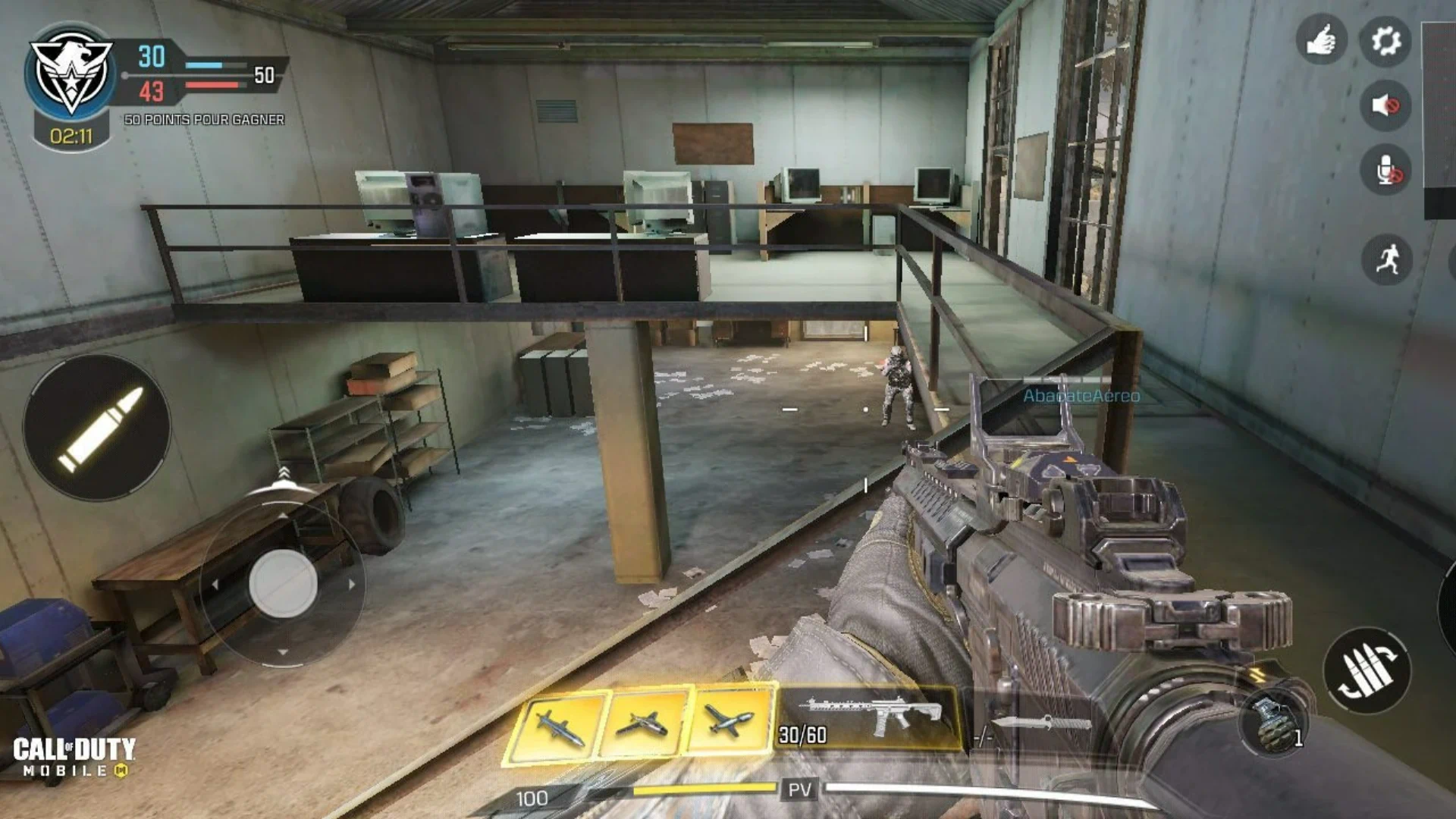
2) Increase Weapon View Distance So Your Gun Covers Less of the Screen
Once your visuals are set up for better clarity, the next step is weapon view distance.
When it’s too low:
your gun sits too close
the reticle area feels bulkier
more of your screen gets blocked in BR and multiplayer
When you raise it close to 100%:
your gun is pushed farther away
your screen feels cleaner
you can see more of the map, your surroundings, and incoming angles
This is one of the most practical COD Mobile tips for improving awareness, because your screen stops fighting against you.
3) Push Your FOV as High as You Comfortably Can
FOV directly affects how much of the environment you can see at once. A wider FOV gives you more information—and more information means faster reactions.
A solid approach:
on a tablet: max it out
on a phone: push it as close to max as feels comfortable
Why it matters:
you catch flanks sooner
you get surprised less often from the edge of your screen
multi-player engagements become easier to read
A wider view won’t replace game sense, but it absolutely gives you more to work with.
Searching for the best deals on Double CP from a trusted store? Item4Gamer is the answer! Our top-tier daily support and amazing rates will make us your one and only choice for all your gaming needs! 🥰
4) Turn Off Explosion Shaking
If there’s one setting that should be off for competitive play, it’s explosion shaking.
Why?
explosions make your screen shake unnecessarily
your aim control gets worse when the visual feedback becomes chaotic
close fights near objectives become harder than they need to be
With it turned off, the game feels more stable and your tracking stays more consistent during messy fights.
In COD Mobile, getting over cover quickly can be the difference between surviving and getting deleted. That’s where fast climb helps.
With fast climb enabled:
mantling feels quicker
you clear bulky obstacles faster
your movement becomes smoother during pushes, escapes, and rotations
This is especially useful in maps or BR situations where cover and terrain transitions happen constantly.
6) Don’t Instantly Re-Peek the Same Angle
One of the most common mistakes average players make is taking damage, backing off, and then instantly re-peeking the exact same angle.
The problem:
good players expect it
many opponents will keep firing or hold the angle because they know you might swing right back
A better approach:
wait a moment and break their firing rhythm
if they’re close, reposition
move to a head glitch
switch to a different corner or angle
then come back out with a jump or slide to make your re-entry less predictable
One critical detail here:
your crosshair placement has to be ready before you swing. Not at the floor, not above eye level. If you’re already weak from the first engagement, those milliseconds matter.
This is one of those COD Mobile tips that has a direct impact on your win rate in gunfights.
Get your Call Of Duty Mobile CP from ITEM4GAMER and go for the draw with confidence—quick delivery, reliable service, and options that fit your budget. Lock in the CP, upgrade the mythic, and hop back into Ranked ready to fry.
7) Improve Faster by Learning More and Playing with Better Players
If you want to improve quickly, just playing more matches isn’t enough. Volume helps, but smart reps help more.
A better formula:
keep learning from tip-based content and gameplay breakdowns
then spend time playing with people who are better than you
Why this works:
stronger teammates raise your standard
you start noticing better positioning, timing, and movement choices
watching how better players perform naturally sharpens your own decisions
If you play consistently, you’ll catch up faster than you think—and eventually you may even outgrow the players you were chasing.
8) Learn How Desync, Ping, and Peeker’s Advantage Work
This is the more advanced part. Desync exists in online games, and it usually comes from the delay between your device, the server, and the other player’s screen.
What matters for you is this:
when your MS/ping is high, certain peeks can give you peeker’s advantage.
That means:
when you swing from behind a wall or corner, the information may appear slightly later on your opponent’s screen
if your crosshair is already placed correctly, you can sometimes get the first damage in before they fully react
How to use this better:
keep your crosshair placement prepared before the peek
use slide or jump movement when coming around corners
tight corners are especially effective because opponents tend to panic in close-range situations
Conclusion
If you want a real performance boost, start in this order: fix your visibility with better brightness and color settings, clean up your screen with higher weapon view distance, raise your FOV, disable explosion shaking, enable fast climb, stop re-peeking carelessly, and sharpen your crosshair placement. Then take it a step further by understanding how desync and peeker’s advantage affect fights. Put together, these COD Mobile tips can make you more consistent, more aware, and much harder to beat.
This won’t replace fundamentals, but understanding it can help you convert more 50/50 fights into wins.
Follow us on social media 🚀
Frequently Asked Questions
What is the best weapon view distance setting in COD Mobile?
Higher is generally better. Keeping it near 100% helps move the gun farther away so it blocks less of your screen.
What FOV should I use on mobile?
As high as you can handle comfortably. On tablets, max FOV usually works well. On phones, go near max without hurting your control.
Should I turn off explosion shaking?
Yes. It reduces unnecessary screen shake and makes gunfights feel more stable, especially around explosives and objectives.
Does fast climb actually help?
Yes. Faster mantling improves movement flow and helps during pushes, escapes, and quick repositioning.
Why is instant re-peeking a bad habit?
Because experienced players expect it and hold the angle. Delaying your peek or changing your position makes you harder to punish.
How do I use peeker’s advantage in COD Mobile?
Use clean slide or jump peeks around corners with strong crosshair placement. It works best when your movement is fast and your aim is prepped.