Winning in Battle Royale is not just about having a strong gun or a powerful loadout. Even with top-tier gear, poor settings can make you lose crucial fights. That is why using the Best Call Of Duty:Mobile Battle Royale Settings can make a major difference in visibility, reaction speed, and overall consistency. If you want to survive longer, spot enemies faster, and perform better in close-range and long-range engagements, these settings deserve your attention.
In this guide, we cover ten important settings that every serious BR player should enable.
Table of contents
- 1. Improve Enemy Visibility with Customize Color
- 2. Lower Your Time to Kill with One Tap ADS Fire
- 3. Make Smarter Decisions with Damage Number
- 4. Get Clearer Vision Inside Buildings
- 5. Survive Longer with 3D Hit Hint
- 6. Control More of the Map with FOV
- 7. Use Better Shotgun Settings
- 8. Clean Up Your Audio for Better Footstep Tracking
- 9. Fix Connection Issues with GearUP Booster
- 10. Build a More Competitive BR Setup Overall
- Conclusion
- FAQ
1. Improve Enemy Visibility with Customize Color
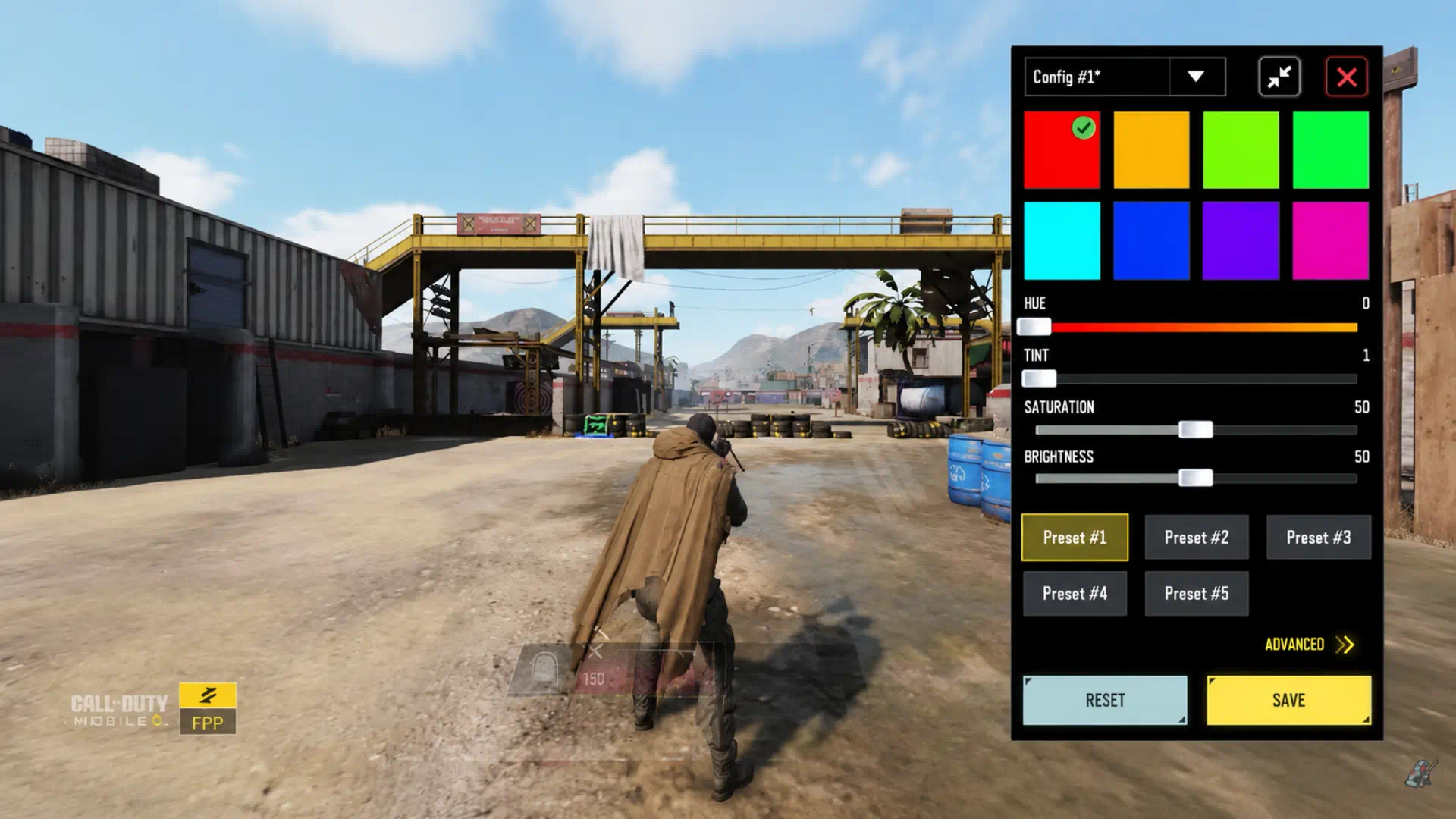
One of the biggest problems in Battle Royale is spotting enemies hiding in shadows or standing far away. Even if your aim is solid, poor visibility can still cost you the fight.
- Path:
Audio and Graphics > Customize Color - Recommended setup: Tap
Go, switch toAdvanced, chooseOrange, then setSaturationto60andBrightnessto63.
This setup makes darker parts of the map significantly brighter and helps enemies stand out more clearly.
2. Lower Your Time to Kill with One Tap ADS Fire
A lot of players lose close-range fights because their gun does not start firing while scoping in. That delay can increase your time to kill and get you eliminated before you even react.
- Path:
Settings > Basic > BR Mode > One Tap ADS Fire - Recommended setup: Turn it
ON.
With this enabled, your gun begins shooting as soon as you tap the fire button, even before the ADS animation fully finishes.
Settings optimized? Now level up your gear. Get your PSN Gift Cards at G4A4 Store for instant delivery and max out your Mythic Hurricane today!
3. Make Smarter Decisions with Damage Number
Knowing how much health your enemy has left helps you decide whether to play aggressive or passive. Without that information, it is harder to judge if you should push or reset the fight.
- Path:
Basic > Damage Number - Recommended setup: Turn it
ON.
This allows you to see exactly how much damage you deal whenever you hit an opponent, giving you a much better read on when to rush and when to back off.
4. Get Clearer Vision Inside Buildings
Fighting in tight indoor spaces can be frustrating because your own character model may block part of your screen. This becomes even more annoying when using a shotgun, where every shot matters.
- Path:
Basic > BR Mode > Transparentized Player Near Obstacle - Recommended setup: Turn it
ON.
Once enabled, your character becomes transparent near obstacles, making it much easier to track enemies in cramped areas.
5. Survive Longer with 3D Hit Hint
Getting shot from a distance without knowing where the shots are coming from is one of the fastest ways to lose a match. If you cannot identify the direction of incoming fire, your reaction time drops dramatically.
- Path:
Audio and Graphics > BR Mode > 3D Hit Hint - Recommended setup: Turn it
ON, set the color toRed, and setOpacityto100.
After enabling this setting, you will see a clear marker showing where the incoming shots are coming from whenever you take damage.
6. Control More of the Map with FOV
Default settings often make the game feel too zoomed in. This limits your field of view and makes aggressive peeking much riskier, especially when you are playing around cover on a large BR map.
- Recommended FOV values:
90,100, and80
These values help you see more of the surrounding area on your screen, making it easier to track movement and spot enemies before they spot you.
7. Use Better Shotgun Settings
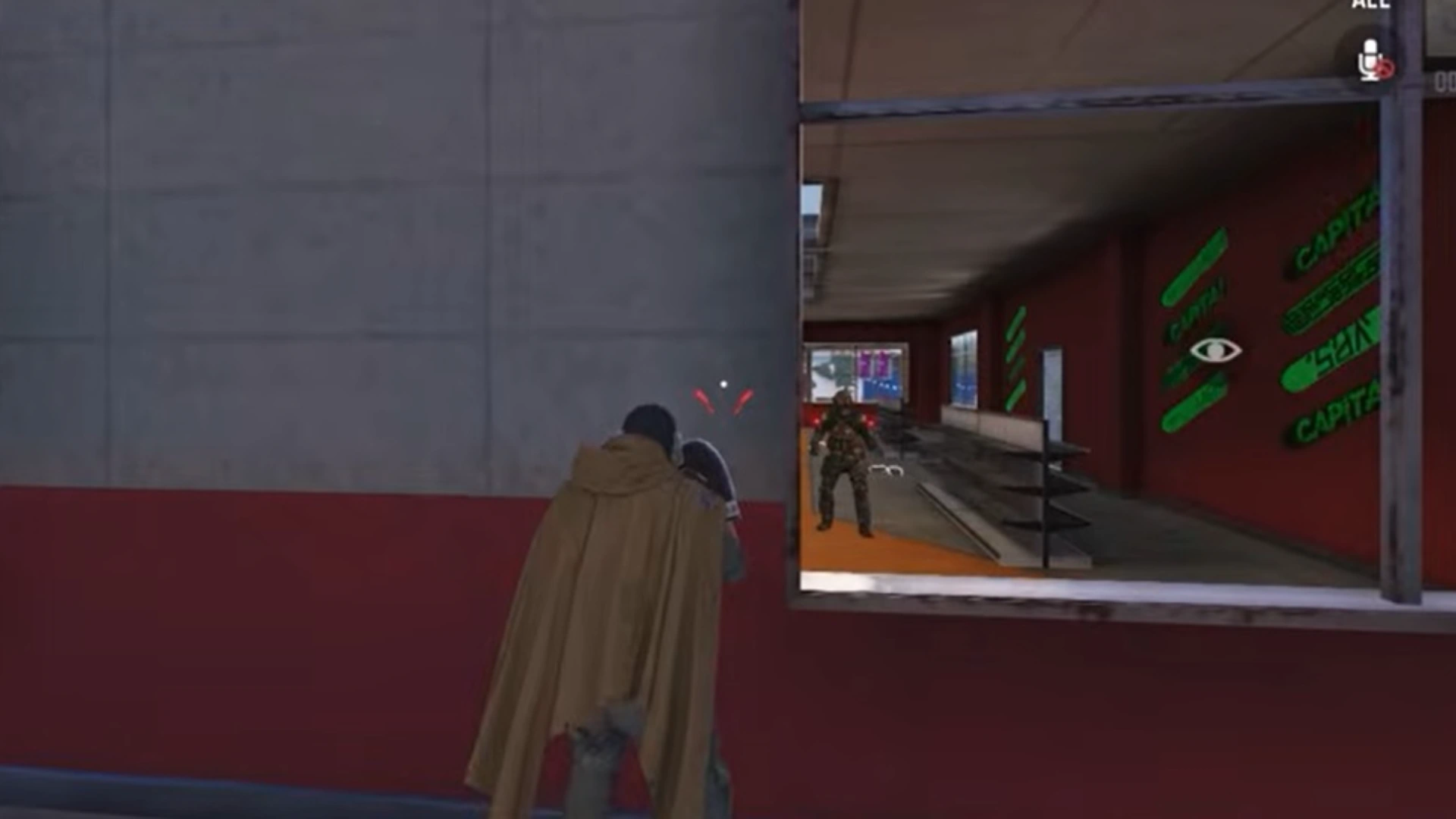
Shotguns are among the strongest weapons for close-range fights in Battle Royale, but they can also be inconsistent if you are not fully aware of how many pellets are landing.
- Shotgun Hit Reminder: Turn it
ONin theBasictab. - Shotgun Hold to Fire: Turn it
ONif you prefer holding the fire button for repeated shotgun shots.
Shotgun Hit Reminder shows a dot for each shot that lands, helping you understand your accuracy in real time. Shotgun Hold to Fire also makes shotgun handling smoother in tense close-range fights.
8. Clean Up Your Audio for Better Footstep Tracking
A lot of unnecessary background noise comes from the game itself. Ambient sounds like wind and environmental effects can make it harder to hear enemy footsteps and gunfire.
- Path:
Audio - Recommended setup: Set
Ambient Volumeto10or20.
This reduces useless noise and makes key sound cues like footsteps and shots much easier to hear.
9. Fix Connection Issues with GearUP Booster
Some in-game problems are not caused by settings alone. Lag, unstable ping, and delayed movement can ruin your BR experience even if your setup is otherwise perfect.
A practical solution is using GearUP Booster, which helps connect you to the fastest available servers in your area. That can reduce ping, stabilize your connection, and minimize lag during fights. It is especially useful for players who regularly struggle with network issues.
10. Build a More Competitive BR Setup Overall
The real advantage comes from combining all of these settings together. Better visibility, faster firing, clearer damage feedback, improved indoor fights, stronger directional hit markers, wider FOV, optimized shotgun handling, and cleaner audio all contribute to a much stronger BR experience.
That is why the Best COD Mobile Battle Royale Settings are not just about one feature. They work best as a complete setup that improves how you see, hear, react, and fight.
Related article:Best COD Mobile Settings: Pro Guide for Season 6 (2026)
Conclusion
Using the Best COD Mobile Battle Royale Settings can create a noticeable gap between you and average players. These small but important changes improve your awareness, speed, and consistency in real matches. If you want to perform better in competitive BR lobbies, adjusting these settings is one of the smartest upgrades you can make.






FAQ
Because background sounds like wind and environmental noise can make it harder to hear important audio cues such as footsteps and nearby gunfire.
Yes, especially in close-range fights where faster firing can decide the outcome immediately.
A higher FOV gives you more screen awareness and lets you see more of the map, though it can make distant enemies appear smaller.