Grinding ranked matches without dialing in your controls often feels like fighting your own screen instead of the enemy squad. Even with sharp reflexes, incorrect field-of-view scaling or sluggish touch inputs will ruin your crosshair placement and rob you of game-winning streaks. Equipping the best settings in Call of duty:Mobile instantly sharpens your responsiveness, eliminates unnecessary visual clutter, and delivers the exact competitive edge required to drop a clutch Nuke against sweaty lobbies.
1. Core Basic Settings: Magnet Aim and Lightning Utilities
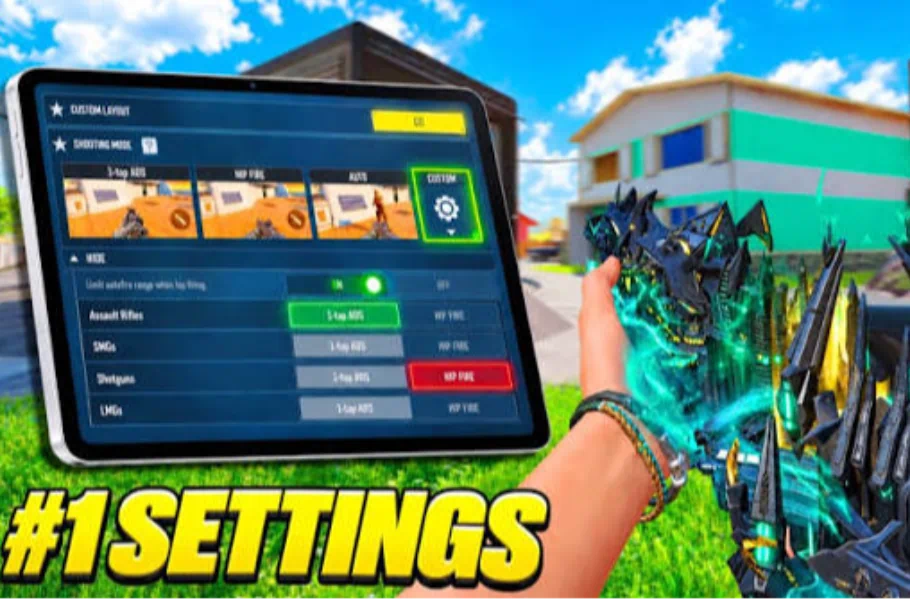
Fine-tuning the Basic tab forms the bedrock of consistent gunplay:
- Aim Assist: Keep this toggle active at all times. Disabling built-in aim assist merely handicaps your tracking ability against fast-sliding opponents.
- ADS Button for Rotation: Turn this option completely off. Disabling rotation prevents unwanted crosshair drift whenever you press the aim button during intense spray battles.
- FOV and Sync ADS to Scope Zoom: Tablet and iPad players should push FPP FOV to 100 and overall FOV to 90. Additionally, turn on Sync ADS FOV to Scope Zoom to maintain consistent sight alignment across iron sights and scopes without jarring transitions.
- Split Throw Button & Left-Hand Tactical: Enable both options right away. Splitting lethal and tactical binds removes equipment scrolling, while the left-hand throw function lets you toss Stim Shots or concussion grenades instantly without lowering your gun.
- Camera Shake & Weapon Recoil Kick: Pull every single screen-shake slider down to absolute zero. While this adjustment does not modify actual mechanical recoil, it wipes out cosmetic camera bounce, keeping your monitor rock-steady throughout sustained bursts.
2. Team HUD and Minimap Optimization
Game awareness separates average ladder climbers from top-tier leaderboard contenders:
- Perspective Teammate: Switch this setting on immediately. When squadmates go down behind hard cover or across the map, visible indicator icons reveal the exact angle of enemy fire in real time.
- Minimap Dimensions: Configure map scale to 131 and overall opacity to 100. Lower the minimap zoom level slightly so you can scout entire rotation routes and objective flanks without oversized interface badges blocking vital screen real estate.
3. Four-Finger Claw HUD Layout
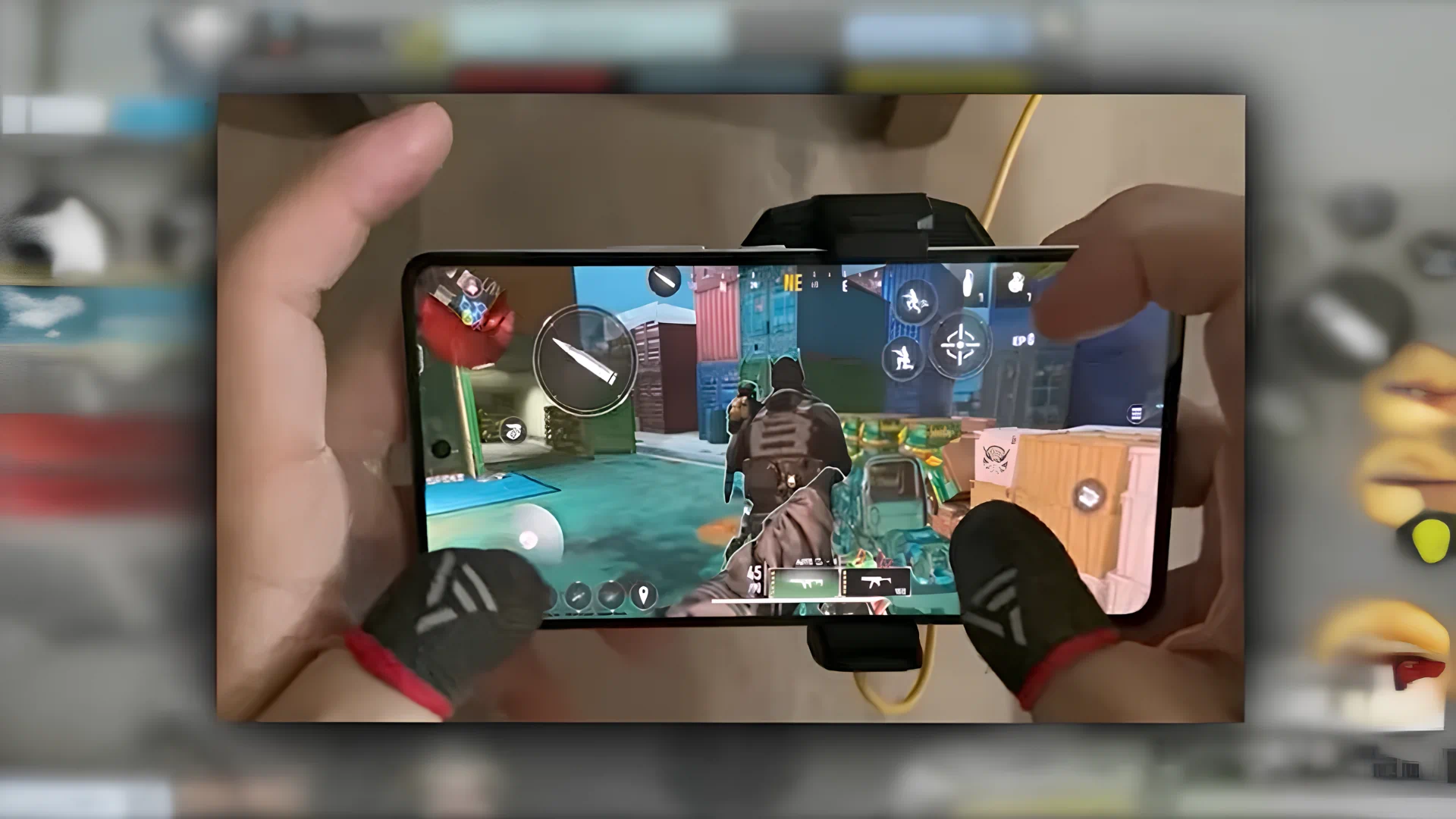
Sticking solely to two thumbs severely restricts your agility during high-stakes engagements. Transitioning to a dedicated four-finger layout unlocks fluid momentum:
- Left Index Finger: Manages crouching, sliding, jumping, aiming down sights (ADS), and rapid weapon swaps.
- Left Thumb: Focuses entirely on smooth directional movement via the joystick.
- Right Index Finger: Triggers primary fire, executes slide-canceling sequences, and chucks tactical gear.
- Right Thumb: Activates scorestreaks, cycles reloads, and picks up floor loot on the fly.
4. Audio and Graphics: Unlocked 120 FPS Performance
Frame rate dictates your reaction speed in every 50-50 duel. Select Ultra Frame Rate (120 FPS) alongside high graphics presets to enjoy buttery-smooth tracking. For combat feedback, adjusting hitmarker effects to crisp, dark tones like black dramatically enhances peripheral hit confirmation against brightly lit map environments.
5. Sensitivity Configuration and Gyroscope
Consistency remains king when landing critical shots:
- Rotation Mode: While some veterans excel using Distance Acceleration, the majority of competitive players thrive on Fixed Speed because it provides 1:1 muscle-memory feedback across every swipe.
- Gyroscope: Avoid gyroscope entirely on larger devices like iPads. Swinging a weighty tablet distorts your physical grip, produces shaky perspective tracking, and slows down immediate target acquisition.
6. Pro Ranked Loadout Blueprints
Pairing the best settings in COD Mobile with meta weaponry guarantees ranked domination:
- Hyper-Aggressive Rusher: Equip the blistering Static-HV for unmatched point-blank time-to-kill (TTK), backed by the Spear for maximum sprint velocity. Pair these weapons with the Misdirection operator skill, Lightweight, Gung-Ho, and Tactician with double Stim Shots. For killstreaks, run UAV, EMP Systems, and Advanced UAV to sweep clean lobbies.
- Close & Long-Range Hybrid: Pack the devastating HS0405 shotgun to eradicate enemies up close without dealing with annoying hitmarkers, then back it with the pinpoint LW3-Tundra sniper rifle to eliminate distant lane campers.
Related article:Best Sniper Loadout in CoD Mobile; The Golden Combo
Conclusion
Ranked mastery comes down to optimizing every single mechanical edge available in your options menu. Implementing the best settings in COD Mobile eliminates input friction, stabilizes your camera tracking, and turns clutch gunfights in your favor. Adjust your controls, load into your next match, and start racking up win streaks today!






Frequently Asked Questions (FAQ)
Zeroing out camera shake eliminates disorienting visual bounce during rapid fire, maintaining a perfectly clear sight picture without altering actual weapon spray patterns.
This error occurs when the captcha numbers expire or are entered incorrectly; simply tap the captcha image to refresh it and submit again.
Once you see the successful submission message, rewards typically appear inside your in-game mailbox within 1 to 10 minutes.